

Track and control employee spending with real-time budgets

Create flexible budgets by department, category, project, or cost center. Give employees visibility into available limits and prevent overspending before it impacts your books.

Track and manage real-time budgets with Sage Expense Management
Rating stars 4.6/5 1775+ reviews

Trusted by 2500+ Customers

  • Aprio logo
  • Centric logo
  • Disruptive logo
  • E3 Environmental logo
  • Encore logo
  • May Mobility logo
  • Keystone logo
  • Sprenger logo
  • Classic Collision logo
  • CCS Construction logo
  • Williams homes logo

Control spending at every stage.

Set flexible budgets your way
See budgets before spending
Stay on top of budget overruns

Create budgets that match how your business operates.

Set budgets by department, project, category, or cost center. Choose a frequency that works for you - monthly, quarterly, yearly, or one-time. Budgets reset automatically, and admins can update details anytime without starting over.
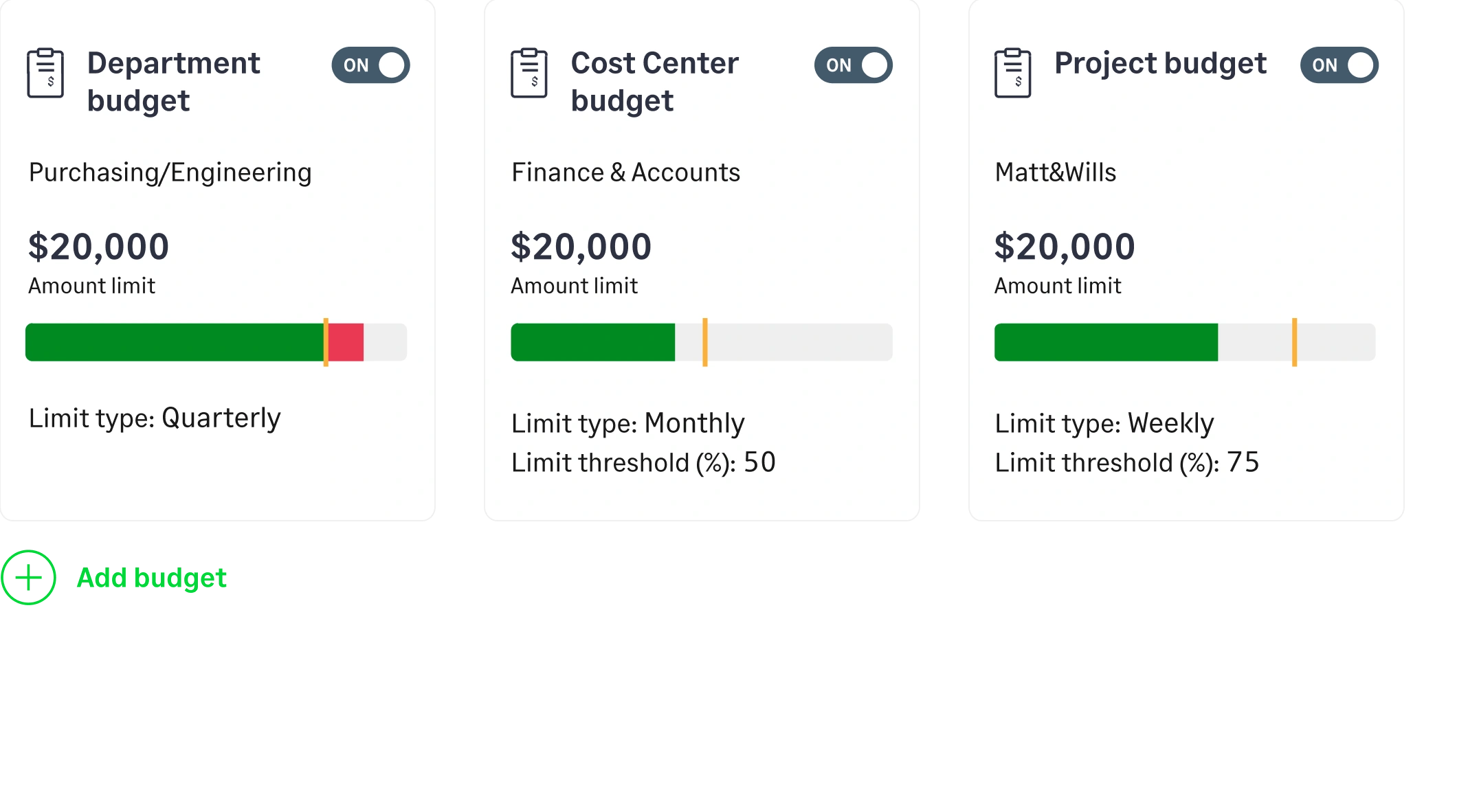
Create and manage flexible budgets in Sage Expense Management

Make budgets visible to the right people.

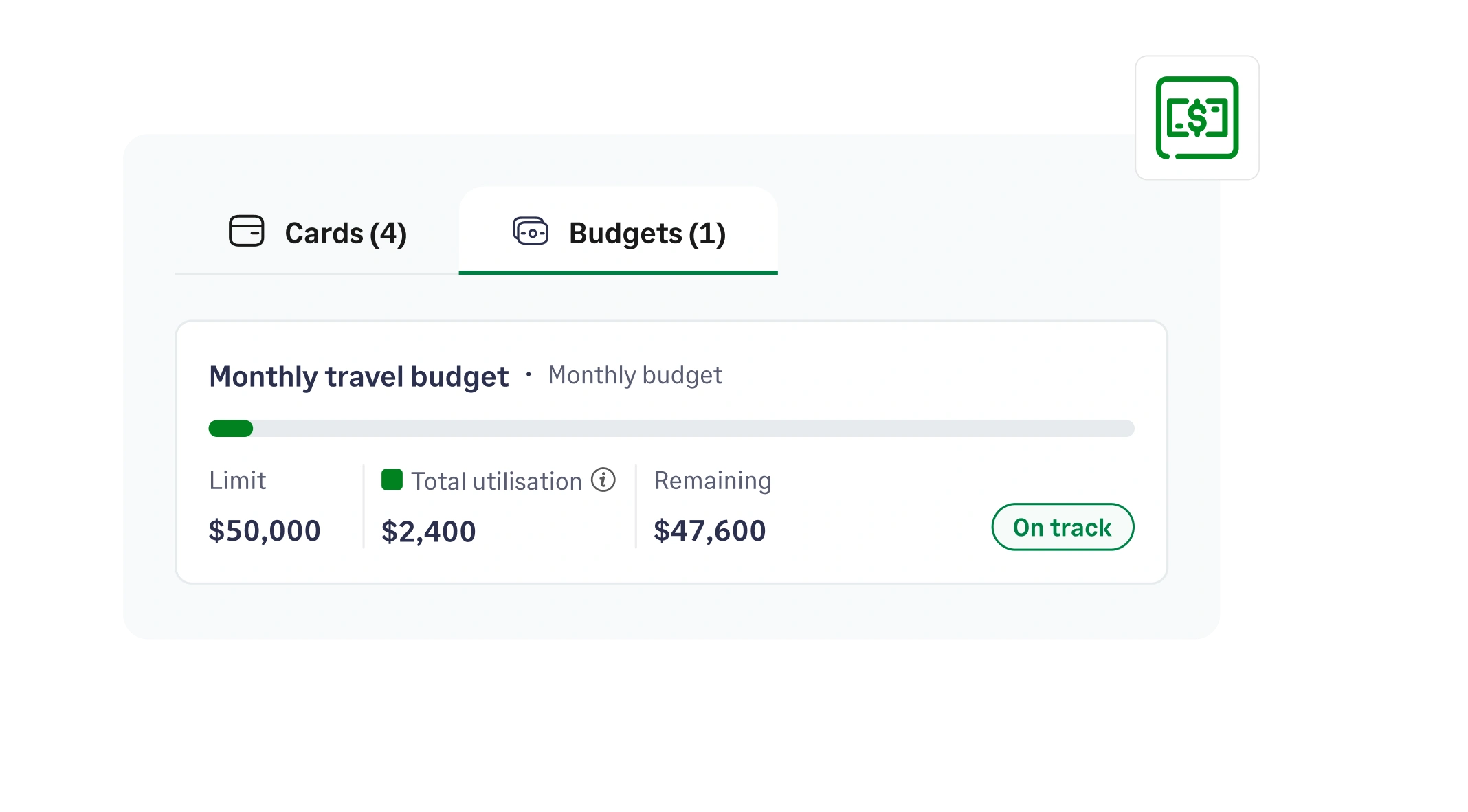
Choose who can view each budget, whether it is admins, employees, or specific team members. Spenders can track used and remaining amounts in their dashboard, helping them decide whether to move forward with an expense.

View budget utilization and remaining limits in real time with Sage Expense Management

Know instantly when budgets are exceeded

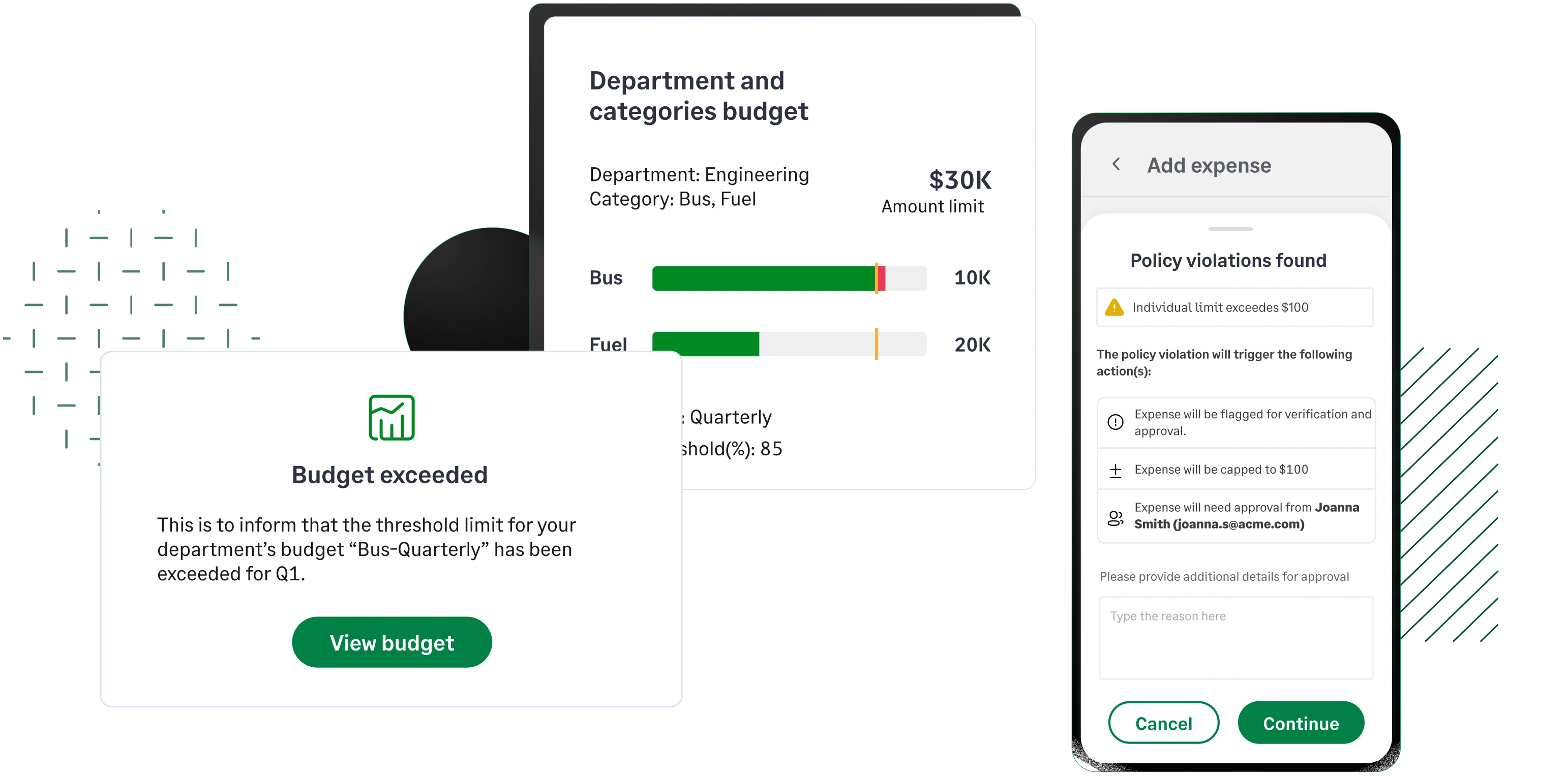
Budgets update automatically as expenses are recorded. When a limit is crossed, the dashboard reflects it instantly and notifications alert the right stakeholders. Overruns stay visible, accountable, and under control.

Budget overrun alert showing exceeded marketing budget with real-time spend visibility in Sage Expense Management

Control spending at every stage.

Set flexible budgets your way
See budgets before spending
Stay on top of budget overruns

Create budgets that match how your business operates.

Set budgets by department, project, category, or cost center. Choose a frequency that works for you - monthly, quarterly, yearly, or one-time. Budgets reset automatically, and admins can update details anytime without starting over.
Make budgets visible to the right people.

Choose who can view each budget, whether it is admins, employees, or specific team members. Spenders can track used and remaining amounts in their dashboard, helping them decide whether to move forward with an expense.

Know instantly when budgets are exceeded

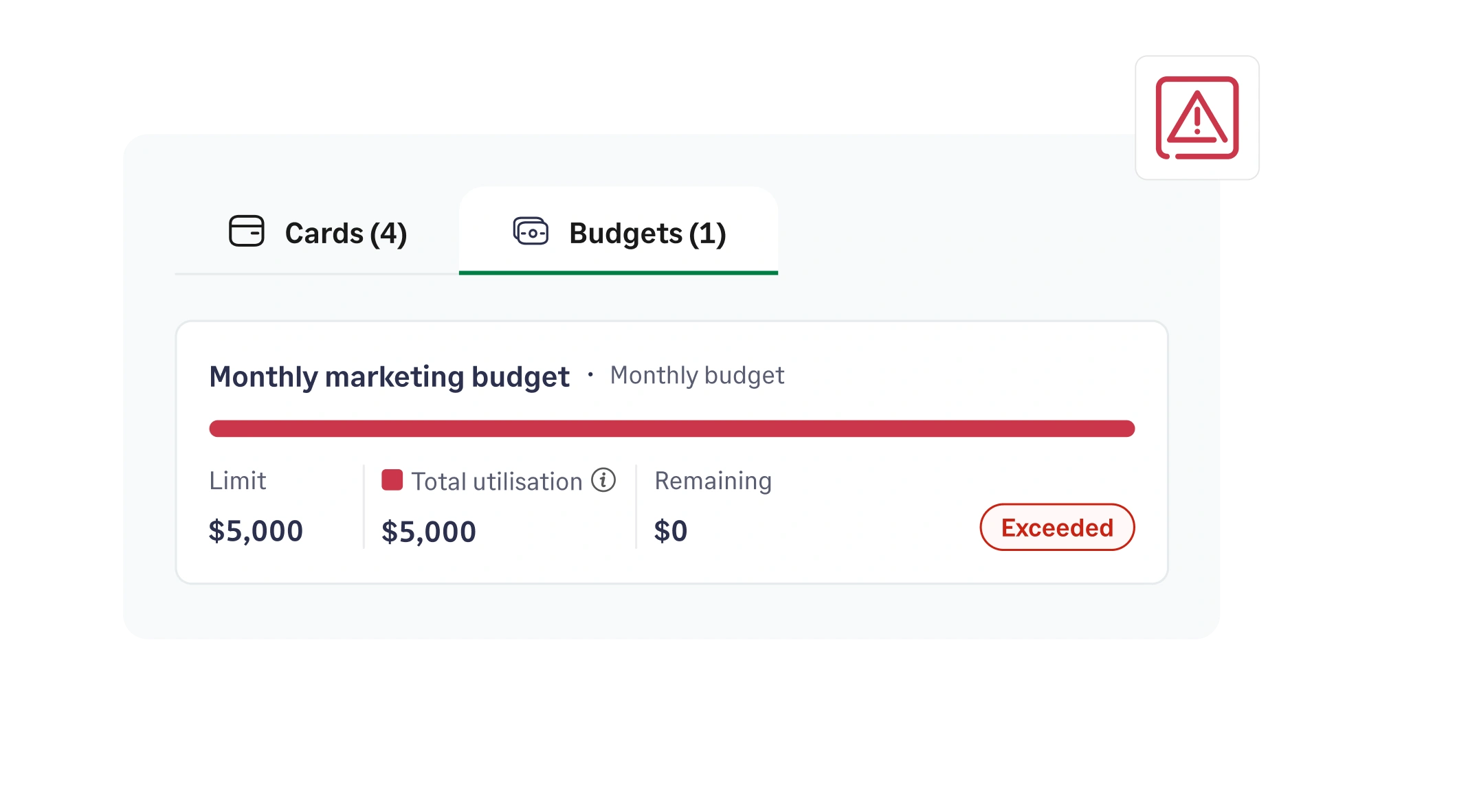
Budgets update automatically as expenses are recorded. When a limit is crossed, the dashboard reflects it instantly and notifications alert the right stakeholders. Overruns stay visible, accountable, and under control.

Create and manage flexible budgets in Sage Expense Management
View budget utilization and remaining limits in real time with Sage Expense Management
Budget overrun alert showing exceeded marketing budget with real-time spend visibility in Sage Expense Management
Westhaven logo

95% reduction in errors and miscategorized expenses

"What used to take hours now takes minutes. The intuitive interface and seamless integrations have made our finance team more efficient. It’s easily one of the best decisions we’ve made."

Tifany Wunschl, Controller

Tifany Wunschl, Controller

Take control of company spending before it becomes overspend

Track budget performance from one unified dashboard

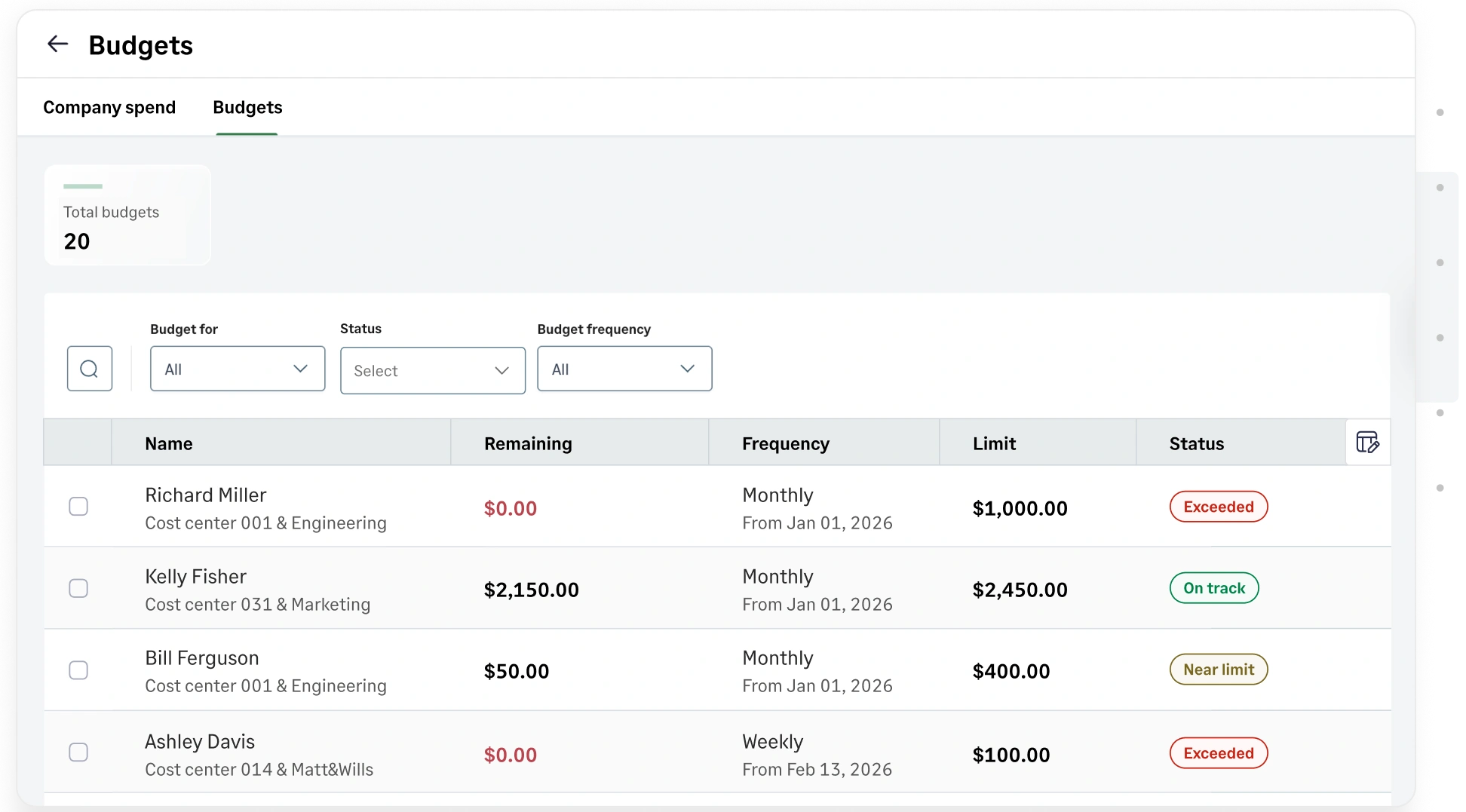
Get complete visibility into budget utilization in real time. View remaining balances, monitor usage trends, and filter budgets by status. Quickly identify budgets nearing limits and take action before month-end.

Track real-time budget utilization and performance from a unified dashboard in Sage Expense Management

Stay ahead of budget overruns

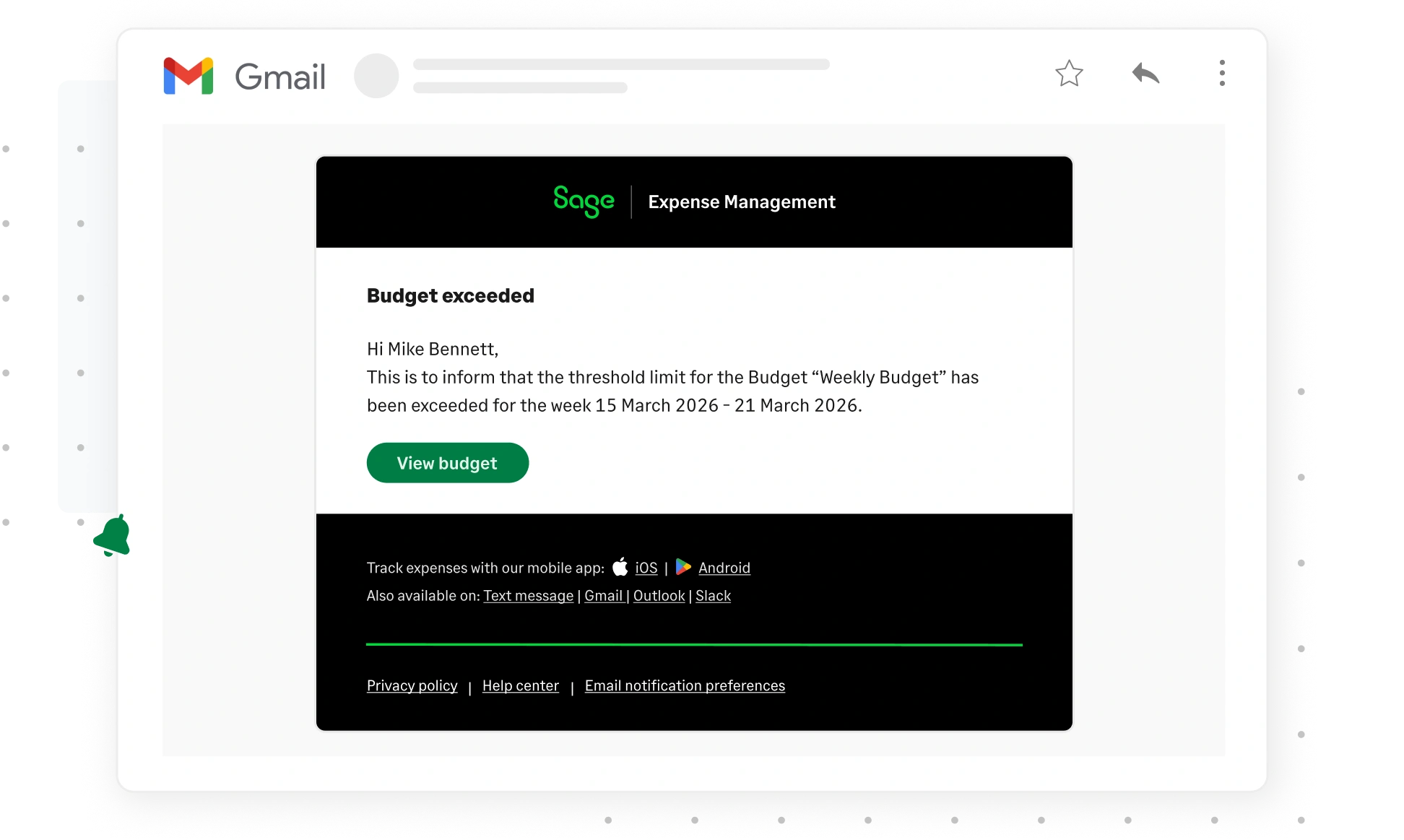
Automated alerts notify finance teams and stakeholders when spend approaches or exceeds limits. Sage Expense Management automatically sends you email reminders when your expenses are close to reaching your budget limits.

Stay informed of exceeded budgets in real-time via email with Sage Expense Management

Review historical budget usage

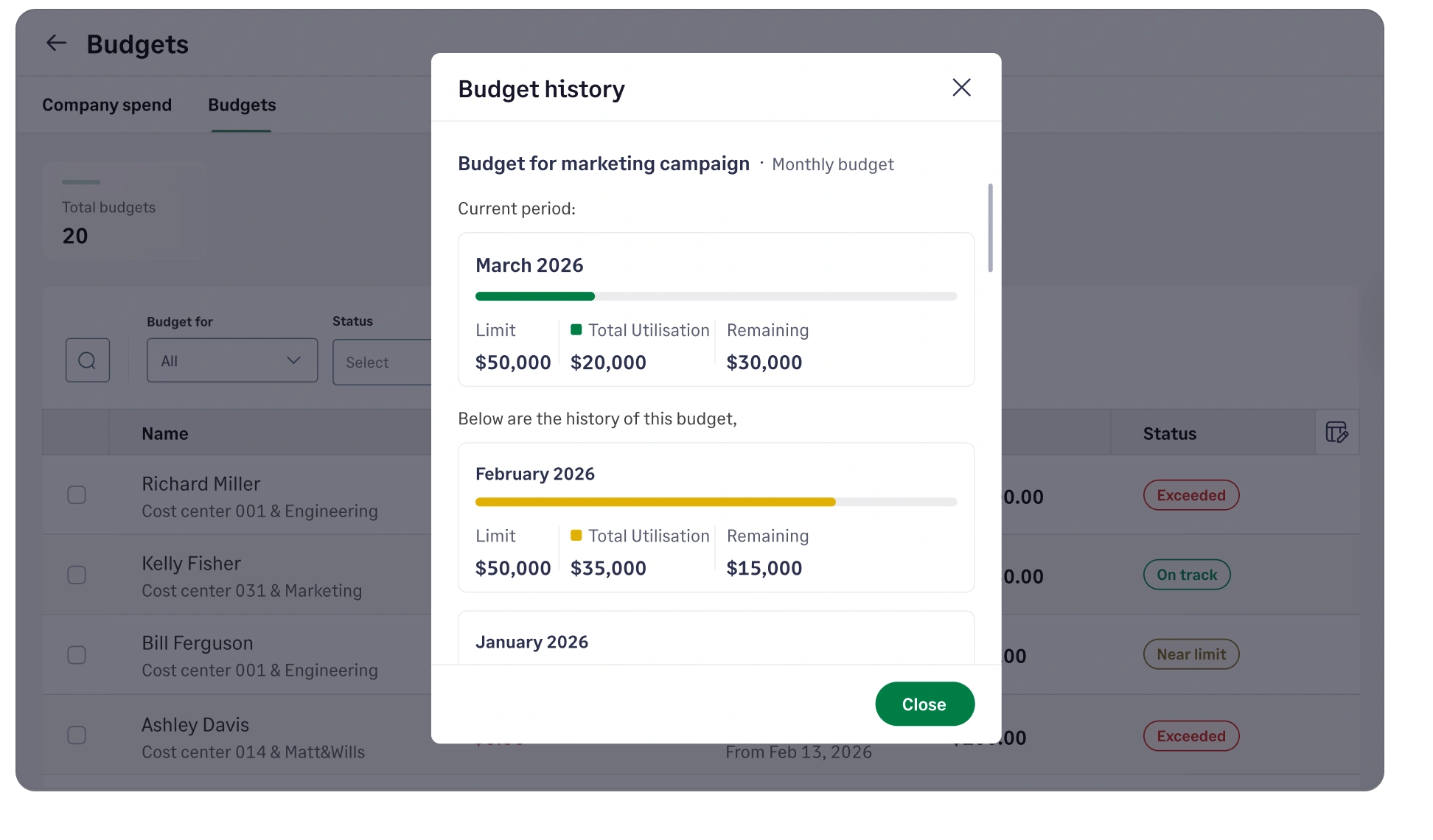
View historical usage for any budget to analyze trends, adjust allocations, and improve future planning. Make smarter budgeting decisions backed by actual spending patterns.

View historical budget usage and analyze spending trends with Sage Expense Management

FAQs

Yes. Sage Expense Management allows you to create budgets based on departments, projects, categories, cost centers, or combinations such as department + category or project + category. This gives finance teams flexibility to track spend the way their organization is structured.

Budgets can be set to reset monthly, quarterly, yearly, or as a one-time budget. Once configured, budgets automatically reset based on the selected frequency.

Yes. Depending on visibility settings, employees contributing to a budget can see overall utilization and the remaining available amount. This helps teams stay aware of spending limits before submitting expenses.

When a budget is exceeded, it is immediately reflected in the budget dashboard. The system updates the utilization status and sends an email notification to the budget owner or assigned administrator, ensuring finance teams are informed in real time.

Yes. You can configure multiple utilization thresholds (for example, 80% or 90%) and assign email notifications to specific roles such as administrators, finance team members, or budget owners.

Yes. Sage Expense Management provides a unified budget dashboard where administrators can track budget limits, utilization percentages, remaining amounts, and status across all active budgets in one place.

Yes. Administrators can view past budget periods to analyze spending trends and make informed adjustments for future allocations.

Budget creation and management are controlled by administrators. They can configure budget settings, adjust limits, manage visibility, and assign notification recipients.

Stay ahead of budgets instead of reacting to overruns

G2 Leader
G2 High Performer
G2 Best Software Satisfaction 2025
G2 Best Software Accounting & Finance 2025
G2 Momentum Leader
G2 Most Implementable
Get a Demo