

Smarter spend oversight, less busywork

Your decision-making starts with clear, accurate data that’s always up to date.

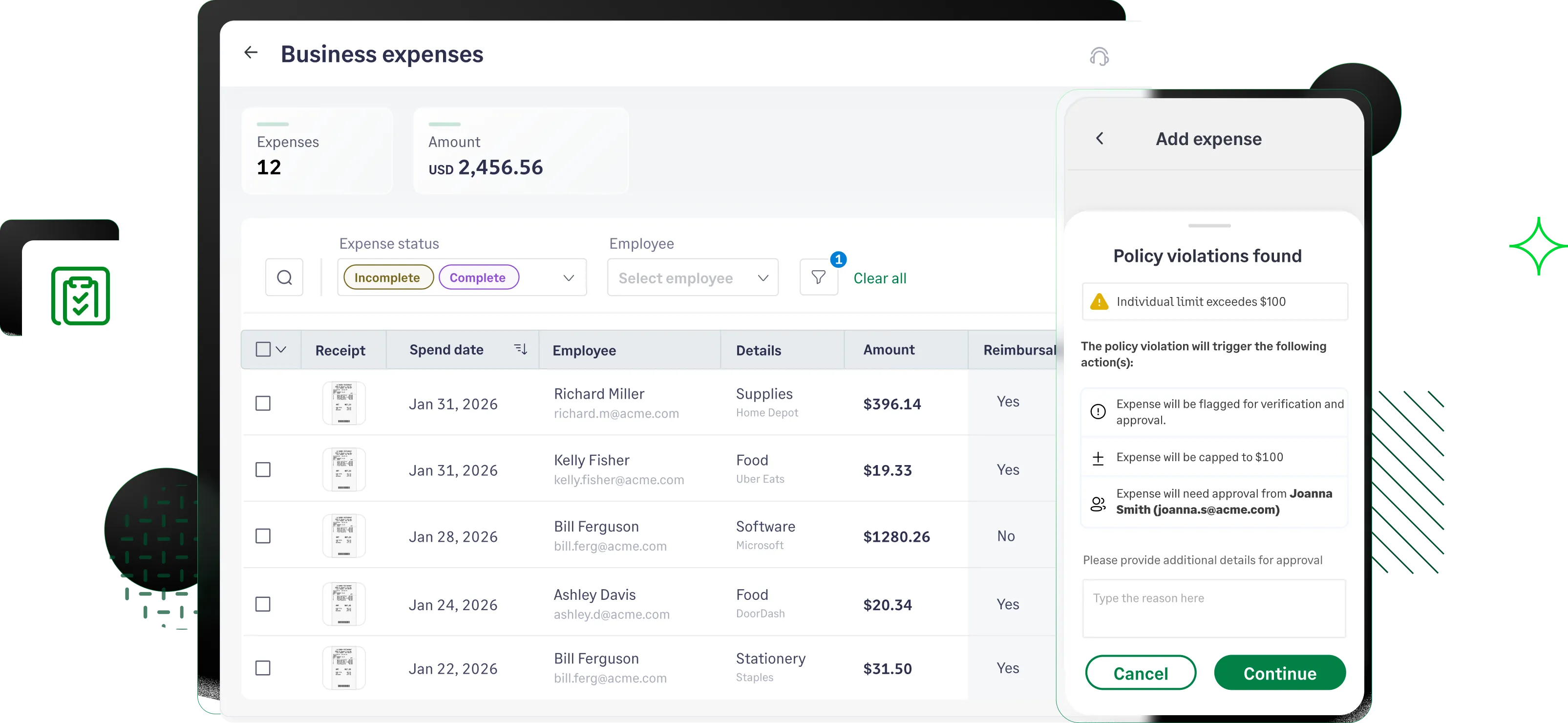
Sage Expense Management flagging a expense policy violation
Rating stars 4.6/5 1775+ reviews

Trusted by 2500+ Customers

  • Aprio logo
  • Centric logo
  • Disruptive logo
  • E3 Environmental logo
  • Encore logo
  • May Mobility logo
  • Keystone logo
  • Sprenger logo
  • Classic Collision logo
  • TST Construction logo
  • Williams homes logo

See and control spend with confidence

  • See expense the moment it happens
  • Strategic oversight on company spend
  • Compliance with zero manual checks
  • Unlock hidden savings with AI CoPilot

Know exactly what's being spent, in real time

We directly integrate with your existing business credit cards, to give you real-time spend visibility into every card transaction. Track corporate card spend, receipt submissions, and reimbursement requests in one unified view.
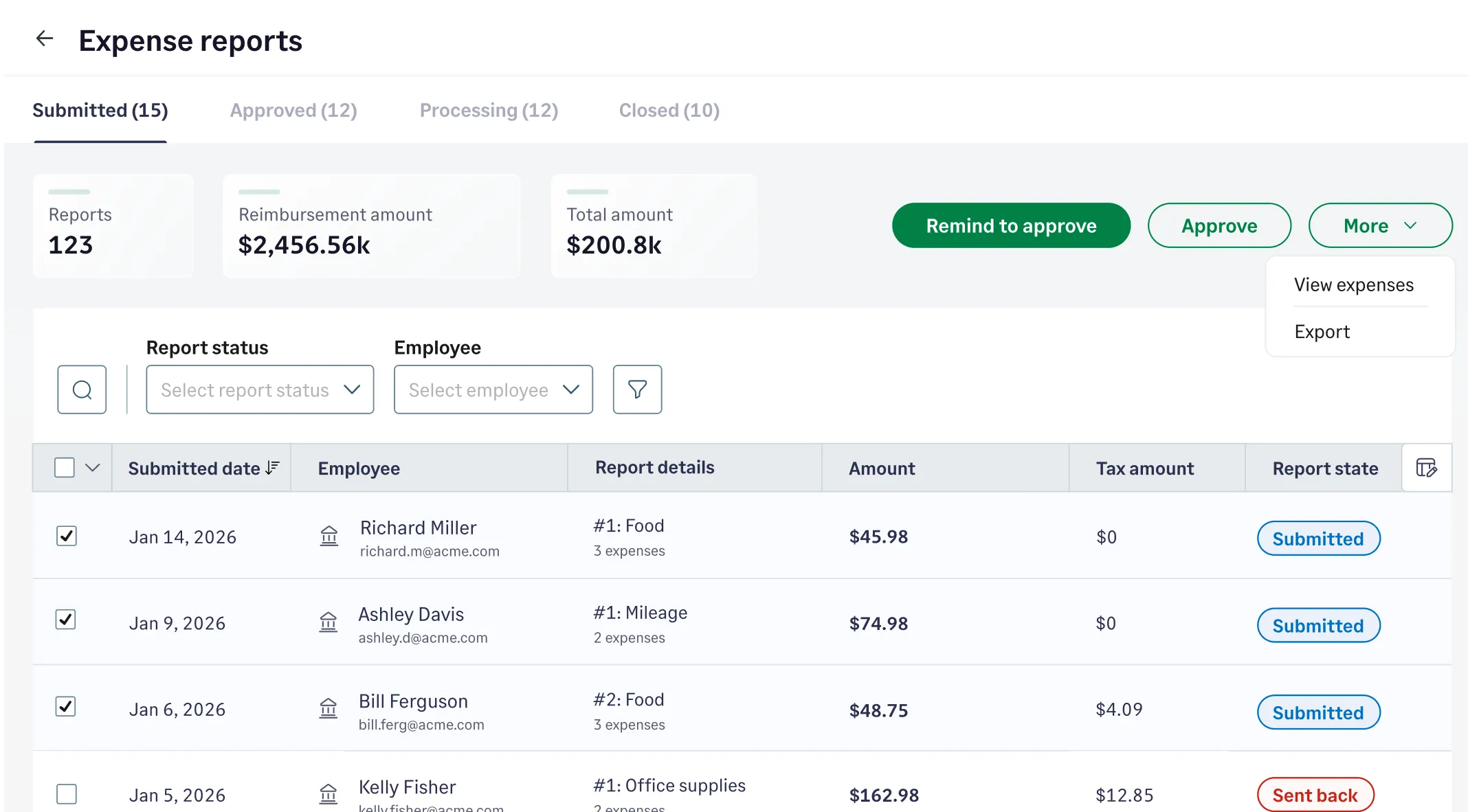
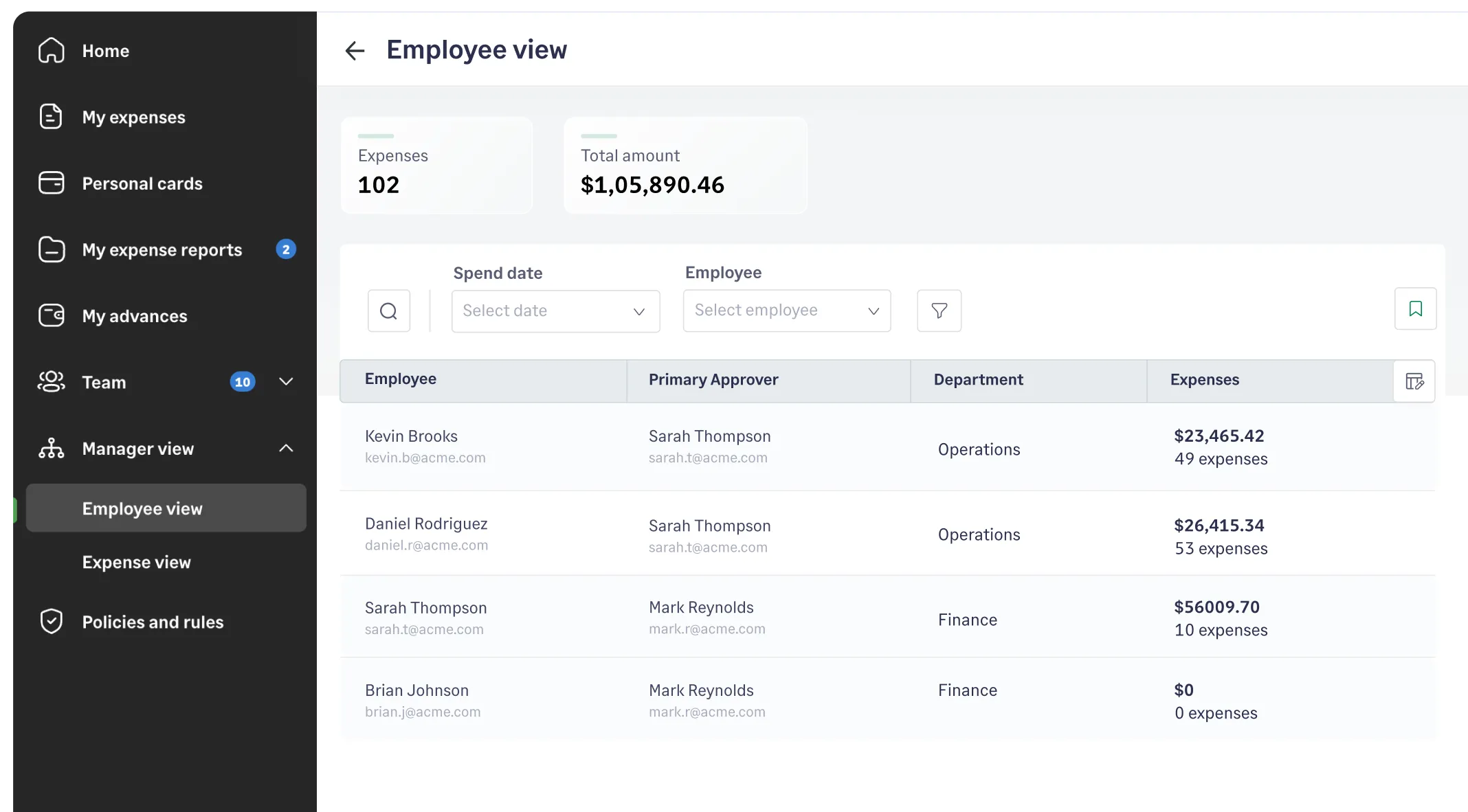
Sage Expense Management spend oversight dashboard

Empower managers with the high-level clarity

​​The manager view dashboard*, gives executives complete visibility into spending patterns across their entire organization. Perfect for oversight without micromanaging.

*available for business plan customers

Sage Expense Management manager view dashboard

Proactive alerts to help protect your bottom line

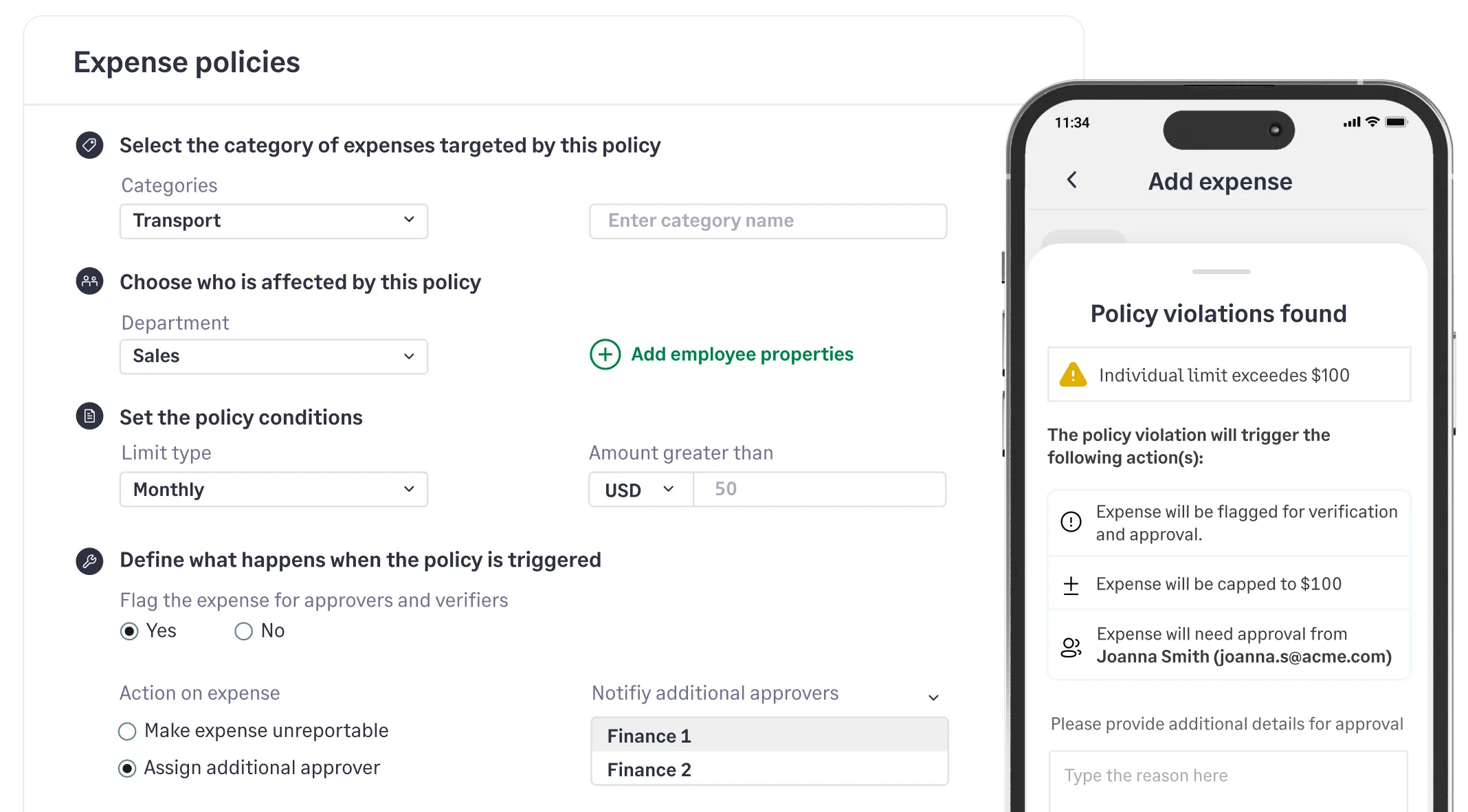
Set up business rules that fit your organization in seconds. Automatically flag inflated claims, detect duplicate receipts, and ensure every expense stays within budget and aligns with company policies—so you never approve a questionable expense.

Set up expense policies and business rules in Sage Expense Management for automated compliance checks

Spot high-cost areas and quickly identify where you can save

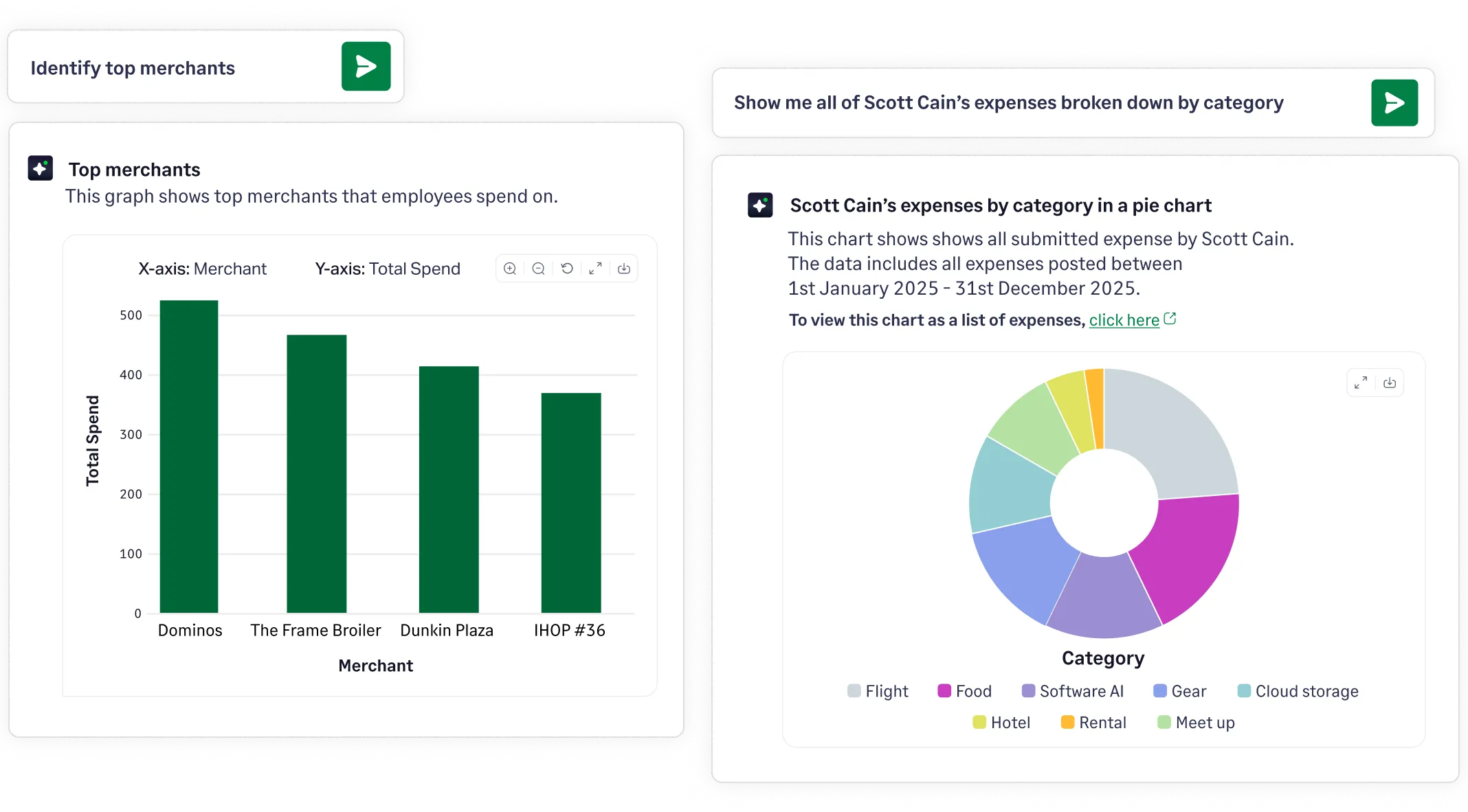
Copilot provides AI-powered insights on your expenses, reports, categories, merchants, and any support queries instantly. Effortlessly analyze company spending to spot trends, monitor budgets, and identify cost drivers or potential overspending.

Sage Expense Management AI powered copilot gives insights about company expenses and reports.

See and control spend with confidence

  • See expense the moment it happens
  • Strategic oversight on company spend
  • Compliance with zero manual checks
  • Unlock hidden savings with AI CoPilot

Know exactly what's being spent, in real time

We directly integrate with your existing business credit cards, to give you real-time spend visibility into every card transaction. Track corporate card spend, receipt submissions, and reimbursement requests in one unified view.
Empower managers with the high-level clarity

​​The manager view dashboard*, gives executives complete visibility into spending patterns across their entire organization. Perfect for oversight without micromanaging.

*available for business plan customers

Proactive alerts to help protect your bottom line

Set up business rules that fit your organization in seconds. Automatically flag inflated claims, detect duplicate receipts, and ensure every expense stays within budget and aligns with company policies—so you never approve a questionable expense.

Spot high-cost areas and quickly identify where you can save

Copilot provides AI-powered insights on your expenses, reports, categories, merchants, and any support queries instantly. Effortlessly analyze company spending to spot trends, monitor budgets, and identify cost drivers or potential overspending.

Sage Expense Management spend oversight dashboard
Sage Expense Management manager view dashboard
Set up expense policies and business rules in Sage Expense Management for automated compliance checks
Sage Expense Management AI powered copilot gives insights about company expenses and reports.
Westhaven Logo

Miscategorized expenses down by 95%

"The intuitive interface, seamless integrations, and real-time visibility into spending have made our finance team more efficient and empowered our employees to stay compliant without the hassle"

Tifany Wunschl

Tifany Wunschl, Controller

Turn expense data into strategic decisions

Get a Demo

Granular control for accurate reporting

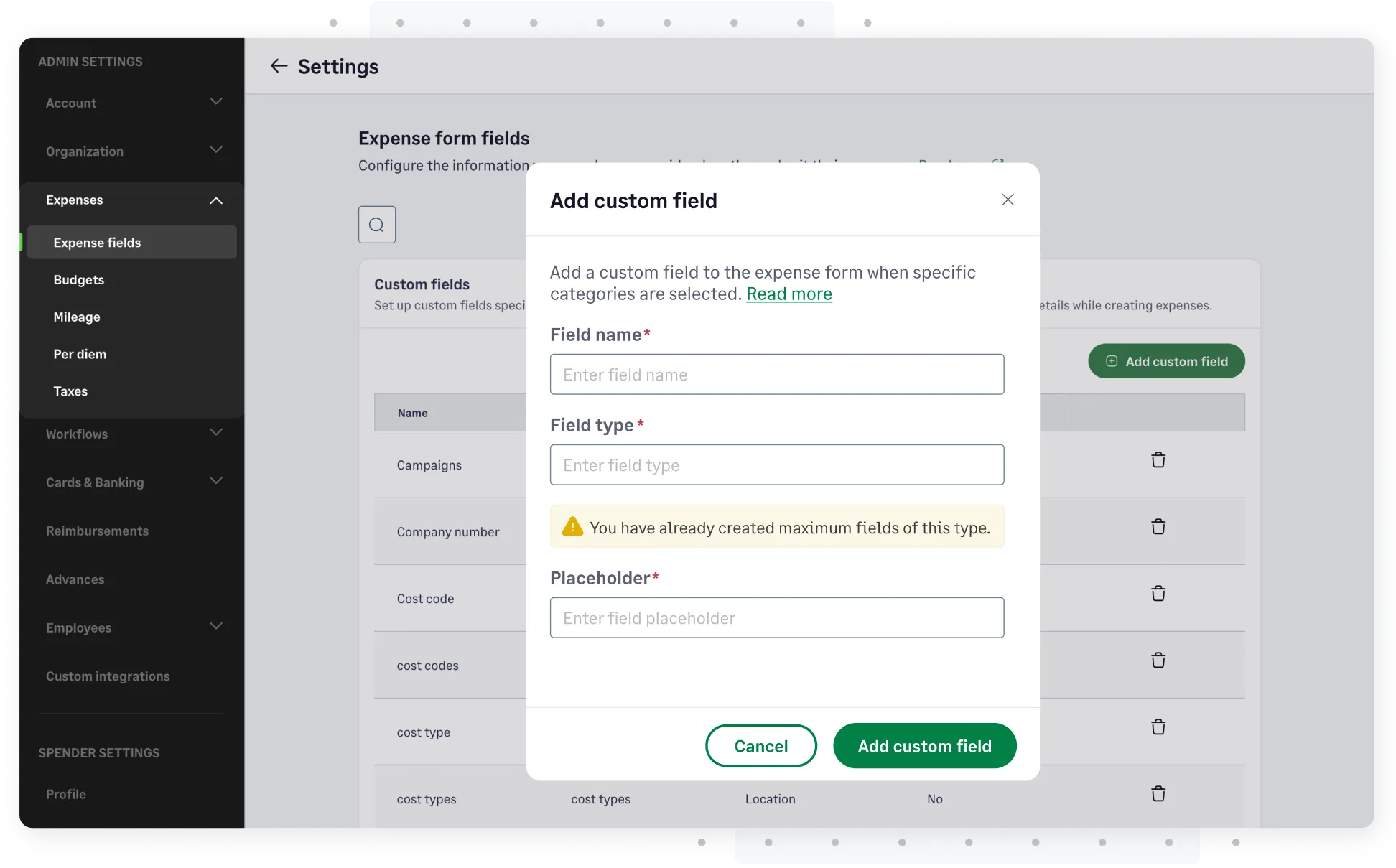
Easily configure tax groups, mark expenses as billable, auto-calculate mileage and per diem, and set your own exchange rates.

Sage Expense Management granular reporting admin settings

Reduce time and efforts on audits

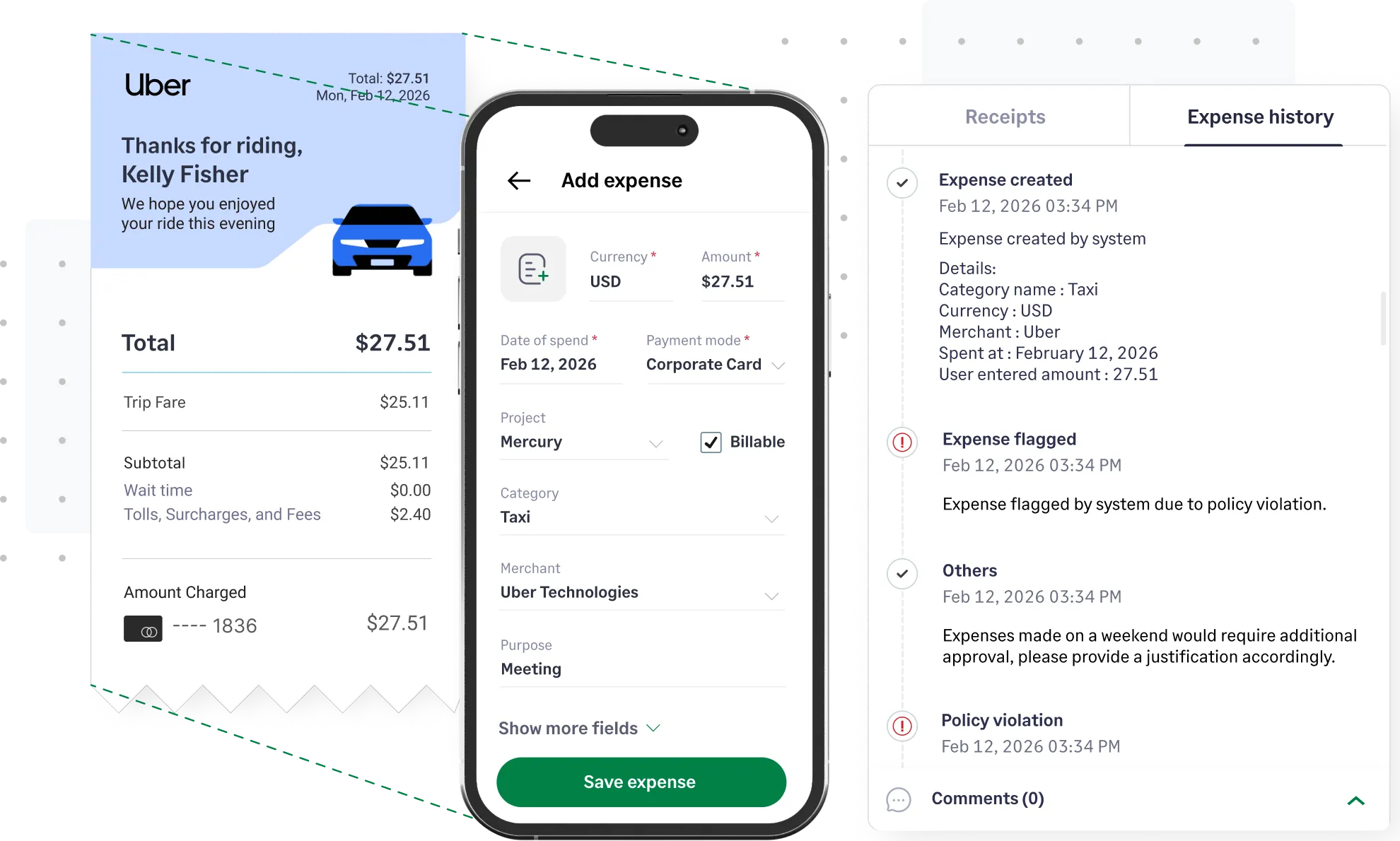
Every approved expense leaves a fully searchable, cloud-based audit trail. Access complete transaction histories, with auto-attached receipts, approval chains, and policy compliance data.

Sage Expense Management audit trial tab showing expense transaction history.

Integrate Sage Expense Management with the rest of your data 

Automates data flow to your ERP

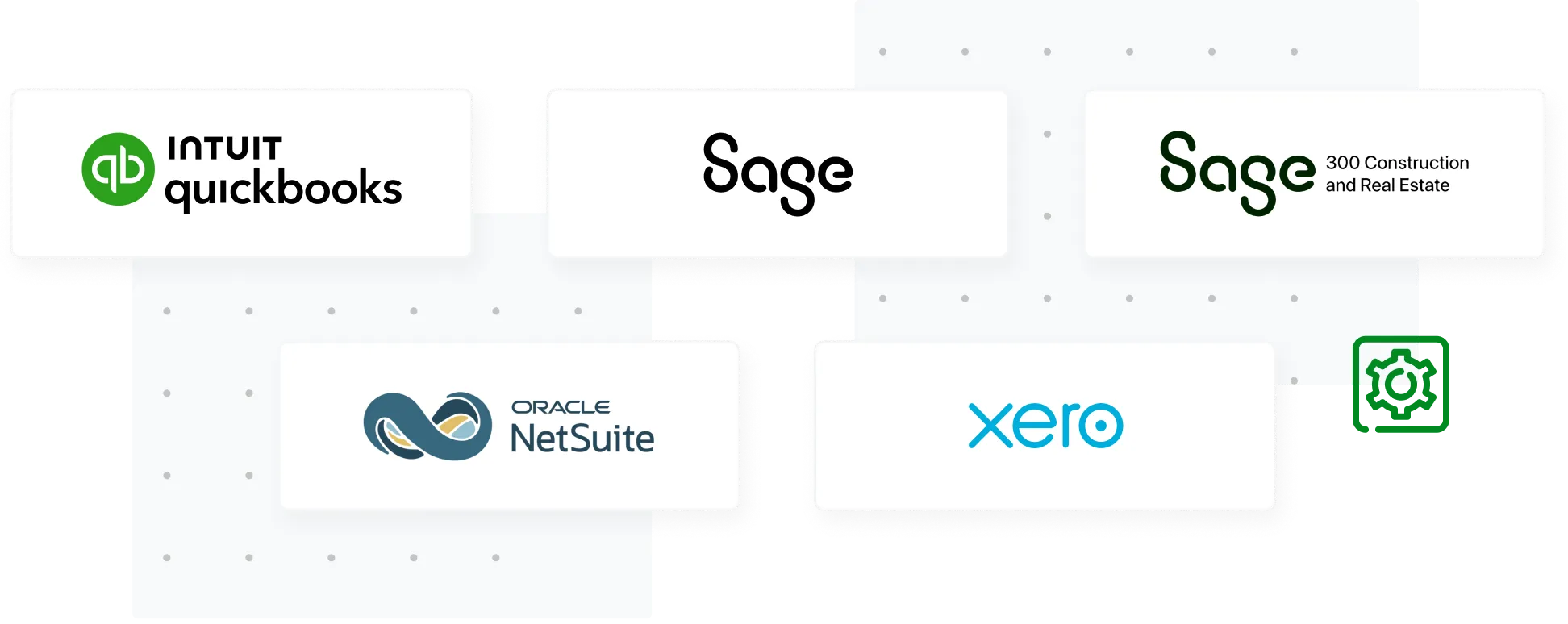
Bidirectional integration with ERP ensures expense data flows automatically, eliminating manual data entry or errors.

Learn more
Logos for Sage Expense Management's accounting software integrations, including QuickBooks, Sage, and Xero and more.

Easily export data

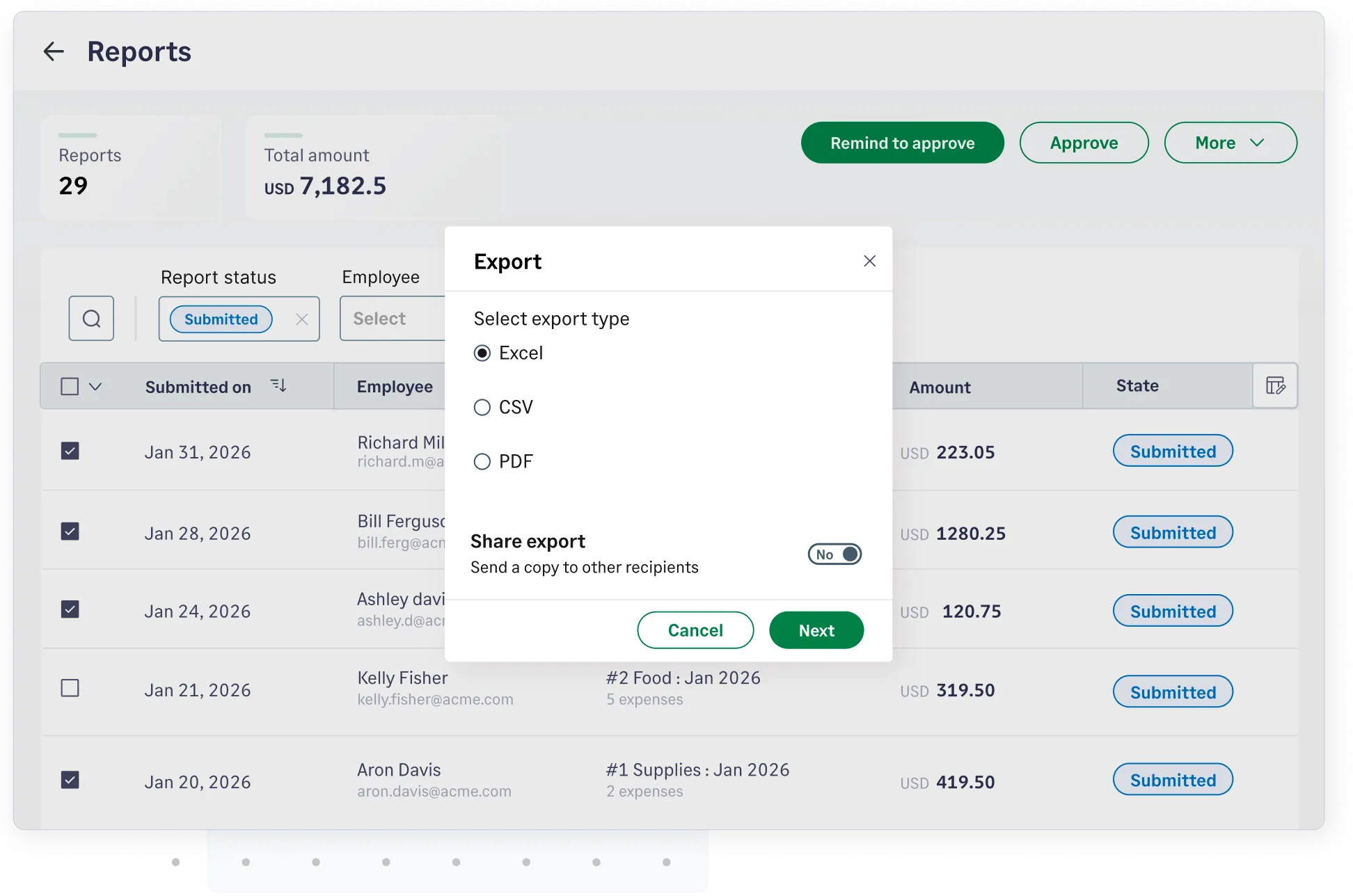
Generate detailed, customizable expense reports with attached receipts for error-free month-end closing.

Generate and export expense reports with attached receipts in Sage Expense Management

Frequently asked questions

Sage Expense Management is a modern, AI-powered credit card expense management software built to streamline expense tracking and reconciliations. Sage Expense Management offers a better ROI with 24/7 customer support, a unique pricing model based only on 'active users,' no lock-in contracts, and an experience designed to automate every step of expense management.

Sage Expense Management is for any business tired of manual expense reports and slow processes. It’s built for finance teams seeking real-time control and faster month-end closing, and for employees who want to track expenses and get their reimbursements on time easily.

You can configure Sage Expense Management to automatically 'nudge' employees who have incomplete expenses. You can set automated reminders for any schedule—daily, weekly, or just before month-end, based on your preferred frequency.

Our real-time policy engine flags violations—like missing receipts, duplicate expenses, or exceeding category limits, before the report reaches the approver. Managers see a clear 'Policy Violation' flag next to the expense, allowing them to take appropriate action.

Absolutely. Employees or admins can easily split a transaction by percentage or dollar amount across multiple Projects, Cost Codes, or Departments, ensuring every client is billed correctly.

Yes. Sage Expense Management offers direct, two-way integrations with NetSuite, QuickBooks, Xero, and Sage. This automates your accounting and helps you close your books in record time.

We store your receipts indefinitely in a secure, IRS-compliant digital format for as long as you are a customer. We also sync the actual receipt image directly to your ERP along with rest of employee expense data.

Absolutely. Our analytics give you a real time view of company spend. You can filter reports by Employee, Project, Merchant, or Department to identify overspend or billable costs instantly, rather than waiting for the books to close.

Yes. You can make these fields mandatory, meaning an employee cannot submit their receipt until they have tagged the expense to the correct project, ensuring your job costing is accurate from day one.

Yes. You can access every action taken on an expense—from the initial receipt upload to any edits made by the employee, manager, or accountant.

Our pricing is simple and transparent, based on the number of active users per month. We have scalable plans to fit your needs, whether you choose a monthly or annual subscription - with no lock-in contracts.

After a quick kickoff call with your dedicated account manager, most businesses are fully set up, and their teams are trained in under 30 days.

Half the effort for 10x more control

G2 Leader
G2 High Performer
G2 Best Software Satisfaction 2025
G2 Best Software Accounting & Finance 2025
G2 Momentum Leader
G2 Most Implementable
Get a Demo