

Integrations that keep your expenses connected

Sage Expense Management (formerly Fyle) connects directly with your accounting software, corporate cards, and key tools so expense data flows cleanly from spend to books without manual re-entry or reconciliation delays.

Keep expenses and accounting in sync automatically with Sage Expense Management integrations
Rating stars 4.6/5 1775+ reviews

Trusted by 2500+ Customers

  • Aprio logo
  • Centric logo
  • Disruptive logo
  • E3 Environmental logo
  • Encore logo
  • May Mobility logo
  • Keystone logo
  • Sprenger logo
  • Classic Collision logo
  • CCS Construction logo
  • Williams homes logo

Connect your tools. Simplify your expense workflow.

  • Keep expenses and accounting in sync
  • See card spend as it happens
  • Ensure expenses are coded correctly

Keep accounting in sync without manual reconciliation.

Approved expenses sync directly to your accounting software through two-way integrations, carrying the right categories, accounts, and fields. This keeps expense data aligned from submission to accounting without manual re-entry or follow-up corrections.
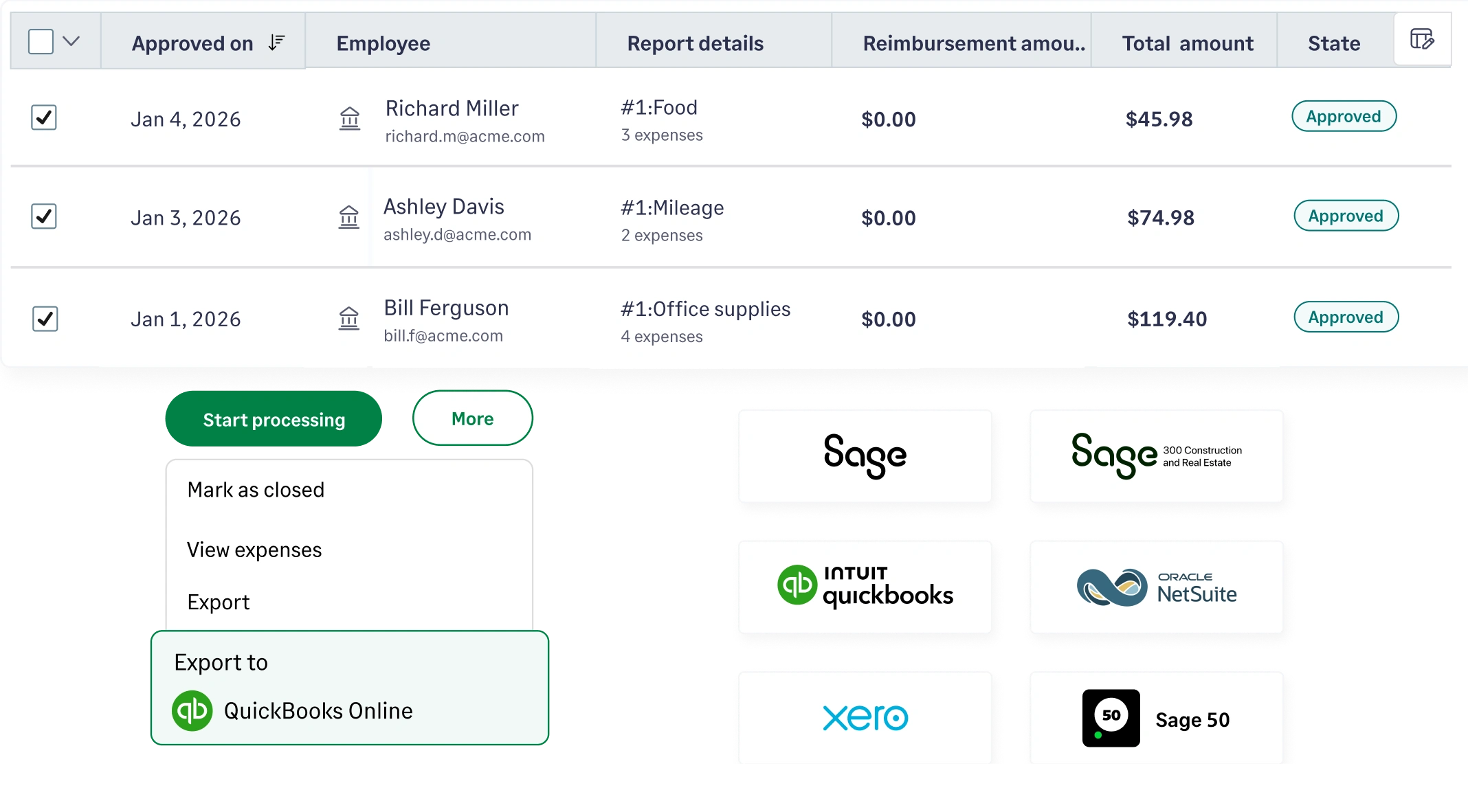
Sync approved expenses to your accounting software automatically with Sage Expense Management

Match card transactions to expenses automatically.

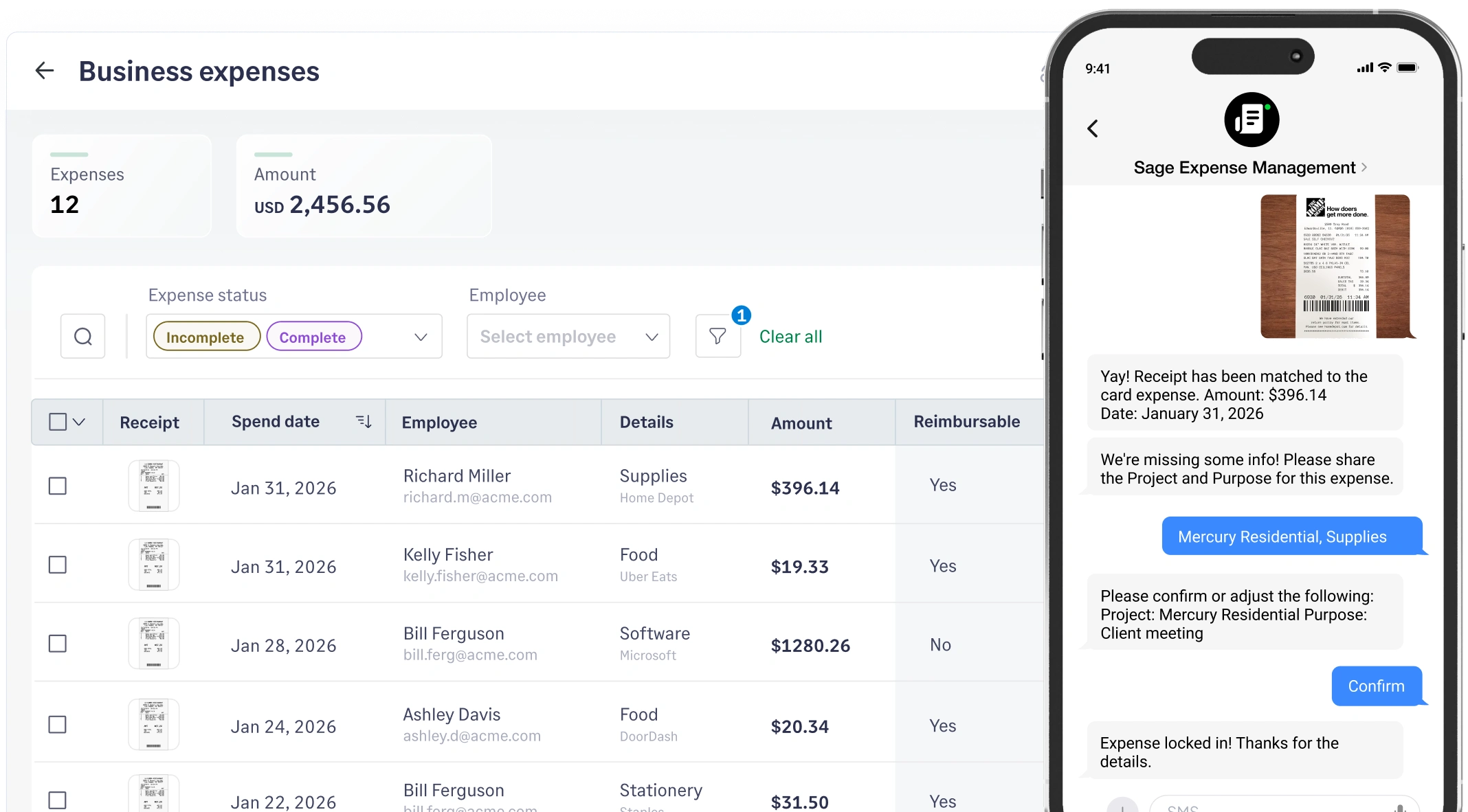
Corporate card transactions flow into Sage Expense Management and are matched with receipts as employees submit them. Finance teams get real-time visibility into card spend without waiting for statements or chasing receipts.

Automatically match corporate card transactions with receipts in Sage Expense Management

Ensure expenses are coded correctly before they reach accounting.

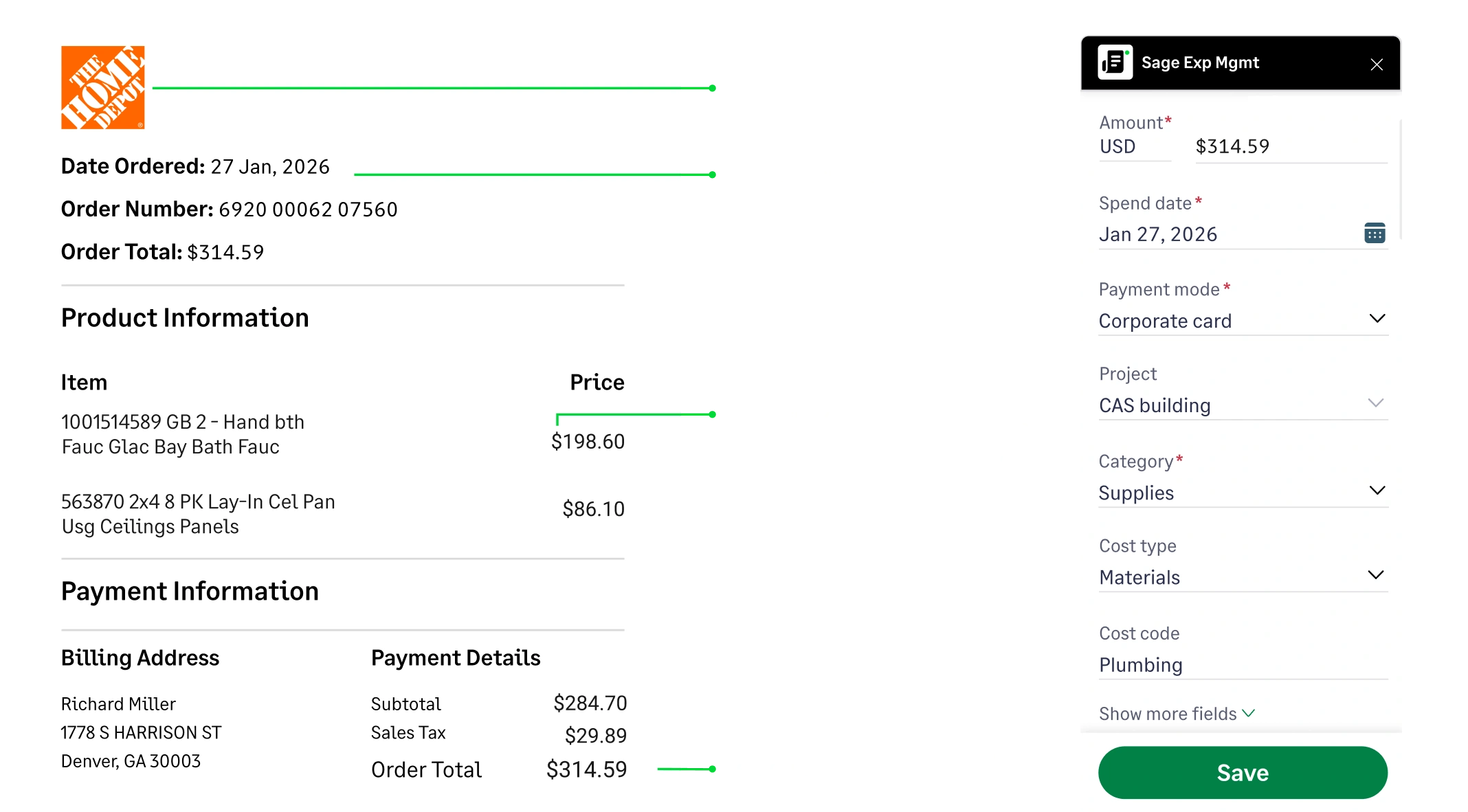
Expenses are captured with the correct merchant, amount, categories, GL accounts, projects and other accounting fields before they sync to accounting. This keeps data consistent and reduces corrections or cleanup during month-end close.

Capture expenses with the correct categories and GL accounts before syncing to accounting with Sage Expense Management

Connect your tools. Simplify your expense workflow.

  • Keep expenses and accounting in sync
  • See card spend as it happens
  • Ensure expenses are coded correctly

Keep accounting in sync without manual reconciliation.

Approved expenses sync directly to your accounting software through two-way integrations, carrying the right categories, accounts, and fields. This keeps expense data aligned from submission to accounting without manual re-entry or follow-up corrections.
Match card transactions to expenses automatically.

Corporate card transactions flow into Sage Expense Management and are matched with receipts as employees submit them. Finance teams get real-time visibility into card spend without waiting for statements or chasing receipts.

Ensure expenses are coded correctly before they reach accounting.

Expenses are captured with the correct merchant, amount, categories, GL accounts, projects and other accounting fields before they sync to accounting. This keeps data consistent and reduces corrections or cleanup during month-end close.

Sync approved expenses to your accounting software automatically with Sage Expense Management
Automatically match corporate card transactions with receipts in Sage Expense Management
Capture expenses with the correct categories and GL accounts before syncing to accounting with Sage Expense Management
Westhaven Builders logo

Reconciliation reduced from hours to under 2 minutes

"What used to take hours now takes minutes. The intuitive interface and seamless integrations have made our finance team more efficient. It’s easily one of the best decisions we’ve made."

Tifany Wunschl,Controller

Tifany Wunschl, Controller

See how Sage Expense Management fits into your accounting setup

Get a Demo

Flexible field mapping for real-world setups

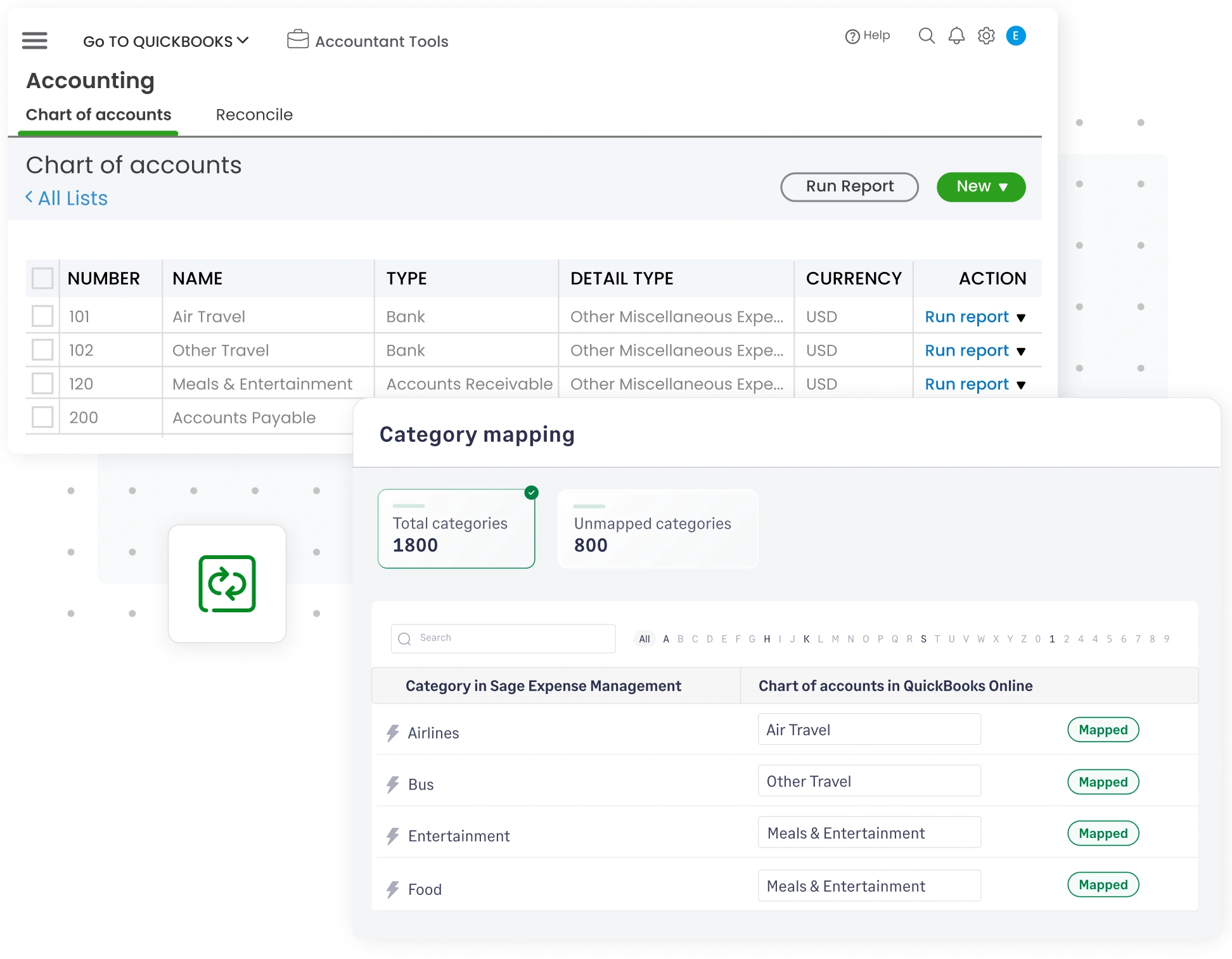
Map categories, accounts, projects, departments, locations, or custom fields to match how your business tracks spend. Once configured, every expense follows the same structure automatically.

Map categories, accounts, and custom fields accurately with Sage Expense Management integrations

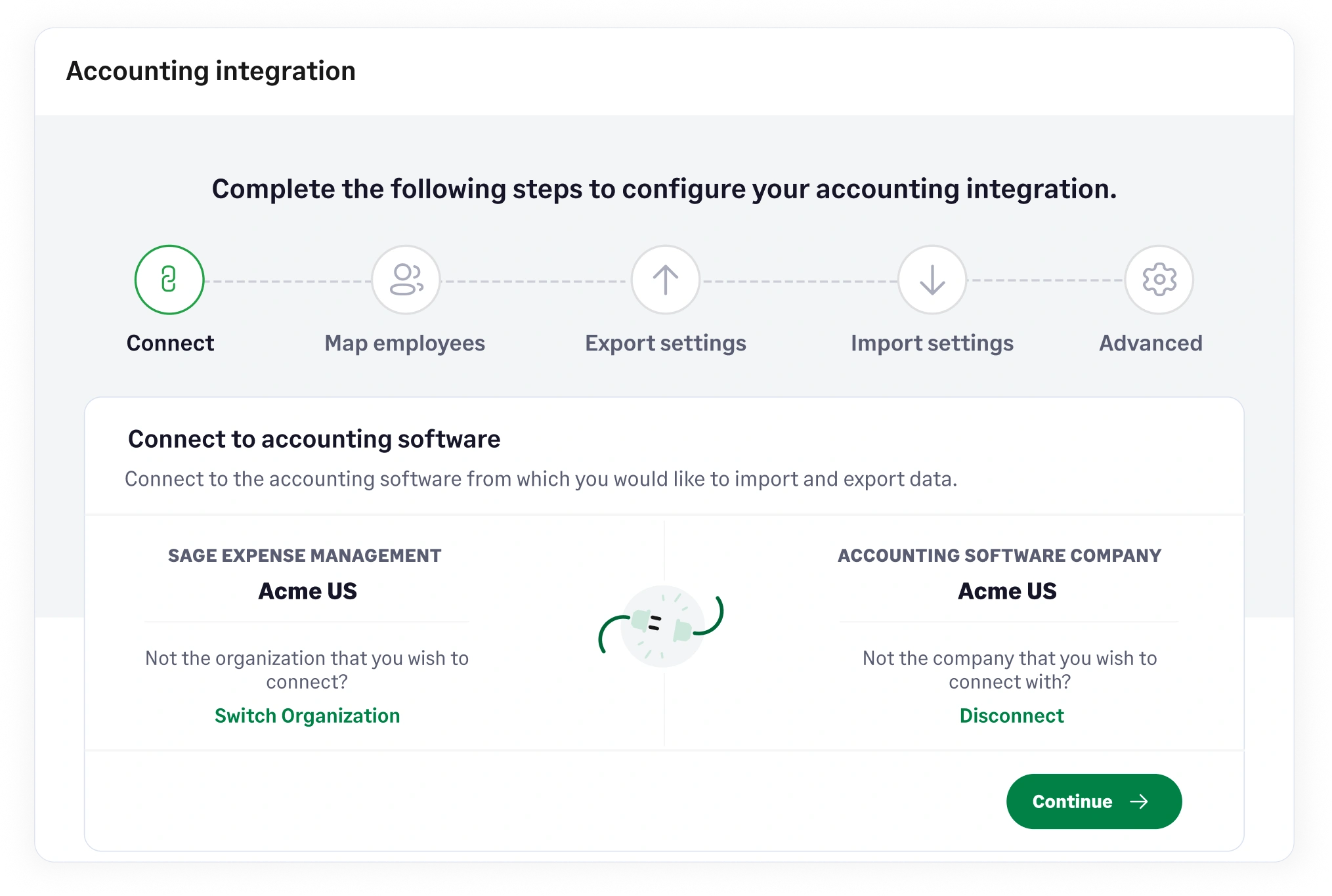
Set up integrations without technical effort

Connect your accounting software, map fields, and configure exports through a guided setup. No custom development or technical resources required to get started.

Set up accounting integrations easily with guided configuration in Sage Expense Management

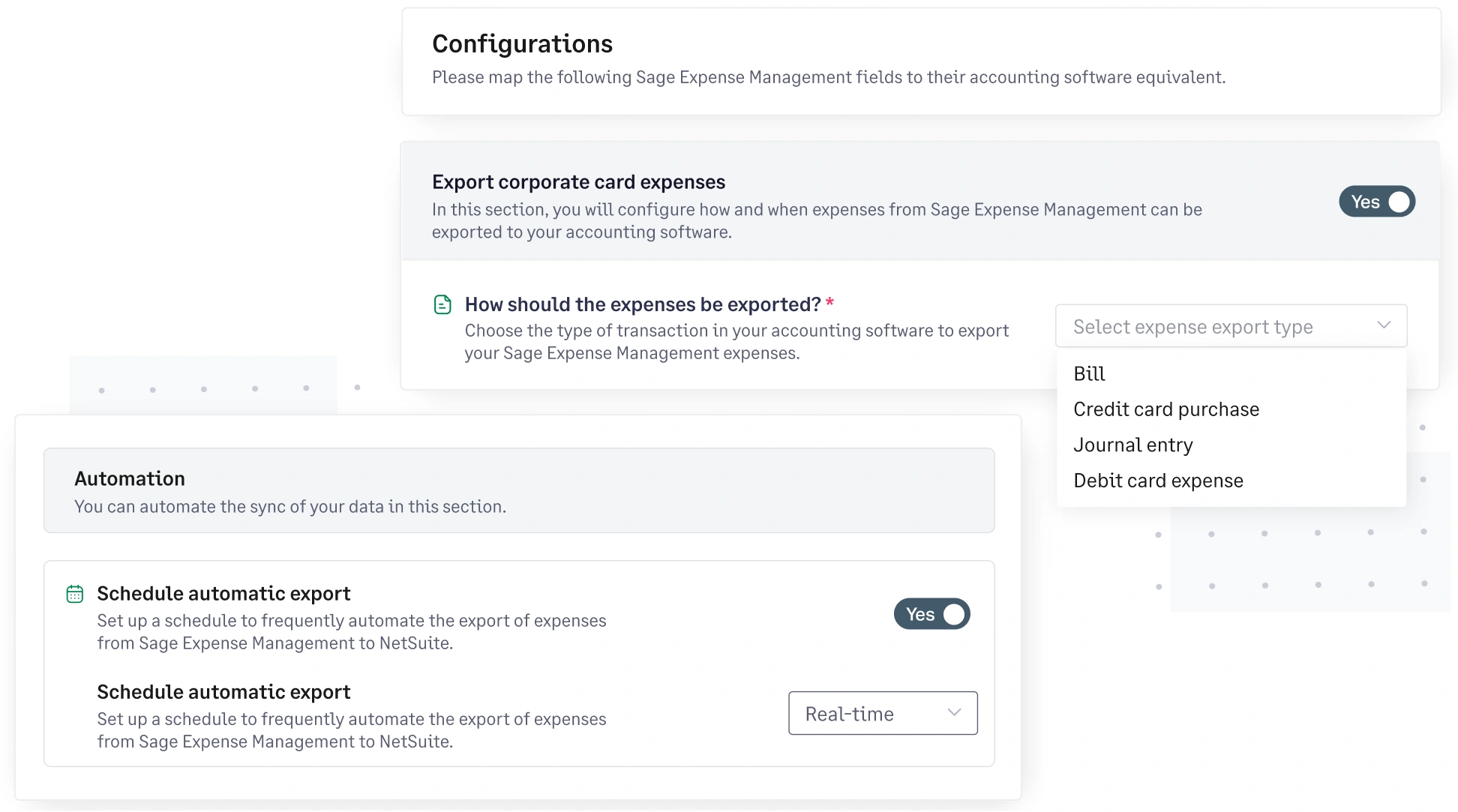
Clean, accounting-ready exports every time

Generate structured exports that match your accounting system’s requirements. Admins can export in real time or on a preferred schedule, reducing manual cleanup and keeping accounting workflows on track.

Generate clean, accounting-ready expense exports with configurable settings in Sage Expense Management

Integrations that work where expenses actually happen

Expenses start outside accounting. Sage Expense Management integrates with everyday tools so expense data is captured correctly from the start.

Explore receipt tracking features

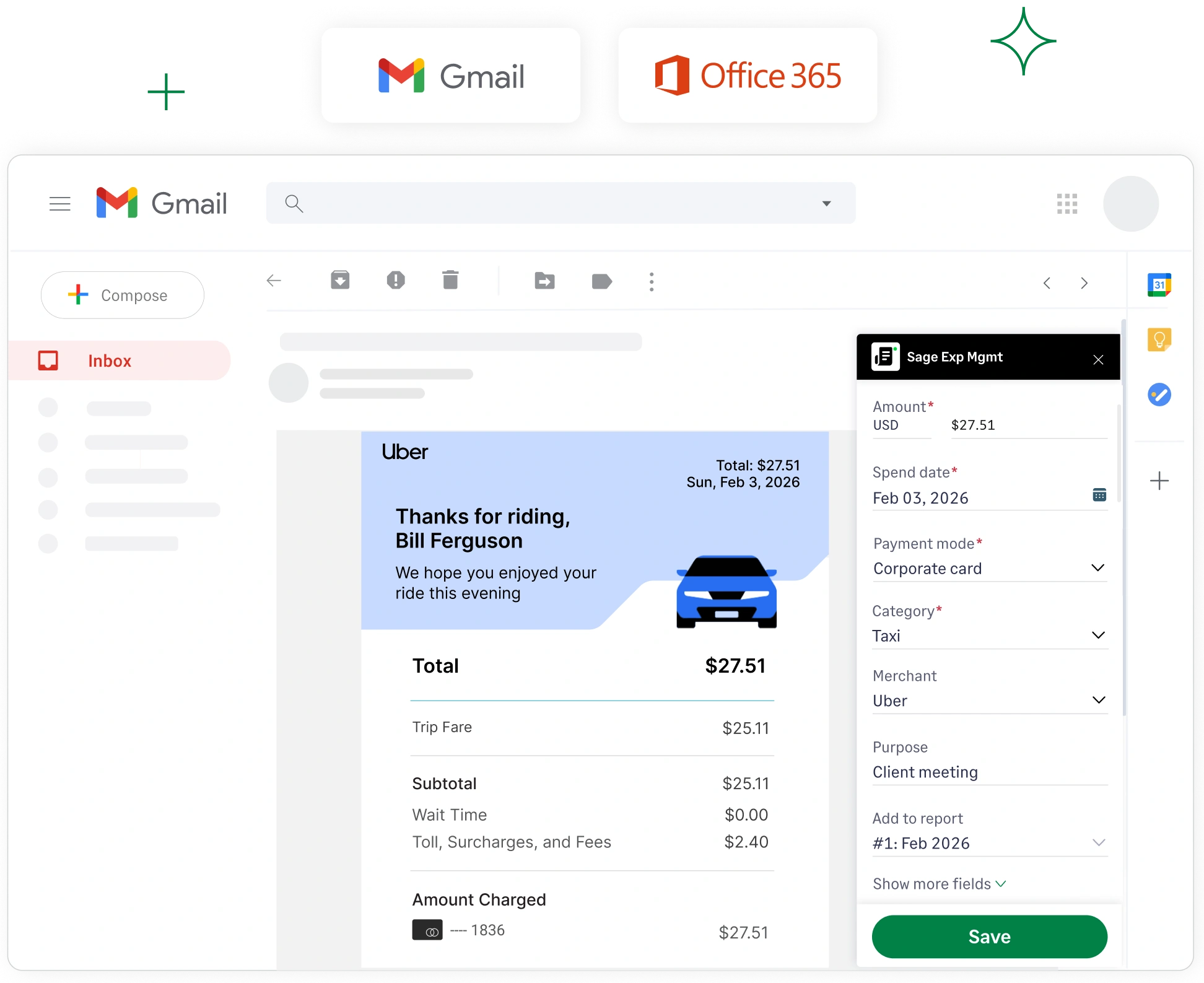
Submit and approve expenses directly from email

Employees can submit e-receipts directly from Gmail and Outlook. Sage Expense Management automatically creates and codes the expense, and approvers can review and approve from their inbox, keeping receipts moving without follow-ups.

Submit and approve expenses directly from Gmail and Outlook with Sage Expense Management

Bring travel expenses into one connected workflow

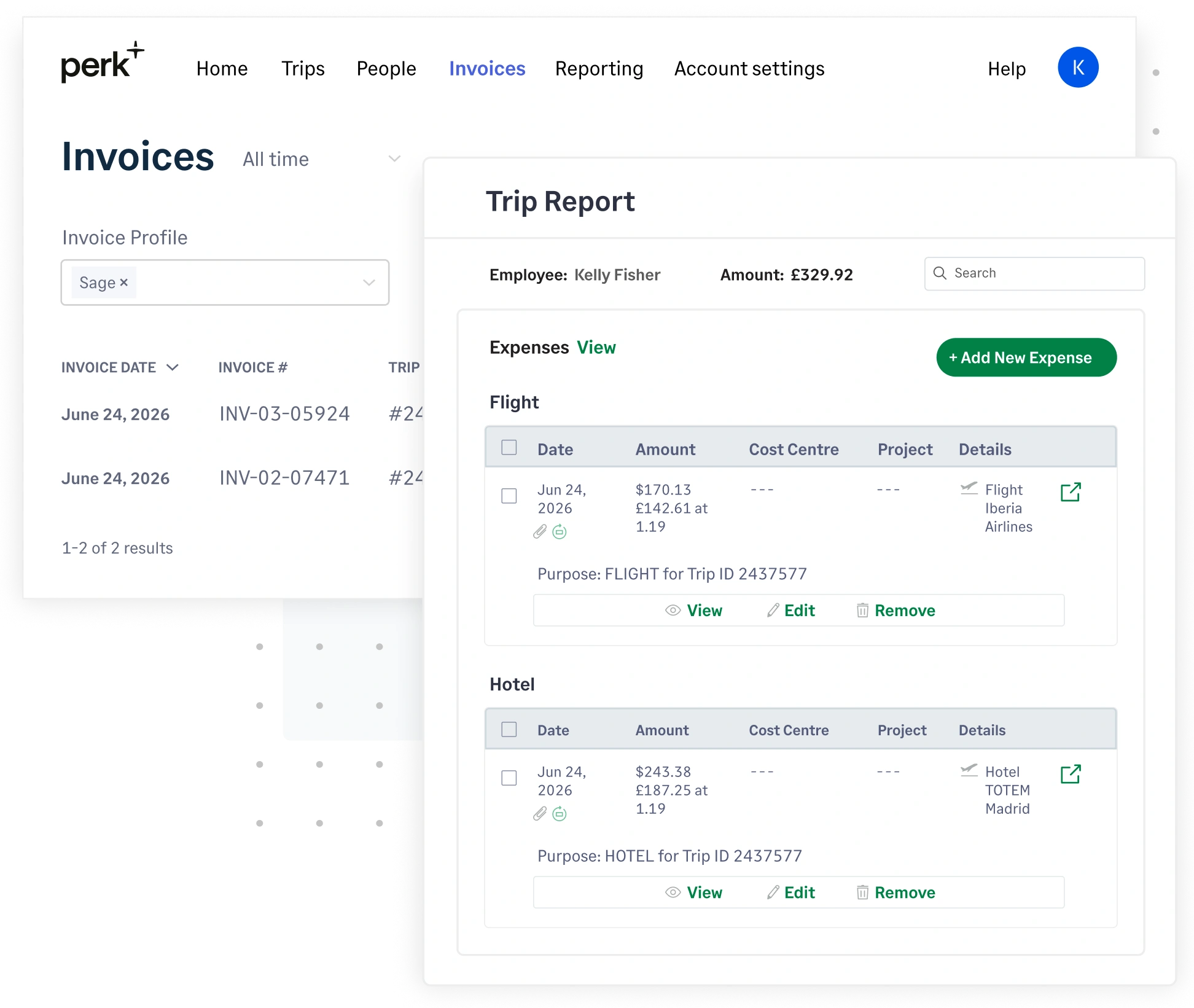
Expenses from travel platforms like Perk flow in with trip details, receipts, and amounts already in place. Finance teams get complete, ready-to-review expenses without chasing bookings or reconciling travel spend separately.

Sync travel expenses from Perk to Sage Expense Management

FAQs

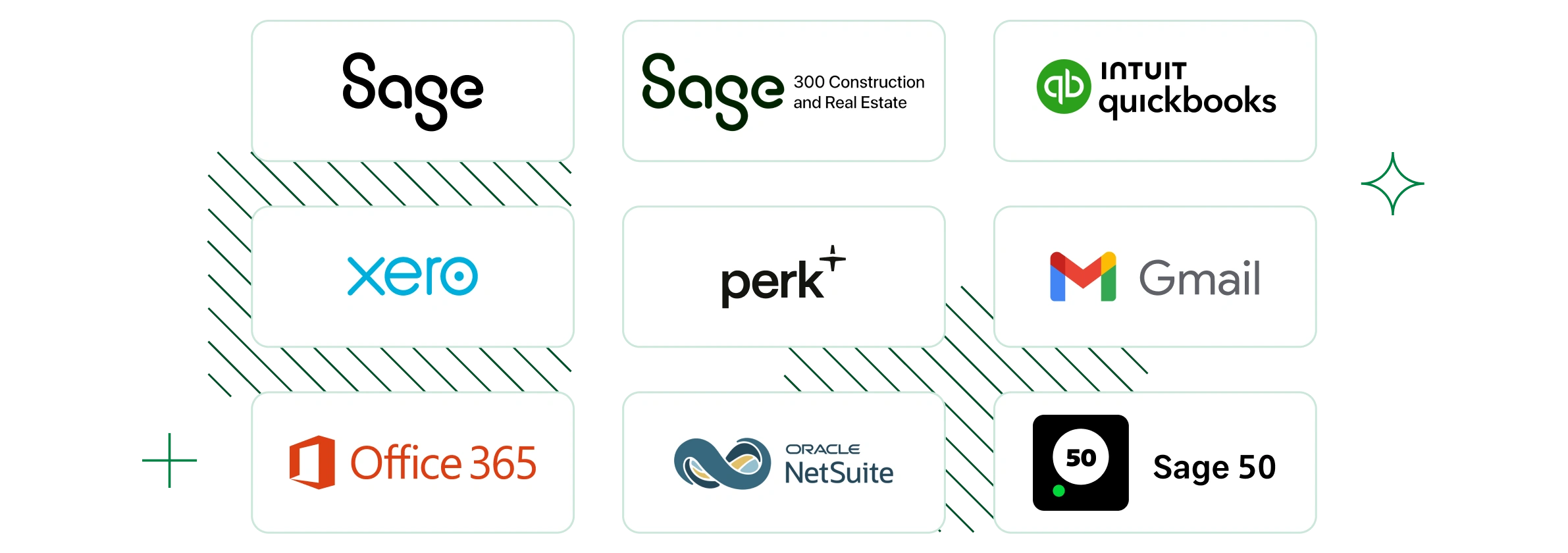
Sage Expense Management integrates with leading accounting software, corporate card networks, email platforms, and travel tools. This includes accounting systems such as QuickBooks Online, QuickBooks Desktop, Sage Intacct, Sage 300 CRE, Sage 50, NetSuite, and Xero, along with everyday tools employees use to submit expenses like Gmail, Outlook, and travel platforms like Perk.

Yes. Sage Expense Management offers two-way integrations with supported accounting software. Approved expenses sync directly to accounting, and relevant data such as accounts, categories, and fields can be imported from your accounting system to keep everything aligned.

Expense data synced to accounting includes categories, GL accounts, projects, cost centers, amounts, dates, merchants, and attached receipts, along with any other mapped fields. This ensures expenses are accounting-ready when they reach your books, without manual cleanup.

Yes. Sage Expense Management allows you to map categories, accounts, projects, cost centers, and custom fields to match how your business tracks spend. Once configured, expenses consistently follow the same structure across systems.

Expenses sync automatically based on your integration settings. This allows accounting teams to stay up to date as expenses are approved, instead of waiting until month-end to export and reconcile data.

Integrations can be set up through a guided workflow. You can connect your accounting software, map fields, and configure export settings without custom development or technical effort.

If an expense fails to sync, Sage Expense Management clearly surfaces the issue immediately, allowing you to review and correct it. Once resolved, the expense can be re-synced without manual re-entry or duplicate work.

Ready to sync your expenses to accounting the right way?

G2 Leader
G2 High Performer
G2 Best Software Satisfaction 2025
G2 Best Software Accounting & Finance 2025
G2 Momentum Leader
G2 Most Implementable
Get a Demo