

Real Estate Expense Tracking Simplified

Sage Expense Management (formerly Fyle)* is only real estate expense tracking app your firm and agents need. Connect your existing cards, track receipts, tag expenses to the right listing, and sync with your accounting software.

Realtor using Sage Expense Management as a real estate expense tracker
Rating stars 4.6/5 1775+ reviews

Trusted by 2500+ Customers

  • Aprio logo
  • ABG logo
  • Disruptive logo
  • E3 Environmental logo
  • Encore logo
  • May Mobility logo
  • Keystone logo
  • Sprenger logo
  • Classic Collision logo
  • CCS Construction logo
  • Williams homes logo

Automate real estate expense tracking and reporting

Easy tracking for agents on-the-go
Auto-track spend by property or agent
Real-time visibility on any credit card
Auto-sync expenses to your ERP

Your agents are in the field, not behind a desk.

Sage Expense Management enables your agents to capture receipts and submit expenses in seconds from anywhere - Text, Gmail, Outlook, or our mobile app. Free them from paperwork so they can focus on closing deals.

Receipt tracking feature
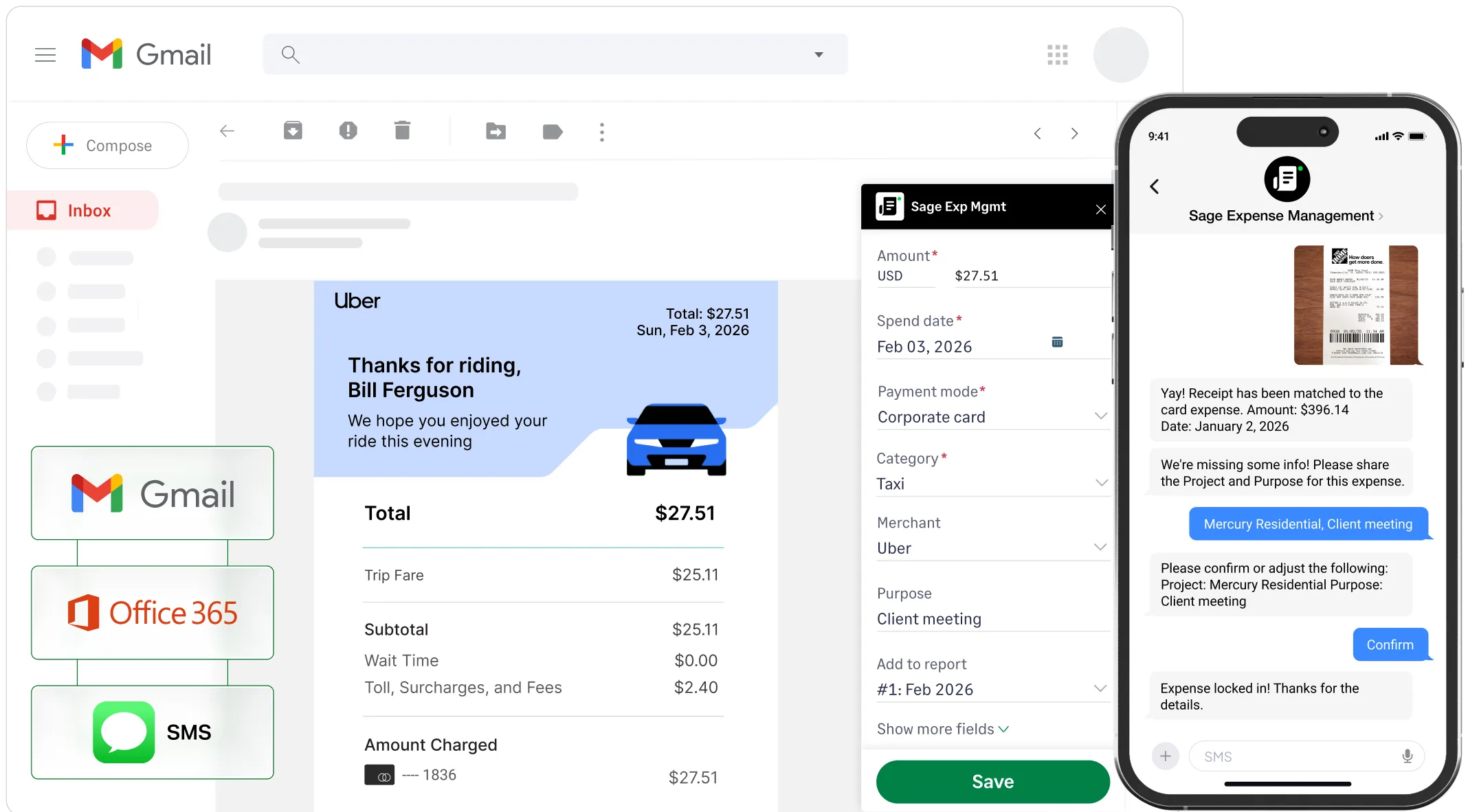
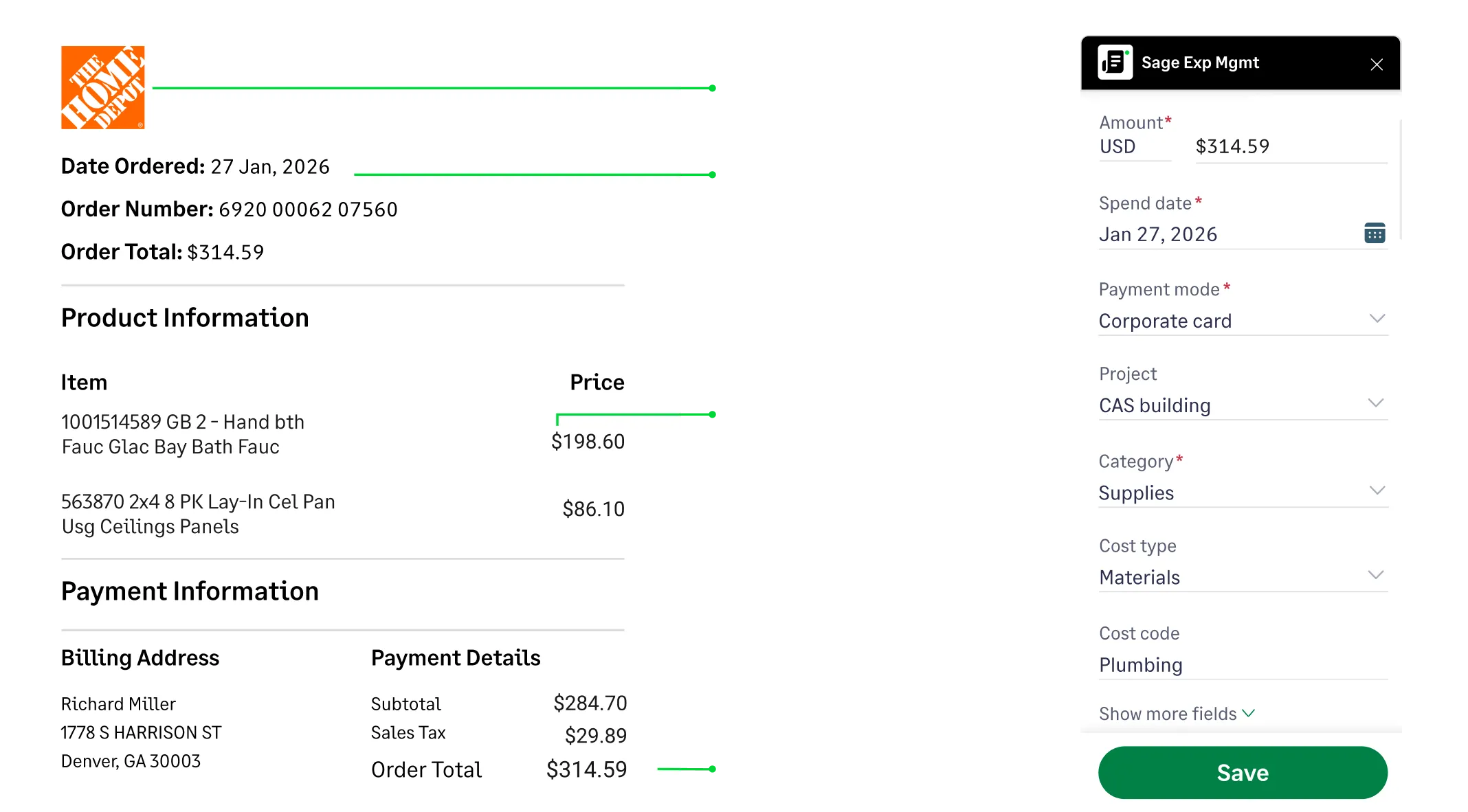
Automated real estate expense tracking across Gmail, Outlook, and SMS for seamless property expense and receipt management.

Stop guessing where your budget went.

Every time an agent makes an expense, Sage Expense Management automatically prompts them to assign it to the right listing.

Get real-time view of property-level profitability without chasing receipts or spreadsheets.

Real estate expense tracking interface showing a receipt being coded to a specific project and cost code.

Automation on the cards your agents already love

Connect your existing Visa and Mastercard business credit cards to get instant spend notifications via text, automatic receipt matching and reconciliations.

No need to switch banks or lose your card rewards.

Bring your own cards
Text receipt details and code expenses to specific projects and client meetings via SMS.

Auto-coding: from swipe to GL in seconds

Sage Expense Management codes chart of accounts directly to your existing categories.

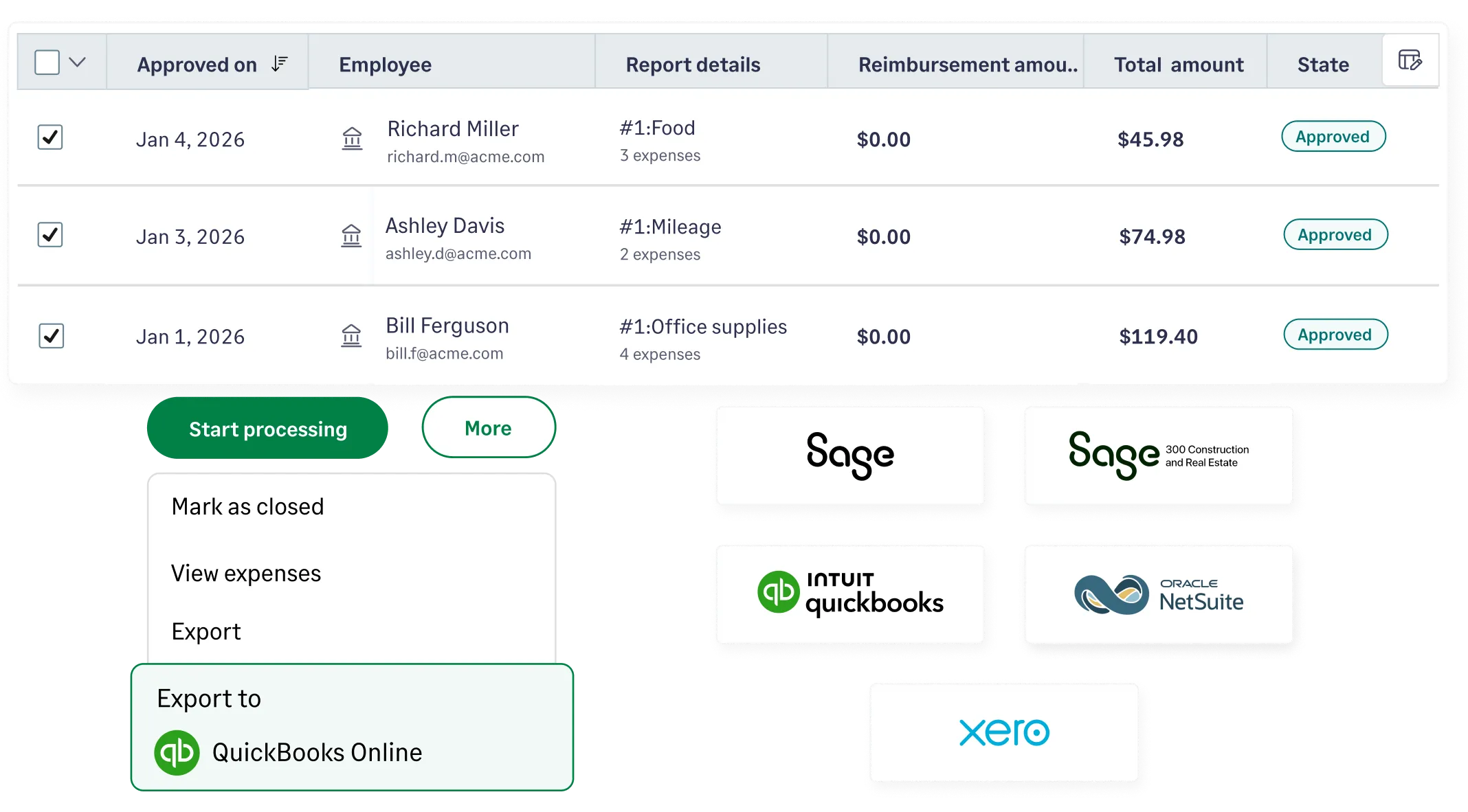
Expenses are auto-coded and synced to your accounting software (NetSuite, Sage, QuickBooks, Xero) with zero manual entry.

Explore integrations
Sage expense management integrations with QuickBooks, NetSuite, Xero, and Sage 300 Construction and Real Estate for automated expense tracking

Automate real estate expense tracking and reporting

Easy tracking for agents on-the-go
Auto-track spend by property or agent
Real-time visibility on any credit card
Auto-sync expenses to your ERP

Your agents are in the field, not behind a desk.

Sage Expense Management enables your agents to capture receipts and submit expenses in seconds from anywhere - Text, Gmail, Outlook, or our mobile app. Free them from paperwork so they can focus on closing deals.

Receipt tracking feature
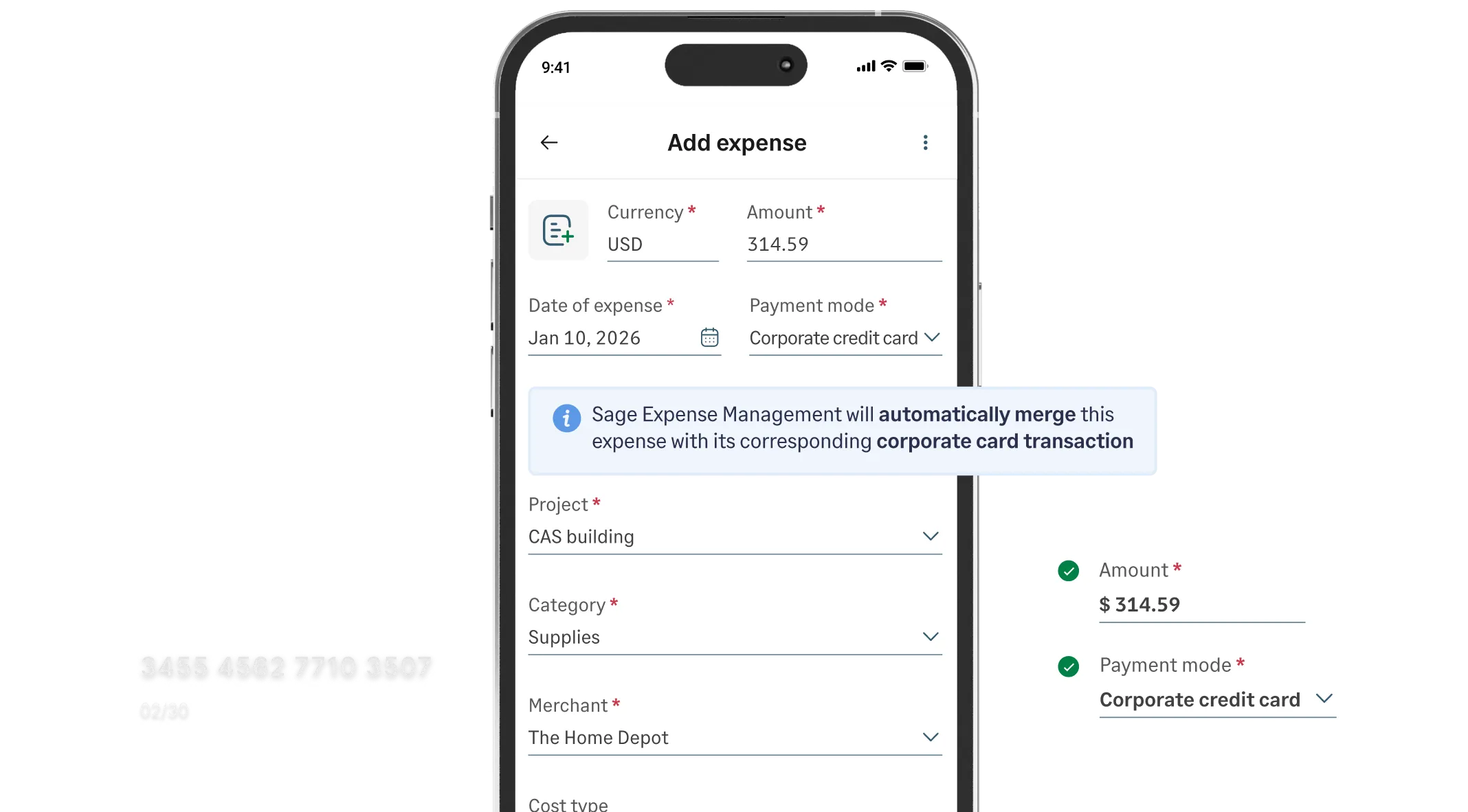
Stop guessing where your budget went.

Every time an agent makes an expense, Sage Expense Management automatically prompts them to assign it to the right listing.

Get real-time view of property-level profitability without chasing receipts or spreadsheets.

Automation on the cards your agents already love

Connect your existing Visa and Mastercard business credit cards to get instant spend notifications via text, automatic receipt matching and reconciliations.

No need to switch banks or lose your card rewards.

Bring your own cards

Auto-coding: from swipe to GL in seconds

Sage Expense Management codes chart of accounts directly to your existing categories.

Expenses are auto-coded and synced to your accounting software (NetSuite, Sage, QuickBooks, Xero) with zero manual entry.

Explore integrations
Automated real estate expense tracking across Gmail, Outlook, and SMS for seamless property expense and receipt management.
Real estate expense tracking interface showing a receipt being coded to a specific project and cost code.
Text receipt details and code expenses to specific projects and client meetings via SMS.
Sage expense management integrations with QuickBooks, NetSuite, Xero, and Sage 300 Construction and Real Estate for automated expense tracking

Reimburse your agents on time

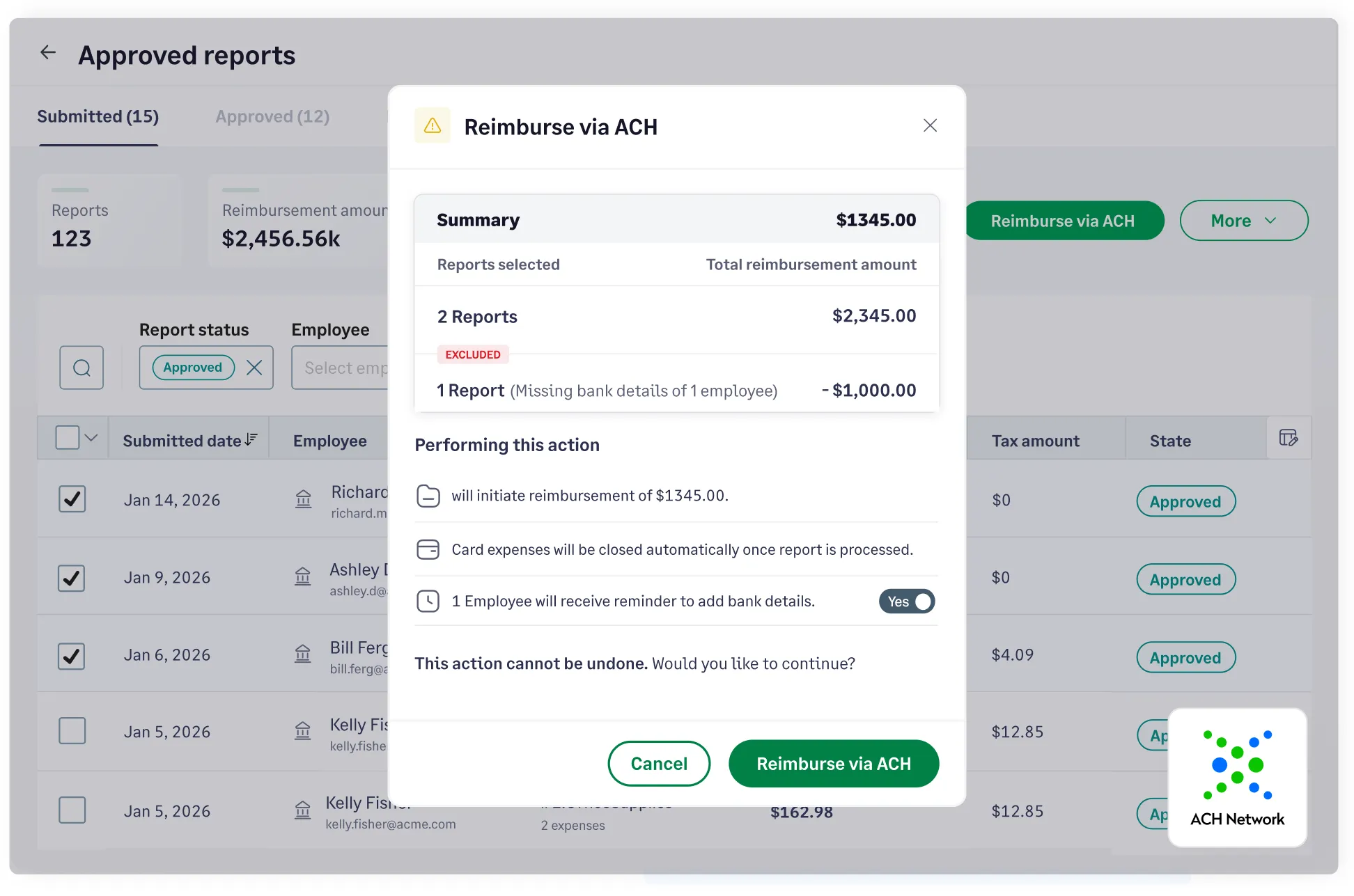
High-performing agents shouldn't have to float staging or repair costs for weeks. Use Express ACH to batch-process reimbursements up to $1,000, ensuring funds reach agent accounts in 1–2 business days while every transaction stays synced to the correct property code.

Learn more about reimbursements
Finance dashboard showing automated ACH reimbursements for real estate agents with real-time status tracking for property expenses

Automatic business mileage tracking

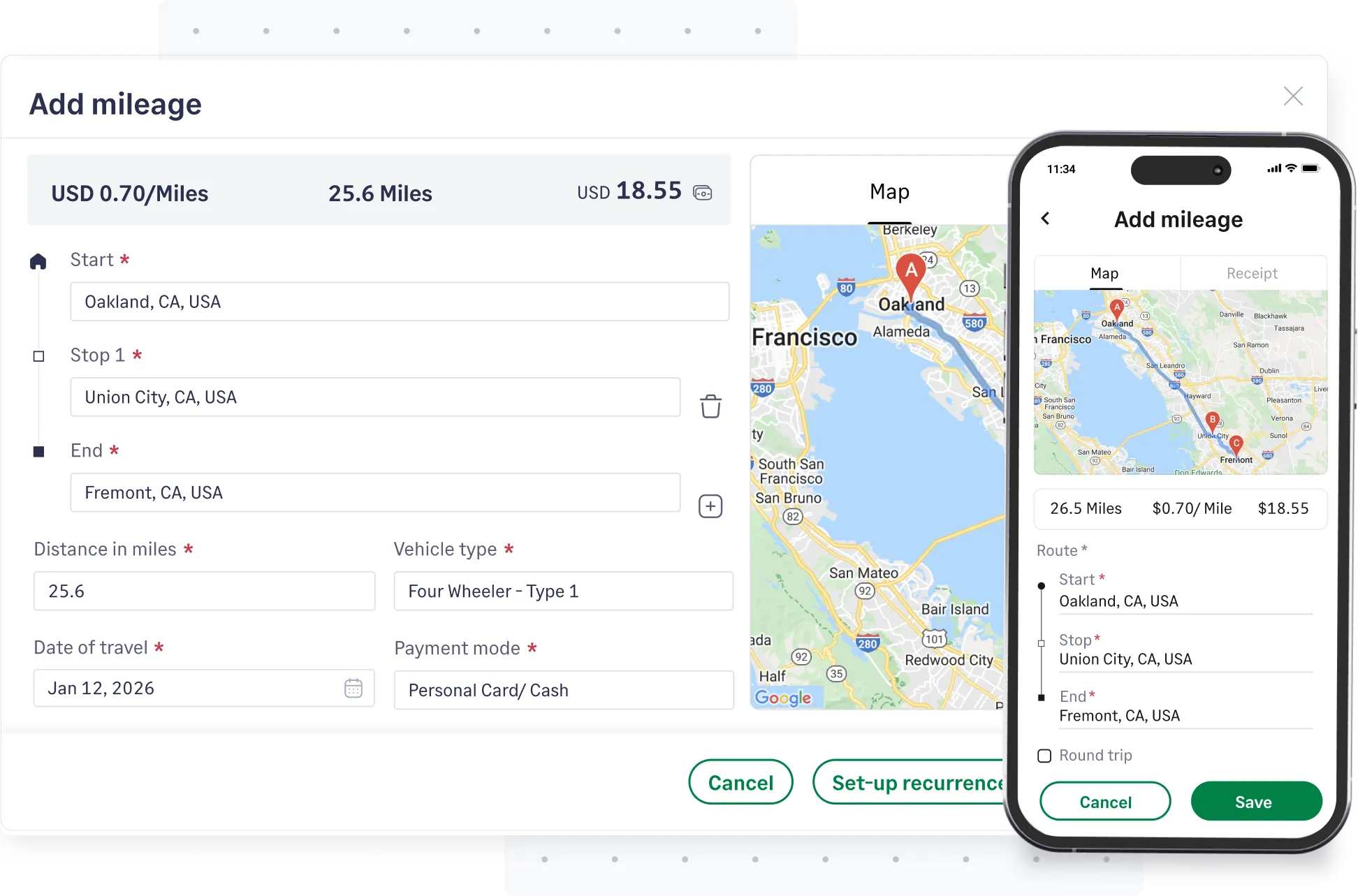
Boost your on-field employees' productivity with our mileage tracker. Input the start location, any stops, and the destination, and we will accurately calculate the distance and mileage. Empower your realtors to focus on client meetings instead of manual administrative tasks.

Explore mileage tracking
Real estate mileage tracking interface for agent travel between property listings and client showings

Save time and reduce administrative burden

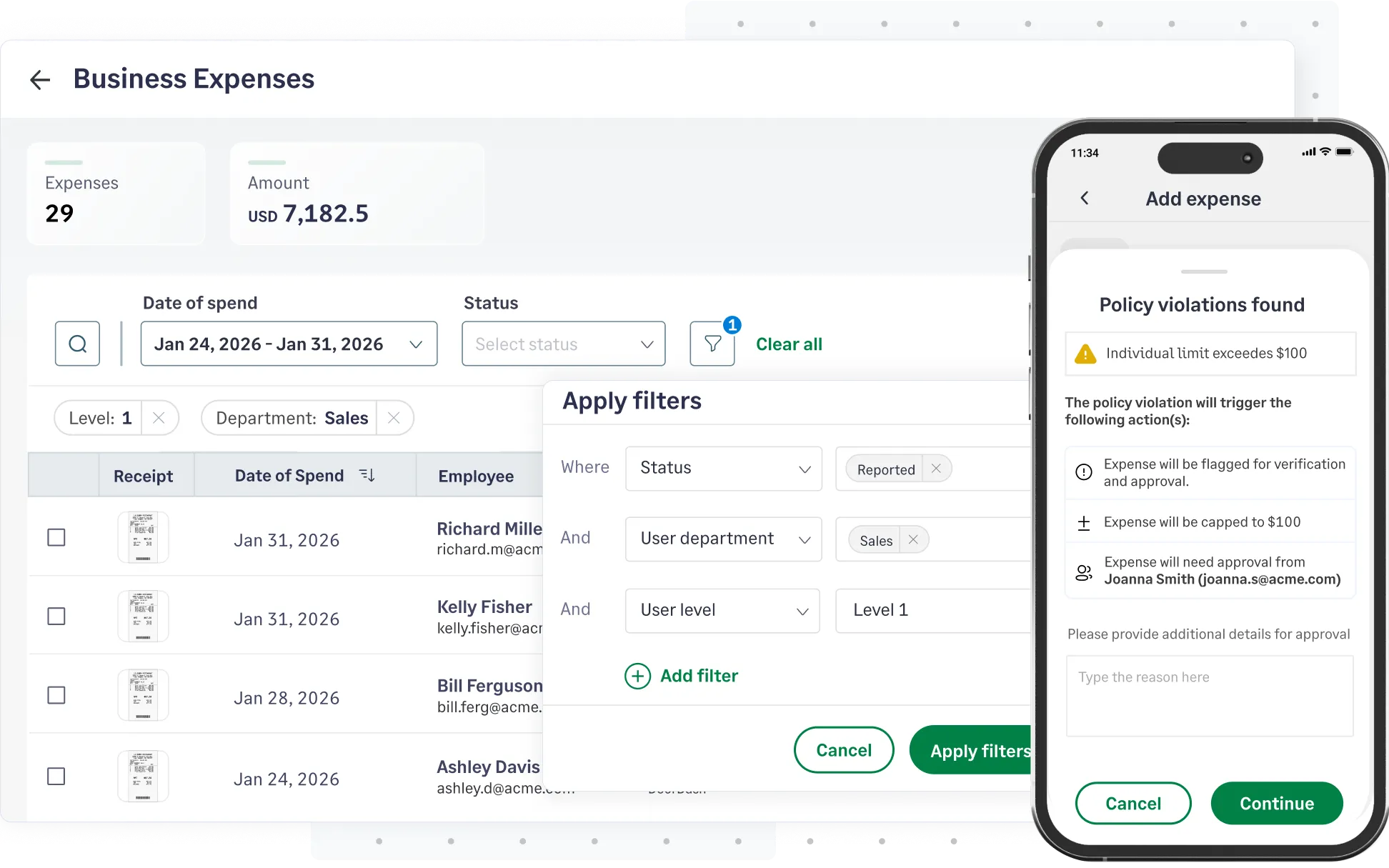
  • Pre-submission policy checks: Set up expense policies that can help detect fraud and ensure you stay compliant always.

  • Track expenses by property: Categorize spending for each property, simplifying accounting and improving visibility.
  • Centralized receipt storage: Securely store all receipts in one place, accessible anytime, and ensure audit readiness.


Real estate expense policy enforcement dashboard showing automated alerts for budget violations on property staging and agent travel costs

FAQs about real estate expense tracking

Track expenses manually with spreadsheets or use real estate expense trackers like Sage Expense Management. SEM automates receipt capture, categorization, and reporting, which boosts efficiency and accuracy for your business.

Common deductions for agents include marketing costs, vehicle/mileage expenses, licensing fees, home office costs, client gifts, and professional service fees. Keep detailed records to maximize deductions per IRS guidelines.

Spreadsheets are a good start, but become time-consuming and error-prone as your business grows. They lack real-time reporting and secure receipt storage. Real estate expense trackers like Sage Expense Management is the more scalable and abetter choice for long-term management.

The most effective real estate expense tracker app is Sage Expense Management. Unlike traditional apps, SEM allows agents to stay on their existing cards while automating receipt collection via text. You can instantly categorize every expense by listing, property, or client, ensuring your property-level P&L is always accurate. This eliminates the month-end 'receipt chase', making it easy to stay tax-ready and maintain clean financial records for every deal.

Tracking expenses for multiple properties is tough with spreadsheets. A real estate expense tracking software lets you tag each expense to a specific property. This makes it easy to generate accurate reports and assess the expenses incurred for each asset in your portfolio.

The easiest way is using an app with automatic mileage tracking like Sage Expense Management. Using Google Maps integration, it logs drives for you to classify as business or personal. No more inaccurate readings or guesswork.

Yes. Sage Expense Management uses OCR technology to read data from your receipts, like vendor and amount. Based on your rules, it automatically assigns expenses to categories like 'Marketing' or 'Repairs', saving you time on manual data entry.

Yes, Sage Expense Management has robust, two-way integrations with NetSuite, QuickBooks, Sage Intacct, and Xero. Approved expenses, with receipts and notes, are auto-synced to your general ledger, keeping financial records accurate and up-to-date.

The 3-3-3 rule is a daily discipline used by high-performing real estate agents to maintain a consistent sales pipeline. It involves three specific outreach actions every single day:

  • 3 New Prospects: Reaching out to three individuals who aren't yet in your database.
  • 3 Existing Leads: Following up with three active prospects currently in your sales funnel.
  • 3 Past Clients: Checking in with three former clients to maintain the relationship and solicit referrals.
*Sage acquired Fyle on July 28, 2025 and rebranded to Sage Expense Management. All features and user workflows remain consistent with the original Fyle product experience.

Link any card. Tag expenses to the right property. Close faster.

G2 Leader
G2 High Performer
G2 Best Software Satisfaction 2025
G2 Best Software Accounting & Finance 2025
G2 Momentum Leader
G2 Most Implementable
Get a Demo