Track receipts via everyday apps.
Users can submit receipts through text, Gmail, Outlook, email forwarding, or directly on our mobile or web app. All expense data is automatically extracted, coded, and tracked in one place.
Know moreGive your team an automated expense platform built into the apps they already use. Capture, code, and reconcile expenses directly from text message, mobile app, and your inbox.

 1775+ reviews






Track receipts via everyday apps.
Users can submit receipts through text, Gmail, Outlook, email forwarding, or directly on our mobile or web app. All expense data is automatically extracted, coded, and tracked in one place.
Know more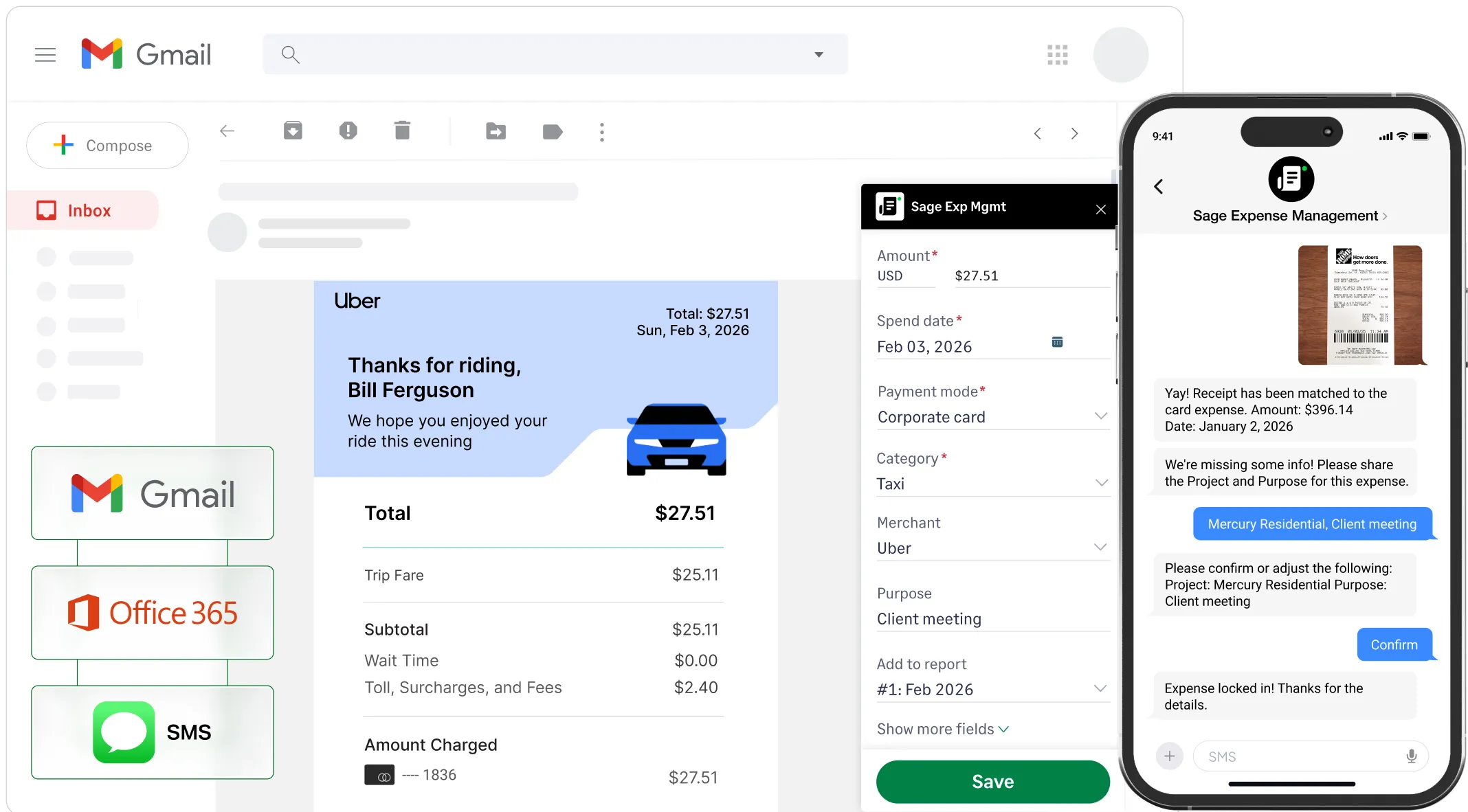
Just made a purchase? Text it to us.
Users get instant text notifications for every business card transaction. They simply text a photo of the receipt, and Sage Expense Management automatically matches receipts to the right card transaction.
Know more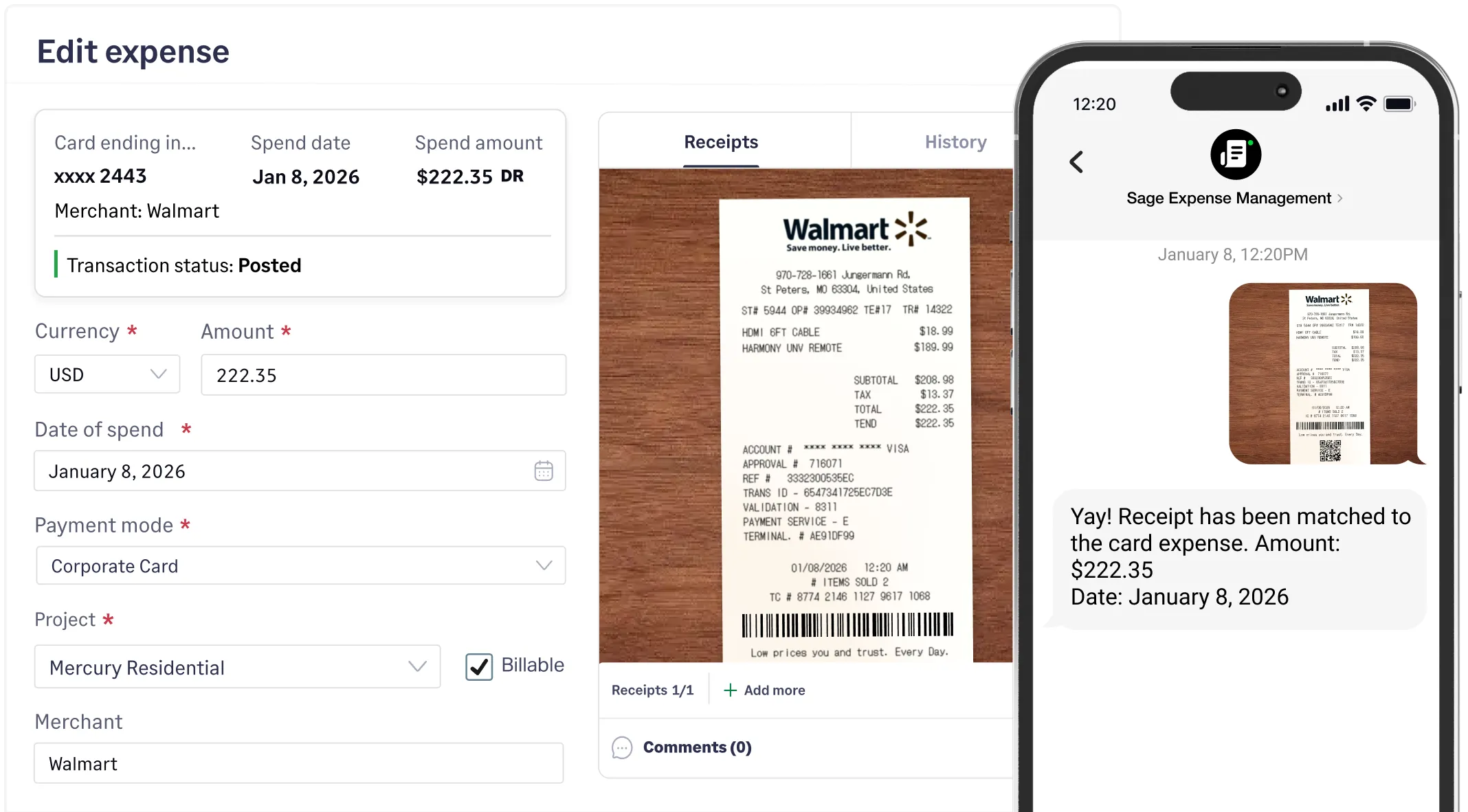
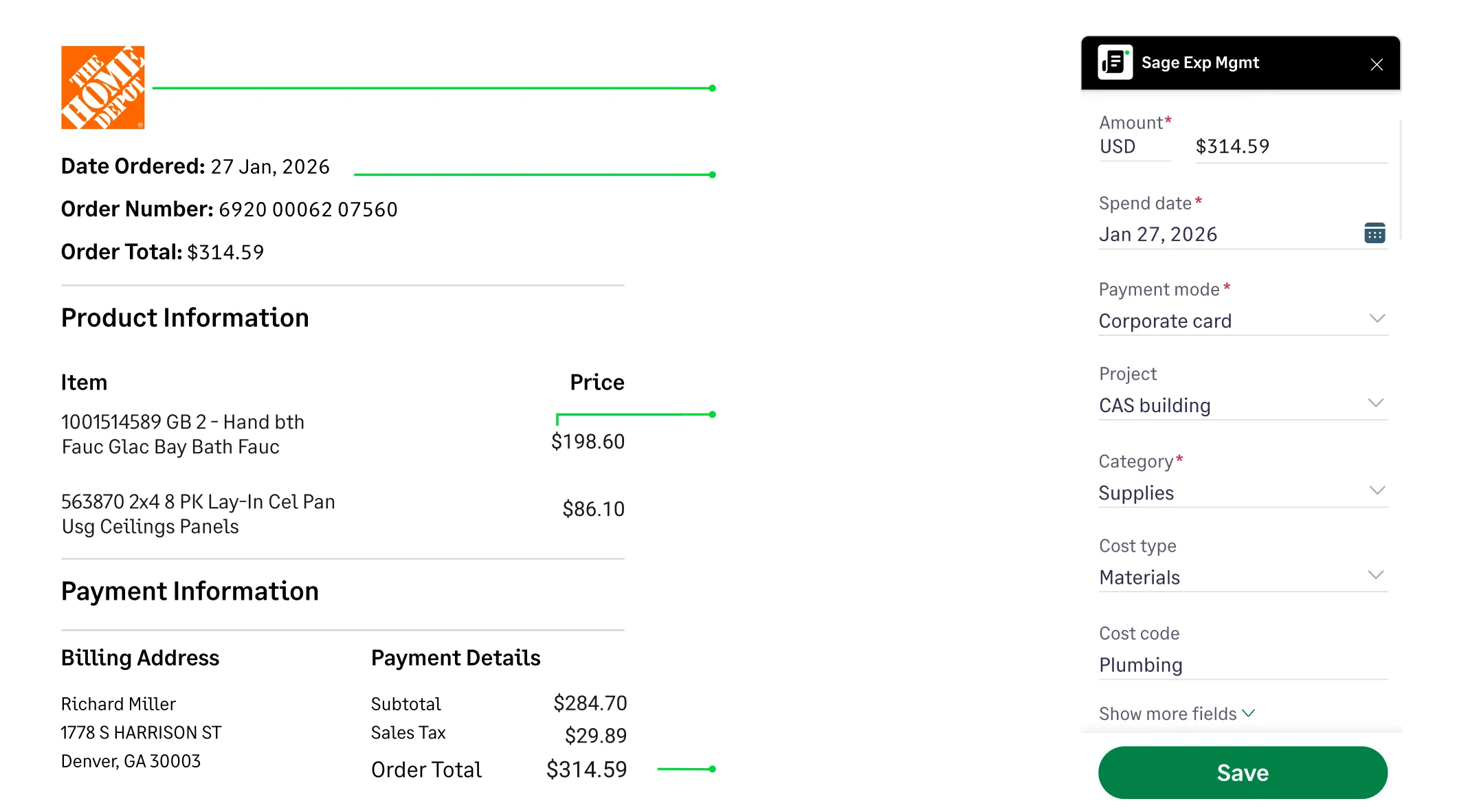
Eliminate repetitive data entry forever.
Sage Expense Management auto imports data from your accounting software and codes expenses according to your General Ledger. Default fields like Category, Amount, Merchant, Date etc, are auto-populated with OCR. Users can also add data like Projects, Cost Centers, Locations and more.
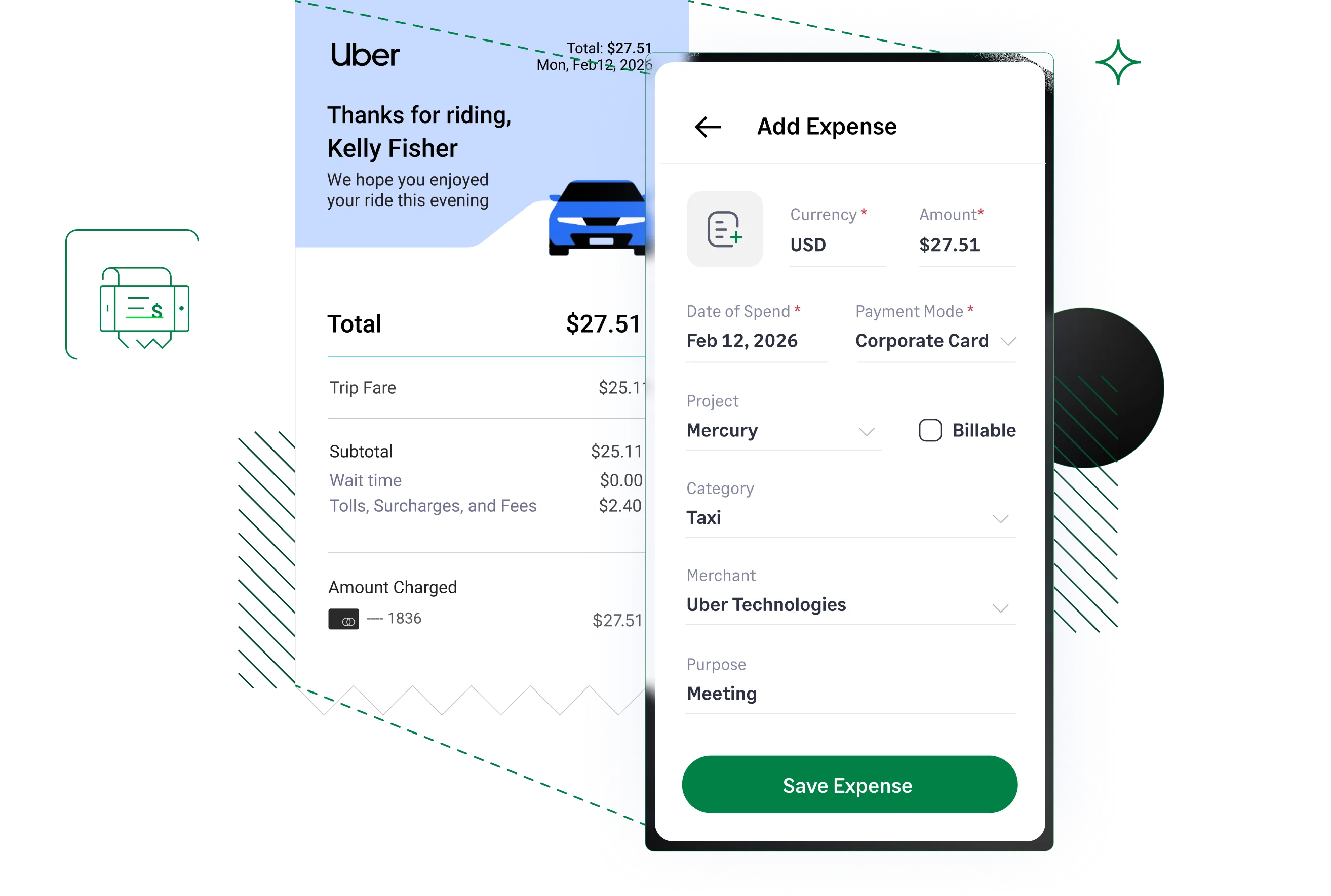
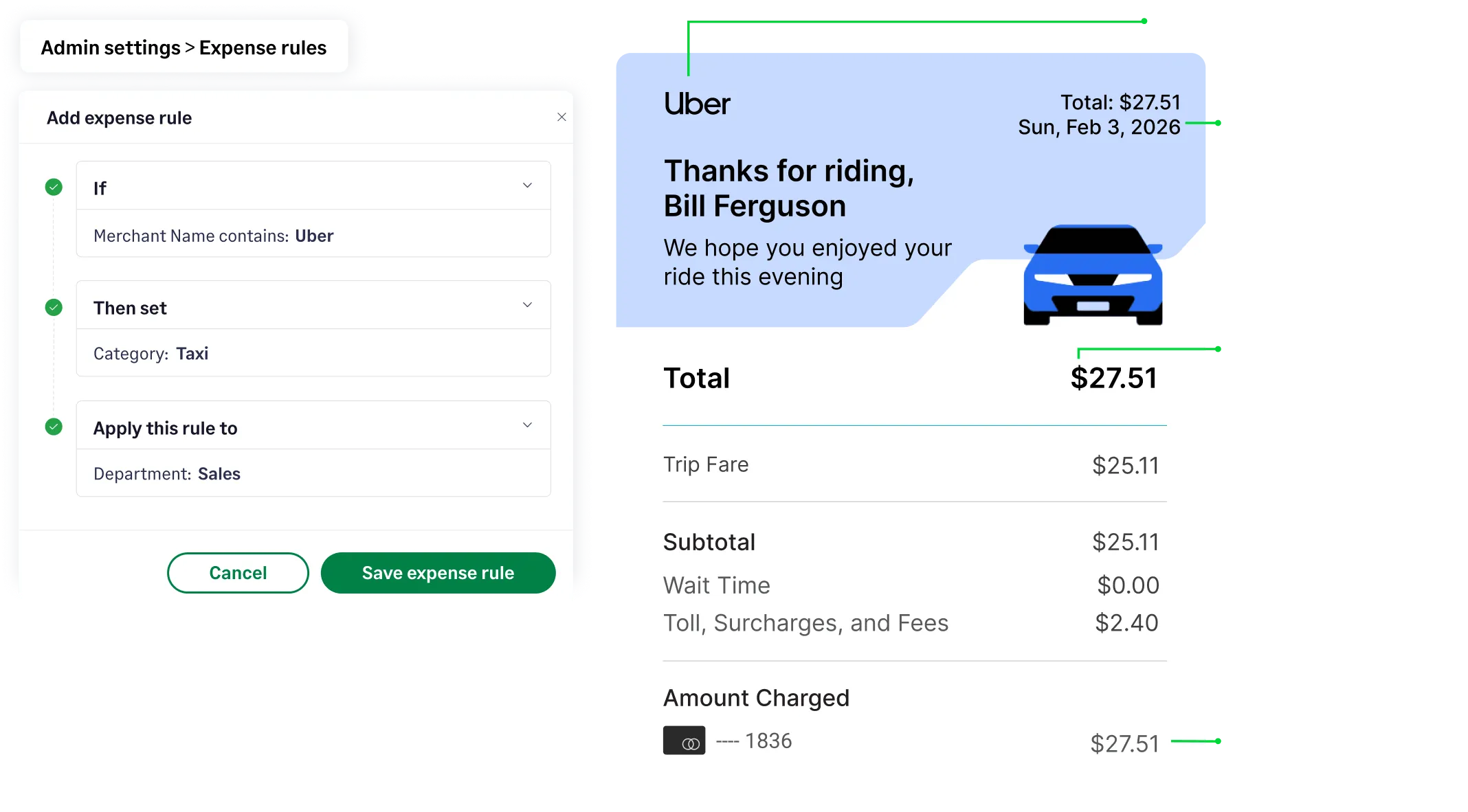
Remove decision-making from routine expenses.
Establish rules to auto-populate expense fields based on the Merchant name. For example, if the Merchant is ‘Uber’, the Category will automatically be set to ‘Taxi’, minimizing manual data entry.

"“Previously, our accounting coordinator took a minimum of two days every month to match receipts with transactions. Now that our staff can code transactions immediately after a charge is made, it allows for greater accuracy. This has made everyone's lives so much easier.”"

Noemi Peña, Chief Financial Officer
Sage Expense Management’s mileage tracker, powered by Google Maps, only needs the start and end location. Employees can add stops, duplicate trips, or set recurring routes, while admins easily configure IRS-compliant rates
Learn more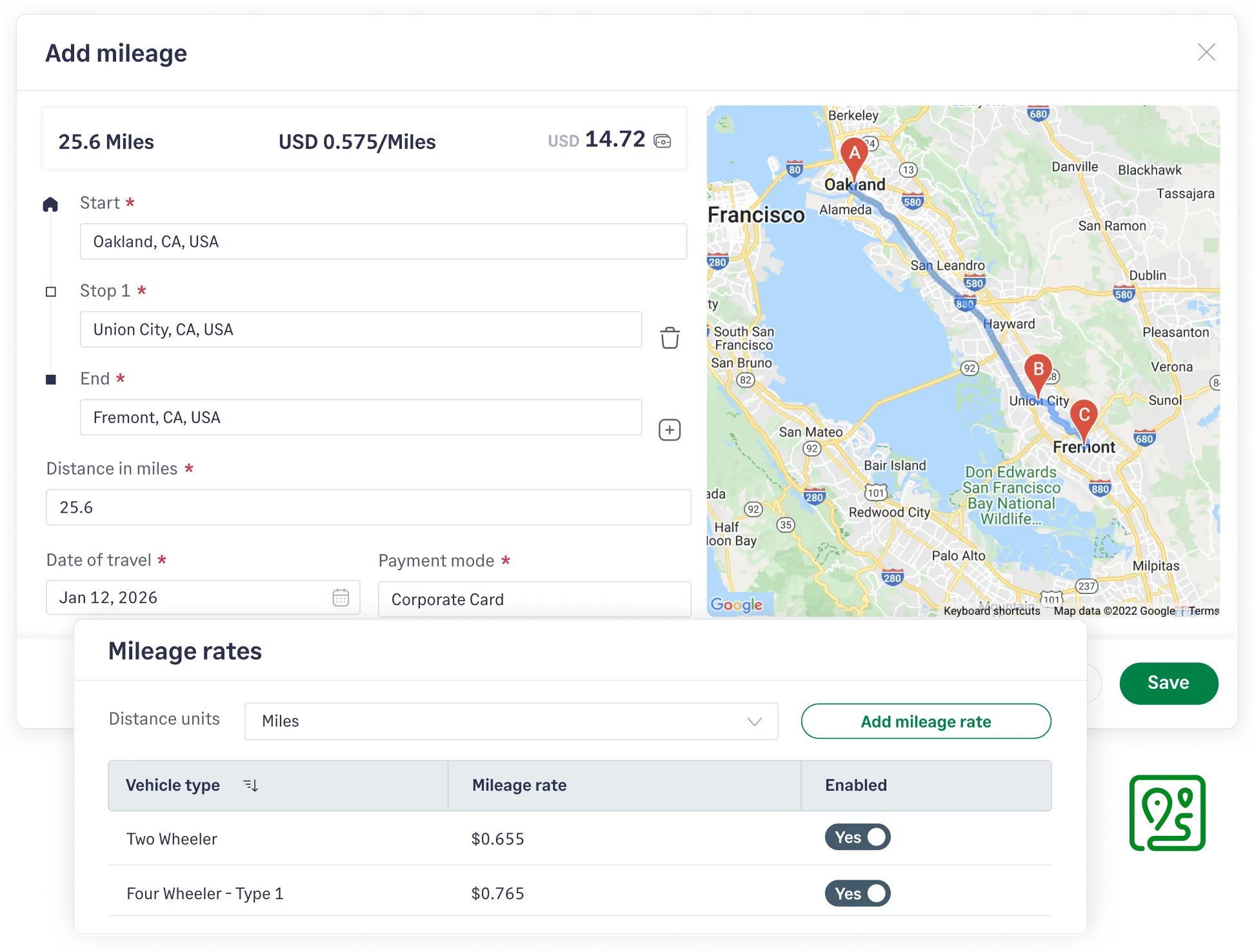
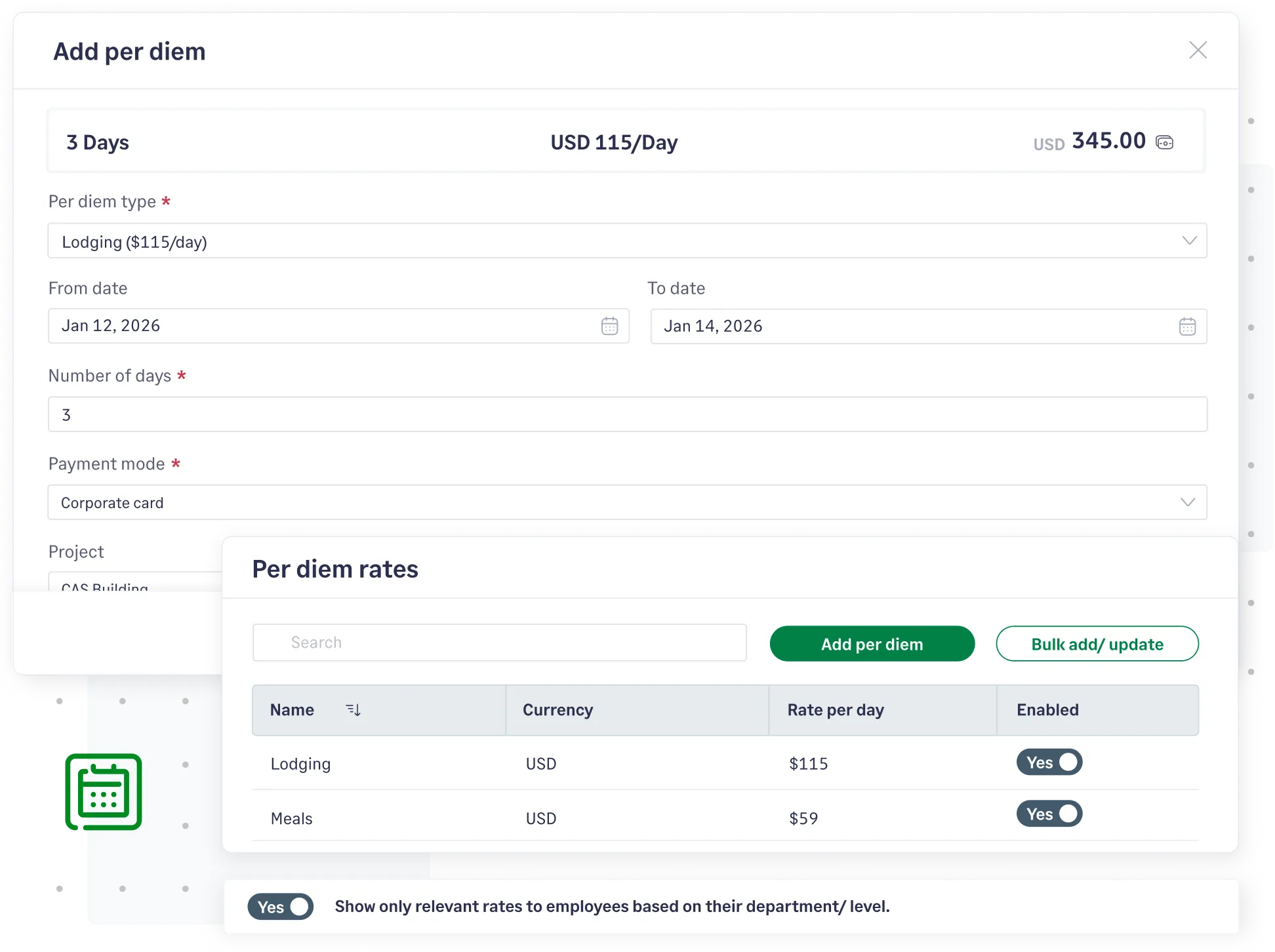
Configure advanced Per Diem rates for different currencies based on employee levels, departments and locations. Users can just select the right rates to create expenses.
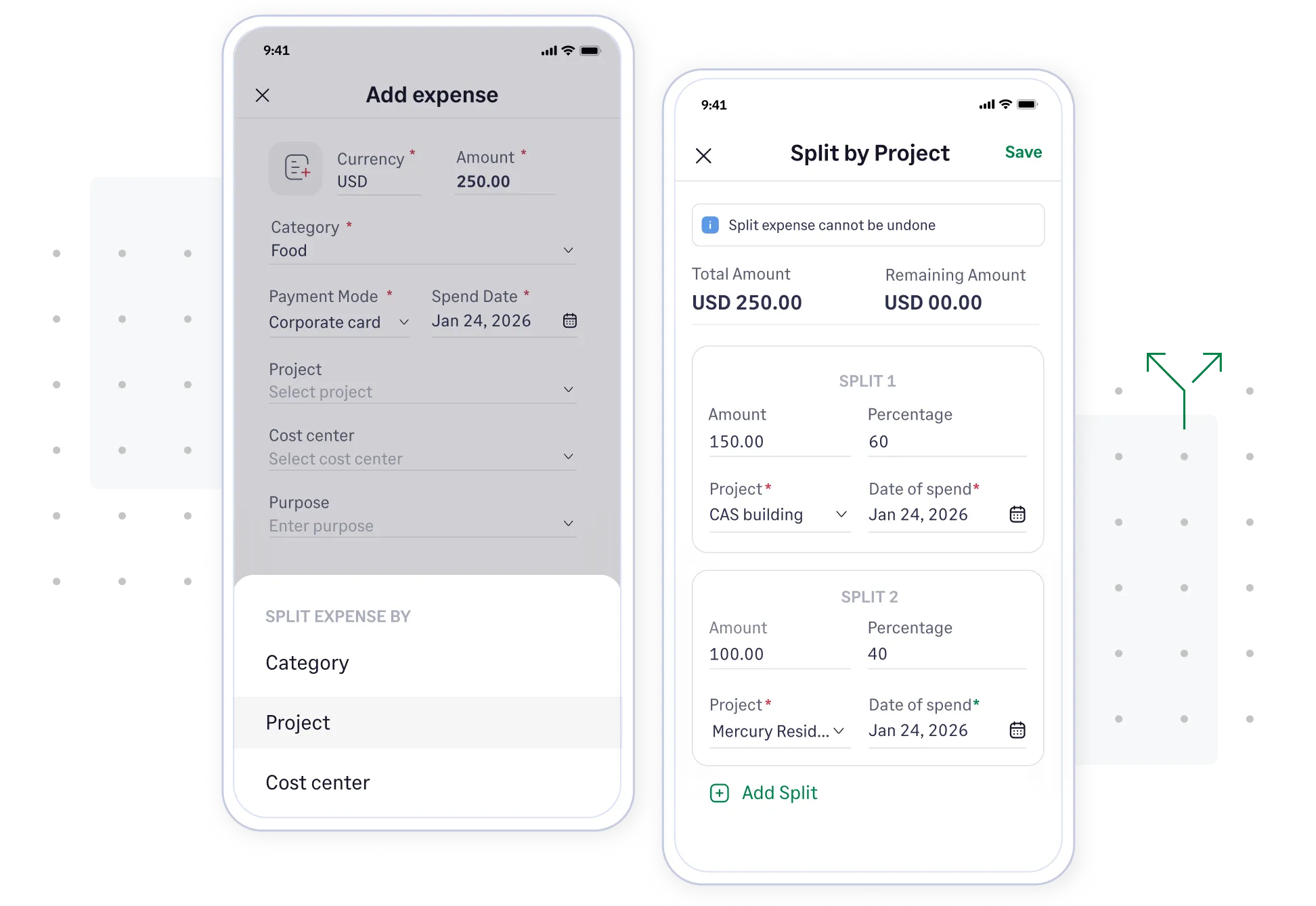
Enable employees to split expenses between multiple Expense Categories, Projects, or Cost Centers with ease.
Sage Expense Management automatically extracts data from receipts and matches it to the right transaction, saving you hours of manual reconciliation.
Credit card reconciliations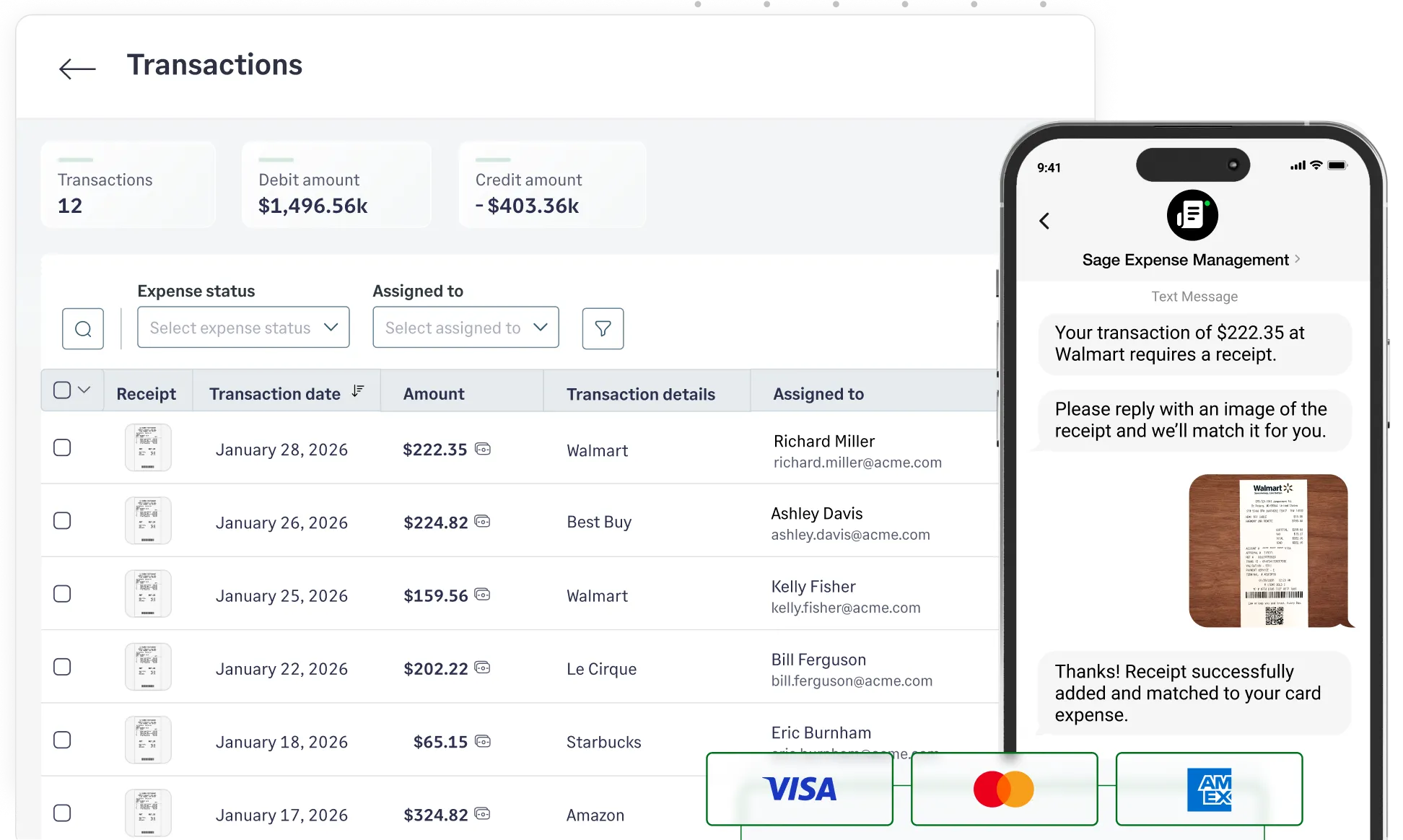
When employees add expenses in Sage Expense Management, reports are automatically created and submitted for approval according to your chosen schedule. No more chasing employees for submissions.
Learn more about approvals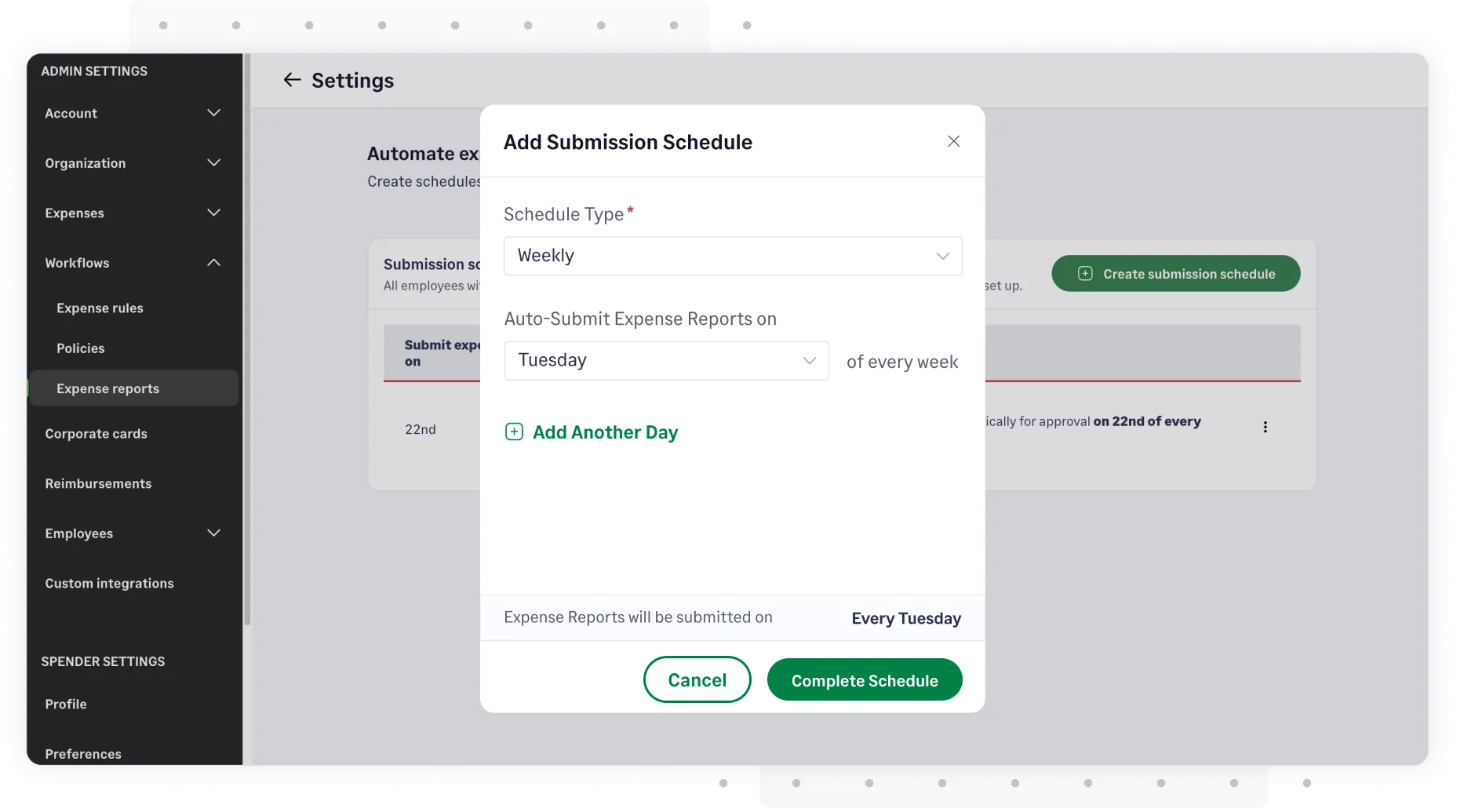
All receipts and expenses are centralized and securely stored with Sage Expense Management. Access any expense based on employee parameters like amount, date of spend, department, and more.
Compliance reporting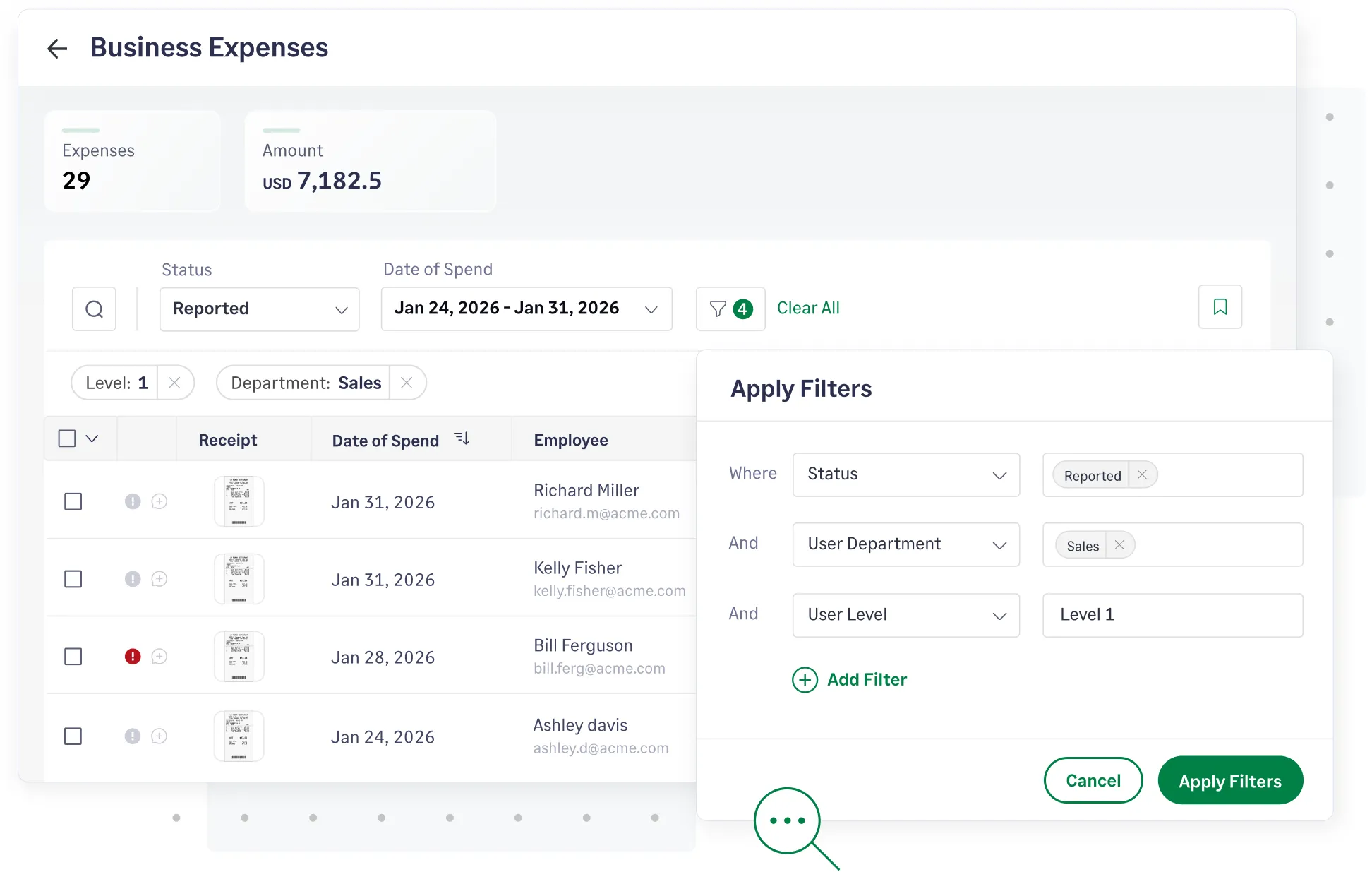
We sync your fully-coded expense and receipt data to accounting software like QuickBooks Online, QuickBooks Desktop, Sage Intacct, Xero, Sage 300 CRE, and Sage 50 automatically.
Explore integrations


CONSTRUCTION
Sage Expense Management has made it very convenient for us to see our expenses as soon as employees swipe their cards. We get to know almost right away when employees have missed a receipt with the real-time card feeds, instead of waiting for the bank statement to be uploaded at the end of the week.
Accounts Payable


MEDIA
Sage Expense Management is an exceptional solution that has consistently proven its value. It stands out as a robust and user-friendly platform, meticulously designed to cater to the needs of both employees and finance/accounting professionals alike.
Controller


FINTECH
Switching to Sage Expense Management has truly improved the way we manage our expenses, by saving us a tremendous amount of time that used to be spent manually inputting receipts and reconciling expenses.
Executive Assistant to the CEO


RELIGIOUS INSTITUTIONS
Sage Expense Management has been a game-changer for our team! Before, our team was inconsistent in their expense reporting, and it took hours and days of work for our accountant to manually enter everything in QuickBooks. With Sage Expense Management, our team has had consistency and accountability, our accountant spends far less time entering expenses!
Administration Director


NON PROFITS
Previously, we were trying to track thousands of dollars in credit card expenses and reimbursements across many employees each month with an Excel spreadsheet. It was a nightmare! With the help of Sage Expense Management's wonderful team, we now have a system that has streamlined the process and made it much more professional for all of us at Bright Futures for Youth.
Associate Director


CONSTRUCTION
Sage Expense Management has tremendously cut the preparation and processing time for our 85 cardholders and admins. Finalizing one reporting period for all cards now takes less than a month, compared to over 2 months before. The availability of reports on demand is precious. The simple process and unsurpassed support has led to significant time and cost savings.
Sr. Financial Operations Analyst


NON PROFITS
The main challenge we face with expense reporting is that we currently have a completely manual process, so our goal was to automate expense gathering, tracking, and reporting to make it easier on our team. Sage Expense Management's ability to capture receipts via email or app, automatically categorize and allocate to various credit card utilizations, & affordability made it a great choice for us.
Treasurer


INFRASTRUCTURE
Previously, I had to compile cardholder's reports and distribute them for signature approval manually. This took a considerable amount of time and effort. Now, with Sage Expense Management, we can track expenses with timestamps in a more efficient manner.
Finance Analyst


COMPUTER SOFTWARE
Sage Expense Management works so well for us, it saves us time to reconcile dozens of charges throughout the month and organizes the individual reports coming from each cardholder. It typically takes each cardholder less than an hour each month to complete all necessary transactions to accurately and completely file their expense reports.
Chief Operating Officer


MANUFACTURING
Sage Expense Management offers robust features without requiring company cards, giving us the flexibility we needed without the extra cost or complexity. It is intuitive and user-friendly, and has significantly streamlined our expense management process.
Office Manager
Tracking expenses is vital for managing budgets, controlling costs, and improving profitability. It ensures you can claim all eligible tax deductions and provides a clear audit trail, which is crucial for compliance with financial regulations. Accurate records make you audit-ready, facilitate strategic decisions, help secure investments, and ensure long-term financial stability.
The easiest way to track expenses is by using an expense tracking software like Sage expense management to automate the process. While manual methods like collecting receipts and logging them in spreadsheets exist, they are time-consuming and prone to errors.
An automated solution eliminates manual work by allowing you to instantly capture receipts, automatically categorize spending, and get an accurate, real-time view of your expenses with minimal effort.
You should track any cost incurred for running your business. This includes major categories like office expenses (rent, utilities), salaries, professional services, software subscriptions, and marketing costs. Also track all travel, meal, and vehicle expenses to ensure accurate financial reporting and maximize your available tax deductions.
A tax-deductible business expense is any cost that is both 'ordinary and necessary' for your business, such as office rent, employee salaries, supplies, and travel. Tracking these deductions directly lowers your taxable income.
Disclaimer: Always consult a tax professional to understand all deductions applicable to your specific business.
An expense tracker simplifies tax season by automating data collection all year. It creates a centralized, audit-ready record of all transactions with receipts attached. With expenses already categorized and checked for errors, you eliminate the last-minute scramble and provide your accountant with accurate, organized data for a much faster tax filing process.
Sage expense management automates the entire expense tracking process. Employees can submit expenses via text, Gmail, or Outlook, and our AI instantly extracts the data. It also offers a Google Maps integration for mileage tracking and automatic policy checks. This ensures compliance, eliminates manual work, and provides real-time visibility into company spending.