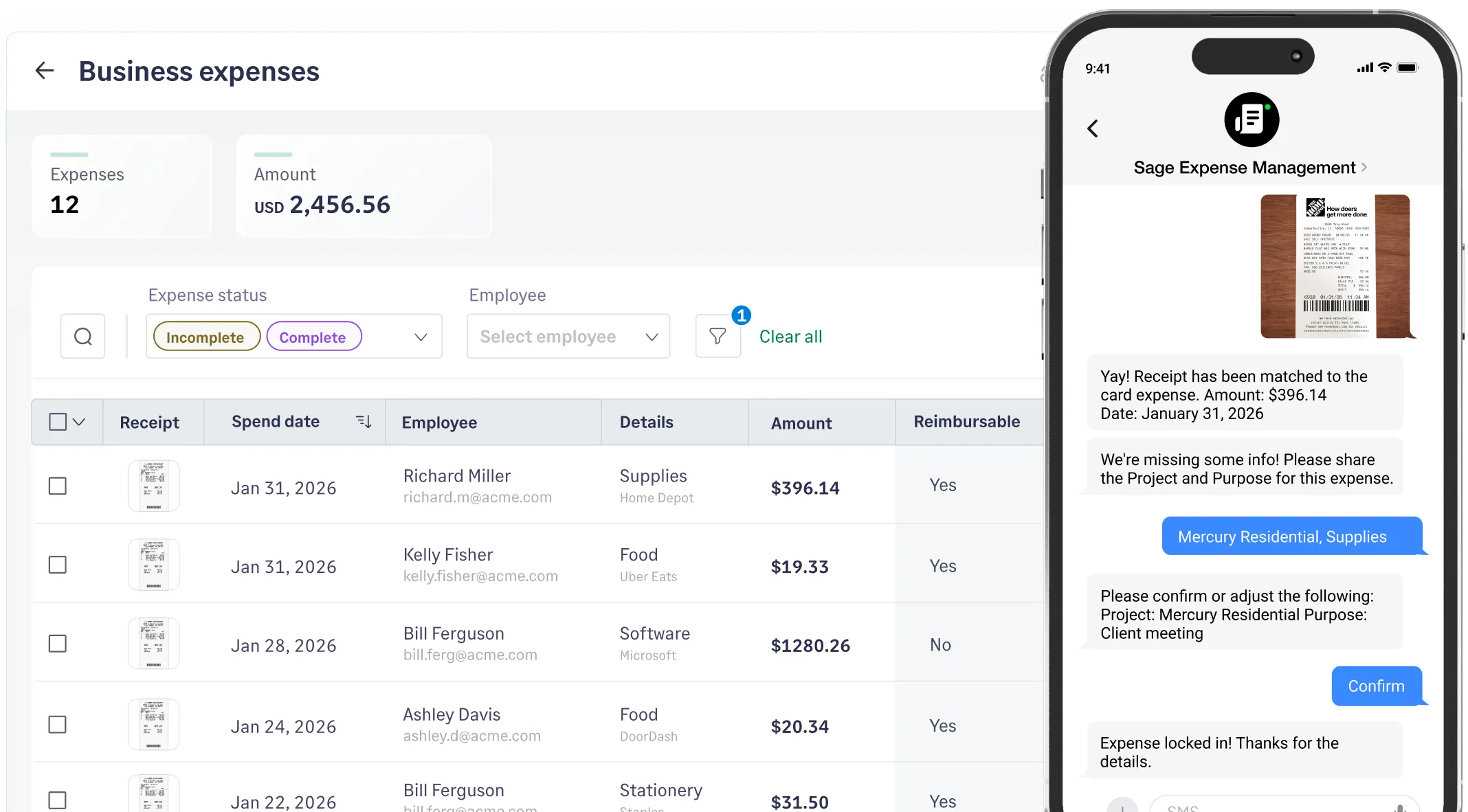
See spend the second it happens.
Every time an employee swipes their Visa business credit card, they receive a text notification instantly. No more 'blind spots' between swipes and monthly statements.
Connect any Visa business credit card to Sage Expense Management (formerly Fyle)* to get instant spend alerts, automated receipt collection via text, and 2-minute reconciliations.


 1775+ reviews





See spend the second it happens.
Every time an employee swipes their Visa business credit card, they receive a text notification instantly. No more 'blind spots' between swipes and monthly statements.
Your receipts, right where you need them.
Simply reply to the text alert with a picture to reconcile in real-time. Our AI extracts the data and matches the swipe instantly. You can also submit receipts via Gmail, Outlook, or our mobile app.
Receipt Collection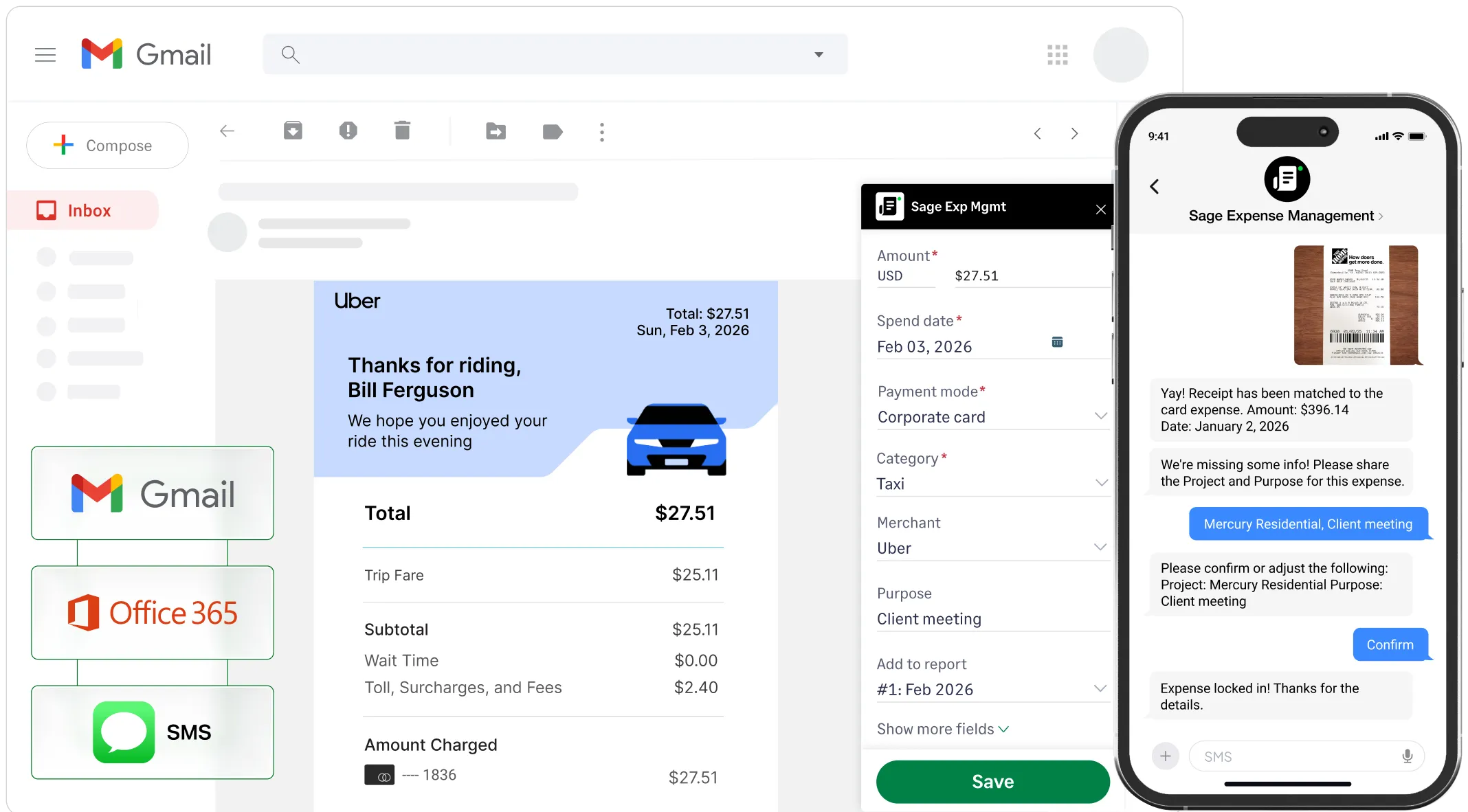
Continuous, automated compliance.
Our policy engine automatically checks every Visa expense against your company rules—like spend limits and merchant categories - the moment it’s submitted. You get a perfect, audit-ready digital trail without ever chasing a violation.
Control spend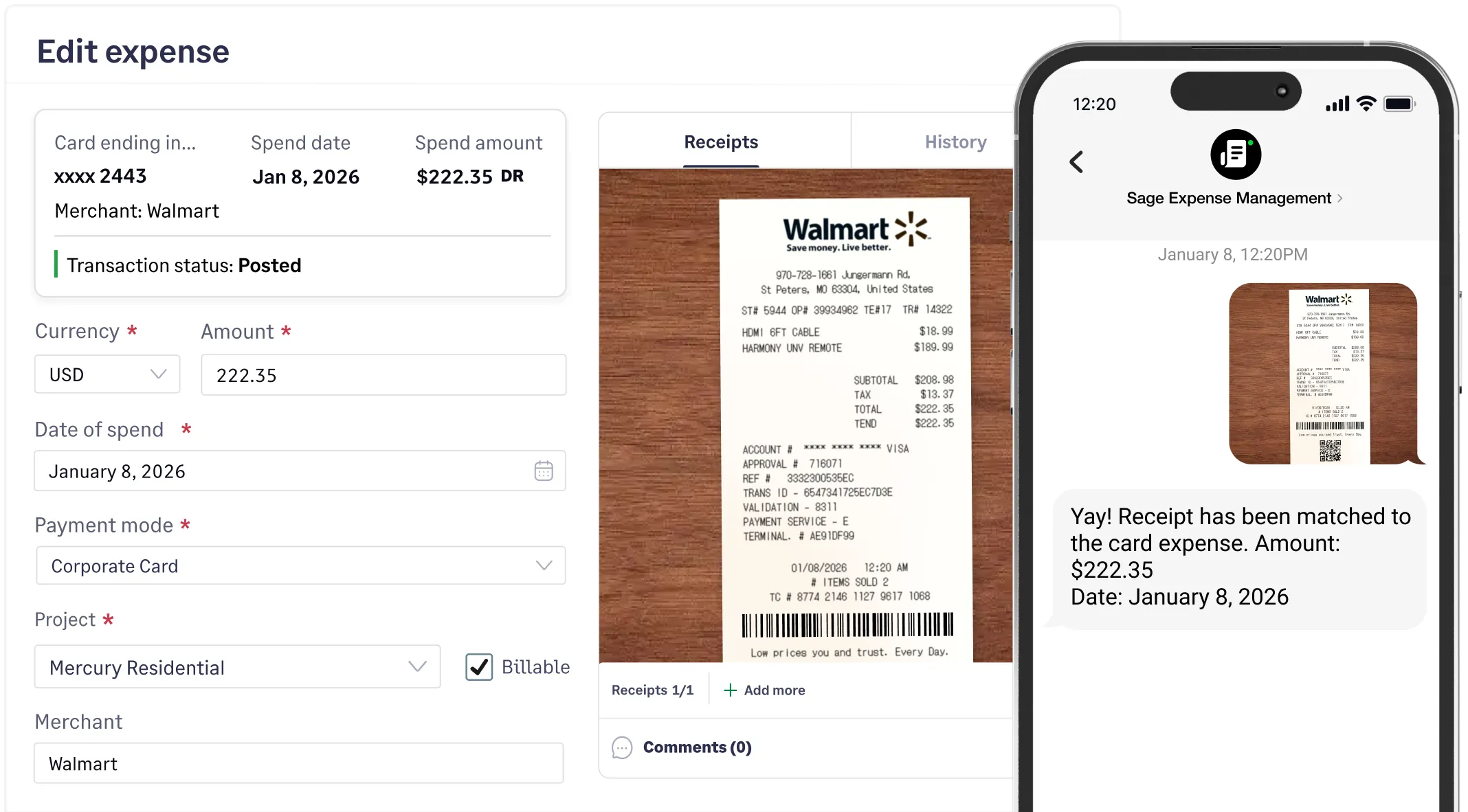
Sync to your ERP in seconds.
Expenses are automatically coded based on your specific General Ledger rules. Whether it’s project-based tags or merchant categories, your data is ready to sync to Sage, QuickBooks, or Xero.
Explore integrations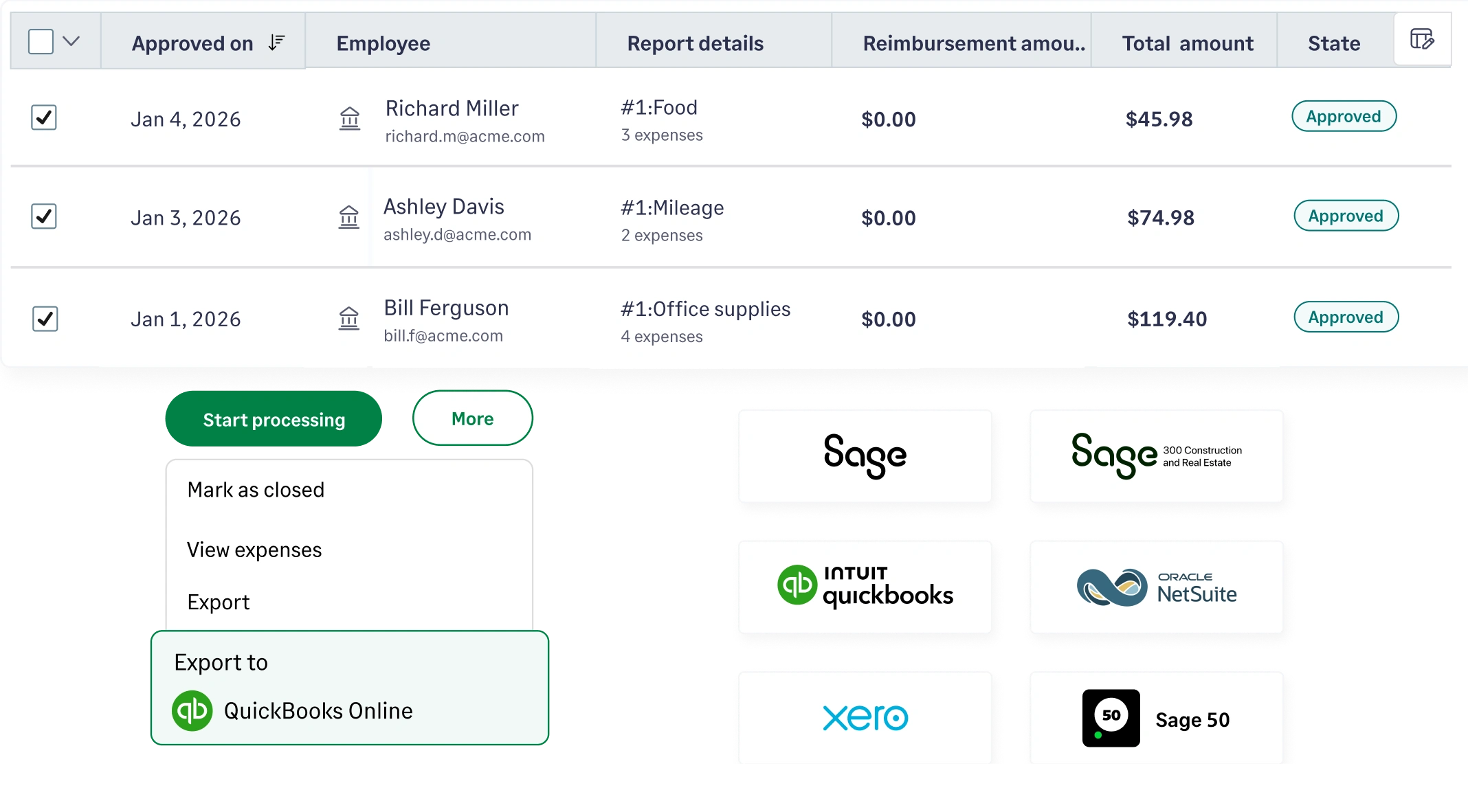
Gain a bird's-eye view of your company cash flow without exporting a single spreadsheet. Our real-time dashboard lets you drill down into specific Visa cardholders or projects to identify burn rates and savings opportunities instantly.
Learn more about CoPilot
Automate the entire routing process based on your specific hierarchy - whether by department, project, or spend threshold. Managers can review and approve expenses directly from everyday apps, ensuring your workflow never hits a bottleneck.
Learn more about approvals
Once an out-of-pocket expense is approved, our system can trigger payments directly to the employee’s bank account, cutting reimbursement cycles from weeks to just 3–5 days.
Learn more about reimbursements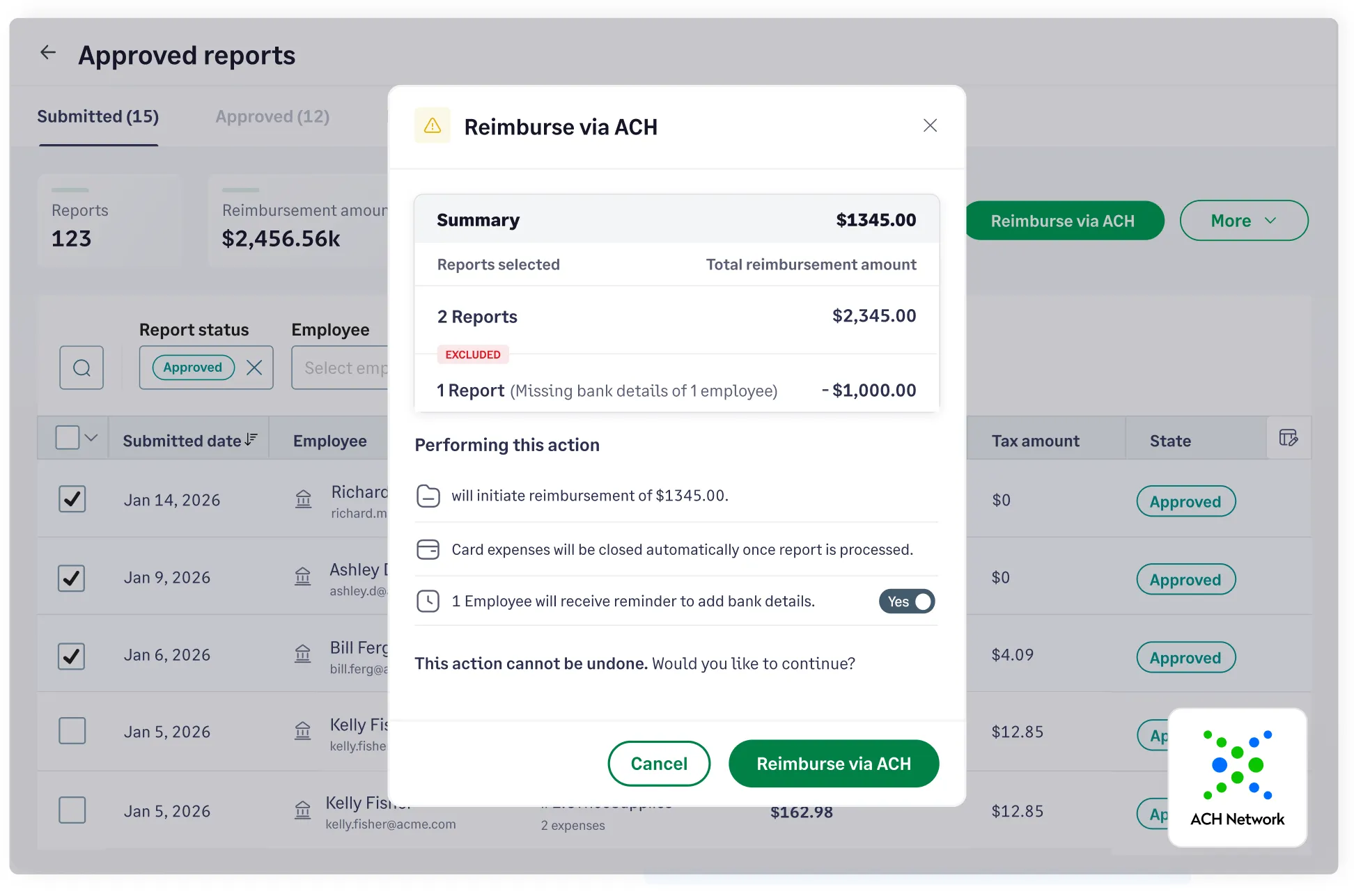
Create and track separate budgets for projects, categories, departments, and more. If the threshold is crossed, you will be notified so you know where your money is spent.
Learn more about budgets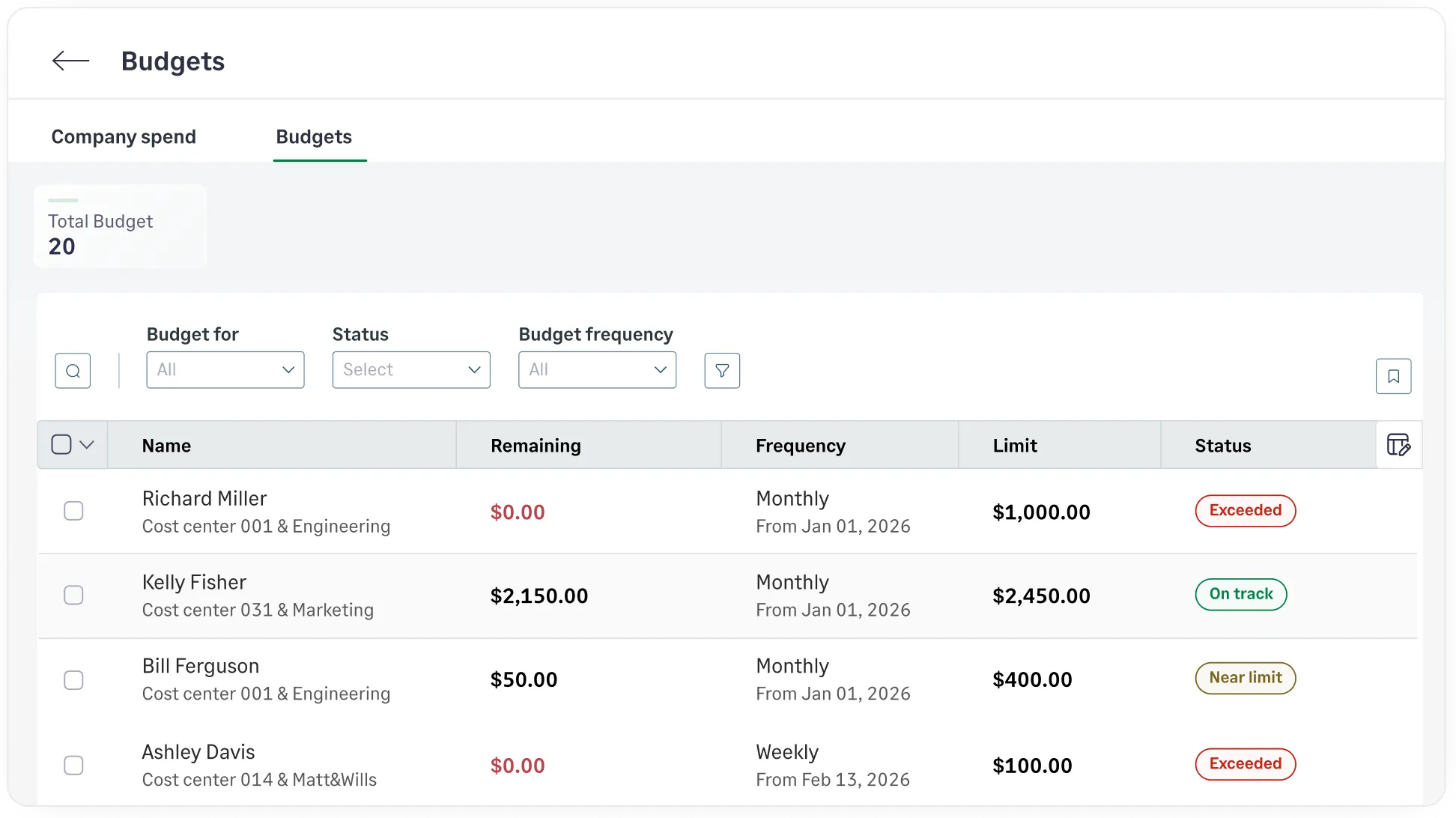


CONSTRUCTION
Sage Expense Management has made it very convenient for us to see our expenses as soon as employees swipe their cards. We get to know almost right away when employees have missed a receipt with the real-time card feeds, instead of waiting for the bank statement to be uploaded at the end of the week.
Accounts Payable


MEDIA
Sage Expense Management is an exceptional solution that has consistently proven its value. It stands out as a robust and user-friendly platform, meticulously designed to cater to the needs of both employees and finance/accounting professionals alike.
Controller


FINTECH
Switching to Sage Expense Management has truly improved the way we manage our expenses, by saving us a tremendous amount of time that used to be spent manually inputting receipts and reconciling expenses.
Executive Assistant to the CEO


RELIGIOUS INSTITUTIONS
Sage Expense Management has been a game-changer for our team! Before, our team was inconsistent in their expense reporting, and it took hours and days of work for our accountant to manually enter everything in QuickBooks. With Sage Expense Management, our team has had consistency and accountability, our accountant spends far less time entering expenses!
Administration Director


NON PROFITS
Previously, we were trying to track thousands of dollars in credit card expenses and reimbursements across many employees each month with an Excel spreadsheet. It was a nightmare! With the help of Sage Expense Management's wonderful team, we now have a system that has streamlined the process and made it much more professional for all of us at Bright Futures for Youth.
Associate Director


PROFESSIONAL SERVICES
With Sage Expense Management, tracking and recording business card expenses has become a breeze, and tying expenses to their associated receipts is simple and intuitive for the users. The mobile app allows our sales team to record expenses on the go, without having to wait until they arrive at their workstations.
Technical director


CONSTRUCTION
Sage Expense Management has tremendously cut the preparation and processing time for our 85 cardholders and admins. Finalizing one reporting period for all cards now takes less than a month, compared to over 2 months before. The availability of reports on demand is precious. The simple process and unsurpassed support has led to significant time and cost savings.
Sr. Financial Operations Analyst


NON PROFITS
The main challenge we face with expense reporting is that we currently have a completely manual process, so our goal was to automate expense gathering, tracking, and reporting to make it easier on our team. Sage Expense Management's ability to capture receipts via email or app, automatically categorize and allocate to various credit card utilizations, & affordability made it a great choice for us.
Treasurer


HEALTHCARE
The ability to effortlessly capture receipts on-the-go, coupled with its intelligent auto-categorization feature, has saved us countless hours previously spent on manual data entry.
Office Manager


REAL ESTATE
We didn't want another complex tool, we just needed a system our team would actually use. Now, with Sage Expense Management, receipts come in instantly, expenses are tagged correctly, and I'm not spending hours cleaning up data.
CIO & CFO


COMPUTER SOFTWARE
Sage Expense Management works so well for us, it saves us time to reconcile dozens of charges throughout the month and organizes the individual reports coming from each cardholder. It typically takes each cardholder less than an hour each month to complete all necessary transactions to accurately and completely file their expense reports.
Chief Operating Officer


SECURITY
We now have system that not only captures and organizes all necessary data but also seamlessly integrates receipts and flows effortlessly into our ERP. What I appreciate most about the platform is its organization and efficiency.
Financial Director


MANUFACTURING
Sage Expense Management offers robust features without requiring company cards, giving us the flexibility we needed without the extra cost or complexity. It is intuitive and user-friendly, and has significantly streamlined our expense management process.
Office Manager


MEDIA
Sage Expense Management has been instrumental in automating our employee expense processing. Our employees love the receipt text feature and I love the integration with our accounting software.
Director of Accounting Services
Visa Purchase Alerts are real-time notifications triggered the moment a transaction is authorized on the Visa network. Unlike traditional bank feeds that can take 24–72 hours to reflect a charge, these alerts provide an instant digital signal of spend.
The process is built on a direct integration between SEM and the Visa network.
No. This is the primary differentiator of Sage Expense Management. Most 'modern' card platforms require you to switch to their specific card and banking partner. Sage is card-agnostic - we layer our technology over your existing credit cards. You keep your current banking relationship, your credit limits, and your rewards.
Yes. When an employee replies to a text alert, they can also include 'keywords' or tags (e.g., 'Project Alpha' or 'Job #402'). Our AI recognizes these tags and automatically maps the expense to the corresponding cost center or project in your General Ledger (GL), ensuring your job costing is accurate in real-time.
Sage Expense Management includes built-in tools for non-card spend. Employees can log mileage using a GPS-verified Google Maps integration, and Finance can configure custom per diem rates based on location, department, or seniority. These out-of-pocket expenses follow the same automated approval workflows as card transactions.