



In today’s fast-paced digital world, managing receipts is a task businesses can’t overlook. While paper receipts were once the norm, digital receipts have transformed how companies handle expense tracking, tax compliance, and auditing.
In this blog, we’ll explore what digital receipts are, how they work, why they’re essential for businesses, and the IRS rules around them. We’ll also explain why old-school methods like shoeboxes no longer work and how automated tools can simplify your receipt management process.
Key takeaways
- Digital receipts are electronic records of a purchase that capture the date, merchant, amount and items bought, stored in email, an app or cloud software instead of on paper.
- The IRS has accepted digital receipts since Revenue Procedure 97-22, provided your electronic records are accurate, legible and retrievable on request.
- A credit card slip is not enough on its own. The IRS expects an itemized receipt wherever the business purpose is not obvious from the merchant name alone.
- IRS Publication 463 does not require documentary evidence for expenses under $75, except lodging, which needs a receipt at any amount.
- Keep most business records for three years from the filing date, rising to six years if you underreport income by more than 25%.
- With Sage Expense Management you can collect receipts by text reply, with no app for the employee to open & solving the problem with thermal receipts.
What Are Digital Receipts?
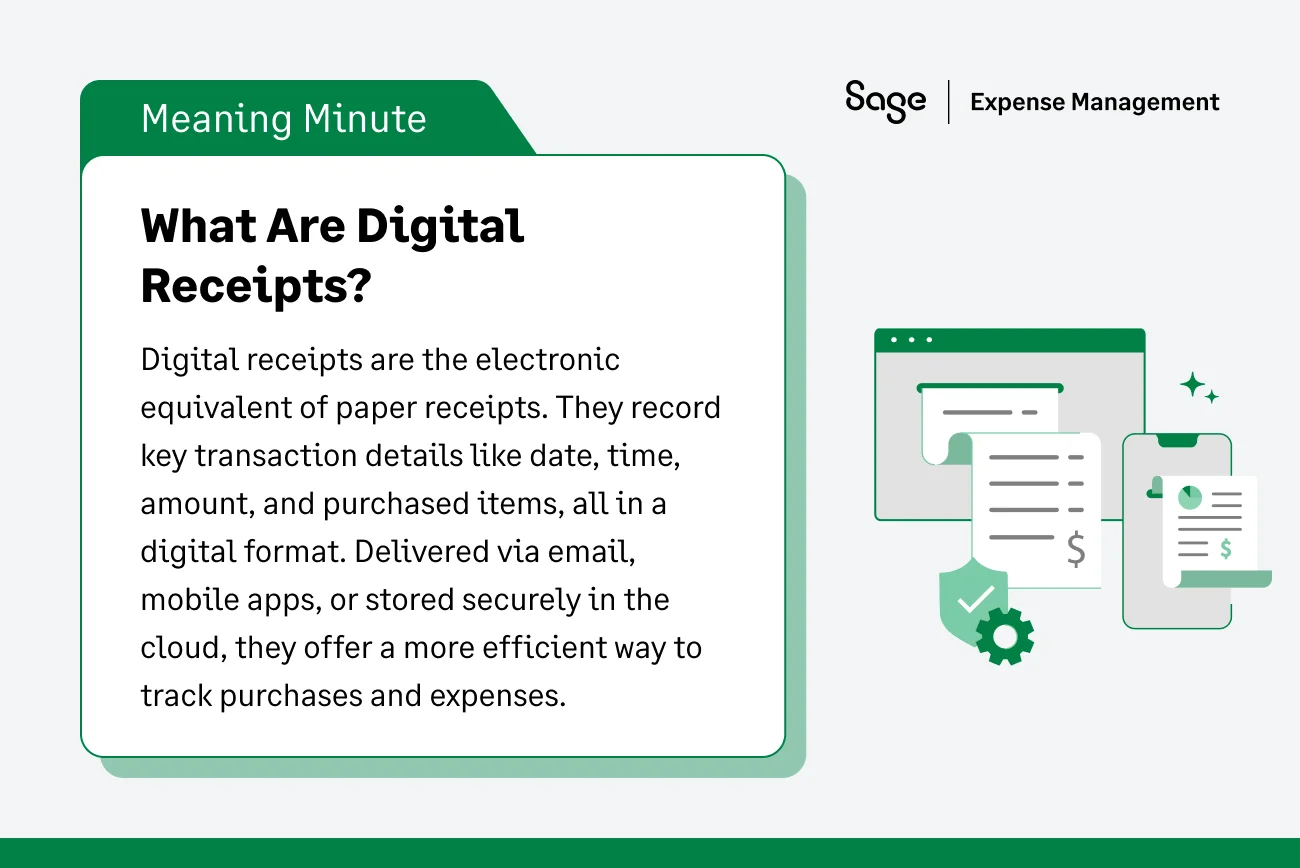
Digital receipts are electronic versions of traditional paper receipts. They capture all the essential details of a transaction, such as the date, time, amount, and items purchased, but in a digital format. These receipts are typically sent via email or mobile apps or stored in cloud-based systems.
Digital receipts are more than just environment friendly–they’re a more secure and organized way to keep track of expenses.
Does the IRS Accept Digital Receipts?
The IRS officially recognized digital record-keeping back in 1997 through Revenue Procedure 97-22. This ruling confirms that digital receipts are legally equivalent to paper ones, provided your electronic storage system can:
- Ensure accuracy: The digital copy must be a complete and accurate representation of the original.
- Maintain legibility: An auditor must be able to "positively and quickly" identify all letters and numerals.
- Guarantee retrieval: You must be able to index and reproduce the records for the IRS upon request.
How Digital Receipts Work
The process is simple. When you make a purchase, instead of a paper receipt, you receive a digital copy via email or text. These receipts can be stored electronically, integrated with expense management software, or uploaded to cloud storage for future reference. Businesses can easily link them to accounting systems, making expense tracking and audits much smoother.
Modern Capture Methods
- OCR technology: Optical Character Recognition (OCR) "reads" the text on a photo and automatically fills in the date, merchant, and amount.
- Email forwarding: Directing digital invoices from your inbox to your expense software.
- Direct text-to-submit: Snapping a photo and texting it to a dedicated number for instant categorization.
Why Are Receipts Important for Businesses?
Receipts aren’t just proof of purchase; they are critical for legal and tax compliance. They serve as documentation for business expenses, allowing companies to track spending, justify tax deductions, and prepare for potential audits.
Well-organized receipts ensure that a business’s financial records are accurate and up-to-date.
Why Proper Documentation is the Foundation of Tax Deductions
Without proper receipt documentation, businesses may face issues with the IRS during audits, risk losing deductions, or suffer financial mismanagement.
Also Read
Protecting Your Bottom Line
Accurate receipts prevent "profit leakage." Without a digital record, small expenses like office supplies or travel incidentals are often forgotten, meaning you lose the tax deduction and effectively pay more in taxes than necessary.
Audit Readiness
An audit isn't a matter of "if," but "when" for many growing SMBs. Digital receipts provide a permanent, searchable audit trail. If the IRS asks about a transaction from three years ago, you can find it in seconds rather than digging through storage units.
IRS Rules Around Receipts
Maintaining receipts isn’t just best practice–it’s a legal requirement for tax purposes. The IRS mandates that businesses keep thorough documentation of all purchases, sales, and other transactions to support the figures reported on their tax returns.
Here’s a breakdown of the key rules every business should follow:
Receipt Requirements
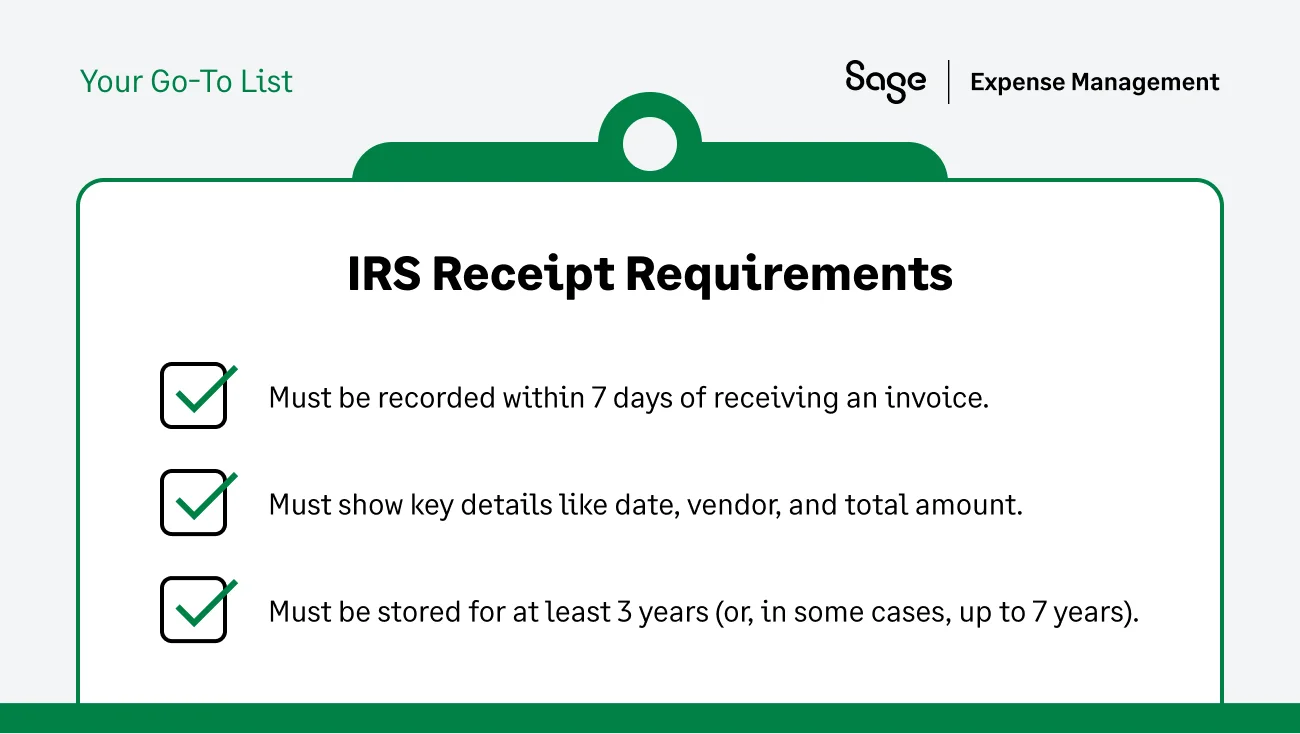
The IRS requires businesses to record receipts when goods or services are received. Ideally, this should be done no later than 7 days after receiving a vendor’s invoice. Receipts should include:
- Vendor name
- Date of purchase
- Amount paid
- Description of the goods or services
Itemization vs. Total
One common mistake is keeping the credit card slip instead of the itemized receipt.
- The total slip: Shows only the final amount paid. This is often insufficient because it doesn’t prove the "business connection" (e.g., was that $200 at Target for printer ink or a new TV?).
- Itemized receipt: Breaks down exactly what was bought. The IRS requires this for any expense where the business purpose isn't immediately obvious.
Supporting Documentation
Beyond just receipts, the IRS expects businesses to keep supporting documentation that substantiates their transactions. These documents may include:
- Invoices and Delivery notifications
- Bills of lading (for goods)
- Proof of payment (canceled checks, digital payment confirmations)
- Timesheets (for services or labor)
For more information, please refer to IRS Page: What kind of records should I keep
The $75 Rule

The IRS generally does not require businesses to keep receipts for any expenses under $75, with one major exception: Lodging.
You must always have a receipt for hotel stays, regardless of the cost. However, many businesses choose to keep all receipts to ensure full transparency and consistency.
For more information, please refer to 26 CFR 1.62-2: Reimbursements and other expense allowance arrangements.
Record Keeping

The IRS recommends keeping records for at least 3 years after filing. However, if you underreport income by more than 25%, that window extends to 6 years. Digital storage makes this long-term retention effortless compared to physical filing.
Also Read
{{audit-ready-receipts="/cta-banners"}}
Why Shoeboxes and Manual Storage Don’t Work for Receipt Management Anymore
The "Fading Factor"
Most paper receipts are printed on thermal paper, which is sensitive to heat and light. In a hot truck or a sunny office, these receipts can fade to a blank white sheet in just a few months—rendering them useless for a three-year-later audit.
The Hidden Cost of Manual Data Entry
Manual entry is a silent profit killer. Recent data shows that manual data entry can cost U.S. companies upwards of $28,500 per employee annually in lost productivity. For finance teams, spending 20+ hours a month manually typing in receipt data means you are paying high-level analyst rates for entry-level tasks.
Security and Accessibility
Paper is vulnerable to fire, water damage, and being misplaced. Digital receipts stored in the cloud are encrypted, backed up, and accessible from anywhere in the world.
Our article on chasing employees for receipts covers all the challenges, cost of manual collection & how receipt management can be streamlined into a process that is 5x faster!
How Sage Expense Management (formerly Fyle) Can Help You Manage Digital Receipts
Managing receipts doesn’t have to be tedious or time-consuming. With Sage Expense Management, businesses can streamline the entire process and track expenses effortlessly. Here’s how we can help you:
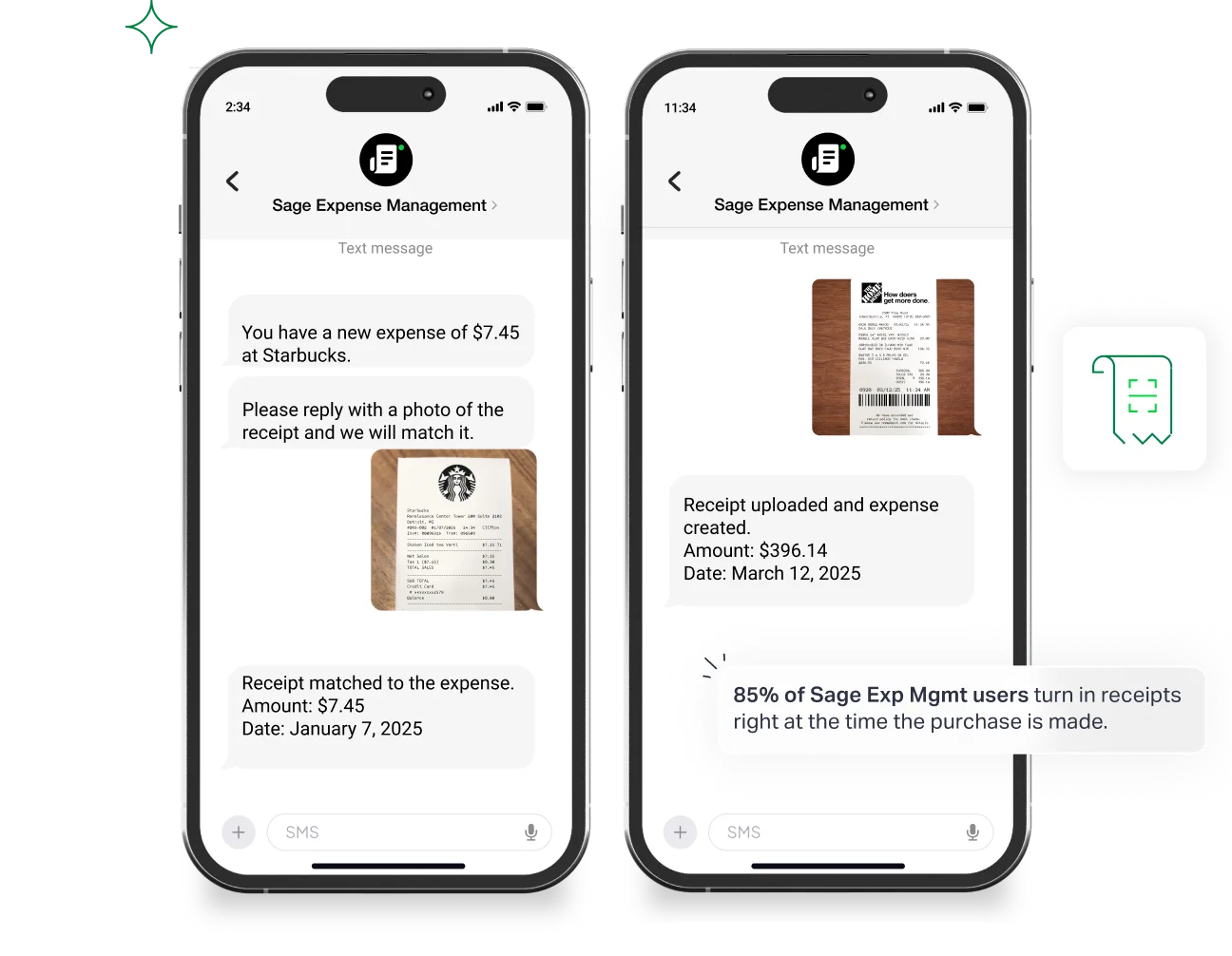
- Submit receipts via text, powered by AI: Employees can text a photo of their receipts, and Sage Expense Management's AI will automatically extract and categorize the data for expense reports.
- Mobile app for on-the-go tracking: Upload receipts via the mobile app, where Sage Expense Management scans, extracts, and codes them automatically. Plus, you can bulk scan up to 20 receipts at once!
- Attach receipts from Gmail and Outlook: Submit receipts directly from your inbox, by extracting the data and attaching it to the expense report automatically.
- Real-time audit trail: Every receipt is automatically linked to its transaction in your accounting software (QuickBooks, Sage, Xero).
{{chasing-receipts="/cta-banners"}}
FAQs Around Digital Receipts
Can I Throw Away the Original Paper Receipt Once I've Scanned it?
Yes. According to Rev. Proc. 97-22, if your digital copy is accurate, legible, and retrievable, you do not need to keep the paper original.
Is a Bank Statement or Credit Card Slip Enough Proof for the IRS?
Usually, no. A bank statement proves payment, but it doesn't prove what was bought. You still need the itemized receipt to justify the business deduction.
How do I Handle "Missing Receipt Affidavits" for Lost Documentation?
If a receipt is truly lost, most companies have employees sign a "Missing Receipt Affidavit." While the IRS allows some leeway (the Cohan Rule), frequent use of these is a red flag for auditors.
What's the Best Expense Management Software for Receipt Management?
The best software is one that meets your employees where they already are—whether that's Text, Slack, or Email—to ensure 100% receipt capture from day one.
.jpg)








