



Reimbursements are one of the fastest ways employees judge Finance.
But standard ACH payouts can take 3 to 5 business days to land, which means follow ups, escalations, and unhappy spenders.
Express ACH changes that.
With Express ACH, Sage Expense Management now processes most reimbursements faster, while keeping the overall reimbursement experience familiar and predictable for finance teams.
What is Express ACH?
Express ACH is a new reimbursement model in Sage Expense Management that speeds up ACH payouts based on the reimbursement amount.
Instead of every reimbursement following the same ACH timeline, Express ACH uses the reimbursable amount in a report to determine the payout speed.
How Express ACH works
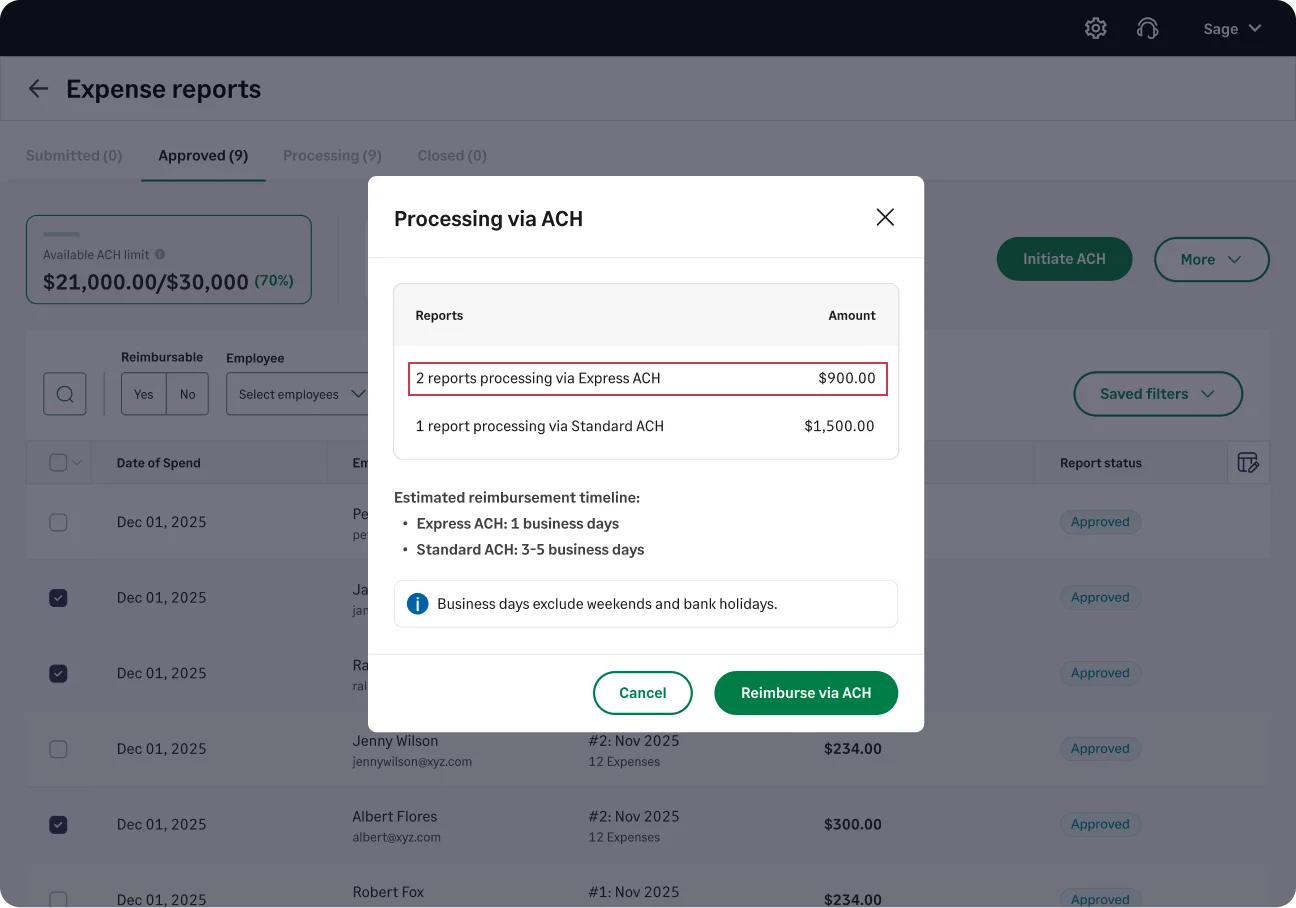
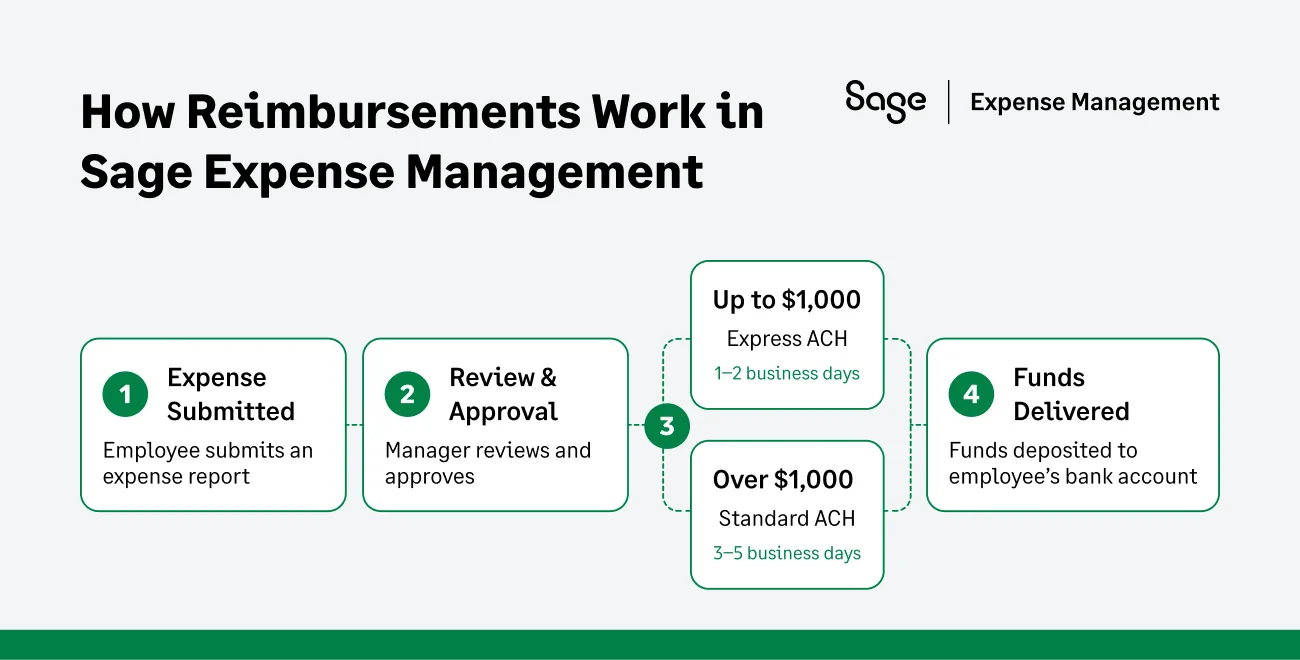
Once Express ACH is enabled for your account, Sage Expense Management automatically chooses the right ACH method based on the reimbursable amount in the expense report.
- Expense reports up to $1,000
Processed via Express ACH and typically reach employees in 1 to 2 business days
- Expense reports above $1,000
Processed via Standard ACH and typically take 3 to 5 business days
What this means in practice
- Reimbursements processed before 4:00 pm Central Time typically arrive the next business day.
- Reimbursements processed after 4:00 pm Central Time typically arrive within two business days.
- Only the reimbursable amount in the expense report is used to determine whether it is processed via Express ACH or Standard ACH.
Why finance teams use Express ACH
Faster payouts for most employees
In most organizations, the majority of reimbursements fall below $1,000. Express ACH ensures these reports are processed faster, helping employees get reimbursed sooner and reducing follow ups to finance teams.
Predictable reimbursement timelines
Express ACH follows a clear and consistent structure based on reimbursement amount. This makes it easier to set expectations internally and avoids confusion around payout timing.
No changes to existing workflows
Express ACH does not require additional setup or configuration.
- Employees submit expense reports as usual
- Approvers continue approving reports the same way
- Admins process reimbursements exactly as they do today
- Existing bank configurations remain unchanged
What changes for employees (and what doesn’t)
Most employees will notice one thing right away: they get reimbursed faster.
What they won’t notice:
- Any change in how they submit expenses
- Any new steps or requirements
- Any difference in how approvals work
For finance teams, the experience remains familiar while reimbursement delays are reduced.
Faster reimbursements, with full control for finance
Express ACH gives finance teams a simple way to speed up reimbursements without changing how they work today. Most employees get paid faster, while larger reimbursements continue to follow predictable, controlled timelines.
It’s a smarter reimbursement experience that balances speed, consistency, and control, all built directly into Sage Expense Management.
{{express-ach="/cta-banners"}}








