For any service-based business, "Which of our projects are actually profitable?" is the most important question.
It's also the hardest to answer.
Why? Because your manual expense process is actively hiding the truth. When a project expense is miscategorized, it doesn't just create a small bookkeeping error - it systematically destroys your ability to measure profitability.
The "Hot Mess" That Hides Your True Job Costs
Here’s a scenario that happens every day in construction firms, agencies, and non-profits:
An employee in the field buys $500 in materials for "Project A."
They submit the receipt to finance. The controller, buried in a "hot mess" of end-of-month reconciliation, sees "Home Depot - $500."
The controller has to chase the employee for context. The employee, just trying to get it off their plate, says "Oh, that was supplies."
To close the books, the controller dumps the $500 expense into the "General & Administrative - Office Supplies" bucket, and the project's true costs are lost forever.
That $500 wasn't "overhead." It was a direct Cost of Goods Sold (COGS) for Project A. Because it was miscategorized, your financial data is now lying to you. Project A looks more profitable than it was, and your company's overhead looks artificially high.
You're "flying blind," and you can't make smart decisions about which clients to pursue or which projects are draining your resources.
From "Miscellaneous" to Meticulous: How to Fix Job Costing
You can't fix this problem with a better spreadsheet. You fix it by making it impossible for employees to submit an expense without telling you what it was for.
Sage Expense Management (formerly Fyle) builds your job costing rules directly into the spending process, ensuring 100% of expenses are categorized correctly before they ever hit your desk.
Here’s how we solve the problem:
Mandatory project tagging
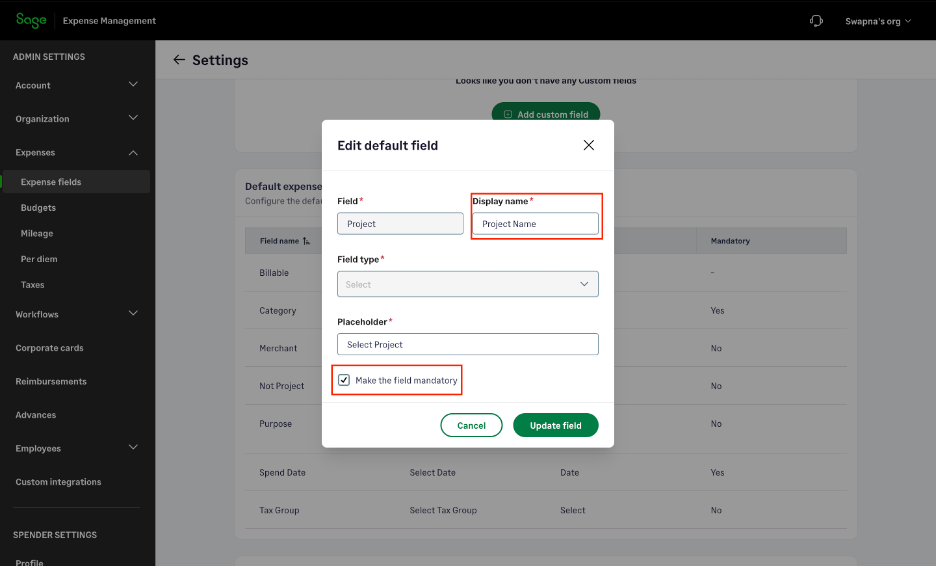
You can make "Project" or "Job" a mandatory field for all expenses, or even just for specific categories like "Materials" or "Contractor Fees." Employees literally cannot submit the expense until they've assigned it to a job. This one feature ends the "chase" for good.
Dependable fields
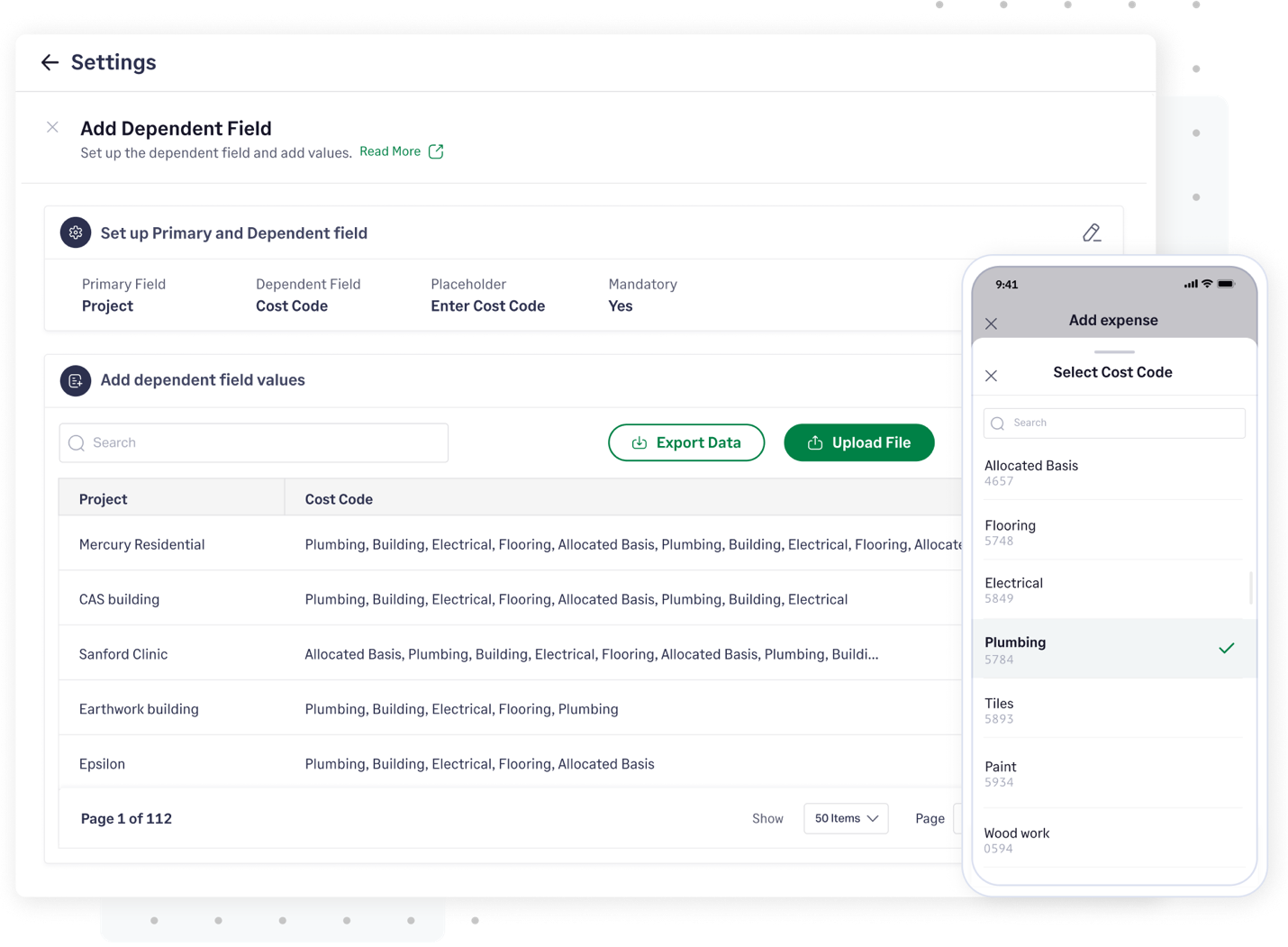
This is the real solution. One controller told us his team "just have this giant list of cost codes... which would mean nothing to them."
Our system fixes this. With Dependable Fields, your employee first selects "Project A." The next field, "Cost Code," will then only show the 20 cost codes relevant to Project A, not the 600 cost codes for the entire company. It makes it easy for them to be accurate.
Real-time, direct integrations
Sage Expense Management syncs all your Projects, Jobs, Customers, and Classes directly from your accounting software, whether it's QuickBooks, Sage Intacct, or Xero.
When an expense is approved, it’s perfectly coded data - tagged to the right job and cost code - flows right back to your General Ledger.
Stop Guessing. Start Mastering Your Profitability. Stop letting your project profits get lost in the "Overhead" bucket. Sage Expense Management gives you the real-time, granular data you need to see your true job costs as they happen.
{{job-costing="/cta-banners"}}