




In construction, profit margins are notoriously thin, often hovering between 4% and 6%. When margins are that tight, every lost receipt, every unbilled material cost, and every miscoded transaction isn't just an annoyance; it is a direct hit to your bottom line.
You need detailed documentation to bill owners and track budgets, but your field teams despise the administrative work required. To them, filling out an Excel spreadsheet is a distraction that takes them away from the actual building.
The result? A monthly tug-of-war that ends with you playing detective on a credit card statement.
If you aren't sure how to end this and don't have the means to automate yet, you need to lock down your manual process. In this post, we will show the exact way to structure an expense report template and reveal why even the perfect expense report template inevitably breaks as your company scales.
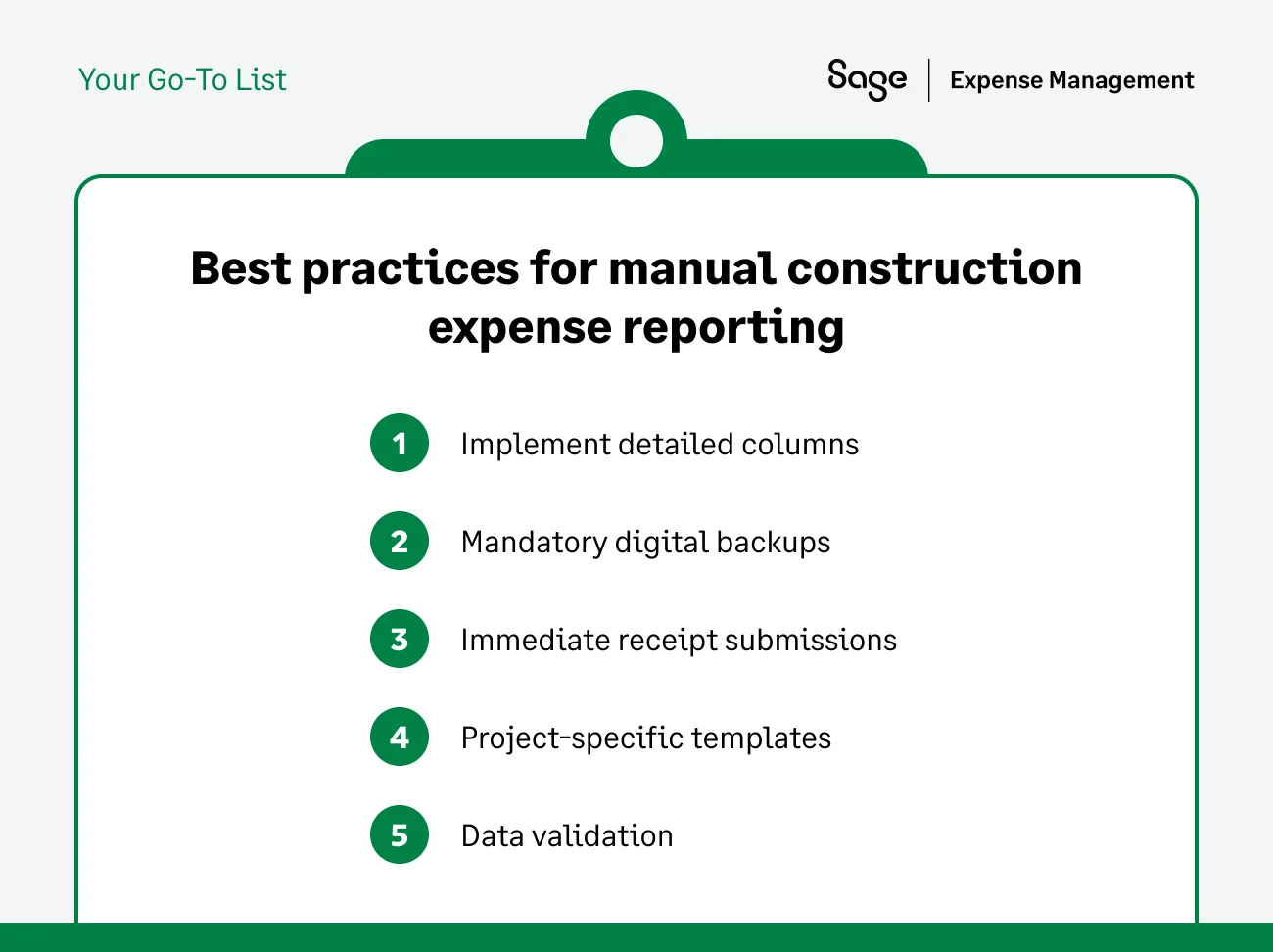
5 Best Practices for Manual Construction Expense Reporting
If you rely on spreadsheets, you cannot afford to keep them simple. A basic "Date, Merchant, Amount" template invites disaster. Here is how you tighten the ship immediately.
Detailed Columns
A simple "Category" column fails in construction. The materials option provides no information about the budget or the general ledger (GL) impact. To prevent data from landing in the wrong bucket, your expense report template columns must mirror your ERP structure (Sage 300 CRE, Sage Intacct, etc.). You need specific columns for:
- Job # (e.g., 24-001 - The Aston Hotel)
- Cost Code (e.g., 03-300 Concrete vs. 06-100 Rough Carpentry)
- Category (Material, Labor, Subcontract, Equipment)
- Class (Department or Division)
- Billable Status (Yes/No toggle)
If field staff fail to capture the cost code at the source, your finance team must guess. Lacking onsite context, office staff often guess wrong, forcing them to waste hours on corrective journal entry re-classes later.
Mandatory Digital Backups
It's time to stop accepting stapled packets of receipts. Physical staples rust. Papers tear. Most importantly, thermal ink tends to fade in the hot dashboard of a truck. This blank white piece of paper is deemed useless during a tax audit or a client's invoice review.
Instead, have mandatory digital captures. The field staff should take a photo of the receipt and upload it to a shared drive or Dropbox folder. The file name must match the line-item ID in the spreadsheet.
These digital captures ensure that when you need to substantiate a cost for a T&M invoice, the proof exists and is legible.
Immediate Receipt Submissions
If an employee buys fuel on Tuesday morning, the center console eats that receipt, or it becomes a gum wrapper by Friday afternoon. This leads to missing or damaged receipts during expense report submissions.
Instead, enforce a policy where staff log expenses immediately after purchase. While implementing this policy manually is challenging (we'll explain why later), it remains the only way to prevent lost documentation. If you let them wait until the end of the month, they lose the receipt.
{{expense-management-survey="/did-you-know-cards"}}
Project-specific Templates
Don't use one giant Excel template/spreadsheet for the whole company. The spreadsheet inevitably leads to cross-coding errors where a user scrolls to the wrong row and bills "Project A" expenses to "Project B."
Alternatively, create separate tabs or distinct Excel files for each project or entity. These tabs force the employee to verify that they are billing the correct client before they even start typing.
Data Validation
Never let field staff type job numbers or cost codes manually. The errors occurred due to confusion, and occasional carelessness can cause spreadsheets to break, making it challenging to submit expense reports.
If one employee types "job 101", another types "job 101-A", and a third types "project 101", in Excel, these represent three different jobs. This breaks your pivot tables and makes importing into your accounting software impossible.
Using Excel's data validation feature to create strict dropdown lists for your active jobs and cost codes is advised instead. If the code isn't on the list, the spreadsheet rejects the entry. This acts as a rudimentary guardrail.
To learn more about business expense tracking in excel, read our article on it.
Why Even the Best Templates Fail in the Field
You can build the perfect spreadsheet with VLOOKUPs, protected cells, and conditional formatting. But the moment that expense report template leaves your inbox and hits the job site, it starts to break.
The problem isn't the template; the problem is the workflow.
Field-to-office Disconnect
The reality: Your field staff work on mobile devices. They operate out of trucks, trailers, and active sites. They do not have dedicated desks. Asking them to boot up a laptop, connect to a hotspot, and type data into Excel creates a massive friction point.
The result: Because high friction annoys them, they avoid it. The immediate submission policy rarely survives a busy day onsite. They wait until the last possible second (usually the day before the close), leading to batching.
You receive four weeks of data dumped on your desk at once, which makes it impossible to reconcile quickly or catch errors in time.
Confusing Job-cost Coding
The reality: Even with dropdown lists, a rushed employee often lacks the knowledge of your accounting structure's nuances. He knows he bought wood, but he doesn't know whether your system codes it as 06-100 Rough Carpentry or 06-200 Finish Carpentry.
The result: To save time, they pick the first code they see, usually "01-000 General conditions" or "Misc." main learning. This kind of lazy Coding corrupts your job costing data, leading to artificially inflated overhead and understated material costs. For the bid on the next job, this historical data will lead to your estimates being wrong.
The Receipt Gap
The reality: By the time an employee sits down to update the template, the gas station receipt from earlier has already faded or vanished.
The result: Without a receipt, you cannot verify the purchase.
- Cost-Plus Contracts: If you cannot produce a receipt, you generally cannot bill the client. You pay for the material, but you can't collect the revenue. This represents a direct 100% loss on that item.
- Audits: If the IRS or a client auditor requests proof of expense and you only have a line on a spreadsheet, they will disallow that cost.
{{construction-cfo="/quote-banners"}}
Old vs New Versions
The reality: Construction projects open and close constantly. You email out "Template_V3.xlsx" with the new job numbers for the quarter, but your foreman still uses "Template_V2.xlsx" saved on his desktop.
The result: The staff unknowingly codes expenses to jobs that closed last month. This forces finance teams to spend hours unraveling the mess and manually reclassifying entries via journal entries.
The Billing Lag
The reality: Even if the expense report template arrives perfectly filled out, it usually sits on a desktop until month-end.
The result: a cash flow drag. You already paid the credit card bill (cash out), but because you wait on the spreadsheet to reconcile, you delay billing the client (cash in). This means your company is effectively financing the project interest-free for 30-60 days.
How Sage Expense Management fixes the workflow
By now, you must have realized the real fix isn't the need to force your employees to become accountants, but an expense management solution that eliminates the admin work.
Sage Expense Management (formerly Fyle) bridges the specific gap between the construction field and the back office.
Text-to-Submit

Sage Expense Management helps solve the field friction by meeting your team where they are. They can submit receipts via text message, email, or a mobile app, instantly linking them to a transaction. This effortless capture is especially useful for a dispersed or on-field workforce.
The result? You capture the receipt at the point of sale. No spreadsheet to open. No lost receipts. No new cards.
Automated Coding Guardrails
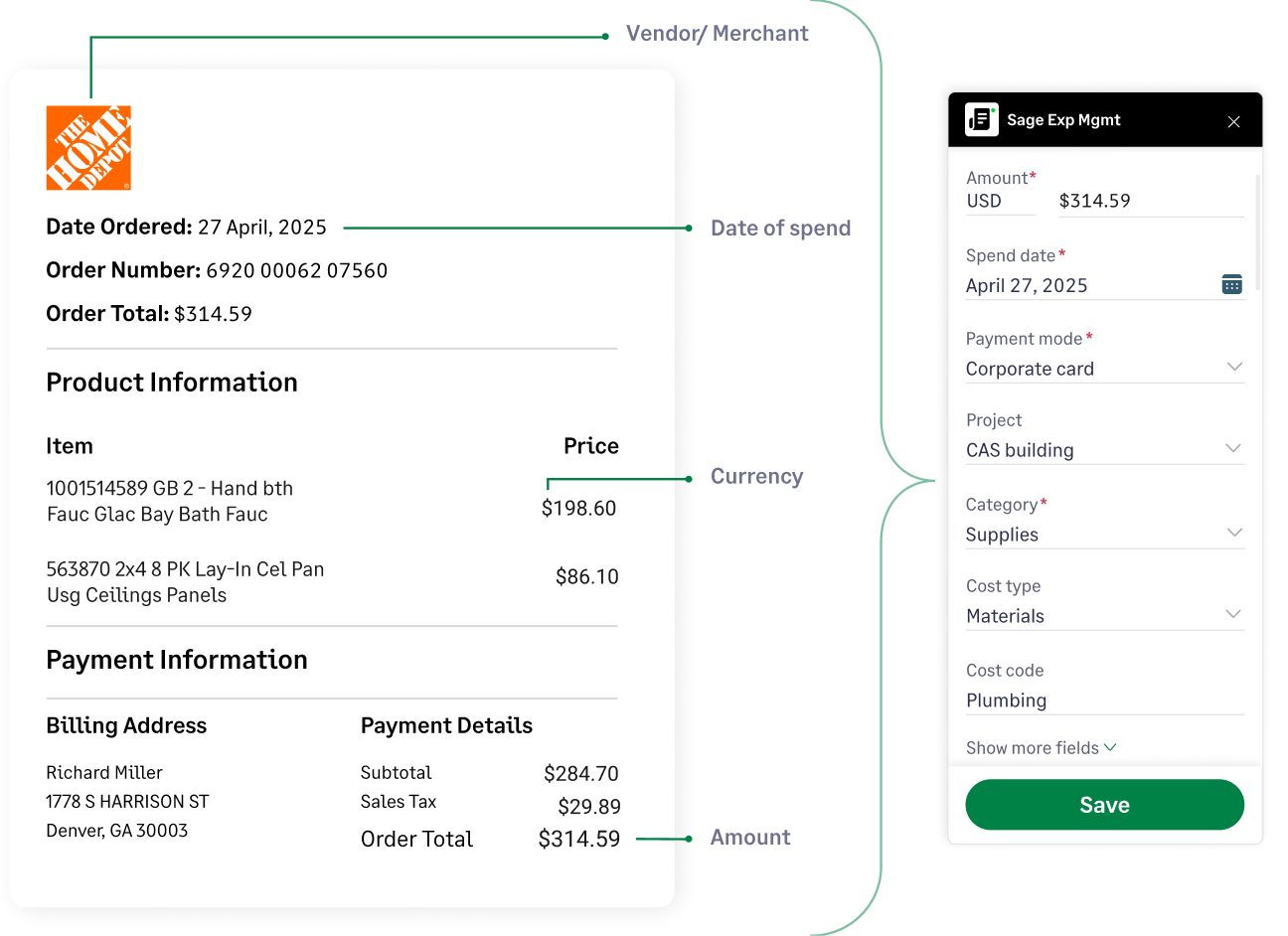
We eliminate concept of lazy coding using dependent fields. When a user selects a specific project (Eg: "The Aston Hotel Project”), the expense management software only displays the cost codes active for that specific project.
Therefore, they manually cannot dump costs into the wrong bucket or use a code from a closed job. This ensures your data arrives clean before it reaches the finance team.
Real-time Job Costing & Feeds
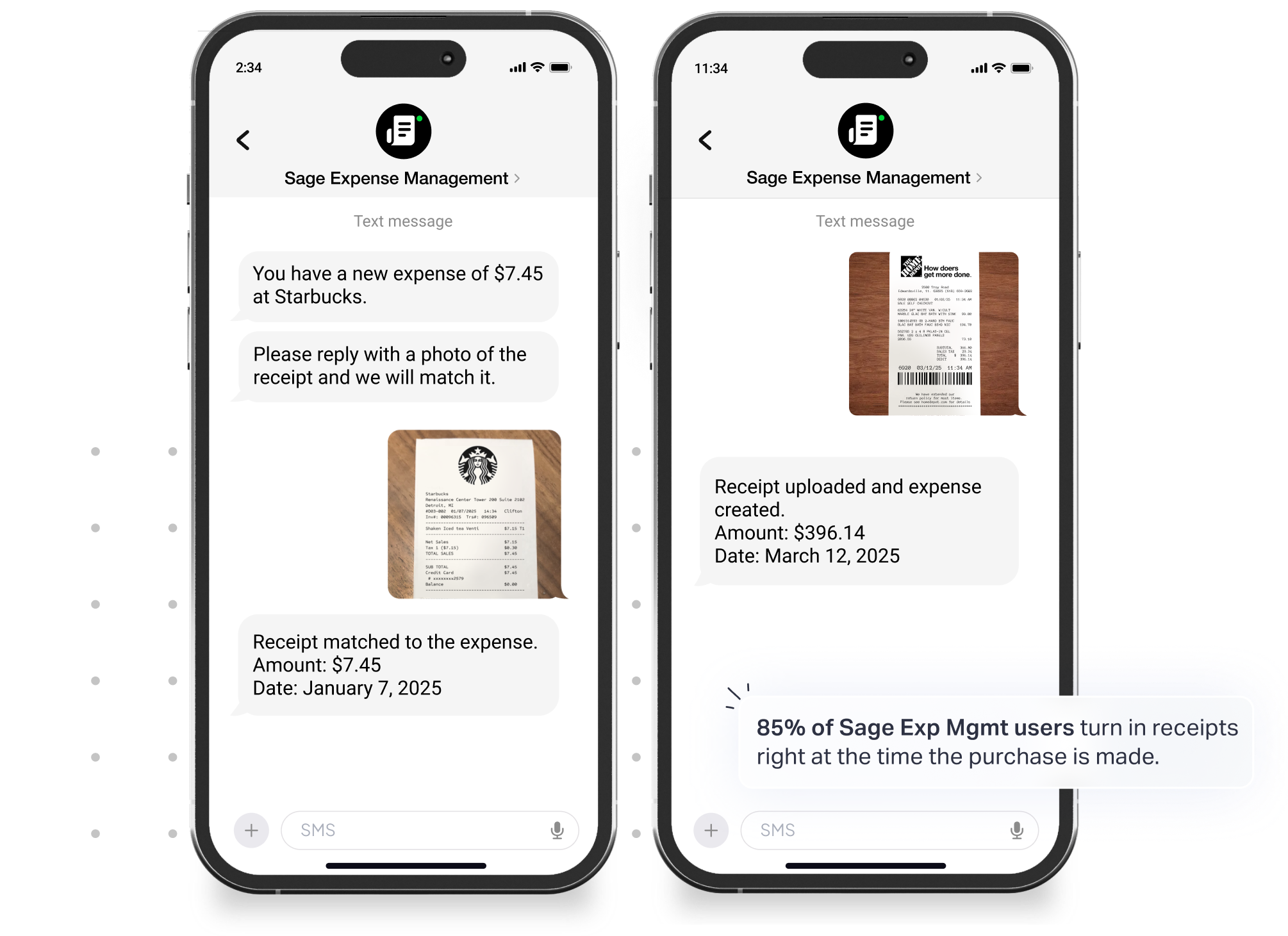
Instead of waiting for the month-end spreadsheet, we provide real-time transaction feeds from your card networks. It connects with major credit card networks like Visa and Mastercard, so expense entries are created automatically the moment a card is swiped.
Instead of manually matching receipts to a credit card statement, it automates this process. When a user submits a receipt, it’s instantly matched to the corresponding transaction, which can take minutes, not hours, for a finance team to complete.
Deep accounting integration
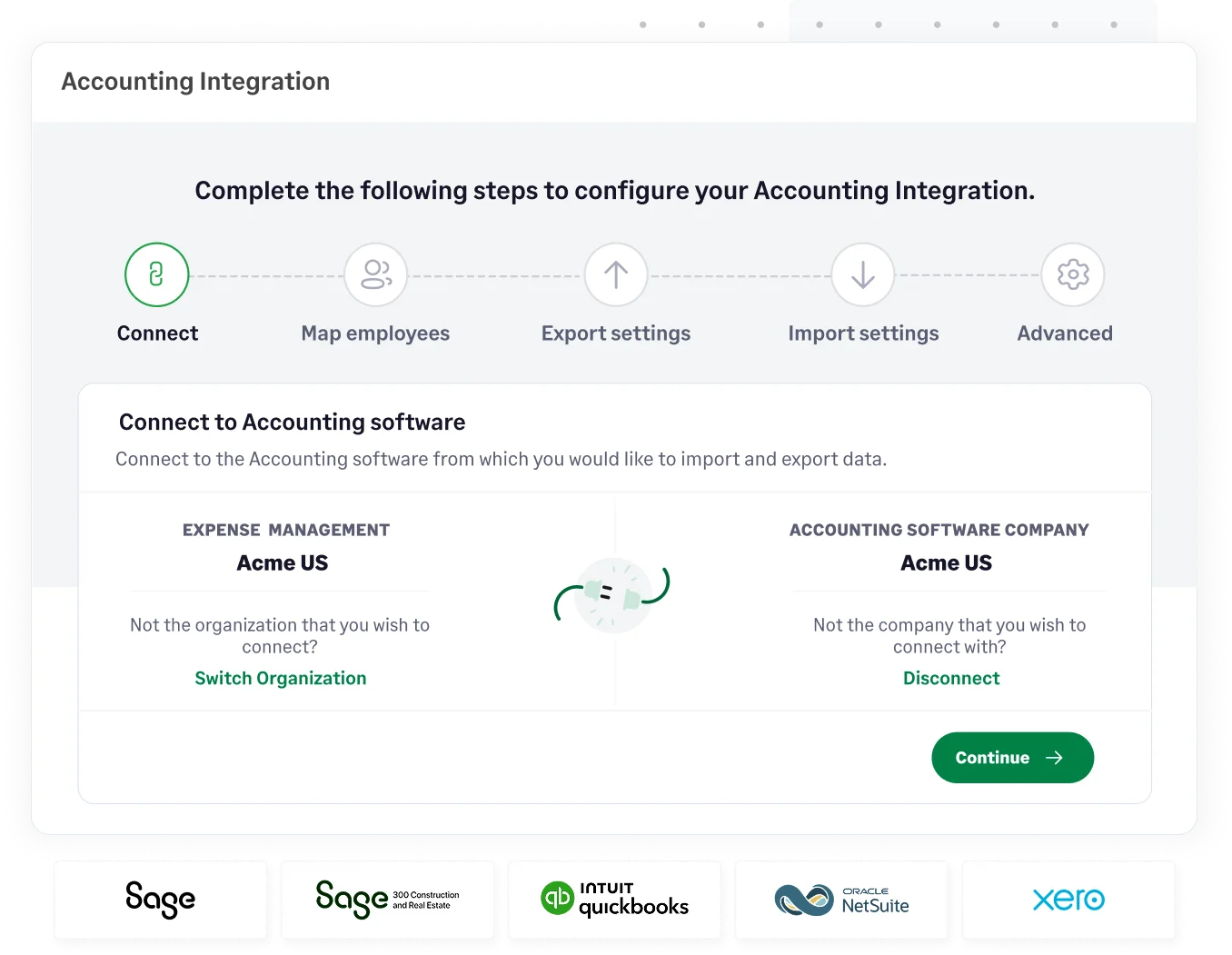
We sync seamlessly with accounting software's such as Sage Intacct, Sage 300 CRE, and QuickBooks Desktop. This 2-way sync automatically pushes approved expense data to your general ledger, eliminating manual data entry for your finance team and speeding up month-end close.
Approved expenses along with the receipt image post directly to your general ledger, job cost, and accounts payable modules. This closes the loop without a single manual data entry stroke or CSV import.
{{leakage="/cta-banners"}}
.jpg)








