You’re here because you know your manual expense process is broken. The end-of-month “hot mess” of Excel, paper receipts, and chasing employees for answers is no longer sustainable.
Ultimately, the path forward comes down to a single choice. Do you continue with the tool everyone thinks is free (spreadsheets), knowing it creates friction, risk, and strategic blind spots? Or are you ready for an intelligent platform built for the job?
Here’s the truth: spreadsheets aren't free. They cost your team dozens of hours, create massive compliance risks, and deliver unreliable data - all centered on one core failure: manual categorization.
The "Real Cost" of Categorizing in a Spreadsheet
Using Excel for expense categorization forces your finance team into a painful, unproductive cycle.
It’s a Time-Sink
The process is 100% manual. It turns your highly skilled finance team into data entry clerks. You waste hours to chasing employees for receipts, then spend even more time trying to match those receipts to every line item on a credit card statement.
It’s an Error Factory
Employees are not accountants. When they finally fill out the spreadsheet, they get frustrated by a confusing list of GL codes and dump everything into "Miscellaneous". This is the classic "Garbage In, Garbage Out" cycle, and it makes your budget reports useless.
It’s a Compliance Nightmare
Manual entry is inconsistent by nature. A client lunch is “Meals” one week and “Project Costs” the next. This inconsistency is a major "audit red flag" for the IRS and creates an indefensible audit trail.
Head-to-Head Showdown: Spreadsheets vs. Sage Expense Management
Let's compare the two processes directly. When you put manual categorization up against an automated platform like Sage Expense Management, the difference isn't just an upgrade - it's a complete transformation.
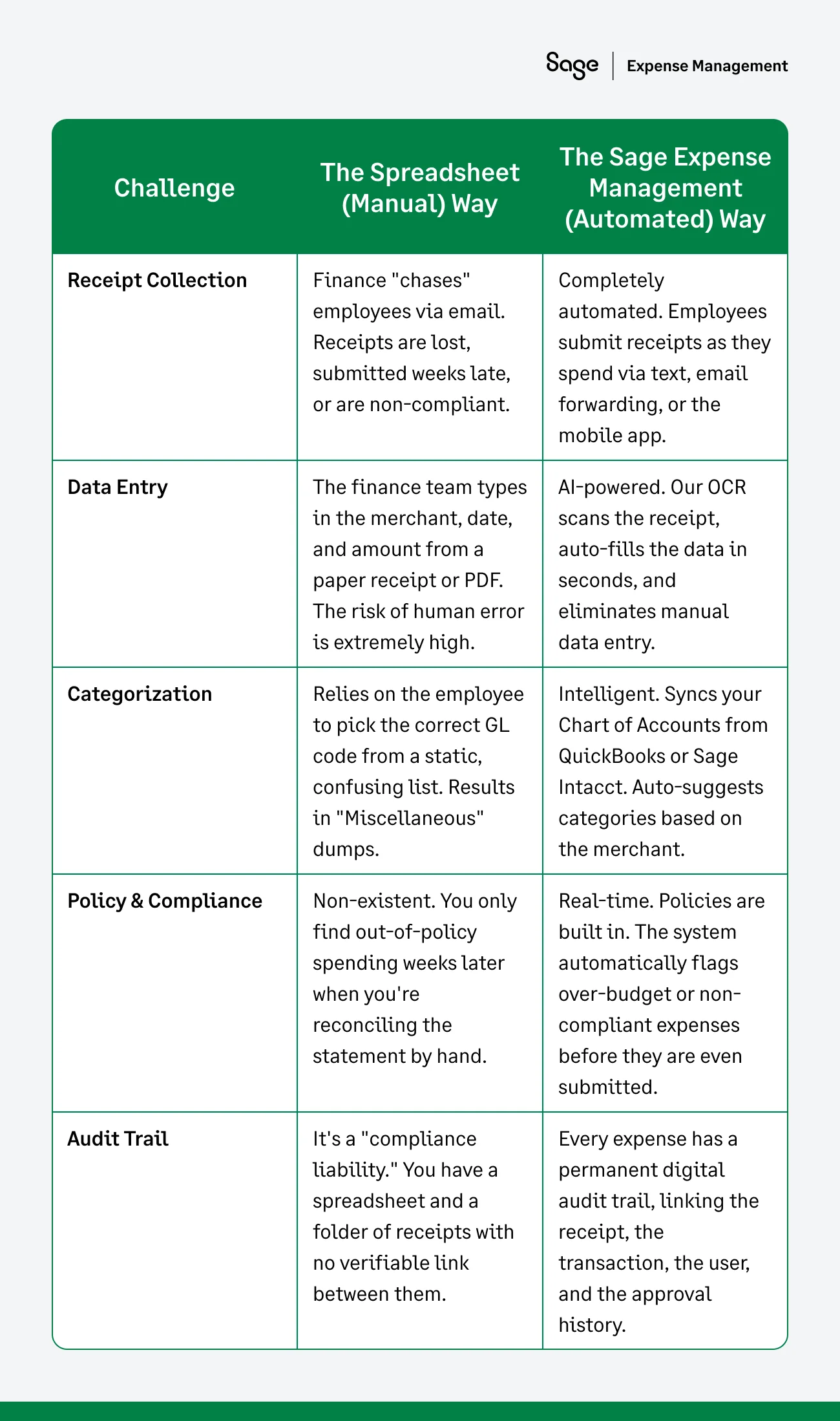
The Verdict: Stop Reconciling, Start Controlling
The showdown makes the choice clear. Spreadsheets force your most valuable finance team members to spend their time on low-value, forensic data entry.
Sage Expense Management (formerly Fyle) turns categorization into an invisible, automated function that happens in real-time. It's the difference between a tool that creates manual work and a platform that eliminates it.
It achieves this by:
- Connecting to your cards: It uses real-time feeds for Visa and Mastercard and direct feeds for Amex, so transactions appear automatically.
- Making submission effortless: Employees get an instant text message the moment they swipe their card. They just reply with a photo of the receipt, and they're done. No apps, no training, no excuses.
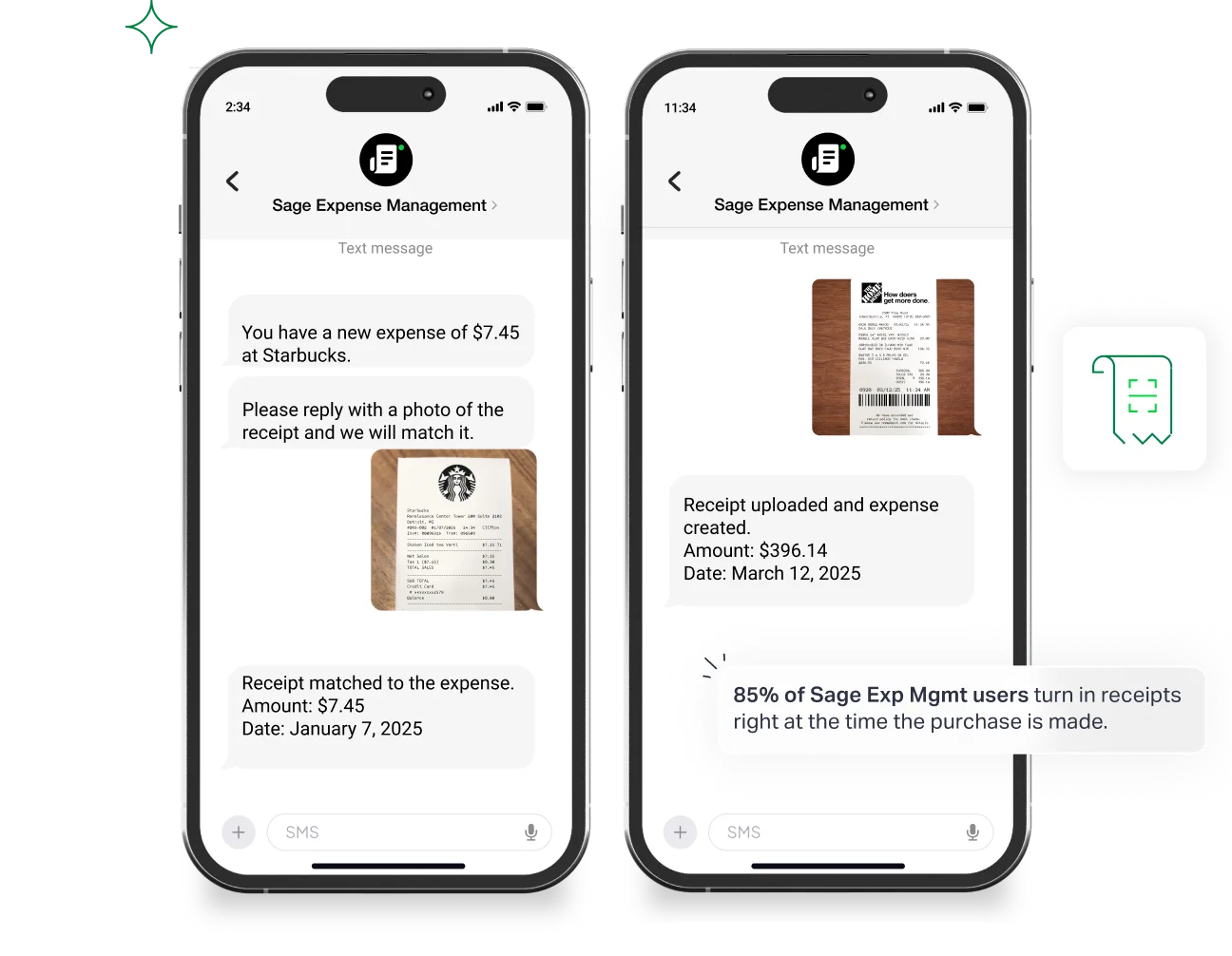
- Automating the coding: Our AI scans the receipt, auto-fills the data, and intelligently suggests the correct GL code, virtually eliminating the "Miscellaneous" category.
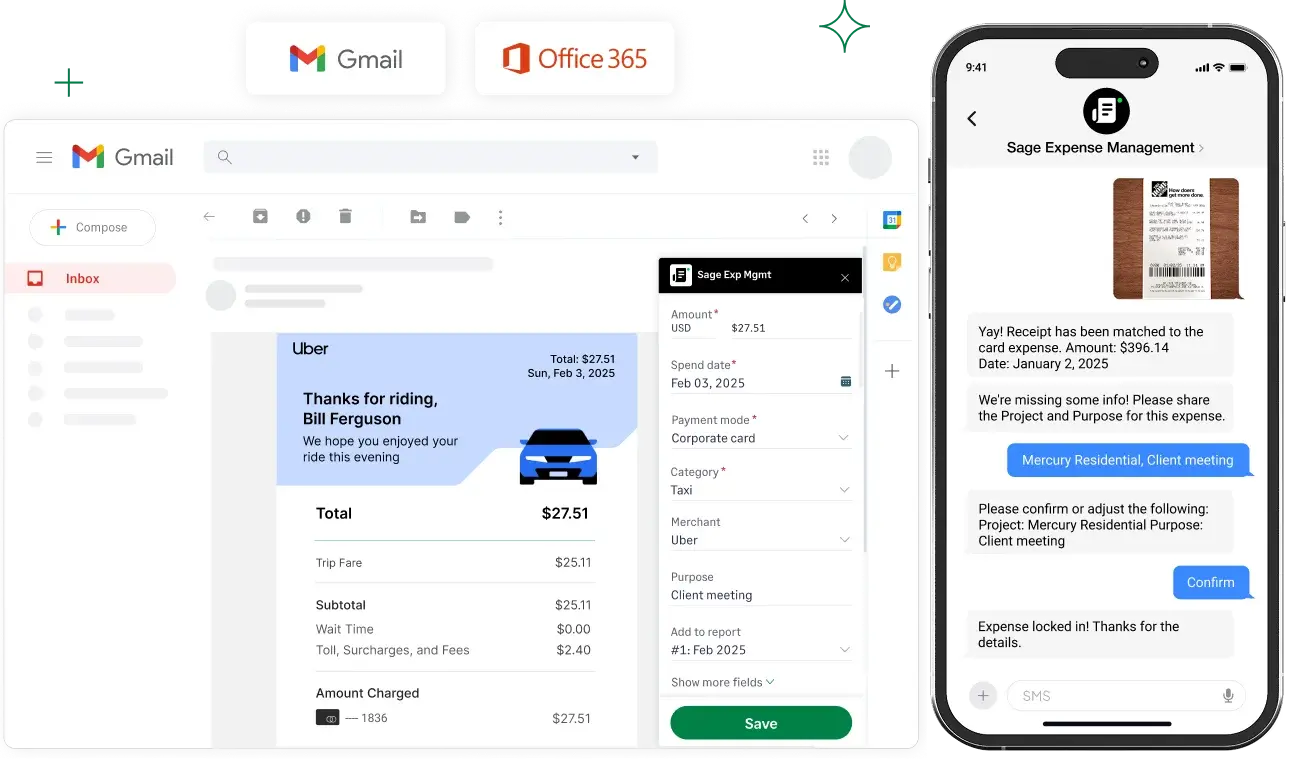
- Syncing to your GL: All of the clean, coded, and compliant data flows directly into your accounting software, whether it's QuickBooks, Sage Intacct, or Xero.
Next Steps
We've shown how manual categorization creates friction, risk, and strategic blind spots. If you're ready to see how you can solve these problems for good, the next step is simple.
{{expense-coding-demo="/cta-banners"}}