




If your church only sees spending after month-end, it’s already too late.
By then, ministries may have overspent, budgets are off, and you’re left scrambling to explain what went wrong with missing receipts and unclear fund usage.
For many churches, finance visibility is reactive instead of proactive. You’re reconciling weeks after the fact, hunting down details just in time for board meetings, donor reports, or audits.
Sage Expense Management changes that. It gives your team a real-time view into ministry-level spending so you can track every dollar, every card swipe, and every fund tag as it happens.
Why Churches Struggle With Expense Visibility
Church spending is often decentralized, with expenses coming from multiple staff, volunteers, events, and ministries. Without the right system in place, this leads to:
• No visibility until month-end reconciliation
• Ministries accidentally going over budget
• Finance teams finding problems only during audits
• Donors asking for transparency that’s hard to provide
• Hours spent pulling reports, matching receipts, and decoding expenses
When you can’t see what’s happening in real time, it’s hard to be a good steward of church resources.
How Sage Expense Management Gives You Instant Visibility
With Sage Expense Management, churches get real-time control over spending, from swipe to approval.
Here’s how it works:
Real-Time Card Feeds: See Ministry Spending the Moment It Happens
Sage Expense Management connects directly to your church-issued credit cards, whether Visa, Mastercard, or Amex. When someone from your team uses a card to buy outreach supplies or book a worship retreat, the transaction appears instantly in your admin dashboard.
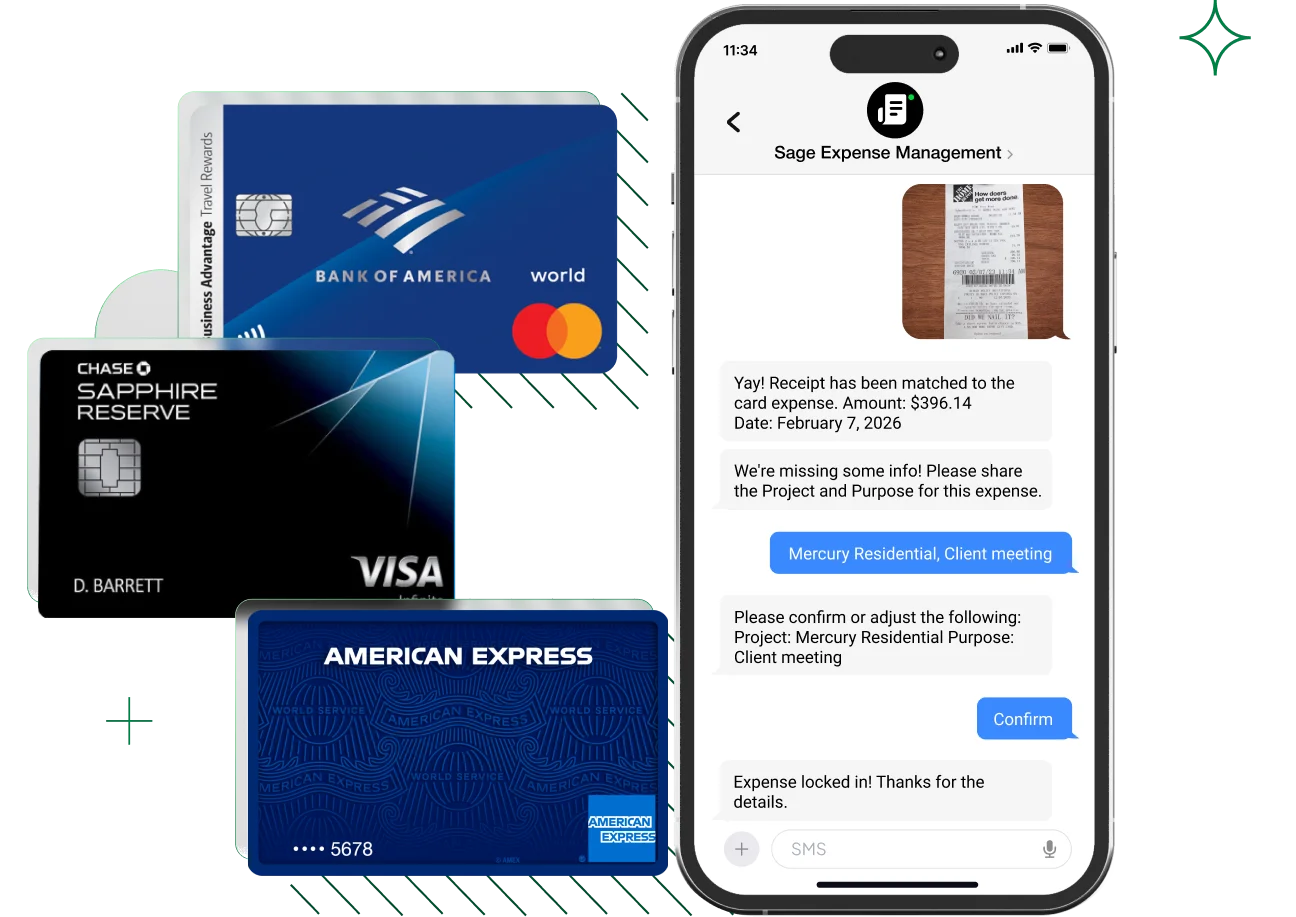
As a finance lead, you can:
- See transactions in real time, tagged to the right ministry
- Track how much has been spent per program, fund, or event
- Spot overspending early before ministries exceed their budgets
- Catch policy issues before they’re buried in monthly reports
No more waiting for statements or email reminders. You can see what’s happening the moment it happens.
Instant Receipt Capture: No More Chasing Staff or Volunteers
The moment someone swipes a card, Sage sends them a text asking for a receipt. They simply reply with a photo from their phone.
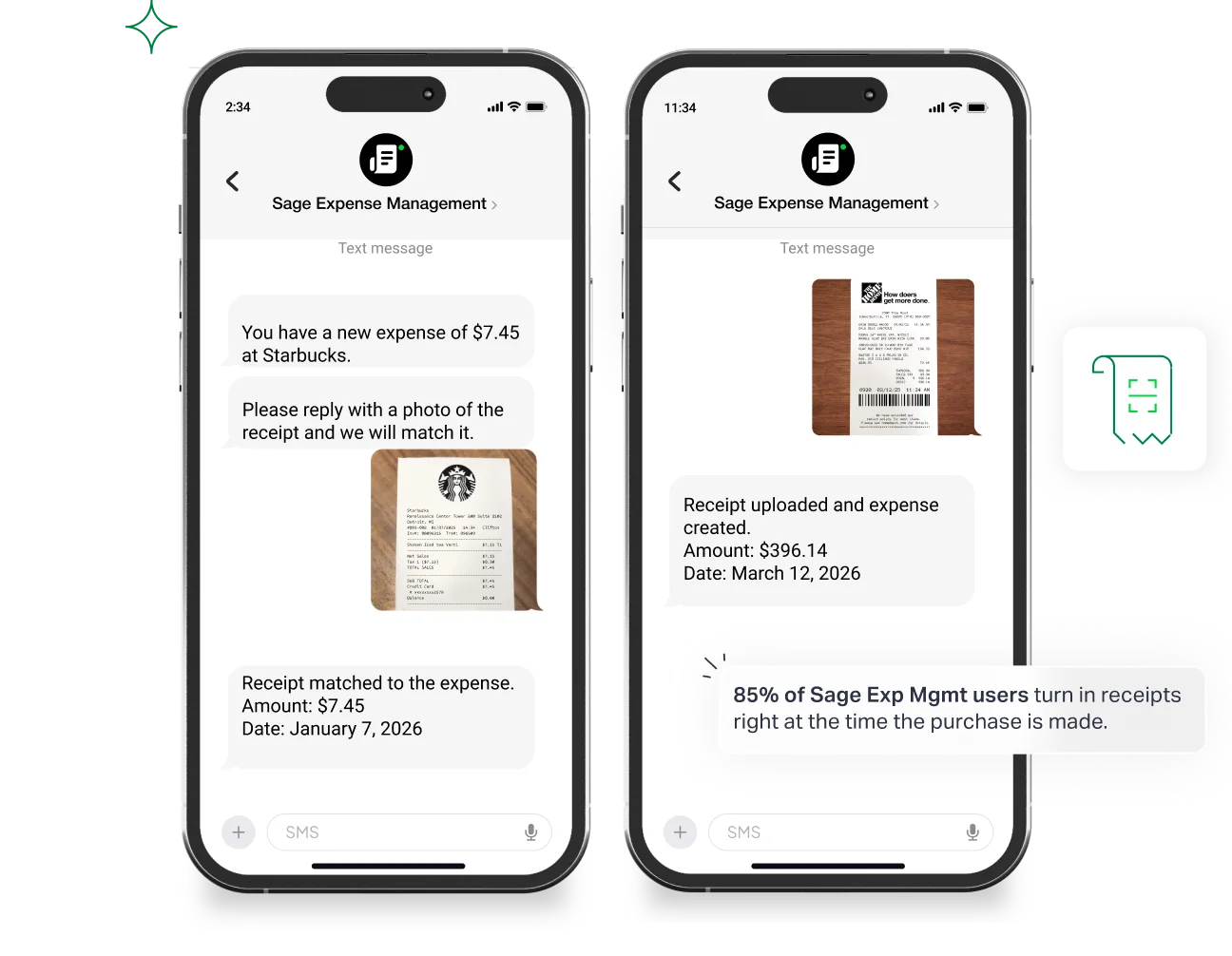
From there, Sage automatically:
- Matches the receipt to the exact card transaction
- Extracts key details like amount, date, category, and merchant
- Updates your dashboard with both receipt and transaction, side by side
This means fewer missing receipts, no back-and-forth, and no manual uploads. Volunteers and part-time staff don’t need to log in or learn a new tool. They just reply to a text.
Tag Every Expense by Ministry, Fund, or Event
With every submission, Sage requires users to select from clean dropdowns, removing any guesswork.
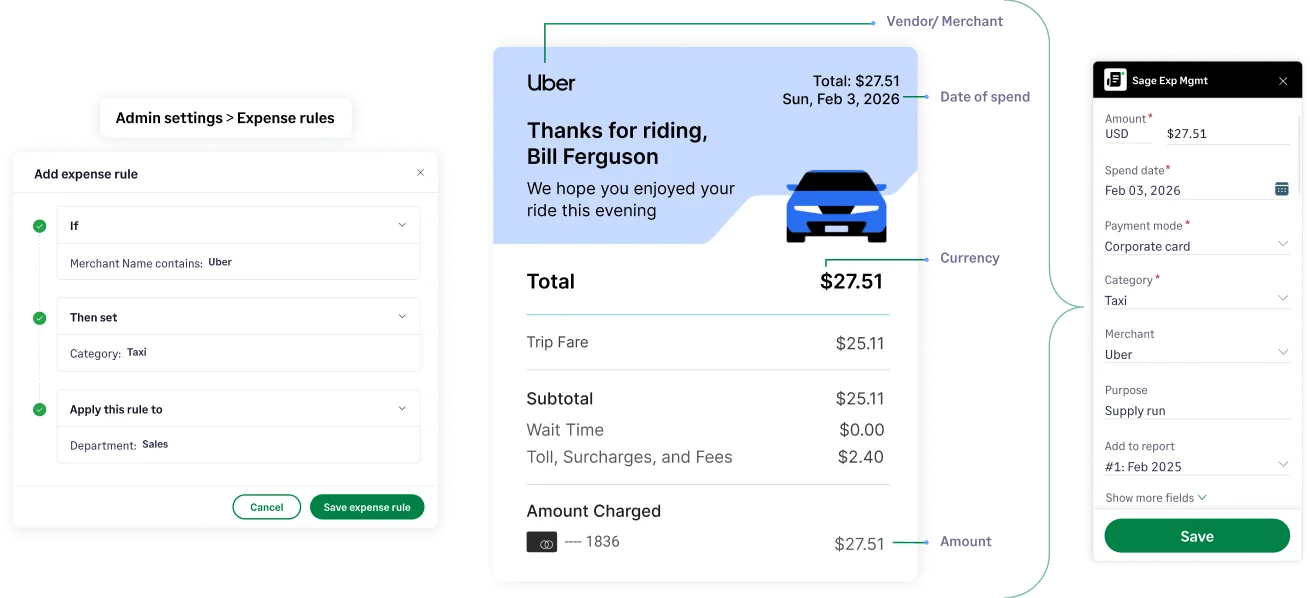
You can set custom fields like:
- Ministry (e.g., Youth, Worship, Outreach)
- Fund (e.g., Missions, General, Benevolence)
- Event (e.g., Easter Service, VBS, Fall Retreat)
These tags are mandatory, ensuring every expense is coded properly and ready for export. You’ll never be left wondering where something belongs.
Get Clear, Actionable Insights With Copilot
Sage’s dashboard tool, Copilot, gives you an at-a-glance view into how your church is spending across every category.
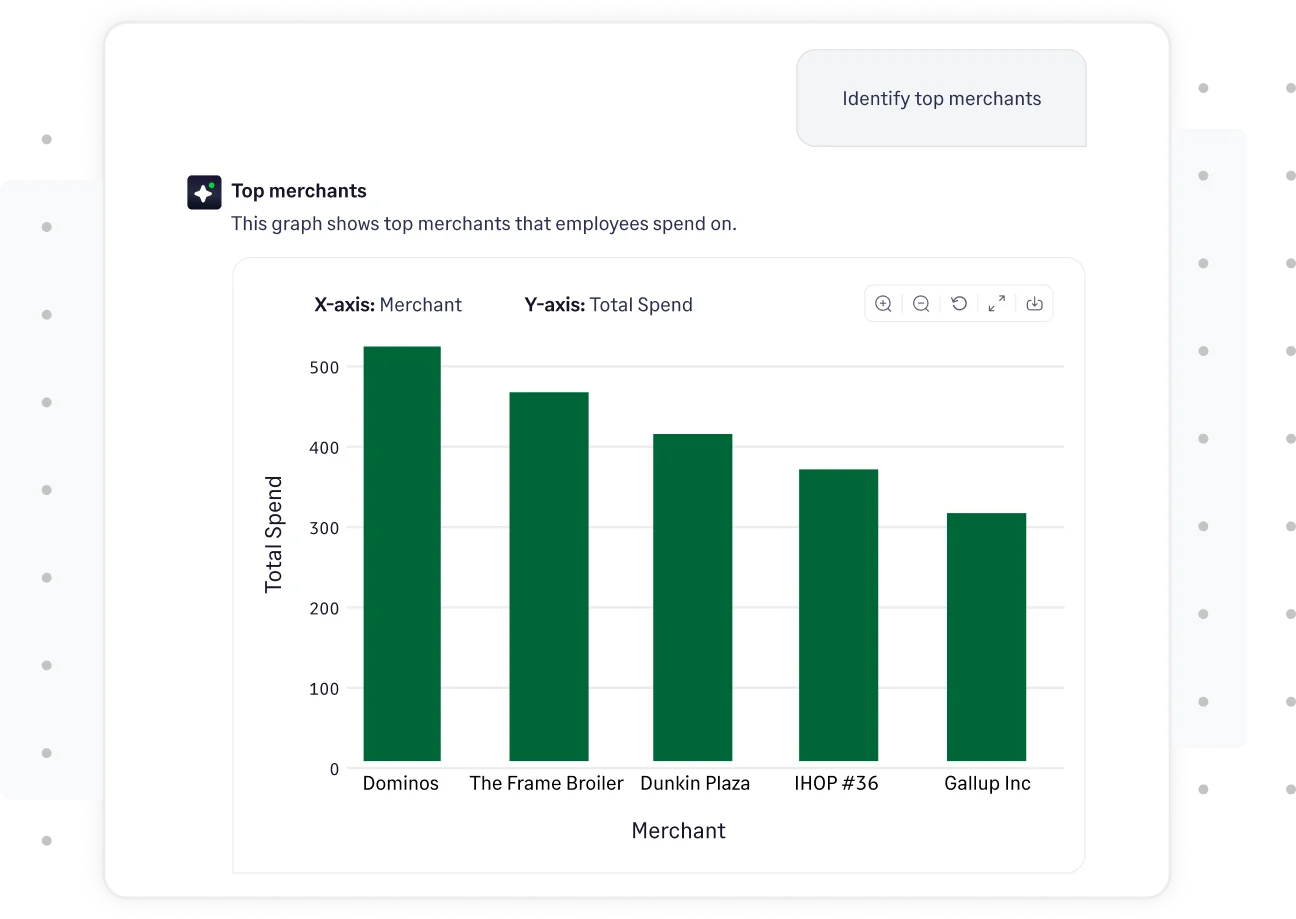
You can:
- Monitor real-time spend by ministry, user, fund, or vendor
- Catch unsubmitted expenses or pending approvals
- Track budget usage as it happens
- Prepare clean reports for boards, donors, or finance committees
No spreadsheets. No searching. Just total visibility.
Push Clean Data Straight to Your Accounting Software
Once expenses are approved, Sage exports them to your accounting system with all categories, tags, and ministries intact.
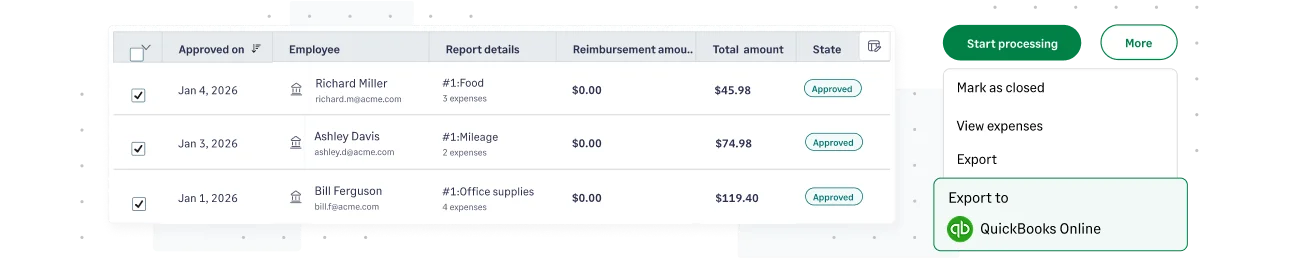
Compatible with:
No duplicate entry. No manual cleanup. Just audit-ready data, every time.
A Real Story: How Agape Gained Full Visibility Without Extra Work
Agape of Central Alabama, a faith-based nonprofit, faced familiar challenges: lost receipts, late approvals, and hours of manual reconciliation every month.
With Sage Expense Management, they turned it around.
- Receipt submission time dropped to under 10 minutes
- Approvals went from 7 days to just 2
- Reconciliation time shrank from hours to minutes
- Mileage and credit card tracking became effortless

Their team didn’t have to change cards or systems. They simply gained the visibility they needed to stay focused on ministry. Read the full Agape story →
Stop Guessing. Start Seeing Every Dollar in Real Time.
When churches lack real-time visibility, small oversights can quickly turn into big problems: missed budgets, delayed reports, and last-minute audit stress.
With Sage Expense Management, you can see every dollar in motion, what was spent, why it was spent, and which ministry or fund it belongs to. No waiting, no chasing, no uncertainty.
With receipts auto-matched, expenses tagged, and dashboards always up to date, your church stays transparent, compliant, and audit-ready every step of the way.
{{real-time-visibility-into-church-spending="/cta-banners"}}








