



.webp)
Reconciling corporate credit card expenses starts with one key requirement: getting card transactions into your expense management system.
Without a reliable way to import transactions, finance teams are forced to rely on manual data entry, spreadsheets, and delayed statement reviews. This not only slows down reconciliation but also increases the risk of missing receipts, duplicate entries, and reporting inaccuracies.
Modern expense management platforms solve this by automatically importing corporate card transactions. Depending on the organization’s card program and setup, transactions can be imported using different integration methods.
In Sage Expense Management, corporate card transactions can enter the system through three primary methods:
- Direct bank feeds
- Statement uploads
- Real-time card network feeds
Each method helps automate transaction imports and simplify corporate credit card reconciliation.
Direct Bank Feeds for Corporate Card Transactions
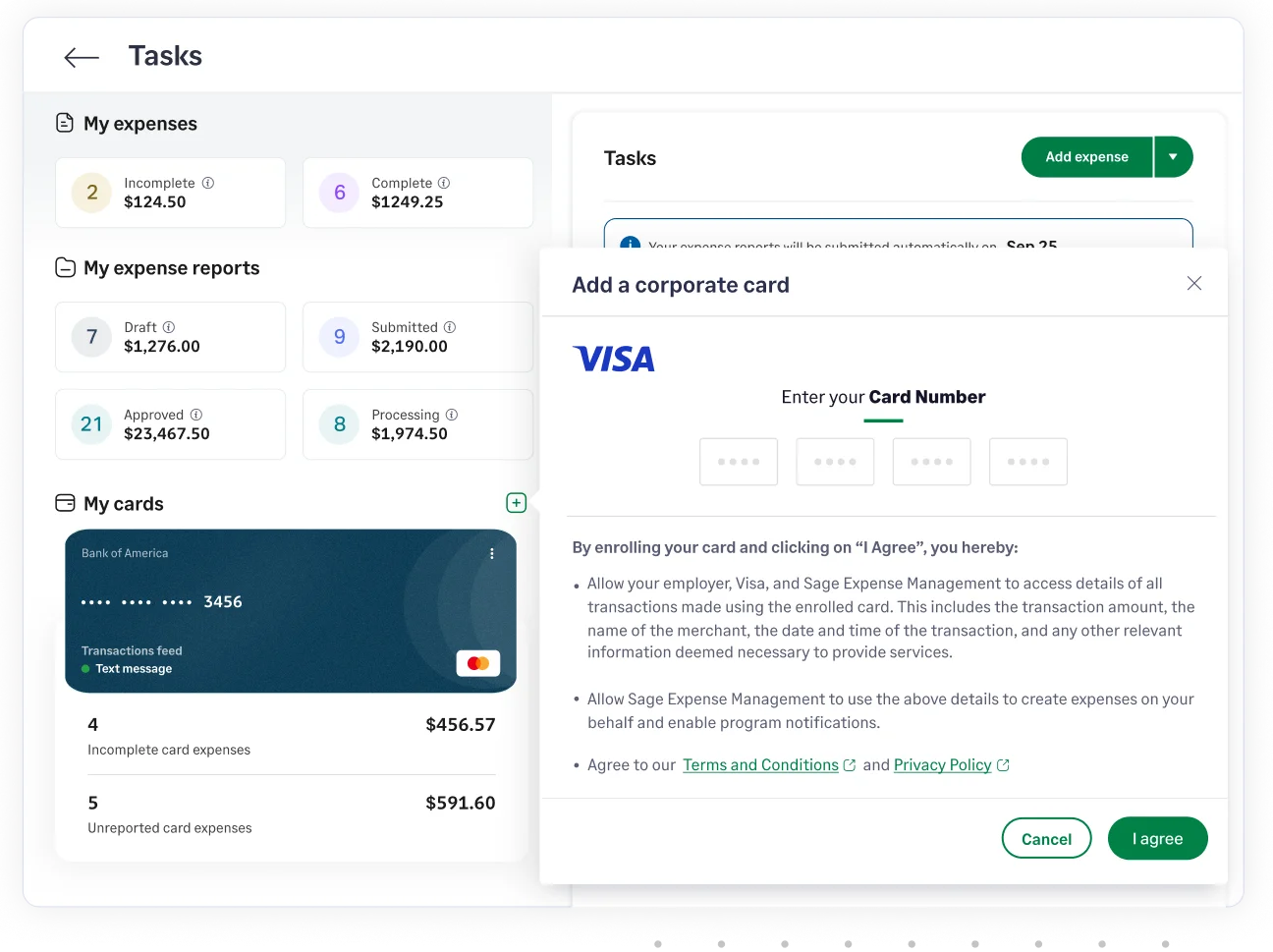
Direct bank feeds have traditionally been the most common way to import corporate card transactions into expense management systems.
With bank feed integrations, transaction data flows directly from the issuing bank or card provider into Sage Expense Management. Once the connection is established, transactions made on corporate cards are automatically synced with the platform.
This eliminates the need for employees or finance teams to manually enter transaction details.
Bank feed integrations are typically supported for corporate card programs provided by major card networks and issuers, such as:
- American Express corporate cards
- Visa corporate card data feeds
- Mastercard corporate card data feeds
When transactions are imported through bank feeds:
- Card purchases automatically appear in Sage Expense Management
- Finance teams can track spending across all connected cards
- Transactions can be matched with receipts and expense records
However, because bank feeds rely on the issuing bank to send transaction data, transactions are usually imported after they are processed or settled by the bank.
While this still automates reconciliation compared to manual entry, newer technologies now enable even faster transaction visibility.
Statement Upload for Corporate Card Transactions
In cases where bank feeds are not available, Sage Expense Management also supports statement upload as a way to import corporate card transactions.
With this method, admins upload credit card statements directly into the platform. Statements can typically be uploaded in formats such as:
- CSV
- XLS
- XLSX
When a statement is uploaded, Sage Expense Management automatically reads the file, maps the relevant fields, and imports the transactions into the system.
Statement uploads are particularly useful in scenarios such as:
- Corporate card programs that do not support data feeds
- Importing historical transactions during system migrations
- Adding transactions for newly connected cards
The system also allows admins to review and confirm the mapping between statement columns and transaction fields, ensuring that data is imported correctly.
In addition to importing transactions, statement uploads can also be used to validate existing card feeds and identify missing transactions, ensuring that all card activity is accurately reflected in the system.
Real-Time Card Network Feeds
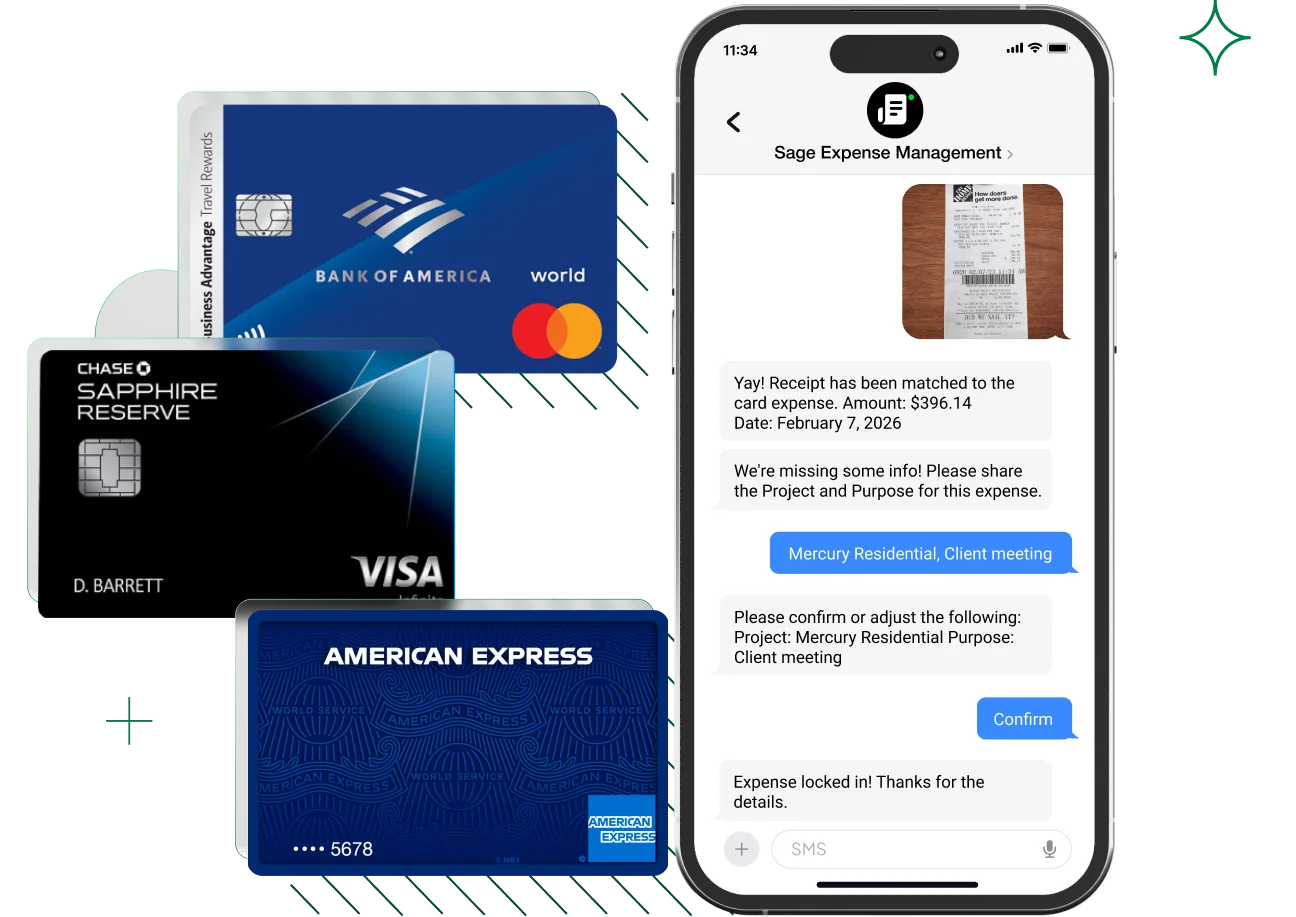
While bank feeds and statement uploads have been widely used for years, modern expense management platforms now support real-time card network feeds.
With real-time feeds, Sage Expense Management receives transaction data directly from card networks such as Visa and Mastercard.
Instead of waiting for the issuing bank to process and send transaction data, the system receives transaction information as soon as the purchase is made.
This provides several advantages for finance teams:
- Faster visibility into corporate card spending
- Continuous reconciliation instead of month-end matching
- Earlier detection of policy violations or unusual spending
- Faster expense creation and receipt matching
Real-time feeds represent the next evolution of corporate credit card integrations, enabling finance teams to track card activity as it happens rather than after transactions settle.
{{credit-card-reconciliation="/did-you-know-cards"}}
What Happens After Card Transactions Are Imported
Regardless of the method used to import transactions, the next steps in the expense workflow remain the same.
Once transactions enter Sage Expense Management:
- Card transactions appear under the organization’s connected corporate cards
- Cards can be assigned to the appropriate employees
- Employees can create expenses from card transactions
- Receipts are attached and matched with the transaction
- Finance teams reconcile transactions during expense review
This automated workflow eliminates the need for employees to manually enter transaction details and helps finance teams maintain accurate records of corporate card spending.
Choosing the Right Corporate Card Integration Method
Different organizations use different corporate card programs, which means the best integration method can vary.
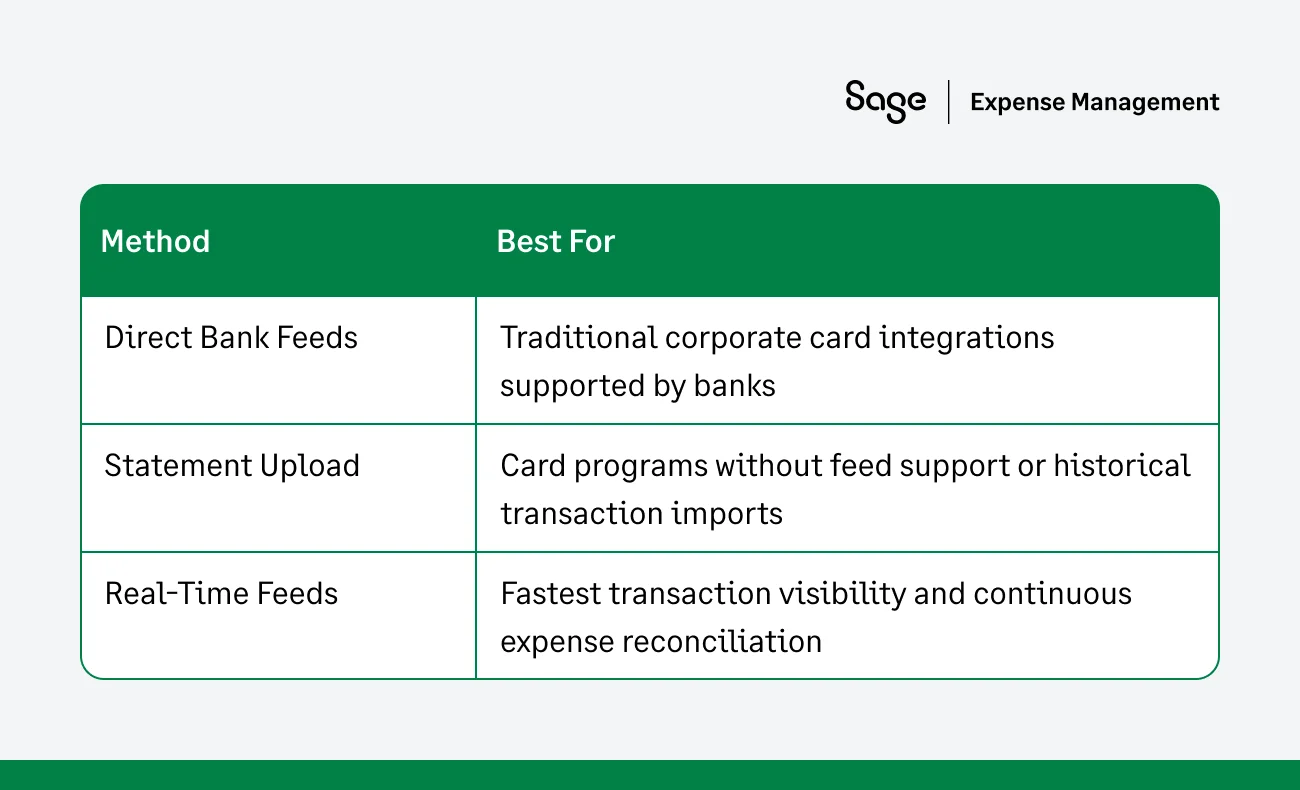
By supporting multiple integration options, Sage Expense Management ensures that organizations can automatically import corporate card transactions regardless of their card provider.
Automating Corporate Credit Card Reconciliation
Manual reconciliation of corporate card transactions creates unnecessary work for finance teams and delays financial visibility.
By automatically importing transactions through bank feeds, statement uploads, or real-time card feeds, Sage Expense Management ensures that corporate card activity flows directly into the expense workflow.
This allows finance teams to focus less on collecting transaction data and more on reviewing expenses, enforcing policies, and maintaining accurate financial records.
{{credit-card-reconciliation="/cta-banners"}}








