



.webp)

As a construction accountant, your Friday afternoons usually look like a scene from a crime drama: you’re surrounded by crumpled receipts, trying to reconstruct a paper trail while your foremen and project managers are already heading home.
Chasing field employees for documentation when they are constantly on the move or in areas with limited connectivity isn't just a waste of time—it’s a financial risk.
What if there was a solution where receipts were collected at the register and transactions were reconciled before the crew even left the job site?
We’ve been solving this for a while with real-time credit card feeds.
What are Real-time Feeds?
Real-time credit card feeds provide transaction data directly from card networks like Visa, Mastercard, and Amex bypassing the issuing bank’s daily batch processing. This data hits your system the second an employee swipes their card.
For construction firms, this means tracking spend against budgets, reconciling transactions without manual entry, and identifying unauthorized purchases instantly.
Real-time feeds vs Bank Feeds vs Statement Uploads
- Direct bank feeds connect to your bank account to import transactions daily or weekly. Your entire workflow is at the mercy of the bank’s schedule. This lag, combined with broken feeds and MFA fatigue (constantly asking the owner for login codes), results in delayed reconciliations and a lack of visibility into project spend.
- Statement uploads involve manually importing CSV or PDF files at the end of the month. This creates a massive "blind spot." You have no idea how much has been spent on a specific job until the statement arrives, leading to budget overruns and missing documentation that is impossible to track down weeks after the fact.
The Construction Advantage: Side-by-Side Comparison
1. Timely Receipt Submissions
- Real-time feeds: Field workers get an instant text notification the moment they swipe at Home Depot or a gas station. They snap a photo, text it back, and the receipt is attached before they even start their truck.
- Direct bank feeds: Workers don't get notified, leading to the "Friday scramble." By the time you ask for the receipt, it’s usually lost in the cab of a truck or thrown away.
- Statement uploads: You’re asking for receipts 30 days late. Good luck finding a lunch receipt from four weeks ago.

2. Reconciliation Without Human Intervention
- Real-time feeds: Receipts are instantly matched to transactions using AI. The "Data Detective" work is eliminated.
- Direct bank feeds: Depending on the program, you’ll spend hours every week manually pairing transactions to a stack of paper.
- Statement uploads: Accountants must manually upload, sort, and match hundreds of line items only after the bank cycle closes.
3. Close Books on Time
- Real-time feeds: With continuous reconciliation, "closing the month" takes hours, not days.
- Direct bank feeds: Delayed data leads to delayed reconciliations and "estimated" project costs that have to be corrected later.
- Statement uploads: You are effectively locked out of your own financial data until the bank statement arrives, making it impossible to close books on time.
4. Visibility and Financial Forecasting
- Real-time feeds: Direct connections to card networks give accountants a granular view of card spend, helping them track budgets, identify spend patterns, and make better financial decisions.
- Direct bank feeds: Delayed, inaccurate, and broken data feeds would mean accountants need to make financial or budgetary decisions with outdated or incorrect data.
- Statement uploads: Delayed delivery of card spend data, and missing information on pending transactions make budget forecasting extremely difficult.
5. Compliance and Fraud Detection
- Real-time credit card feeds: Instant access to transaction data helps identify suspicious and unauthorized transactions to prevent fraud and maintain compliance.
- Direct bank feeds: Delayed access to transaction data means compliance checks happen only a few days after the expense is made. This makes it harder to identify suspicious transactions and curb fraud.
- Statement uploads: Accountants get transaction data on a weekly or monthly basis, making it nearly impossible to detect fraud and block suspicious transactions.
The Construction-Specific Advantage: Bridging Field and Office
Automated Job Costing: Accuracy from the First Swipe
In construction, a transaction is only useful if it’s allocated correctly. An expense isn't just a "Category"; it requires a Job Number, a Phase Code, and a Cost Type. Real-time feeds enable Dependent Field Logic, which streamlines this complex mapping for the person in the field.
The Benefit
When a foreman selects "Project A" on their phone, the system automatically filters the cost code list to show only the codes associated with that specific job.
This eliminates the "unallocated spend" bucket, prevents coding errors, and ensures your project margins are accurate in real-time—not just during a quarterly post-mortem.
Field-First Efficiency: Ending the "Receipt Chase"
Traditional expense management often feels like a second job for your crew. The goal of real-time feeds isn't to police your team; it’s to provide Instant Field Autonomy. By utilizing SMS-based reporting, you remove the "Tech Barrier" that leads to lost documentation.
The Benefit
If a worker can send a text, they can submit an expense. By sending an instant notification the moment a card is swiped, the system prompts the employee to snap a photo and reply while the receipt is still in their hand.
This shifts the internal culture from "Finance is chasing me" to "The system is helping me finish my paperwork so I can get home."
How is Sage Expense Management different from other Construction Expense Management Solutions?
1. Zero Learning Curve for Field Staff
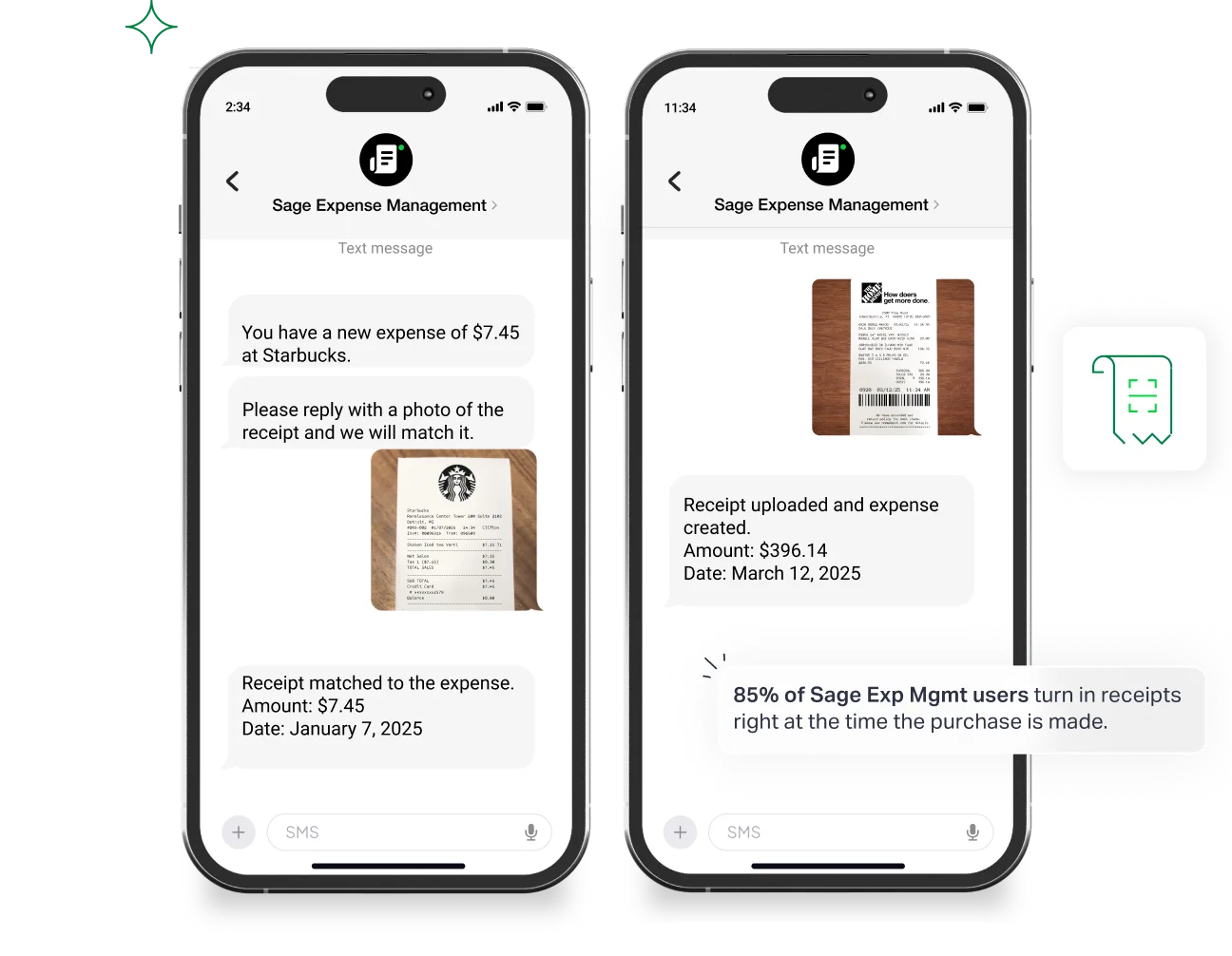
We don't require apps or complex logins. Field workers receive an instant text notification when they swipe their card and reply with a photo. Businesses report a 48.7% jump in timely submissions with this method!
2. Onboard Clients as Approvers Into Existing Workflows
Our pricing model is based on active users who submit at least one expense report in a month. This means you can easily onboard your clients as approvers into your existing workflows at no extra cost.
Your clients can view all incoming expense reports and approve them, post which the accountant or the contractor can start the reimbursement process instantly.
3. Advanced Project Spend Tracking
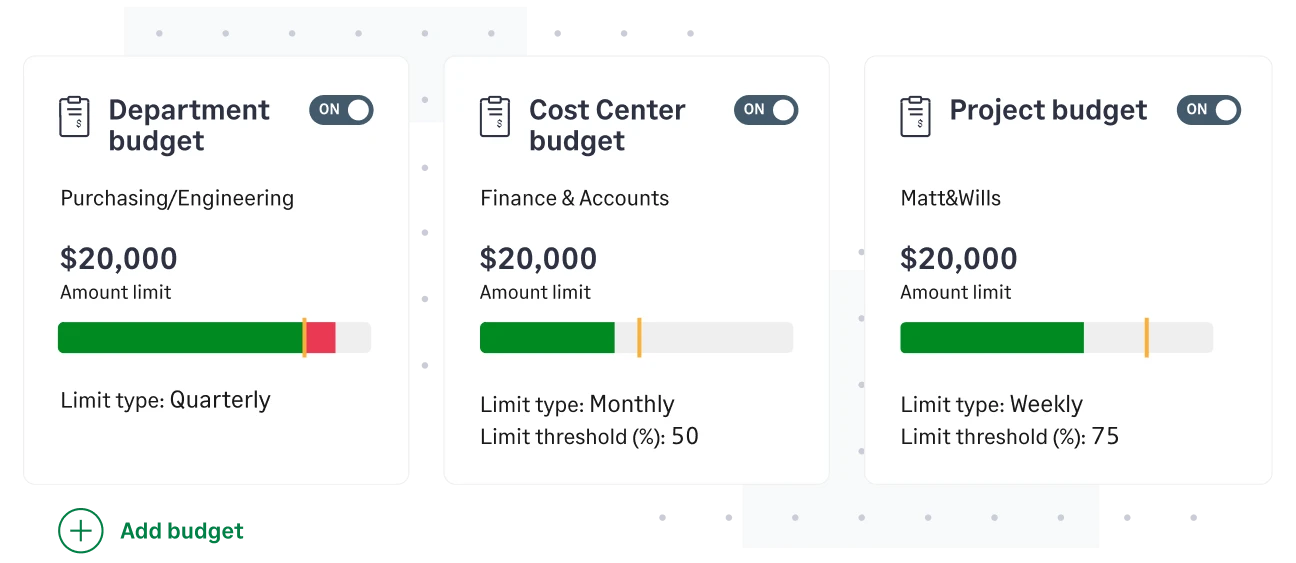
Set granular budgets for projects or categories. We’ll send you an alert when a job hits 80% of its budget before the remaining 20% is spent.
This enables you to identify where to cut costs, lower risks, and forecast more accurately. We also sends email reminders if expenses are nearing budget caps, ensuring contractors stick to the allocated budgets.
4. Automatic Capturing and Coding Expense Information
Our powerful AI engine can automatically track and code submitted receipts, reducing human errors and eliminating manual effort by 90%.
When on-field employees submit receipts, even dependent fields like cost codes and cost types are automatically assigned.
5. Timely Reimbursements
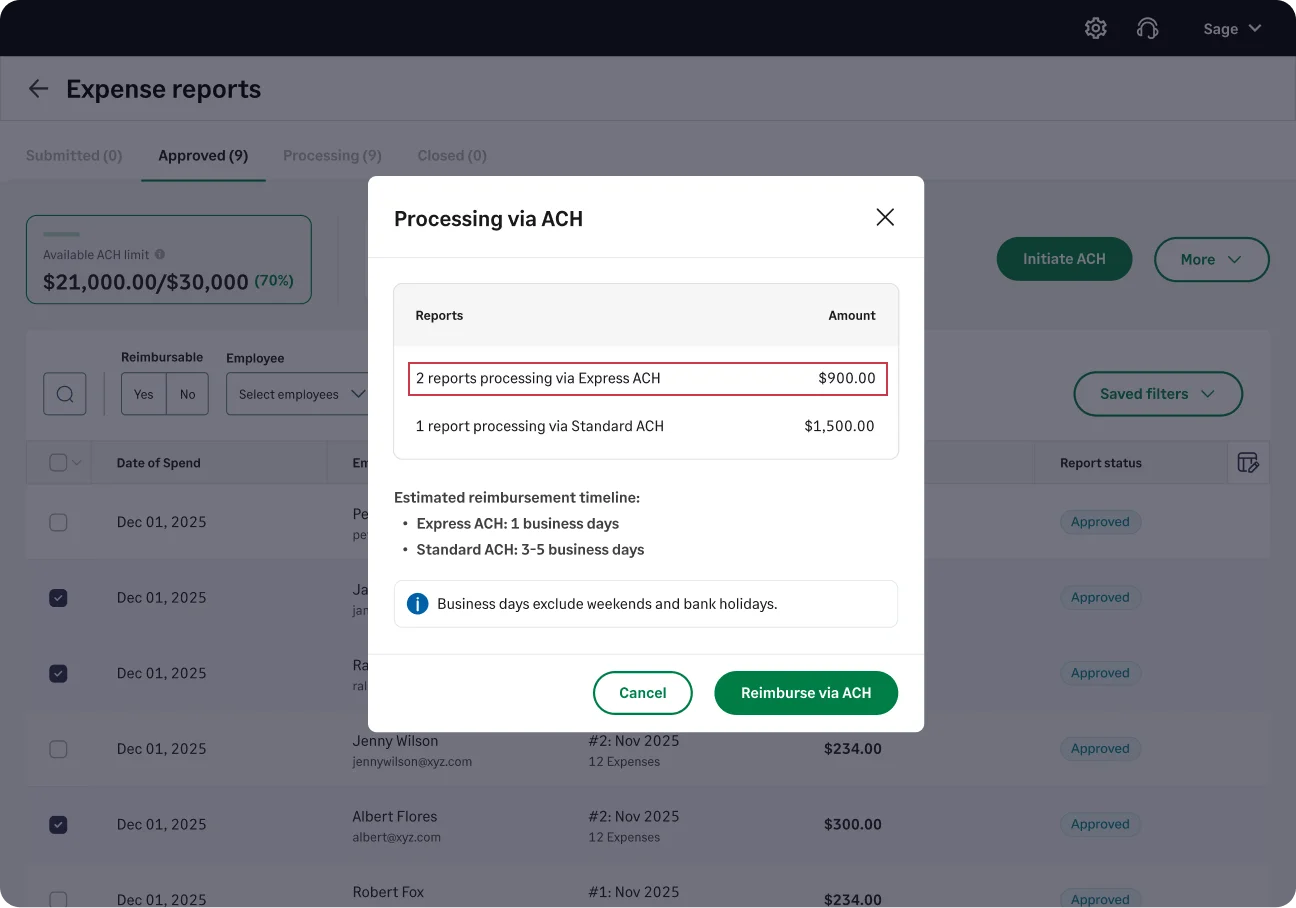
For out-of-pocket costs, use Express ACH to pay your team back in 1-2 business days, keeping morale high on the job site.
6. Automated Compliance and Expense Fraud Prevention
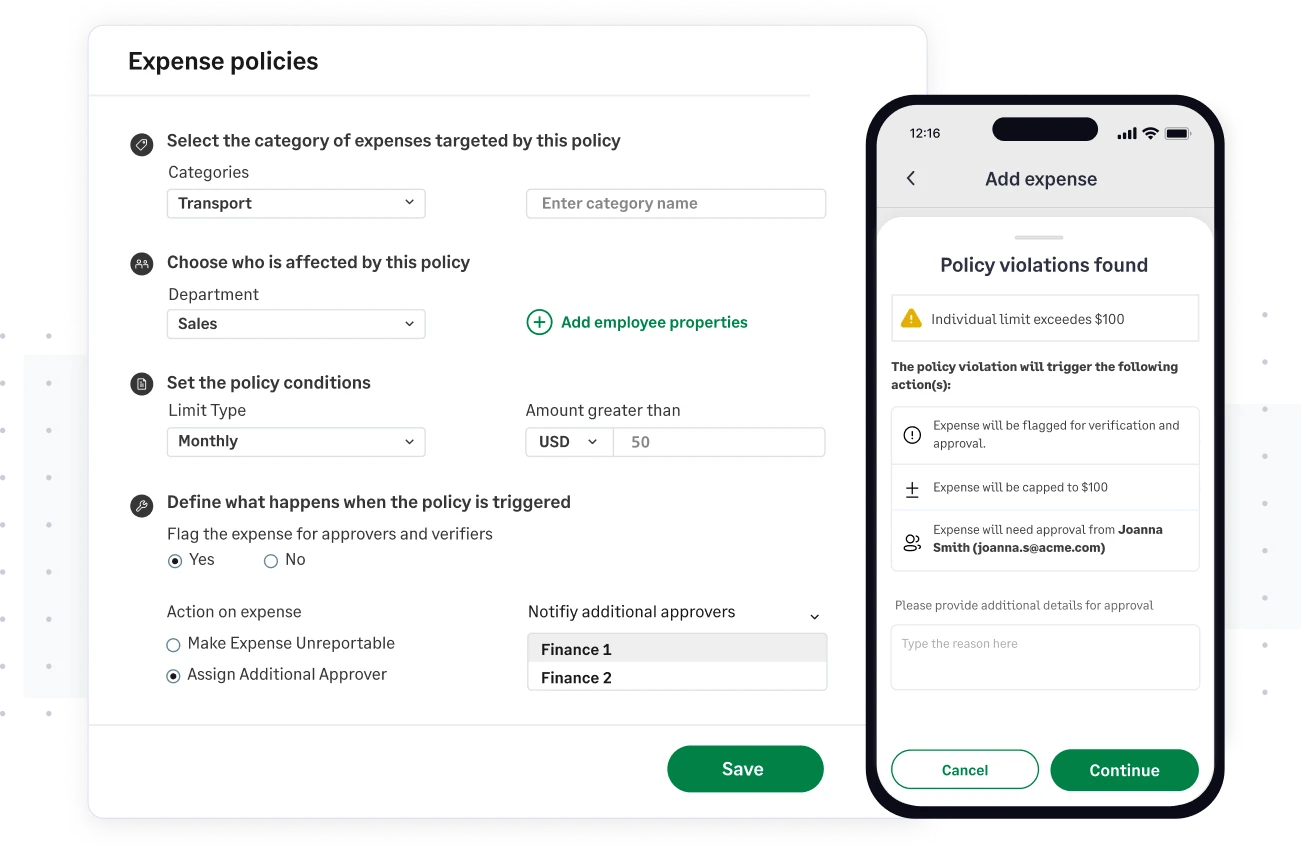
As the IRS closely monitors construction project expenses, staying compliant becomes critical for any construction company. Set up complex project rules and policies to detect unauthorized spend and fraudulent expenses even before they are submitted. This helps you stay compliant and audit-ready.
7. Integrations with Accounting Software
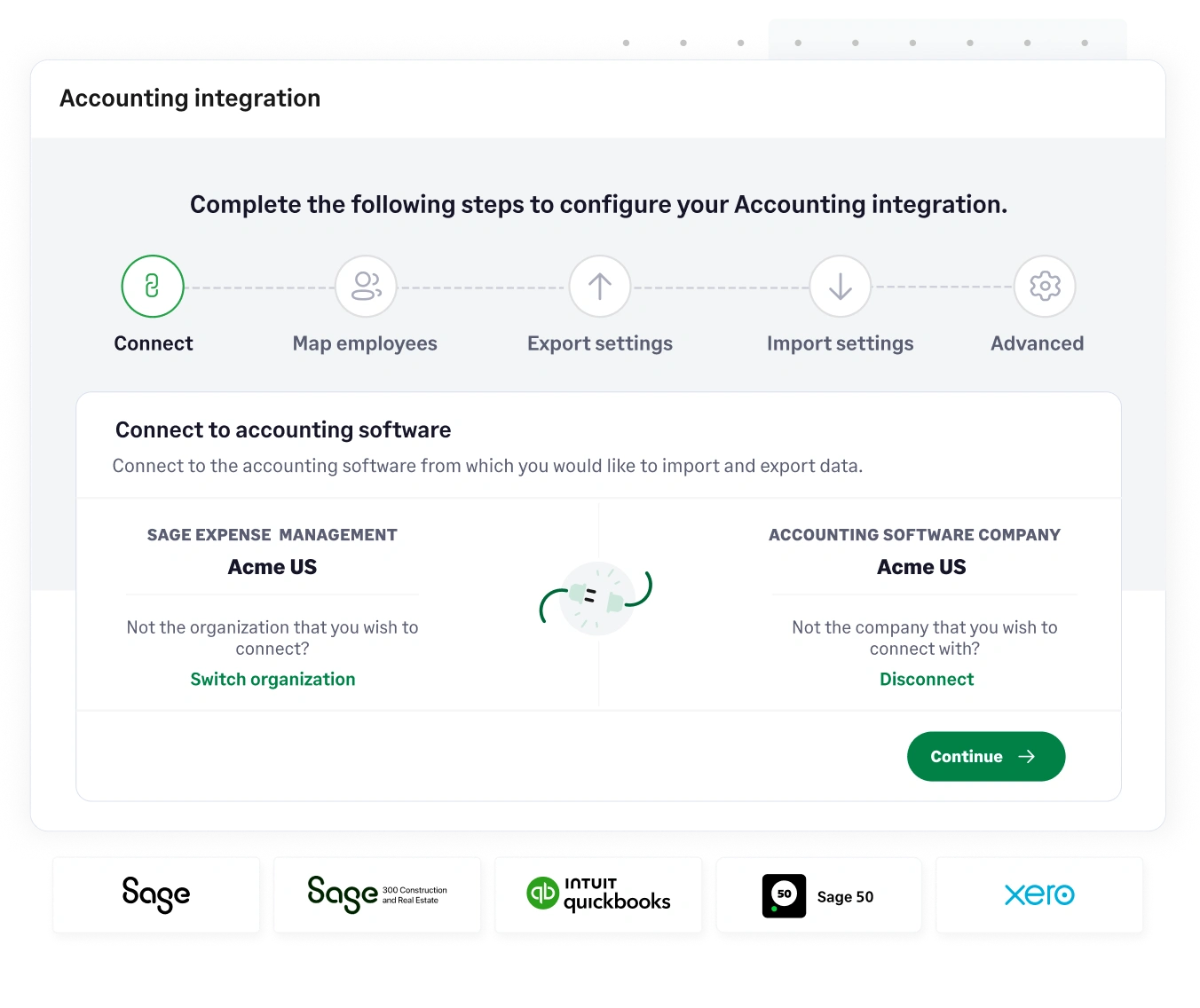
Sage Expense Management has powerful bi-directional integrations with Sage Intacct (including Intacct for construction and Sage 300 CRE), Quickbooks Online (QBO), Quickbooks Desktop (QBD), and Xero.
You can import data like employees, projects, categories, GL codes, departments, job codes, cost codes, taxes, and more while automatically exporting your expenses as bills, journal entries, or credit card charges in real-time. This saves hours of time and manual effort.
{{credit-card="/cta-banners"}}
FAQs Around Real-time feeds for Construction
Can My Field Guys Just Text a Photo of the Receipt Without Opening an App?
Yes. As soon as the card is swiped, they get a text. They reply with a photo of the receipt, and Sage handles the rest. No app, no password, no training required.
Can We Force Them to Select a Project and Cost Code for Every Expense?
Absolutely. You can make specific fields mandatory. If an employee tries to submit a receipt without a Job Number, the system will instantly nudge them to provide it before the expense is accepted.
Can We Restrict the Cost Codes They See Based on the Project They Select?
Yes. This is called Dependent Field Logic. If an employee selects "Site Prep," they won't have to scroll through "Finishing" or "Electrical" cost codes—they only see what’s relevant to that job.
Does It Handle Returns/Credits at Suppliers Like Home Depot?
Yes. When a return is processed on the card, Sage treats it as a negative expense. It will automatically match the credit to the original project, keeping your job costing accurate.
Can We Track Expenses for Specific Equipment or Vehicles?
You can set up custom fields for "Vehicle ID" or "Equipment Number." This allows you to track the true cost of ownership for specific pieces of machinery across different projects.
Can I Keep My Existing Spark or Capital One Business Cards?
Yes. Sage Expense Management works with your existing Visa and Mastercard business cards. You keep your credit line, your bank relationship, and your rewards—you just get our software on top of them.
What Happens if an Employee Loses a Receipt for a Small Gas Purchase?
For purchases under $75 (non-lodging), the IRS doesn't strictly require a receipt, but our system still captures the transaction data from the card feed. For larger missing receipts, you can use an automated "Missing Receipt Affidavit" workflow.
How Does This Sync With My Sage or QuickBooks Desktop?
We use a secure connector to bridge the gap between our cloud platform and your desktop accounting software. Data flows from Sage Expense Management into your Sage 300 or QuickBooks Desktop as bills or credit card charges, fully coded and ready for reconciliation.








