




This quarter, we focused on helping finance teams move faster without adding more work. From getting employees reimbursed in 1–2 business days to automating approvals and improving budget visibility, and mobile-first updates, we’ve rolled out a set of features designed to reduce manual effort and help teams move faster.
Faster reimbursements with Express ACH
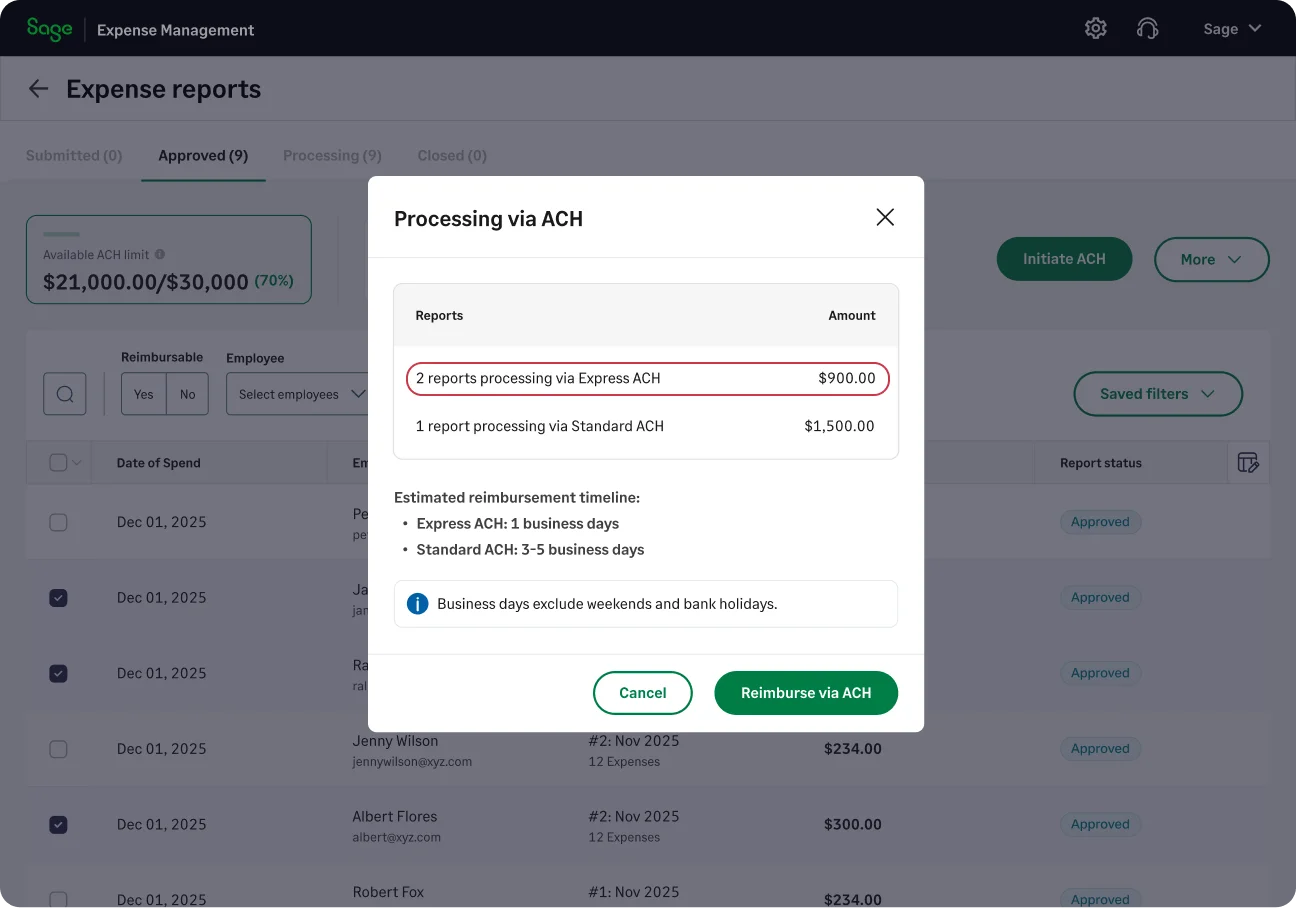
Reimbursements just got faster. With Express ACH, expense reports up to $1,000 are now processed within 1–2 business days, while higher-value reports continue through the standard route (3–5 business days).
Since most reimbursements fall under $1,000, this means a majority of payments are now completed significantly faster, without compromising on security for larger transfers.
Budgets with better visibility and control
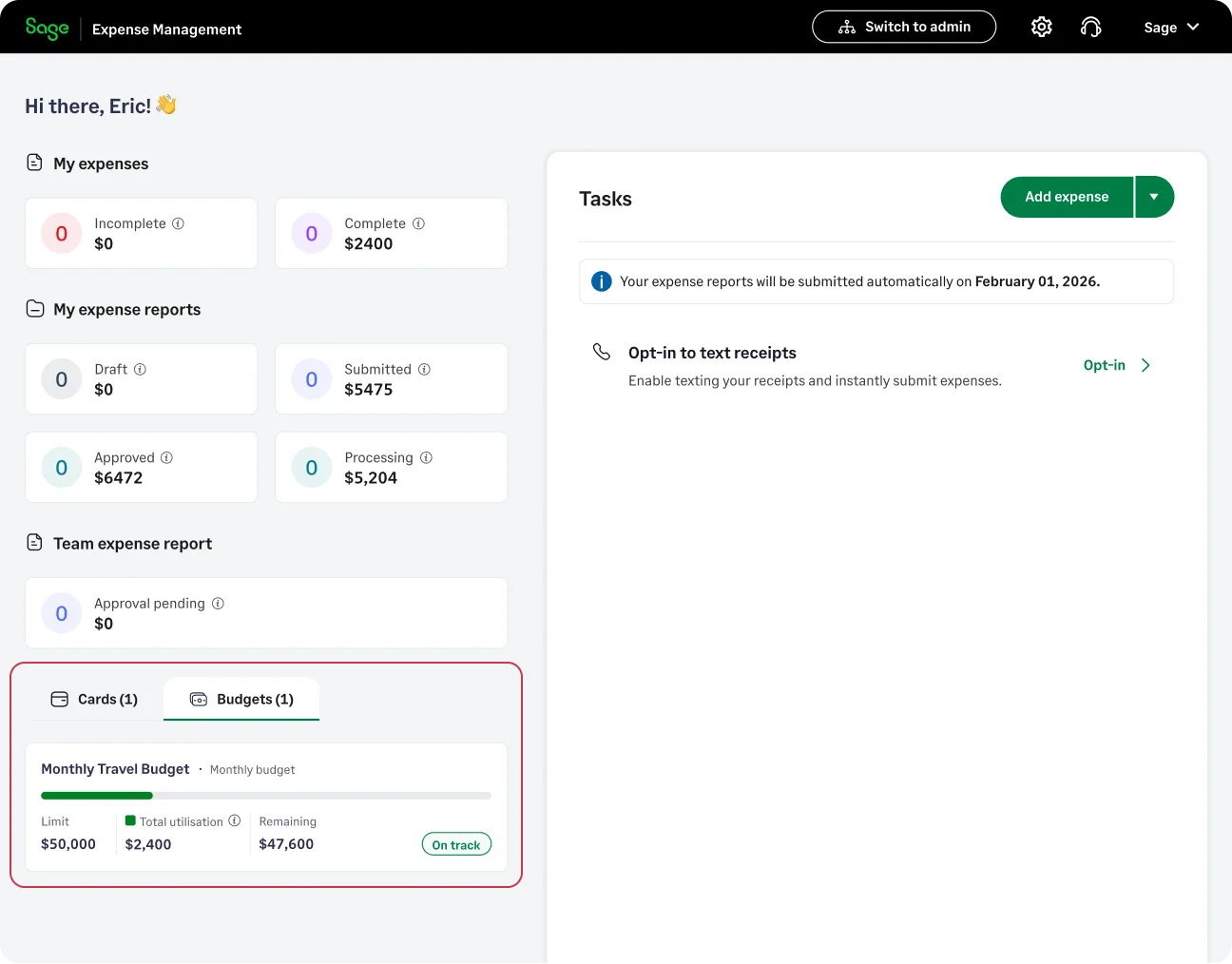
Admins can choose who gets access to budget visibility, including contributing employees or specific users. Spenders can now see how much budget is used and remaining, helping them make better decisions while making expenses.
Along with visibility, we’ve also improved flexibility and monitoring:
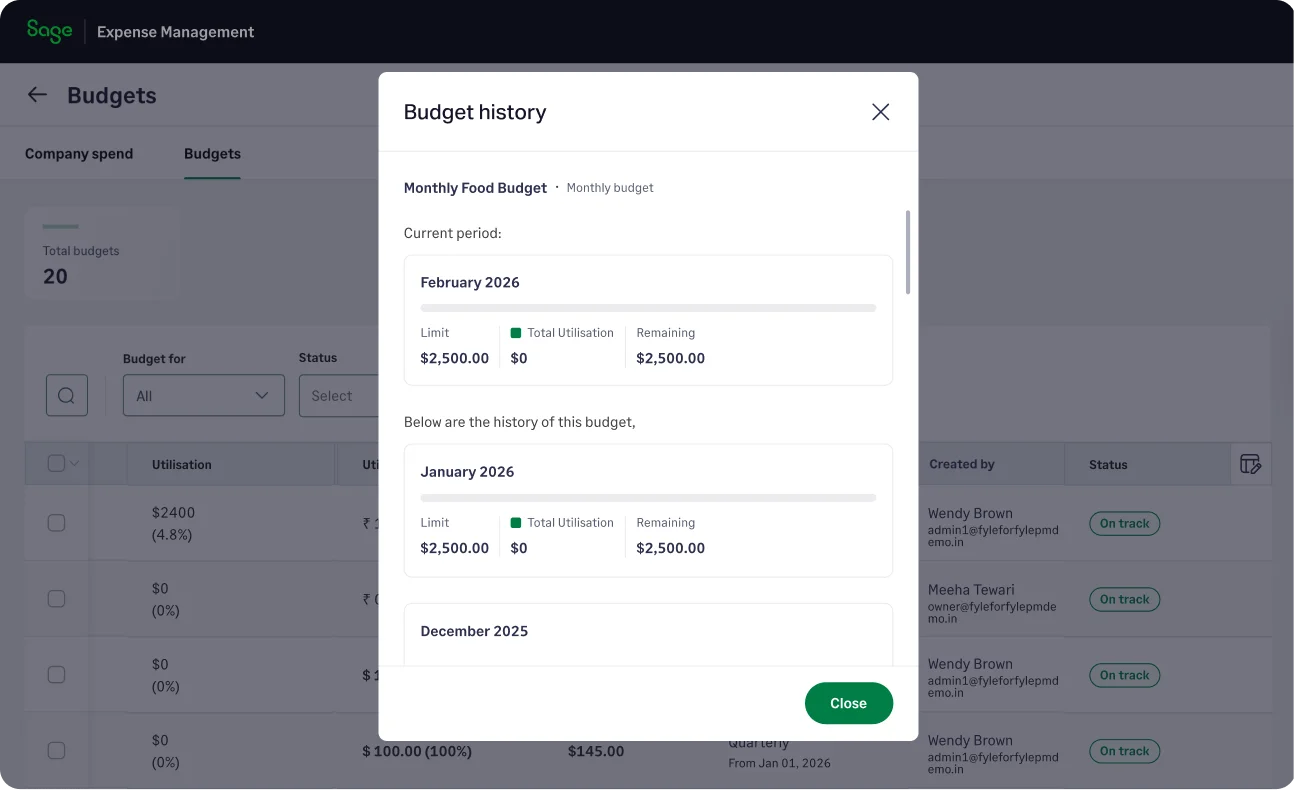
- View historical budget usage
- Export budgets directly
- Edit budget details even after setup
- Track budgets with new status indicators and filter
Automatic report submission is now more flexible
Automatic Report Submission is now more flexible.
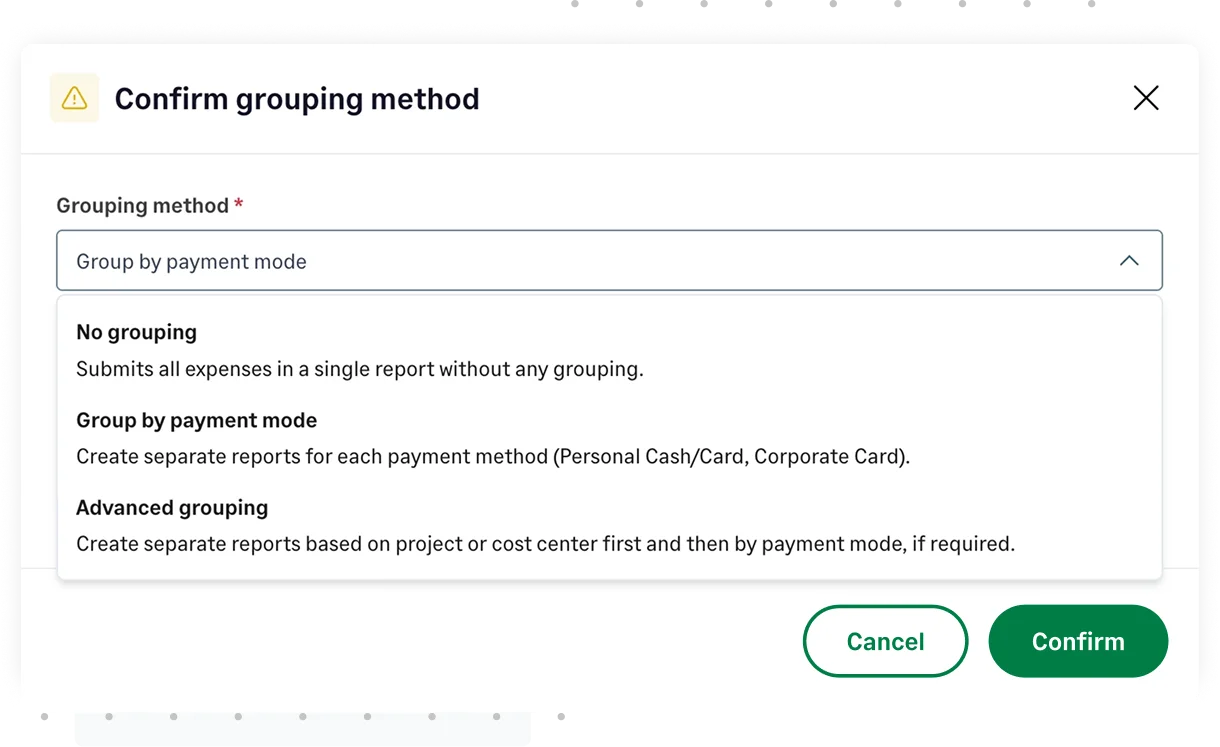
Admins can now define how expenses are grouped when reports are automatically created and submitted, giving more structure to reports without adding manual work. Instead of combining all expenses into a single report, admins can now choose to group them by payment mode or by key dimensions like project, payment mode or cost center.
Introducing automatic approvals
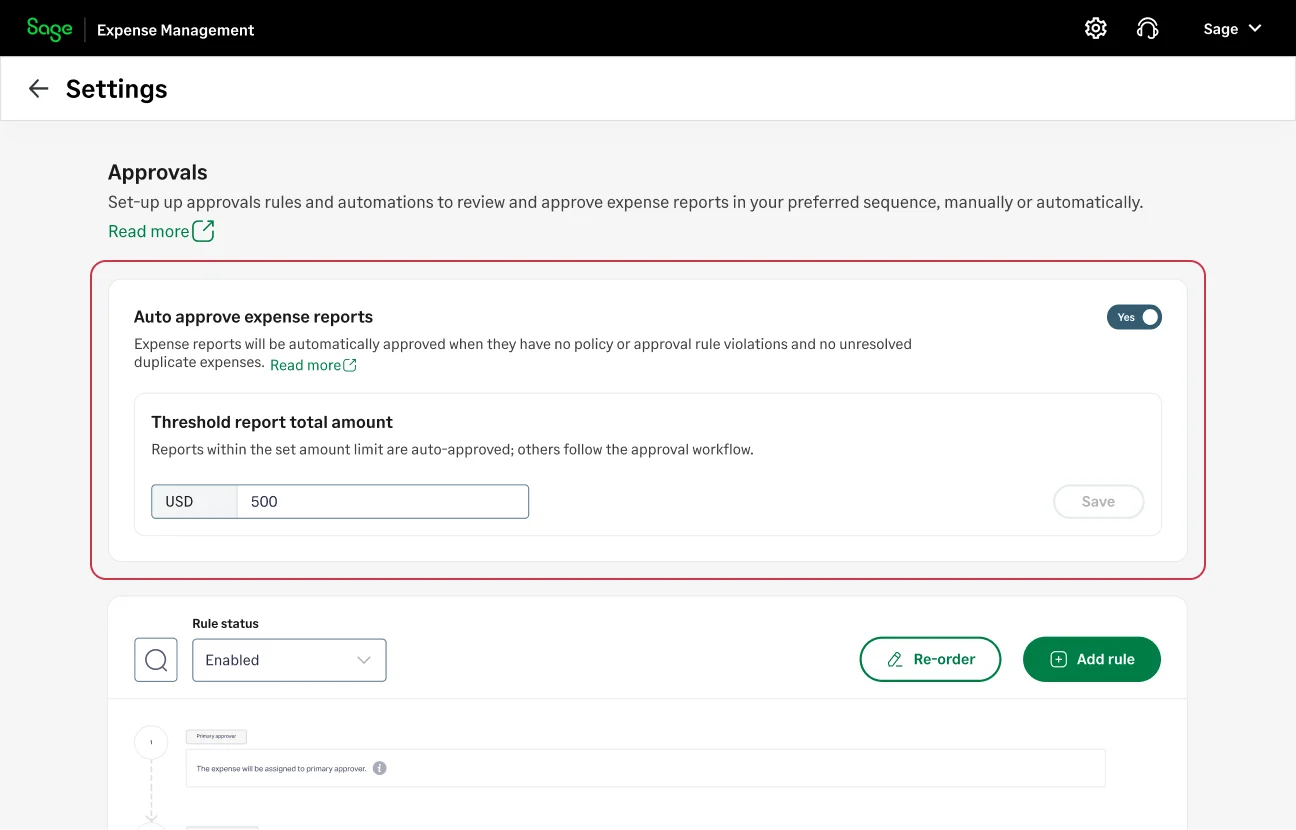
With Automatic Approvals, admins can define a threshold and automatically approve low-risk reports that meet specific conditions—such as no policy violations, no duplicates, and requiring only a single level of approval.
Eligible reports are automatically approved, employees are notified instantly, and approvers can focus only on exceptions.
More control with project-level billable defaults
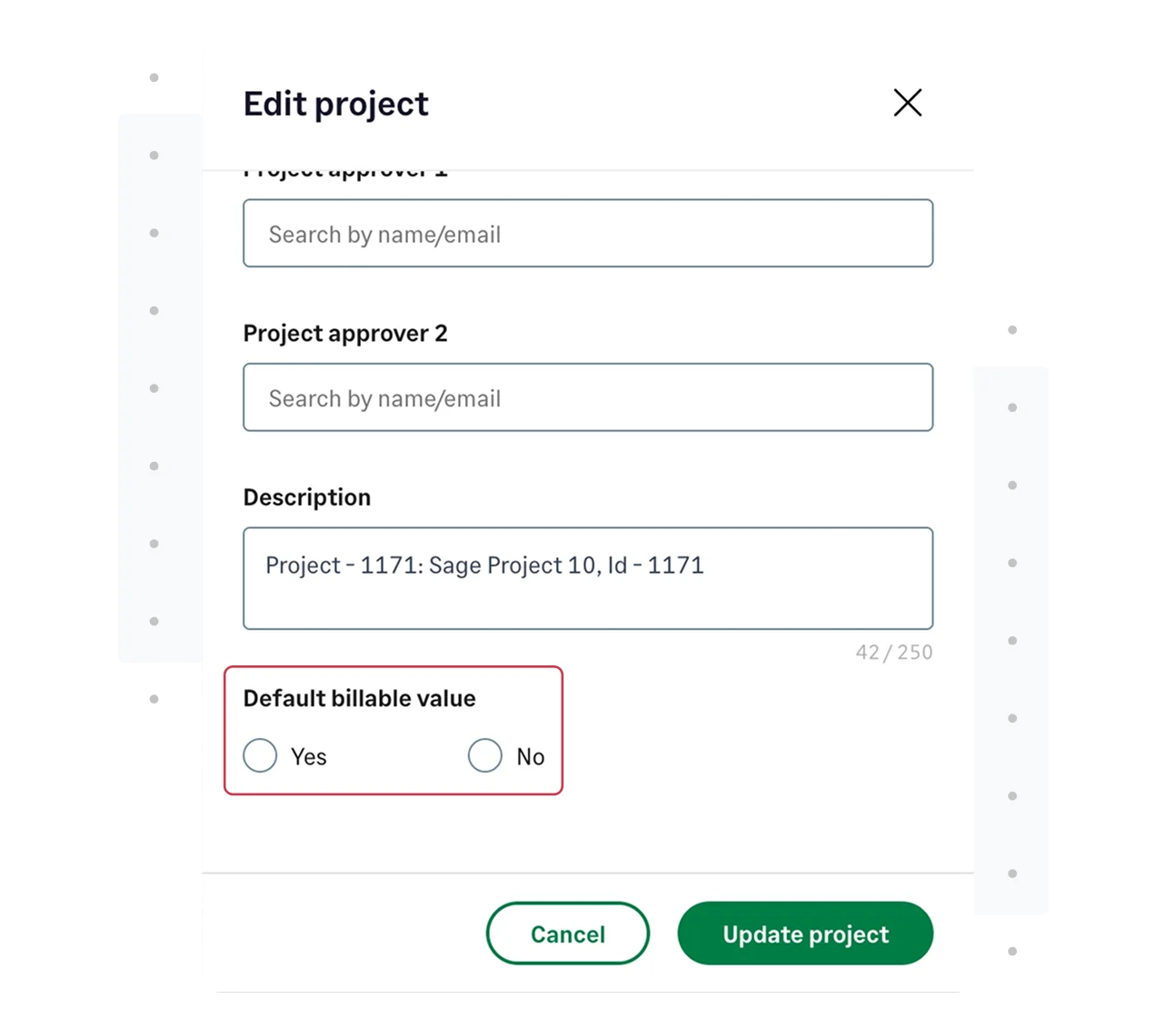
Billable settings are now more flexible and aligned with real workflows. Instead of a single org-wide default, admins can now set billable defaults at the project level. When a project is selected, the billable value auto-populates based on that project’s configuration.
This ensures more accurate defaults while still allowing users to override when needed.
Stay updated with mobile push notifications
Your expenses can now notify you in real time.
With mobile push notifications, users get instant alerts for key actions such as real time transaction alerts, expense creation, report updates, approvals, comments, and reimbursement status.
Admins can control which notifications are available, while users can choose how they want to receive them, creating a flexible and personalized notification experience.
Global formats with Regional Settings
Sage Expense Management is now more globally usable!
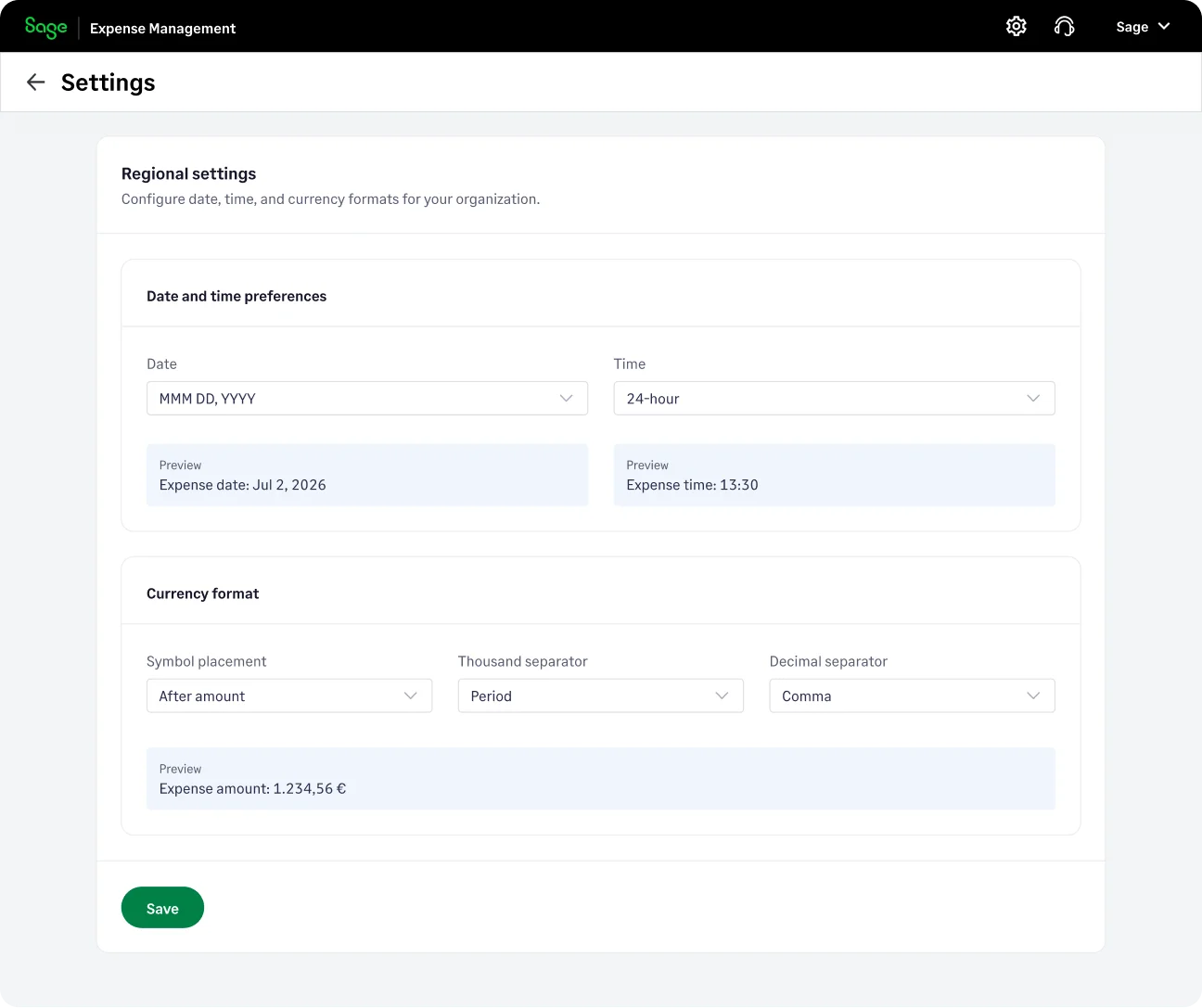
With Regional Settings, admins can configure how dates, time, and currency values are displayed across the organization based on regional preferences.
That’s a wrap for the quarter!
These updates are designed to reduce manual work, improve visibility, and help teams move faster from submitting expenses to closing the books!
As always, your feedback helps us build better. Write to us anytime at [email protected].






