In a world where we can Venmo a friend for pizza in seconds, the backbone of American business finance is actually a much older, slower, but incredibly reliable workhorse: the ACH Network.
While credit cards get all the glory (and the rewards points), ACH is the "invisible" engine that powers everything from your monthly Netflix subscription to your bi-weekly paycheck. For businesses, it is the ultimate trade-off: you sacrifice the instant speed of a wire transfer for the ultra-low cost of a batched payment.
This guide breaks down exactly how ACH works, why it's the gold standard for B2B payments, and how you can use it to get your employees reimbursed without the manual bank-portal headache.
What is the Automated Clearing House Network?
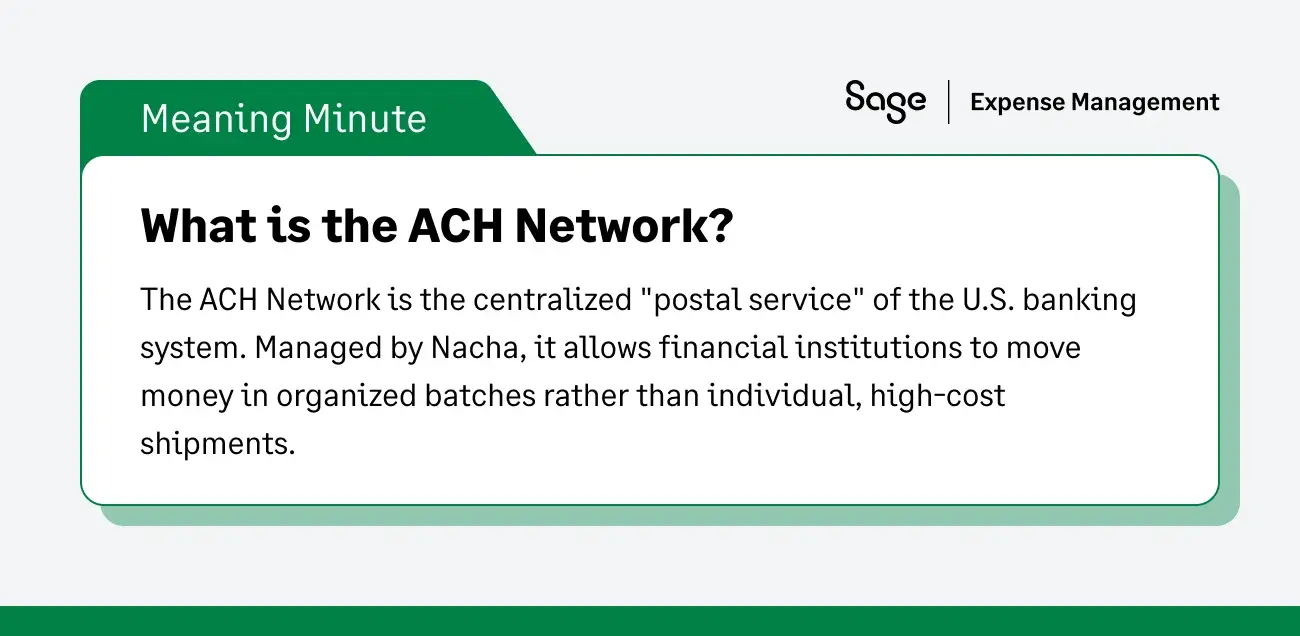
The ACH Network is a centralized system used by U.S. financial institutions to send and receive batches of electronic payments. It is governed by Nacha (the National Automated Clearing House Association), which sets the rules for how money moves between banks.
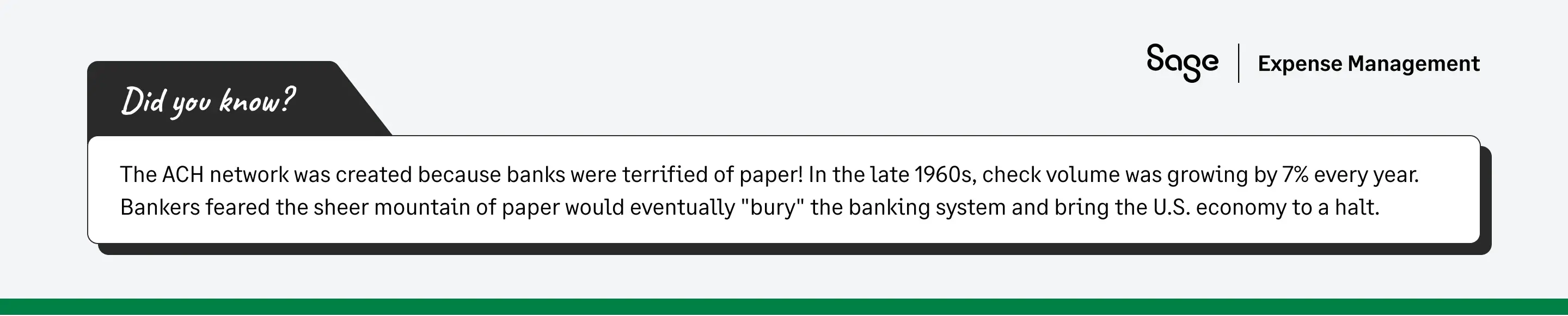
Unlike a wire transfer, which is processed individually and immediately, ACH payments are batched. Think of it like the difference between a private courier (Wire) and the postal service (ACH). The post office waits to collect all the mail for the day before sending the truck out.
Key Players:
- ODFI (Originating Depository Financial Institution): The sender’s bank.
- RDFI (Receiving Depository Financial Institution): The recipient’s bank.
What are ACH Payments?
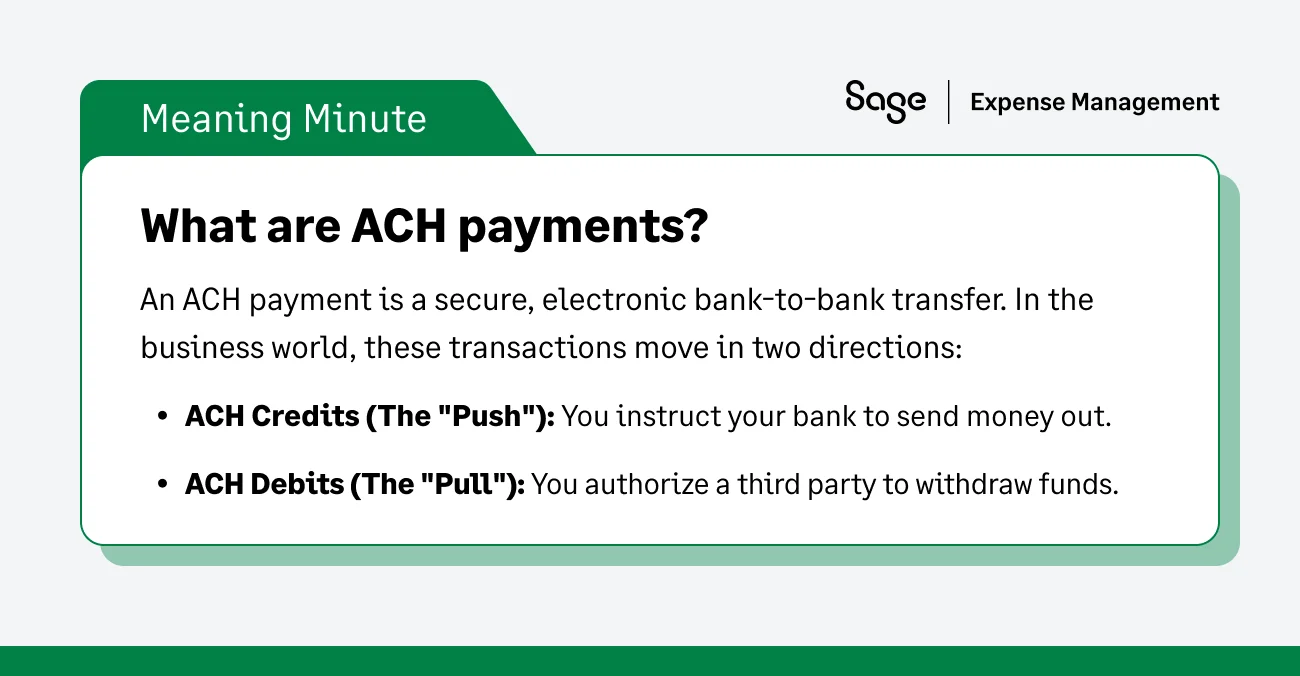
Simply put, an ACH payment is an electronic bank-to-bank transfer. There are two main flavors:
- ACH credits (The "Push"): You tell your bank to send money to another account.
- Example: An employer pushing a direct deposit to an employee’s bank account.
- ACH debits (The "Pull"): You give a company permission to take money from your account.
- Example: Your utility company automatically pulling $150 for your electric bill every month.
Who Uses ACH Payments?
If you've ever received a tax refund, paid a vendor via an online portal, or received a paycheck, you’ve used ACH. It is the preferred rail for:
- B2B vendors: Paying for bulk supplies or recurring services.
- Employers: Handling payroll for hundreds of staff members at once.
- Government agencies: Issuing Social Security benefits or tax returns.
How Long do ACH Transfers Take?
The most common question about ACH is: "Where is my money?"
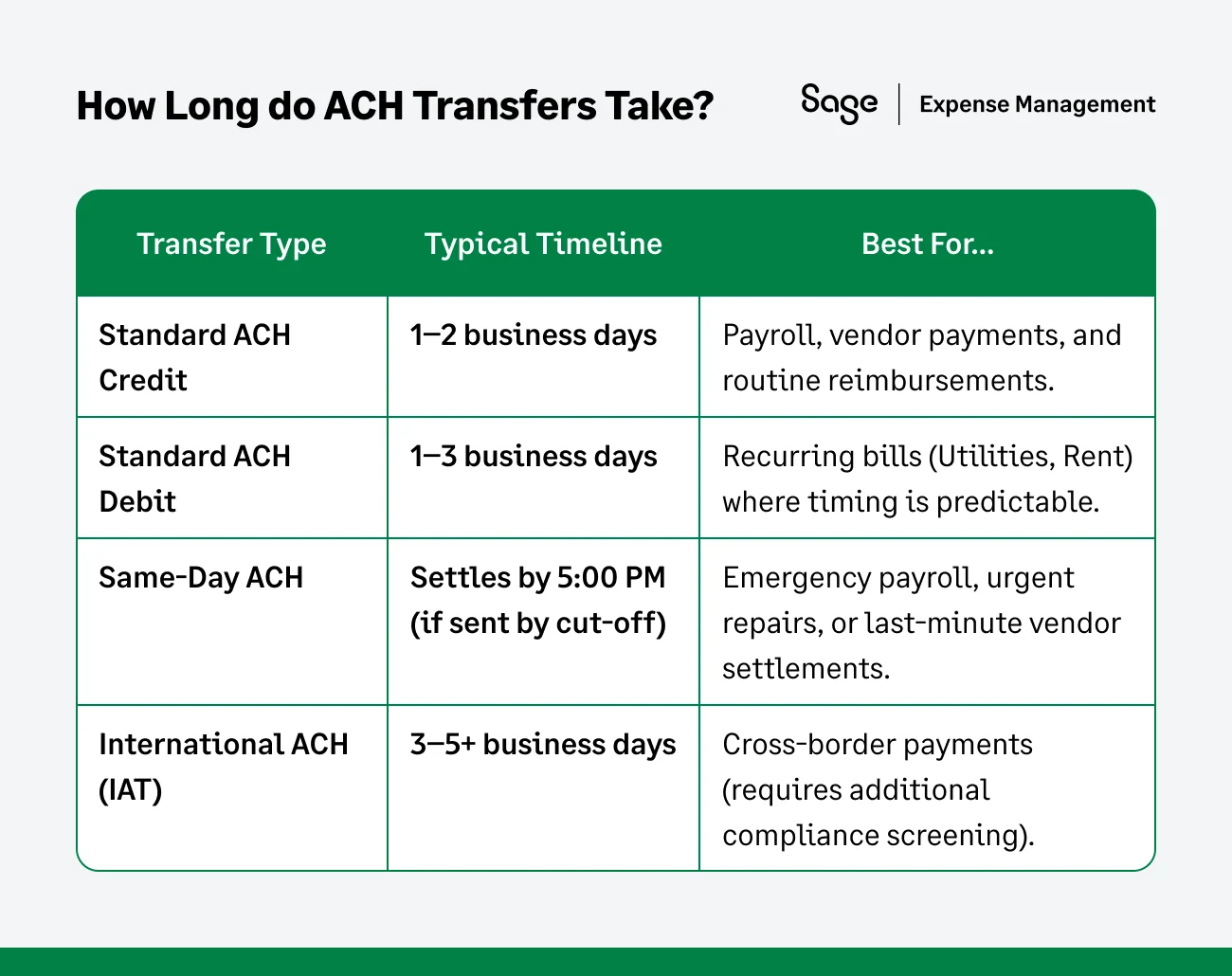
- Standard ACH: Typically takes 1–3 business days.
- Same-day ACH: Since 2016, Nacha has enabled Same-Day ACH for most credit and debit transactions. If you hit the bank's "cut-off time" (usually in the morning or early afternoon), the money can land by the end of the day.
Why the wait? Because banks process ACH in batches to minimize risk and cost. They wait for a window to open, verify the funds, and then move the "block" of money.
Weekends and federal holidays are not business days, so if you send an ACH on a Friday afternoon, don't expect it to land until Tuesday.
Types of ACH Transactions
When we talk about ACH payments, we are actually describing a two-way street. Depending on whether you are sending money or authorizing someone to withdraw it, your transaction falls into one of two categories: ACH Credits or ACH Debits.
1. ACH Credits (The "Push" Transaction)
An ACH credit occurs when you (the account holder) instruct your bank to "push" funds from your account into another person or business’s account. In this scenario, you are the initiator of the payment.
- Common example: Direct Deposit Payroll. When your company sends your salary to your bank account, they are "pushing" a credit to you.
- Best for: Paying employees, settling vendor invoices, and sending tax payments to the IRS.
2. ACH Debits (The "Pull" Transaction)
An ACH debit is when you give a third party (like a utility company or a gym) permission to "pull" a specific amount of money from your account on a recurring or one-time basis. You provide your bank details once, and the receiver handles the rest.
- Common Example: Recurring Bill Pay. If you’ve set up your office rent or internet bill to be "auto-paid" every month, the service provider is "pulling" a debit from your account.
- Best For: Monthly subscriptions, utility bills, and insurance premiums.
3. Same-Day ACH
While standard ACH credits and debits are processed in batches overnight, Same-Day ACH allows for much faster movement. As long as the transaction is submitted before the bank's daily cut-off time, the funds are settled by the end of the same business day. This is increasingly used for emergency payroll or urgent vendor payments where a 3-day wait isn't an option.
ACH Transfer Fees
This is where ACH shines. While credit card processors take a "bite" out of every transaction (usually 2.9% + $0.30), ACH fees are often a flat, nominal amount.
- Average cost: Anywhere from $0.20 to $1.50 per transaction, regardless of the amount.
- The comparison: If you pay a vendor $10,000:
- Credit Card: You (or the vendor) pay $300 in fees.
- ACH: You pay $1.00.
For high-volume businesses, this difference isn't just "savings"—it's a massive boost to the bottom line.
ACH Processing Time
One of the most common questions finance teams get from employees is: "I saw my expense was approved—so why isn't the money in my account yet?" To understand the timeline, you have to understand how the "gears" of the ACH network move. Unlike a credit card authorization that happens in milliseconds, ACH works on a batch processing schedule.
The Standard Timeline (1–3 Business Days)
For a standard ACH transfer, the process usually takes between one and three business days. Here is what happens behind the scenes:
- The Origin (Day 0): You initiate the payment. Your bank (the ODFI) collects your request along with hundreds of others.
- The Batch (Day 1): At a set time, your bank sends all those requests in one large "batch" to an ACH Operator (the Federal Reserve or The Clearing House).
- The Sorting (Day 1-2): The Operator sorts the transactions and routes them to the correct receiving banks (the RDFIs).
- The Settlement (Day 2-3): The receiving bank verifies the account exists and has no holds, then credits the funds to the recipient.
Factors That Can Slow Down Your Payment
- The "Friday Afternoon" trap: ACH only moves on business days. If you initiate a reimbursement on Friday at 4:00 PM, the bank likely won't even begin processing the batch until Monday morning.
- Bank cut-off times: Every bank has a specific time (e.g., 2:00 PM EST) after which any request is treated as if it were sent the next day.
- Federal holidays: If the Federal Reserve is closed, the ACH truck doesn't move.
The "Same-Day ACH" Exception
Thanks to recent updates by Nacha, Same-Day ACH is now widely available. If your transaction is submitted before the final morning cut-off, the funds can be settled by 5:00 PM local time that same day. However, most banks charge a slightly higher fee for this "fast-track" service.
While the ACH network has its own speed limits, the biggest delay in most companies is human latency—the time it takes for a manager to hit "Approve."
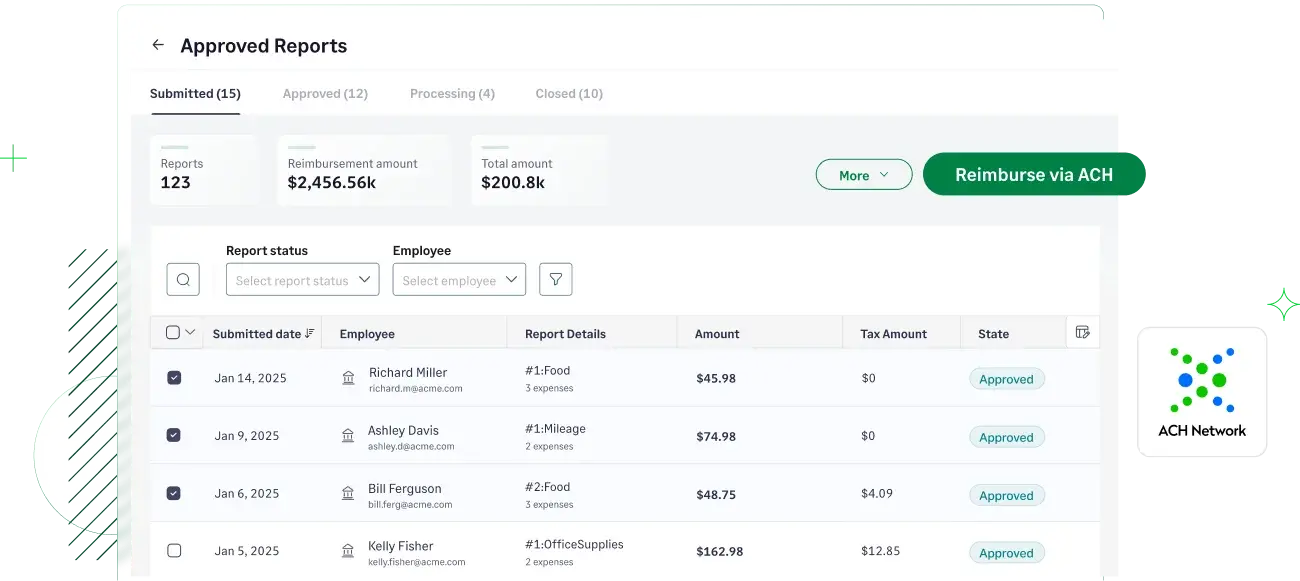
Sage Expense Management eliminates this by providing real-time status updates.
Both the finance team and the employee can see exactly where the money is in the pipeline (e.g., "Processing," "Pending Settlement," or "Succeeded"). This visibility stops the back-and-forth emails and gives everyone peace of mind while the banks do their work.
How can Businesses Use ACH?
For a business, ACH is a strategy to protect margins:
Vendor Payments
In industries like construction or manufacturing, vendor relationships are everything. Using ACH for these payments is about more than just moving money; it’s about reliability and security.
- The "check in the mail" risk: Paper checks are the #1 target for B2B payment fraud. They can be intercepted, washed, or forged. ACH moves directly from your bank to theirs, encrypted and tracked.
- Strengthening partnerships: J.D. Power studies show that small businesses value "partnership" from their financial tools. By offering ACH, you ensure your vendors get their funds on a predictable schedule without them having to drive to a bank to deposit a physical check.
- The "interest" factor: Unlike credit cards, where you might be paying 25% APR on a balance for materials, ACH uses your liquid cash. This prevents you from "double-paying" for supplies through high-interest debt.
Making Payments
Making an ACH payment (an ACH Credit) requires a higher level of "data hygiene" than other methods. Because ACH is a batch process, a single typo in a routing number can trigger a Return Code (like R03 or R04) that sets your payment back by 3–5 days.
- The solution: This is where modern platforms change the game. Instead of manually typing long strings of numbers into a bank portal, tools like Sage use Plaid to let recipients log into their own bank. This pulls the verified account and routing numbers directly from the source.
- The 2nd pair of eyes: For many businesses, "Making Payments" involves a Multi-User Problem. You may have a Project Manager who approves the amount, but a Controller who initiates the ACH. Using a dedicated system creates an audit trail that shows exactly who authorized the "push" and when.
Receiving Payments: Controlling the Cash Cycle
Receiving payments (an ACH Debit) is the ultimate tool for businesses that operate on retainers or recurring contracts. It flips the power dynamic: you no longer have to wait for a client to "remember" to pay you.
- The authorization advantage: To legally "pull" money, you must have a signed ACH Authorization Form. This document specifies exactly when and how much you can withdraw. Once this is on file, your monthly revenue becomes predictable.
- Protecting your margins: Consider the math on a $5,000 monthly retainer:
- Credit Card: You pay roughly $150 in processing fees.
- ACH: You pay closer to $1.00.
- The result: Over a year, using ACH for that one client saves you $1,788—money that goes straight to your bottom line.
- Bridging the "float": JPMorgan Chase research shows that businesses often "finance" their clients by paying for materials upfront. By pulling ACH payments as soon as a milestone is hit, you shorten your "Days Sales Outstanding" (DSO) and keep your cash where it belongs: in your account.
Are ACH Payments Safe?
Yes. In fact, ACH is significantly safer than paper checks. Checks pass through many hands and contain your bank details in plain text. ACH is encrypted and protected by Federal Regulation E. Furthermore, 2026 Nacha rules now require enhanced fraud monitoring for all businesses originating ACH, making the network more secure than ever.
ACH Return Codes and their Meanings
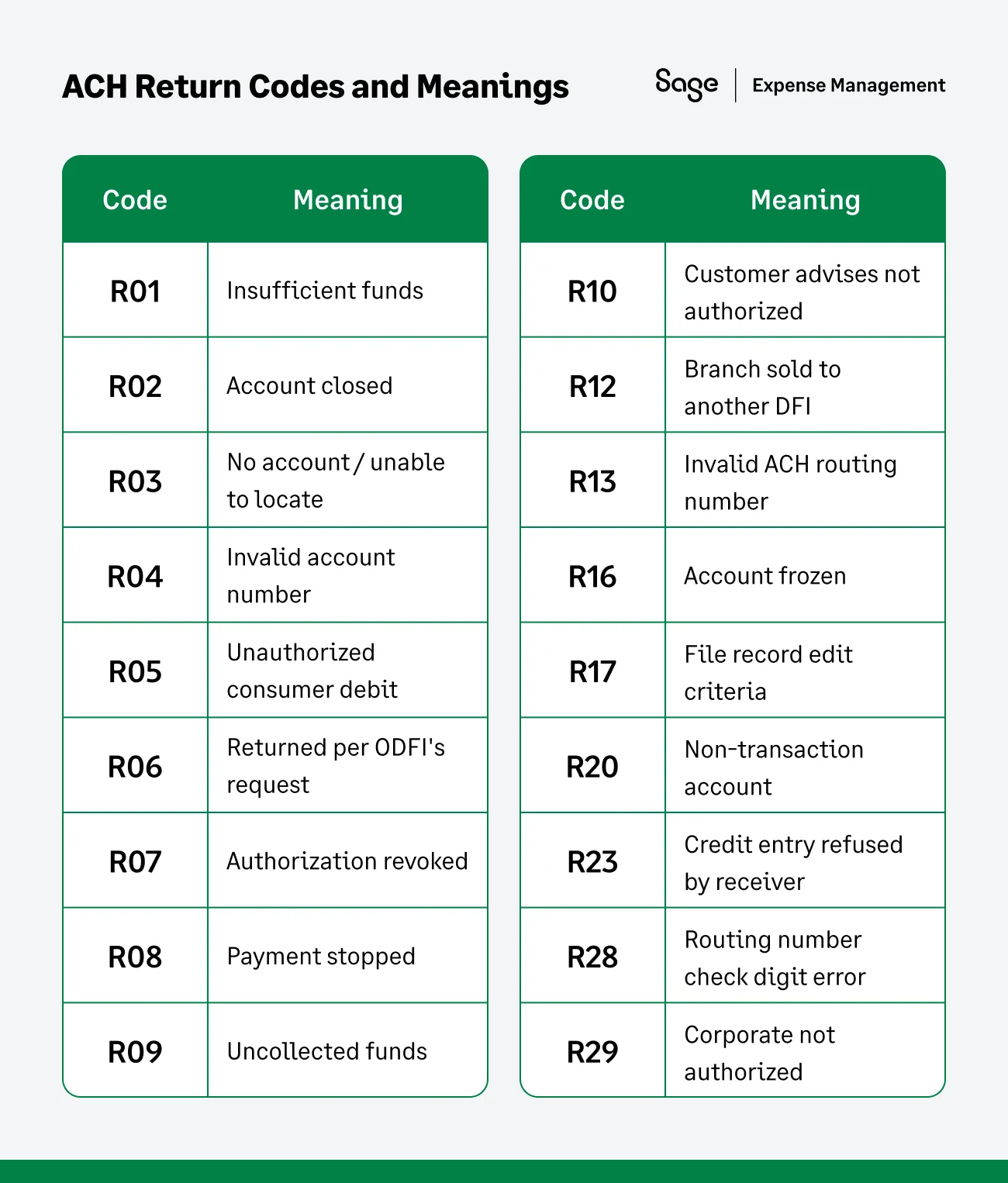
While the "Big 3" cover about 80% of what most businesses encounter, the ACH network uses a much broader set of codes to describe specific failures. These are categorized by Administrative, Financial, and Authorization issues.
The "Big 3" (Most Common)
- R01 (Insufficient Funds): The digital "bounced check." The available balance wasn't enough to cover the debit.
- R03 (No Account/Unable to Locate): Usually a typo. The structure is valid, but the account doesn't exist at that bank.
- R04 (Invalid Account Number): The number doesn't fit the bank's format (e.g., too many or too few digits).
Administrative & Data Errors
These codes usually point to a typo or a setup issue in your payroll or vendor files.
- R02 (Account Closed): A previously active account has been shut down.
- R13 (Invalid ACH Routing Number): The routing number doesn't exist.
- R17 (File Record Edit Criteria): The bank’s software couldn’t process the record (usually a formatting error).
- R20 (Non-Transaction Account): You’re trying to pull money from an account that doesn’t allow ACH (like some specialized savings or CD accounts).
- R28 (Routing Number Check Digit Error): The routing number failed its mathematical validation.
Authorization & Customer-Initiated Issues
These codes are "red flags" for compliance and require immediate communication with the customer or employee.
- R05 (Unauthorized Consumer Debit): A corporate SEC code was used to pull from a personal account without proper authorization.
- R07 (Authorization Revoked): The customer told their bank they no longer authorize this recurring payment.
- R08 (Payment Stopped): The recipient placed a "Stop Payment" order on this specific transaction.
- R10 (Customer Advises Not Authorized): The account holder claims they never gave permission for this transaction.
- R29 (Corporate Customer Advises Not Authorized): Same as R10, but for business-to-business (B2B) transactions.
Specialized & Banking Errors
- R06 (Returned per ODFI's Request): Your own bank realized there was a mistake and asked for the money back before it settled.
- R09 (Uncollected Funds): The account has enough money, but it’s currently "on hold" (e.g., from a recently deposited check).
- R12 (Branch Sold to Another DFI): The bank branch was bought by another institution, and the routing info has changed.
- R16 (Account Frozen): The bank or a legal authority has locked the account.
- R23 (Credit Entry Refused by Receiver): The person you’re trying to pay has told their bank to block incoming ACH credits from your company.
ACH vs Wire Transfers
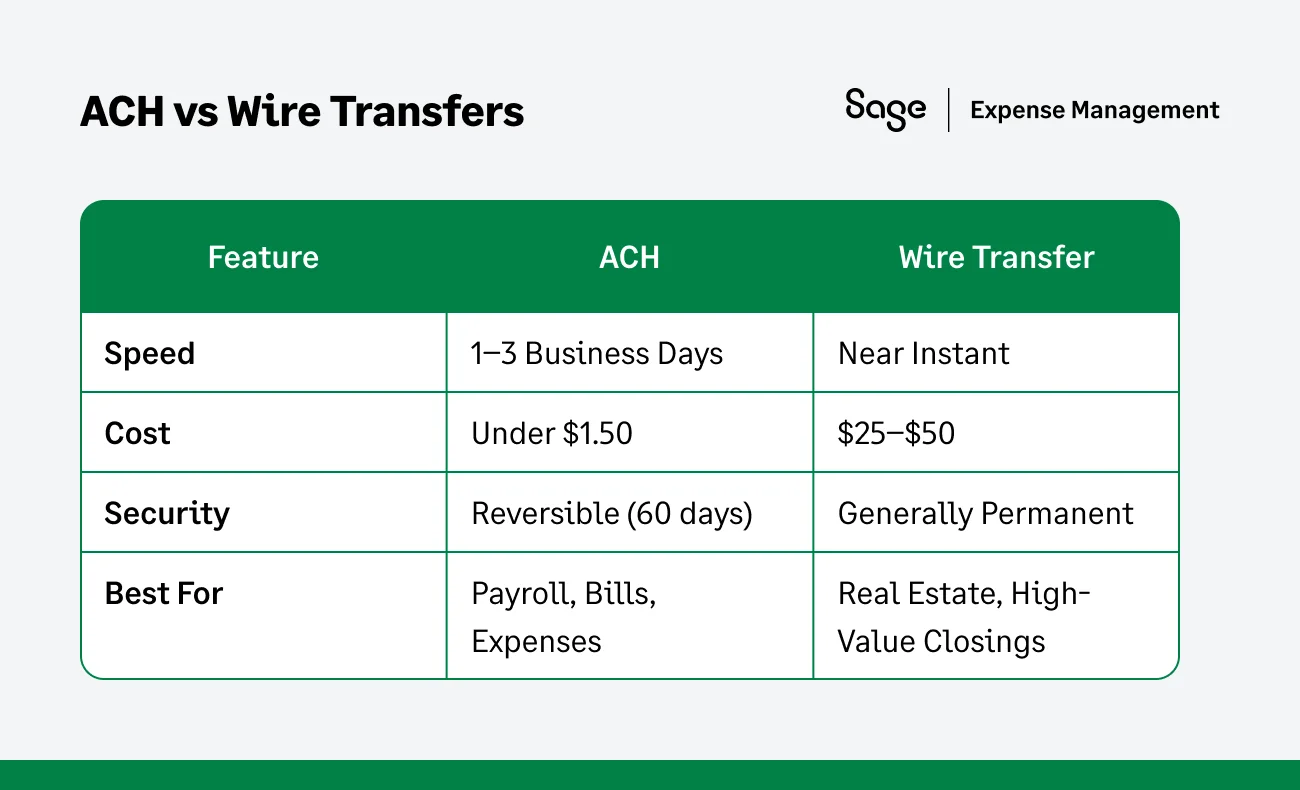
While both are electronic fund transfers (EFTs), they are built for different purposes. Choosing the right one is a balance between speed, cost, and the level of finality you need for the transaction.
Which One Should Your Business Use?
1. Use ACH when you want to save money
ACH is the "standard shipping" of the financial world. Because it is processed in batches, it costs pennies compared to wires. It is the perfect choice for high-volume, recurring payments like payroll or monthly vendor retainers where a 48-hour delay won't disrupt your operations.
2. Use Wire Transfers when "Time is Money."
Wires are the "private couriers" of finance. They move money bank-to-bank in real-time without passing through a clearing house. This speed is why they are mandatory for real-time closings (like buying a property) or emergency vendor payments where a supplier won't ship goods until they see the funds in their account.
ACH in Sage Expense Management
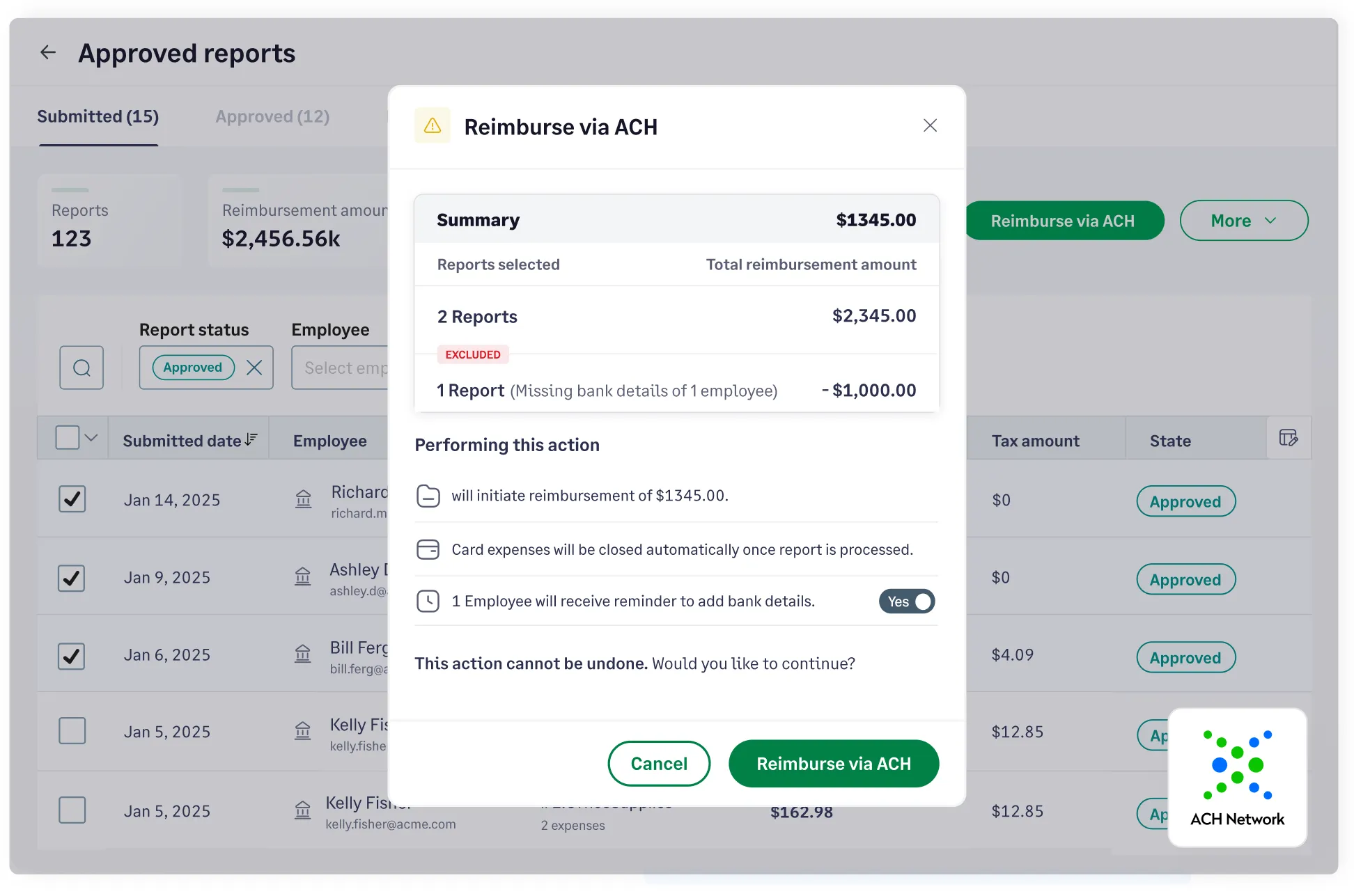
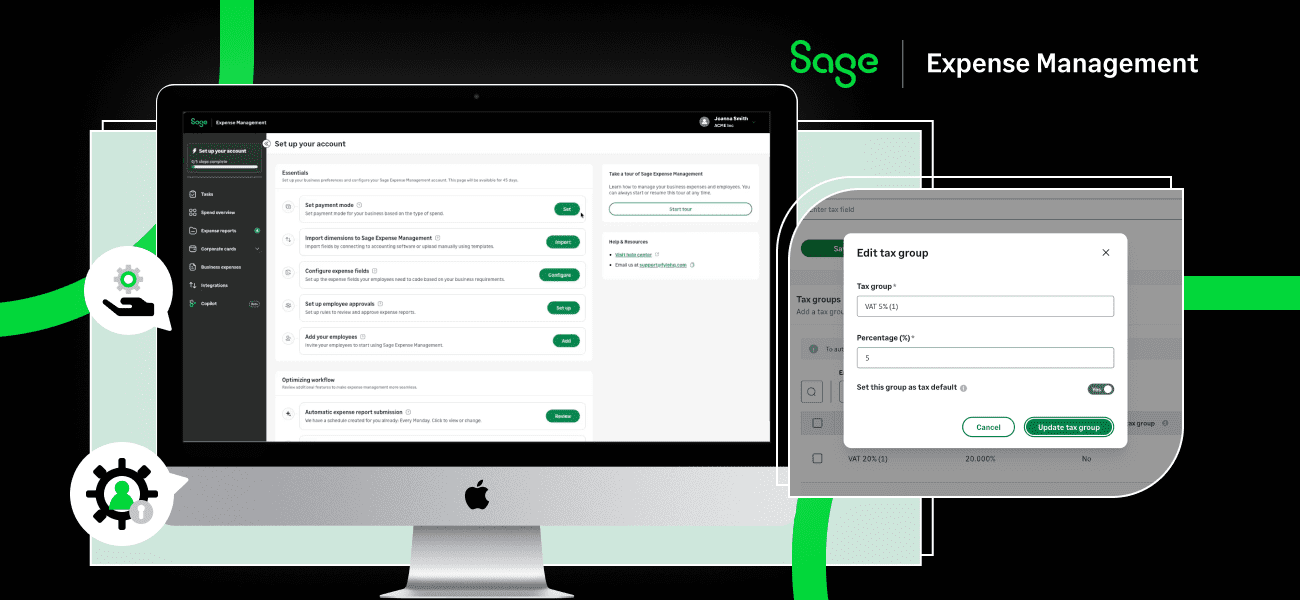
Sage Expense Management (formerly Fyle) turns employee reimbursements into a secure, one-click process by integrating directly with the ACH network. Through our partner, Dwolla, we bridge the gap between your company’s bank account and your employees' pockets.
1. Choice of Speed: Standard vs. Express ACH
Not all reimbursements are created equal. Sage gives you the flexibility to choose how fast your team gets paid:
- Standard ACH: The reliable default for all expense reports. Funds typically land in employee accounts within 3-5 business days.
- Express ACH: For organizations that want to move faster, this feature cuts the wait time down to just 1-2 business days.
Pro Tip: Express ACH is available for all expense reports up to $1,000, ensuring your team is reimbursed for their most frequent out-of-pocket costs at record speed.
2. Compliance You Can Trust
Moving money requires high-level security. To stay compliant with the USA PATRIOT Act, Sage guides you through a one-time business verification. By verifying the "Controller" and "Beneficial Owners," your organization meets the same federal standards as major financial institutions, ensuring your payment rail is 100% legal and secure.
3. Bulletproof Verification
- Plaid integration: Sage uses Plaid to securely link your withdrawal account. We never store your bank credentials; we simply create a secure "bridge."
- Micro-deposit validation: To ensure the money goes exactly where it’s supposed to, Sage uses micro-deposits (small transactions under $0.10) to verify your account before the first reimbursement is ever sent.
4. Simplified "Lump Sum" Reconciliation
One of the biggest headaches for Finance is seeing 50 tiny transactions on a bank statement. Sage solves this by batching:
- The Company view: If you reimburse 50 employees today, you’ll see one single transaction on your bank statement for the total amount. This makes month-end "ticking and tying" effortless.
- The Employee view: Each employee receives their specific reimbursement with a unique "Employee Bank Reference" on their statement, so they know exactly what the payment is for.
5. Total Visibility for Admins and Spenders
- Real-time limits: Admins can see their available ACH limits and current balance in real-time, preventing "over-limit" errors before they happen.
- Expected dates: No more "Where is my money?" emails. Spenders see an expected reimbursement date directly on their report.
{{reimbursement="/cta-banners"}}