
Sorry, something went wrong. Can you please try again? Or please send us a note at sales@fylehq.com, and we'll get you started.
You came for the tracker. Now meet the automation solution that ends the manual work.

 1775+ reviews





Start organizing your cash flow and tracking deductible expenses instantly.
Download the template that best fits your specific finance and travel needs below.
Expense tracking needs more than just templates.
Excel expense trackers are a great start, but the hidden costs of manual entry, reconciliation, and chasing receipts still remain.
An Excel template or spreadsheet is a great start for organizing expenses, but they break as your business scales.
Manual tracking creates hidden costs that free excel templates can't fix.

Expense fraud costs businesses a median of $40,000/year. Since Excel lacks audit trails, anyone can alter amounts or delete rows to hide personal spending without leaving a digital trace.

88% of spreadsheets contain significant errors. Manual typing guarantees mistakes. A single typo or broken formula can skew your entire financial report, rendering budget analysis useless.

Processing a single manual report costs $58. Your excel template is free, but the hours wasted collecting receipts, verifying data, and chasing approvals are quietly bleeding your budget dry.

14% of fraud stems from duplicate claims. Spreadsheets can't detect if a receipt was submitted last month, meaning you often pay for the same expense twice without even realizing it.
Different roles face unique frustrations with manual expense tracking. If the challenges below resonate a bit to well, it's time for automation.
See how Sage Expense Management helps deliver a faster financial close.
Sage Expense Management delivers clean, audit-ready expense data that flows seamlessly to your accounting system.
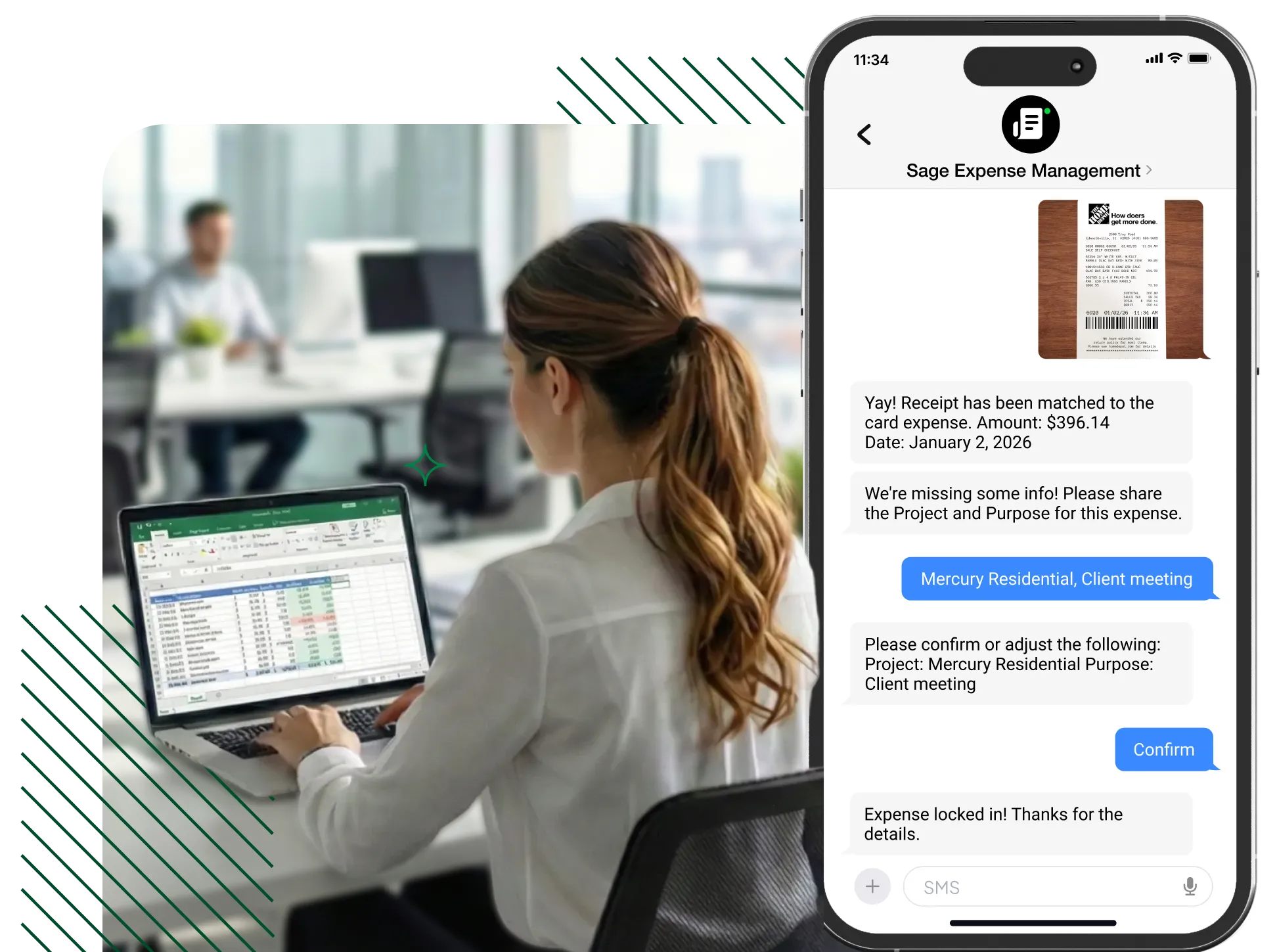
Users can submit receipts via Text, Gmail, Outlook, email forwarding, or via our mobile and web app. Expense data is extracted, coded and tracked automatically.
Explore receipt tracking features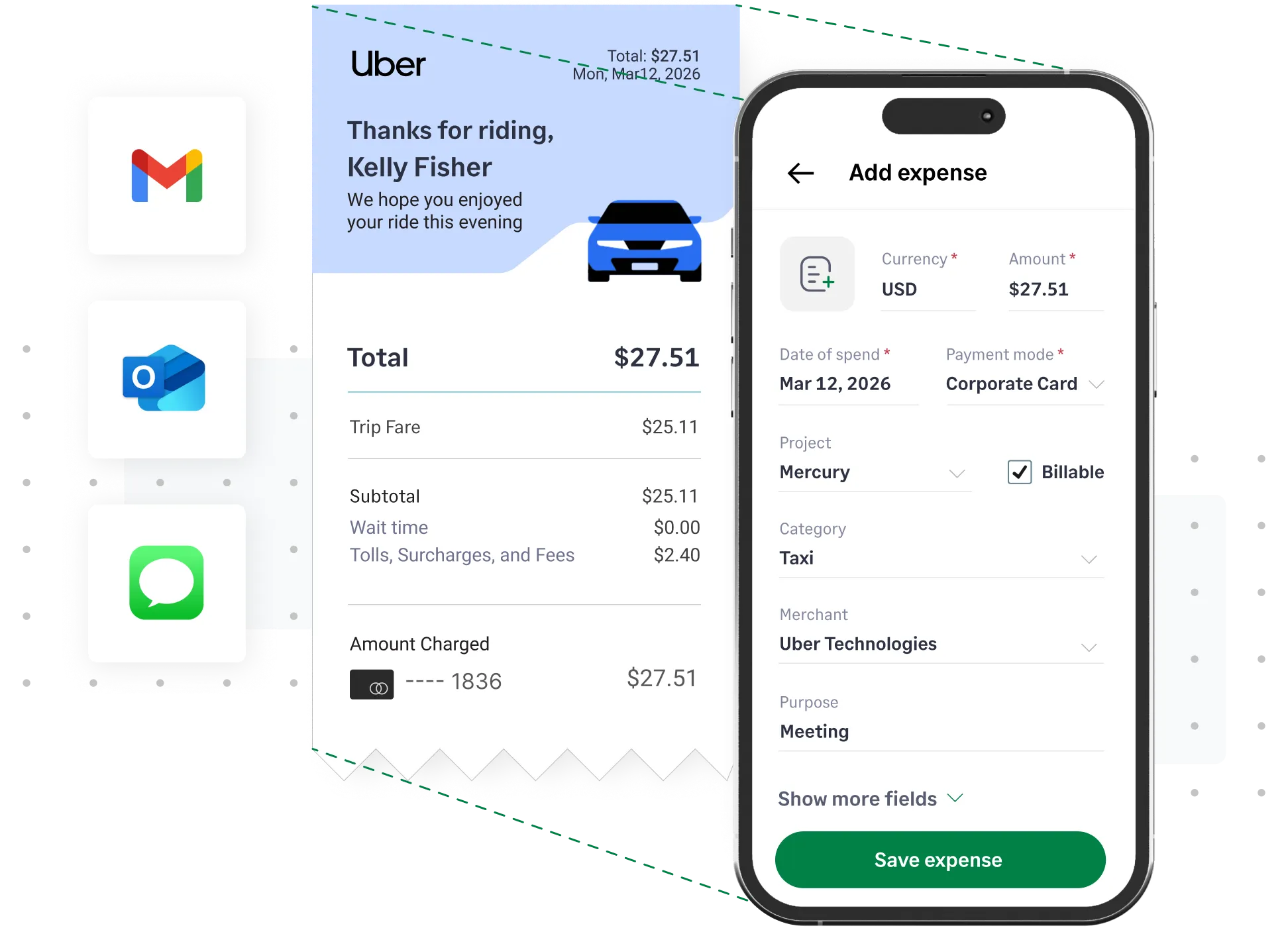
Instant text alerts keep employees informed each time the business card is swiped. Take a picture of the receipt and reply for instant reconciliation. Or, simply text the receipt, and we will automatically reconcile once the transaction is completed.
Learn more about credit card reconciliations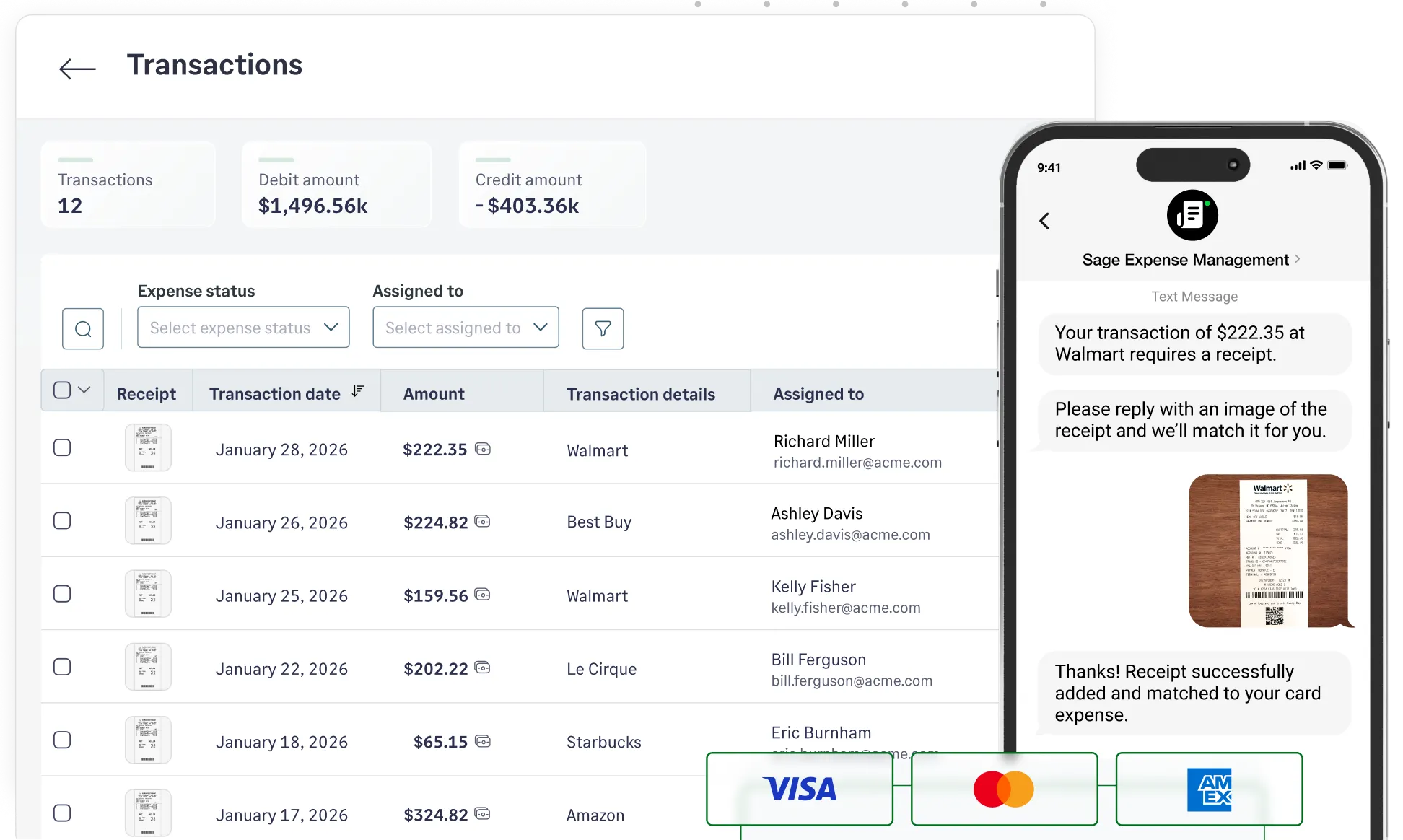

“Our overall reimbursement process went from slow and clunky to quick and efficient. Our team members' favorite feature? snapping a receipt and having the expense pre-coded automatically.”
Reuben Rentas, VP of Finance and AccountingEnsure you capture all important expense data. Sage Expense Management automatically imports data from your accounting software and codes expenses according to your General Ledger.
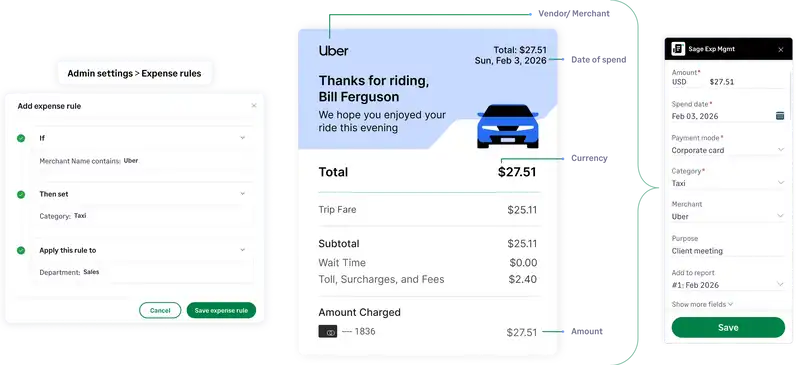
Set different rules on how expense fields like Categories and Projects should be populated based on the auto-extracted Merchant name. For example, if Merchant is Uber, the Category must be Taxi. Eliminate the need to enter data every time.
Default fields like Category, Amount, Merchant, Date etc, are auto-populated with OCR. Users can also add data like Projects (Cost Codes, Cost Types), Cost Centers, Locations and more.
Track the transaction status of any given reimbursement in real-time from Sage Expense Management, maintaining total visibility.
Learn more about reimbursements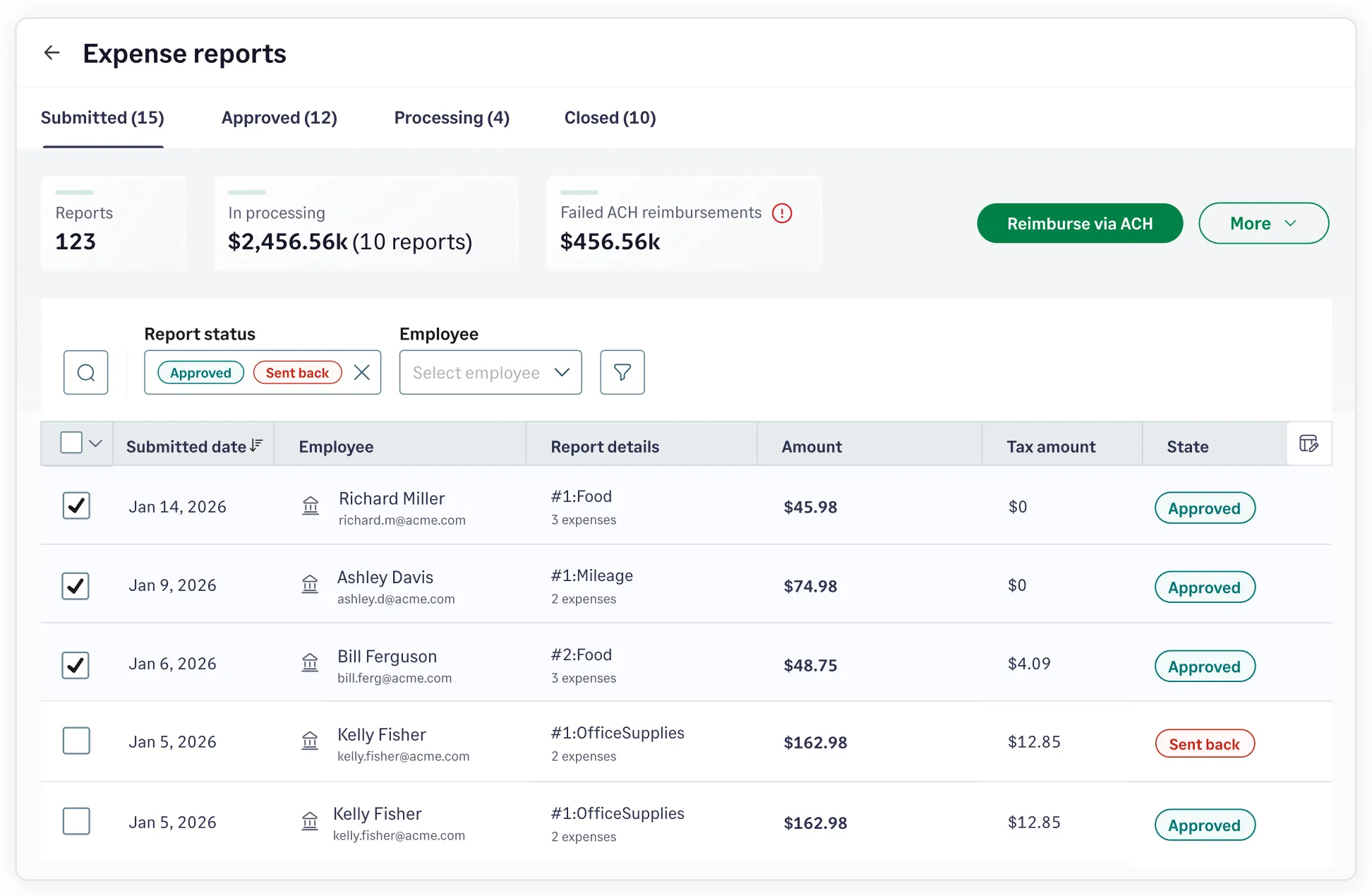
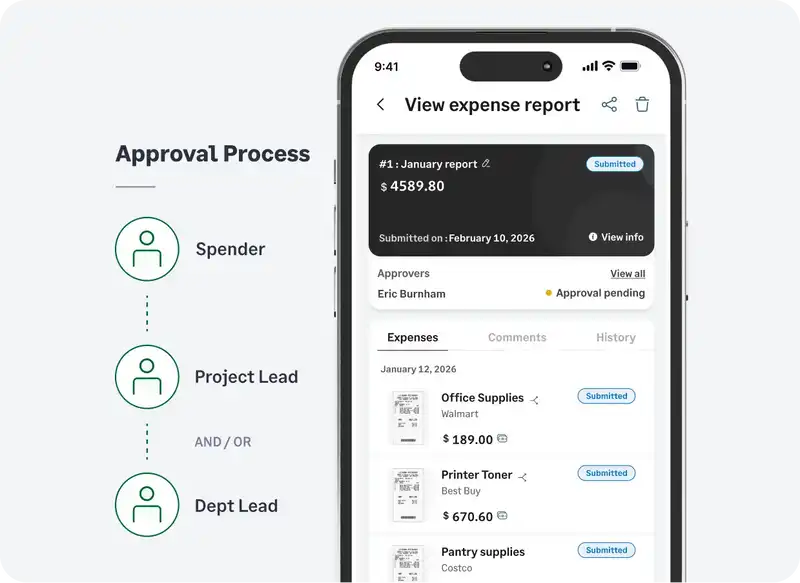
Configure automated approval workflows and enable managers to approve expenses right from their Emails, or our Mobile App.
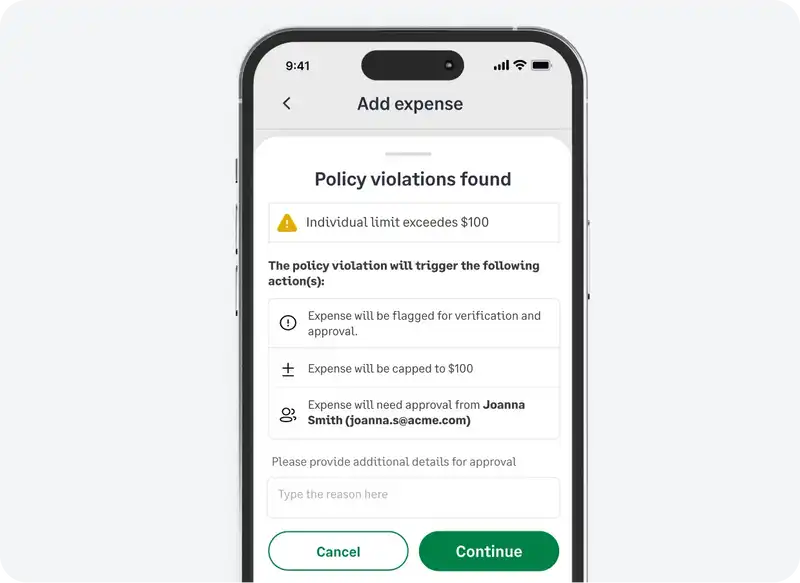
Learn moreSage Expense Management checks if the expense follows business rules set by you even before it is submitted for approval. Catch any fraud, or duplicate expenses automatically.
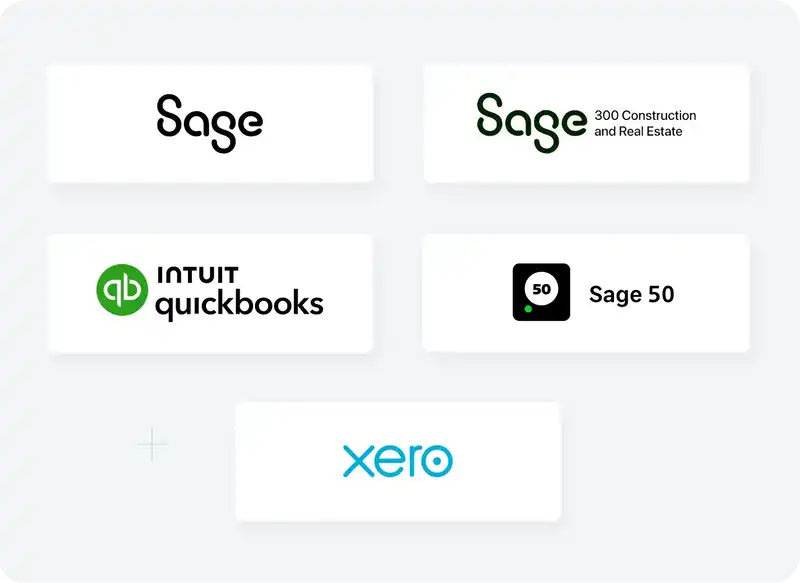
Learn moreSage Expense Management syncs your fully-coded expense and receipt data to accounting software like QuickBooks, Sage Intacct, Xero, Sage 300 CRE and Sage 50 automatically.
Learn more