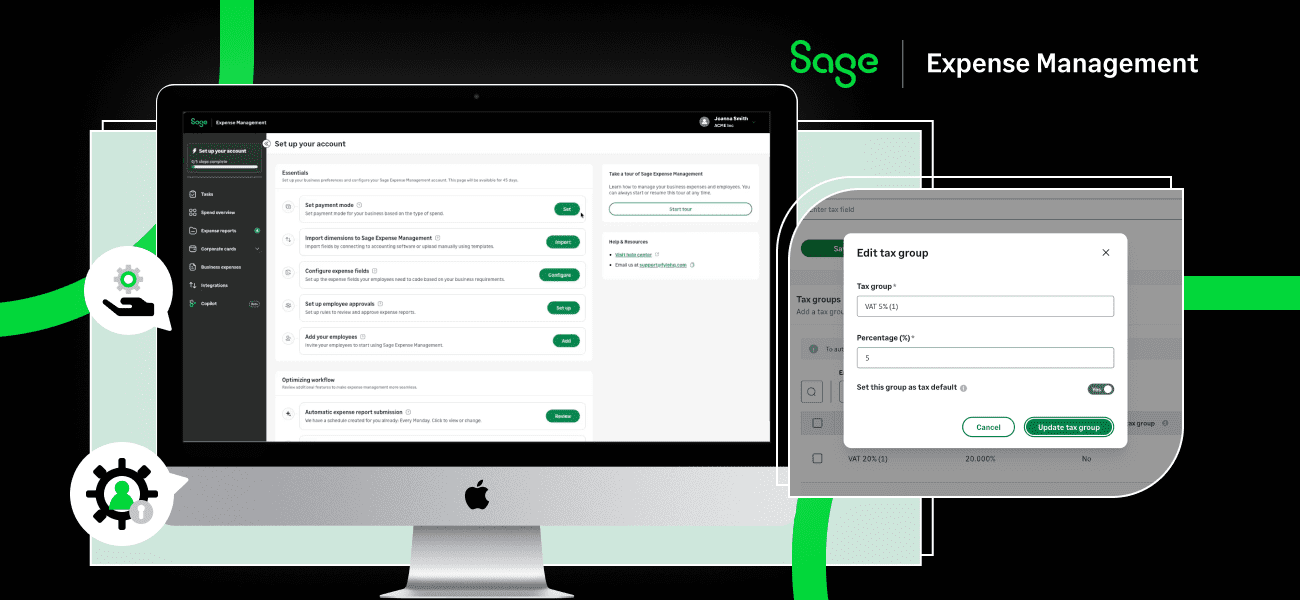
Tired of expense management headaches? You're not alone. While Expensify has been a popular choice, it's not always the perfect fit. From limited credit card options and sluggish receipt processing to rigid workflows and unresponsive customer support, businesses are searching for more flexible and efficient solutions.
Good news! The world of expense management software has evolved, and 2026 brings a wave of powerful Expensify alternatives ready to streamline your financial processes and give you greater control over company spending.
In this guide, we'll break down the top contenders, highlighting their strengths and why they might be a better choice for your business.
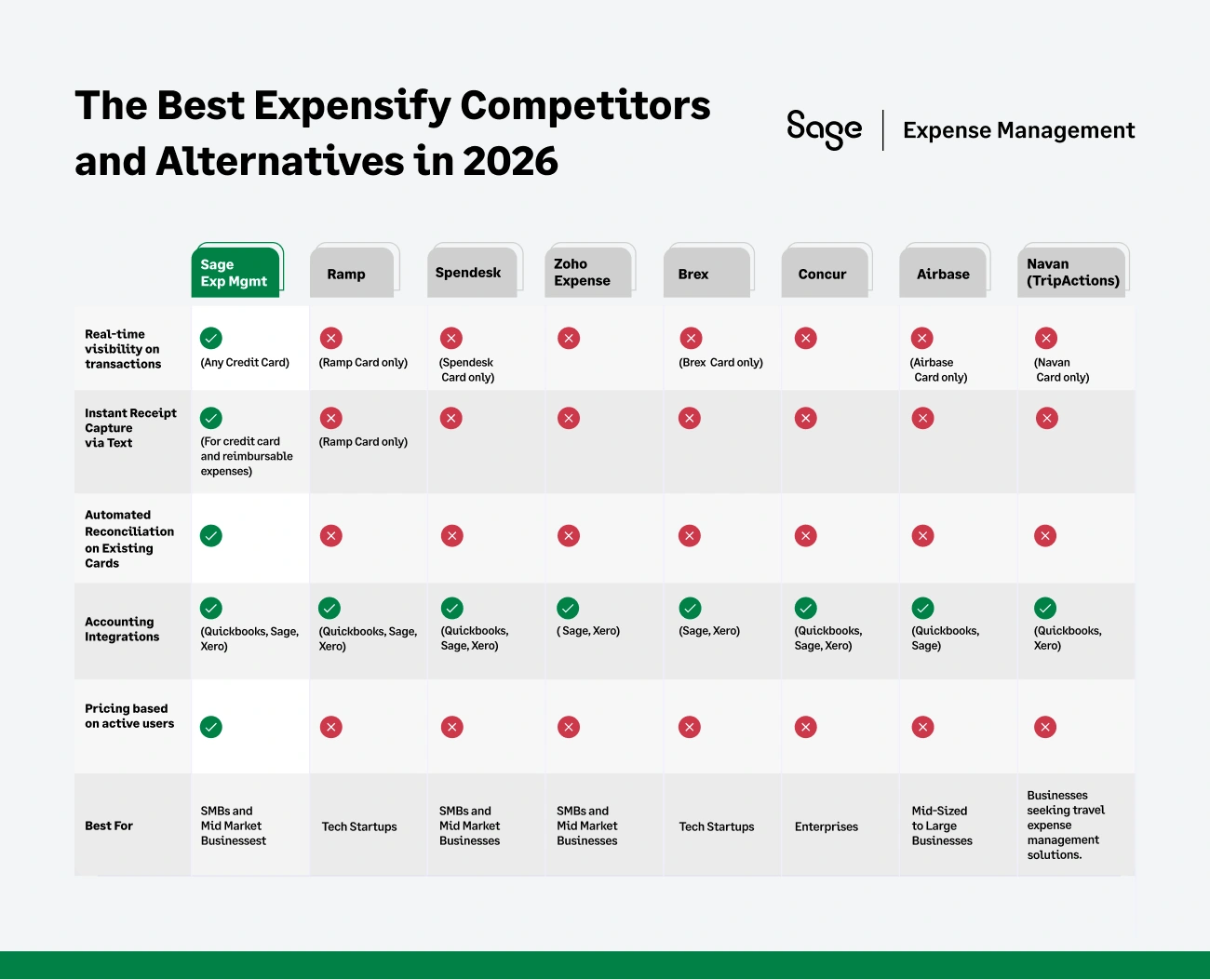
At a Glance: Top Expensify Alternatives Compared
Why Businesses Look for Expensify Alternatives?
While Expensify offers handy features like receipt scanning and corporate card management, several drawbacks are pushing businesses to explore alternatives. Here's what users are struggling with in 2026:
1. The Expensify Card Push
Expensify heavily promotes its own corporate card, and businesses opting to stick with their existing cards face higher subscription fees. This can disrupt existing card programs and limit flexibility.
{{card-integrate="/did-you-know-cards"}}
2. The BYOC Illusion: Bank Feeds vs. Direct Network Connections
Expensify’s new "Bring Your Own Card" (BYOC) feature lets you connect your existing corporate bank cards to the platform.
But there's a major catch: it relies on legacy bank statement feeds. Since these feeds take 24 to 72 hours to sync, transaction data is severely delayed, making real-time receipt prompts completely impossible. By the time the expense finally appears in the system, employees have often already lost the receipt.
To make matters worse, these bank feed connections are very fragile. The moment an employee updates their bank portal password, triggers multi-factor authentication (MFA), or the bank runs a routine security update, the data feed breaks entirely.
The result? Instead of saving time, finance teams are forced to play IT support- wasting hours chasing employees to re-authenticate accounts and fix broken feeds just to close the books on time.
{{woodford="/quote-banners"}}
3. SmartScan Not-So-Smart?
Expensify's SmartScan feature can be slow, taking up to an hour to process receipts. This creates delays in expense reporting and reconciliation, frustrating employees and finance teams.
4. Customization Constraints
Many businesses find Expensify's workflows too rigid. Customizing approval policies, creating tailored integrations, or setting up multi-level approvals can be challenging.
5. Accounting Integration Hiccups
While Expensify claims to integrate with major accounting software, users report syncing problems and the need for manual workarounds to ensure accuracy.
6. Customer Support Concerns
Slow or unhelpful customer service is a common complaint, especially when dealing with critical issues like accounting integrations and reimbursements.
Expensify’s support is chat-only for most technical issues, and Expensify employees do not even staff it. Instead, a third-party service handles troubleshooting through an “AI-powered Concierge chat”.
So, if you run into a problem that requires deeper intervention, don’t expect a phone call anytime soon; you’ll be stuck exchanging messages with bots or outsourced agents who often provide conflicting information
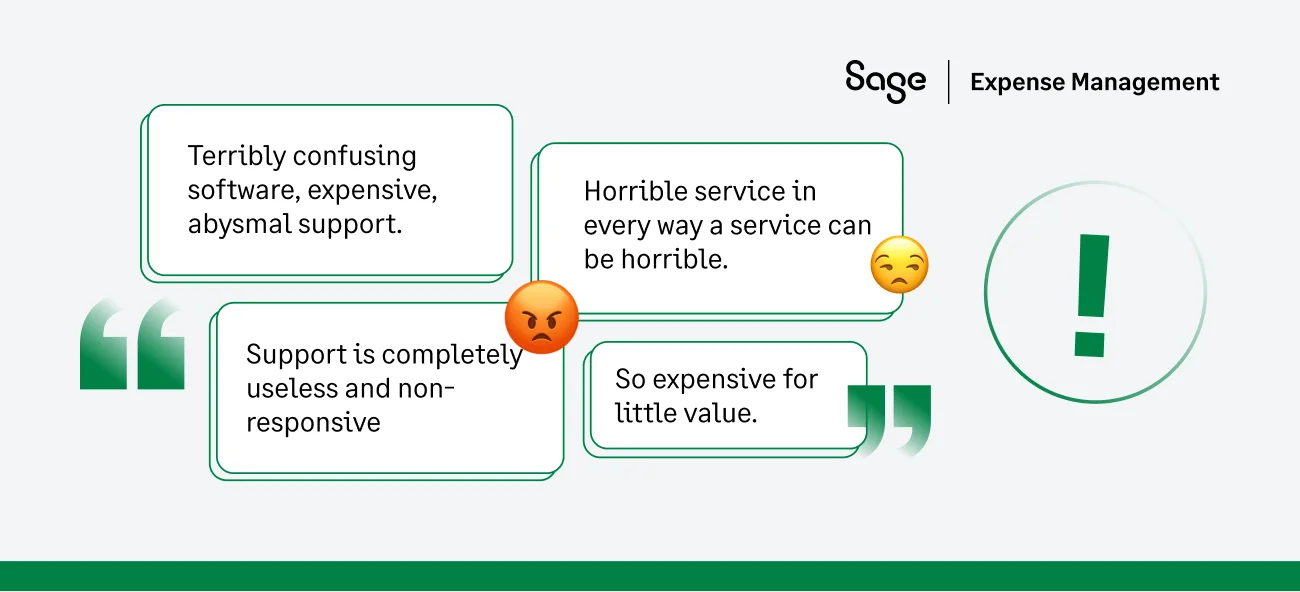
Sound familiar? If you're nodding along, it's time to explore the top Expensify alternatives of 2026.
The Top 8 Expensify Alternatives and Competitors
1. Sage Expense Management (formerly Fyle) – The Best Expensify Alternative
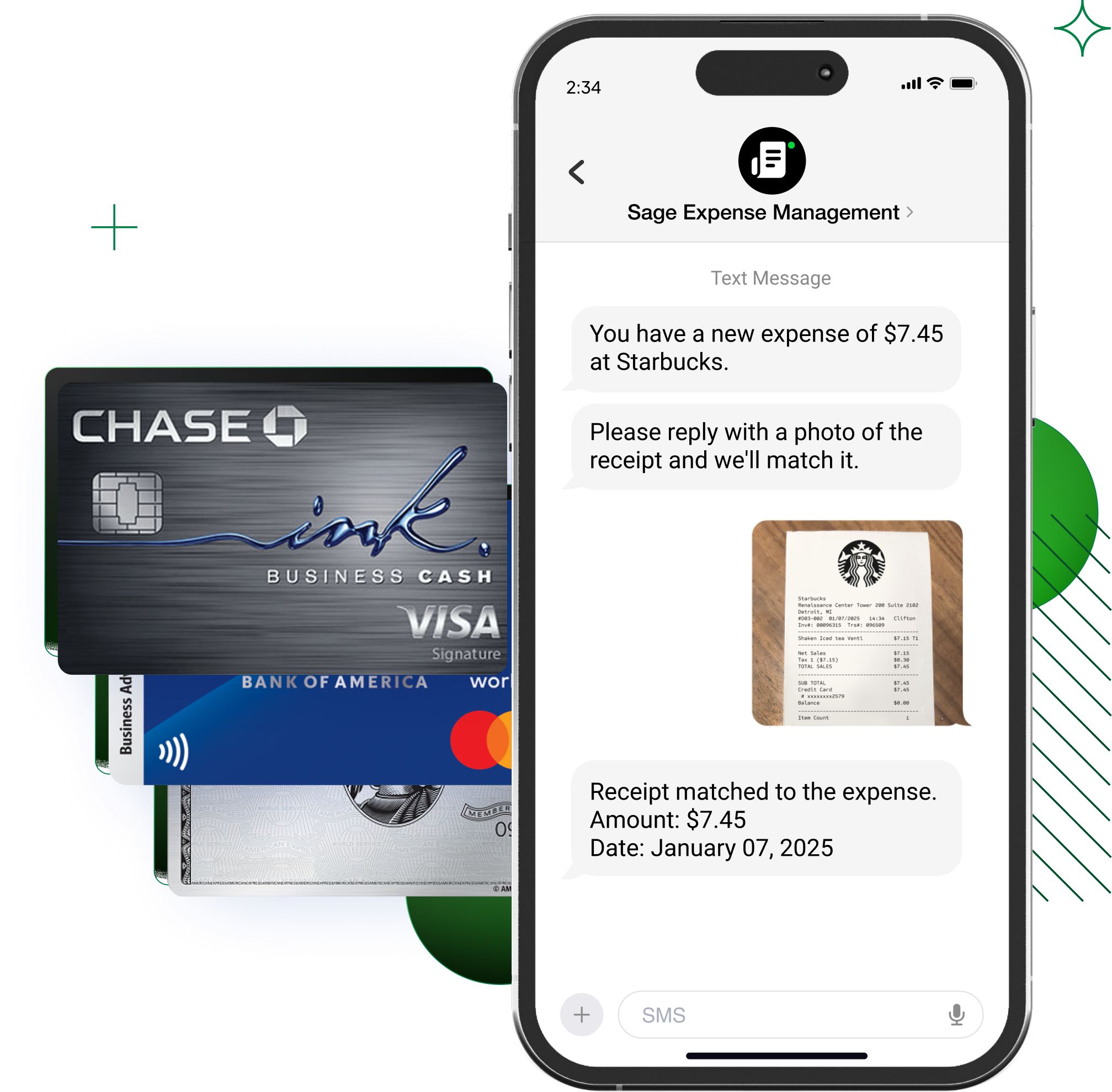
Sage Expense Management works with your existing credit cards. It seamlessly integrates with all major accounting software, including QuickBooks, Xero, and Sage Intacct.
Unlike Expensify, Sage Expense Management prioritizes real-time visibility, rapid receipt capture, and fully customizable workflows, empowering finance teams to take control.
Who is it for?
- Target ICP: SMBs and mid-market companies that want modern expense automation without being forced to switch their corporate credit cards.
- The users: Finance managers and accountants who need real-time data syncs to close the books faster, and everyday employees who want a frictionless, text-message-based receipt capture experience.
Features
Seamless Card Integrations
Sage Expense Management integrates with any business credit card, allowing businesses to maintain their existing setup without needing to switch card providers.
Real-Time Receipt Capture
Employees can submit receipts instantly via SMS, email, Slack, and the mobile app, ensuring transactions are captured without delays.
{{g2="/quote-banners"}}
{{85-of-sage="/did-you-know-cards"}}
Automated Reconciliation
Sage Expense Management automatically matches receipts with transactions, reducing manual effort and ensuring data accuracy.
Custom Approval Workflows
Finance teams can configure multi-level approval processes based on company policies, ensuring compliance and control over spending.
24/7 Customer Support
Sage Expense Management offers industry-leading customer support with a first response time under 30 minutes, ensuring users receive prompt assistance.
Transparent Pricing
Sage Expense Management offers straightforward pricing with no hidden fees or mandatory card requirements, making cost management predictable.
Pricing
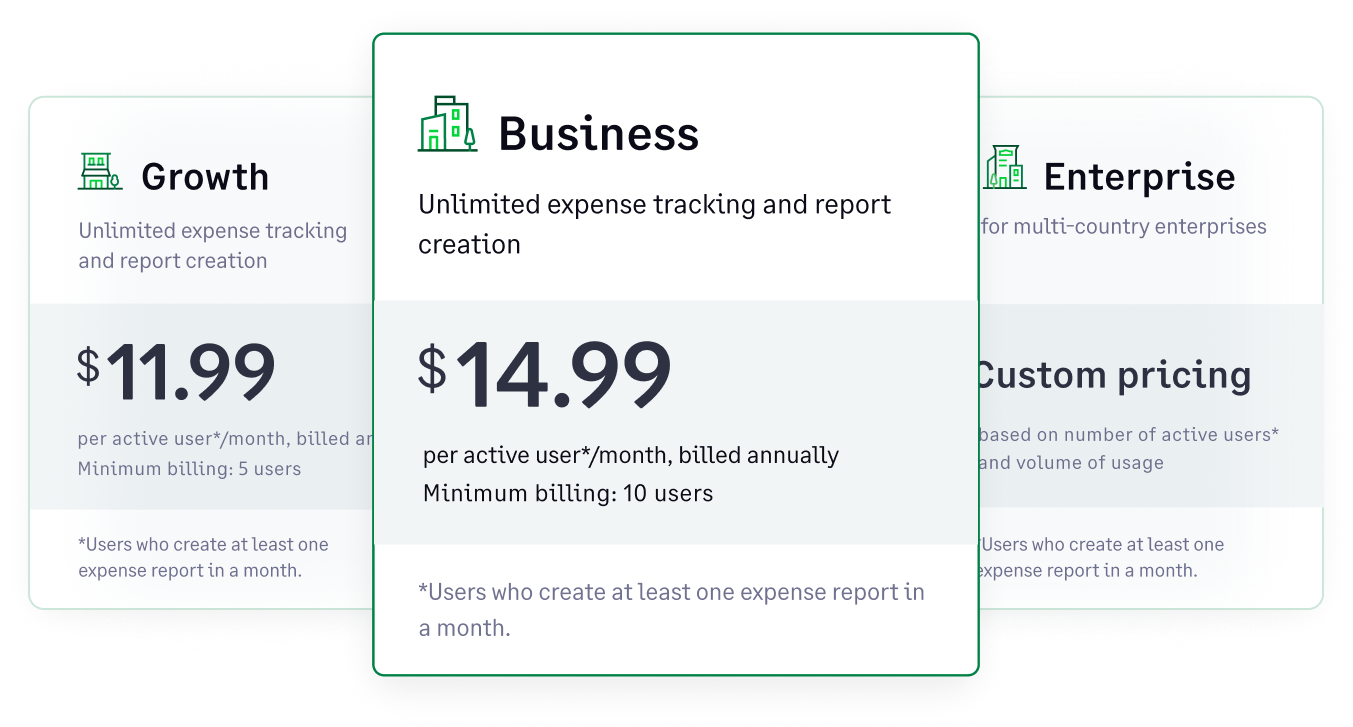
Starts at $11.99 per active user/month, billed annually. No hidden fees or forced card requirements.
Why Sage Expense Management is the Best Expensify Alternative
- No need to switch credit cards – Keep using your existing setup.
- Faster receipt processing – Expensify takes up to an hour; Sage Expense Management does it in seconds.
- Superior customer support – 24/7 availability, first response time under 30 minutes.
- Ease of submitting receipts via your daily tools like SMS, Gmail, Outlook, and Slack.
{{princeton-church="/quote-banners"}}
{{expensify-alternative="/cta-banners"}}
2. SAP Concur
SAP Concur is an enterprise-level expense, travel, and invoice management solution designed for large organizations that require strict compliance and integrations with ERP systems.
Who is it for?
- Target ICP: Massive, global enterprises with highly complex operations, heavy international travel, and legacy ERP deployments (like SAP).
- The users: Corporate leaders and enterprise finance teams managing multi-million-dollar budgets, and frequent business travelers who require deep, traditional travel agent support.
Features
- Automated travel and expense reporting to streamline submissions.
- Multi-level approval workflows for policy enforcement.
- AI-powered compliance checks to ensure adherence to expense policies.
- Deep ERP and accounting integrations with SAP, NetSuite, and more.
Pricing
Custom pricing based on company size and feature requirements.
Why People Prefer Concur vs Expensify
- All-in-one solution: Concur combines expense management, travel booking, and invoice processing into a single platform.
- Enterprise-grade features: Robust compliance, deep ERP integrations, and advanced automation cater to large businesses.
{{expensify-concur="/cta-banners"}}
3. Ramp
Ramp is a corporate spend management platform that offers businesses a mix of corporate credit cards, automated expense tracking, and real-time financial insights.
Who is it for?
- Target ICP: Startups and mid-market companies looking to consolidate their corporate cards and accounts payable into one system.
- The users: CFOs and corporate leaders seeking aggressive spend control and AI-driven cost savings, alongside employees who need instantly issued virtual charge cards for software subscriptions or stipends.
Features
- Unlimited virtual and physical corporate cards with custom spending limits.
- Automated receipt capture and real-time tracking for every transaction.
- AI-powered insights to identify cost-saving opportunities.
- Direct integrations with accounting platforms like QuickBooks and NetSuite.
Pricing
No upfront cost; Ramp charges interchange fees on transactions made with its corporate cards.
Why People Prefer Ramp vs Expensify
- Cost-saving insights: Ramp uses AI to identify opportunities to reduce expenses.
- Instant spend visibility: Track and manage expenses in real-time.
- Corporate card control: Issue and manage corporate cards with custom spending limits.
{{expensify-ramp="/cta-banners"}}
4. Zoho Expense
Zoho Expense is a cloud-based expense management tool that integrates seamlessly with the Zoho ecosystem, making it an ideal choice for businesses already using Zoho products.
Who is it for?
- Target ICP: Budget-conscious SMBs and businesses already heavily invested in the Zoho software ecosystem.
- The users: Small business owners and HR/Admin teams who need a straightforward, highly affordable tool, and everyday white-collar workers logging basic expenses.
Features
- Multi-level approval workflows to control expense approvals efficiently.
- Automatic expense categorization for simplified tracking and reporting.
- OCR-powered receipt scanning to eliminate manual data entry.
- Seamless integration with QuickBooks, Xero, and other accounting software.
Pricing
Zoho Expense offers a tiered pricing structure with four plans: Standard, Professional, Premium, and Custom.
Why People Prefer Zoho Expense vs Expensify
- Cost-effective: Zoho Expense offers affordable plans for businesses of all sizes.
- User-friendly: The intuitive interface makes it easy to navigate and use.
- Strong automation: Automate tasks like expense categorization and reporting.
{{expensify-zoho="/cta-banners"}}
5. Brex
Brex provides corporate credit cards with built-in expense management tools, making it a great option for startups and tech companies.
Who is it for?
- Target ICP: Well-funded, VC-backed startups, rapid-growth tech companies, and life sciences firms.
- The users: Startup founders and agile finance leaders looking for high-limit corporate cards without personal guarantees, and tech employees spending globally who need multi-currency support.
Features
- Corporate cards with high limits and cashback rewards.
- Automated receipt matching and real-time spend tracking.
- Expense categorization and custom approval workflows.
- Integration with QuickBooks, NetSuite, and Xero.
Pricing
No upfront cost; Brex earns revenue through interchange fees.
Why People Prefer Brex Over Expensify
- High credit limits: Ideal for businesses with significant spending needs.
- Rewards program: Earn cashback rewards on your company spending.
- Automated reconciliation: Save time and reduce errors.
6. Airbase
Airbase is a spend management platform combining bill payments, corporate cards, and expense tracking into one system. Additional fees may apply for certain features and services.
Who is it for?
- Target ICP: Mid-market companies that need a complete, end-to-end "procure-to-pay" platform.
- The users: Procurement managers, AP clerks who want to centralize purchase orders (POs), vendor bill payments, and employee expenses entirely in one interface.
Features
- Automated approval workflows for better compliance.
- Real-time spend analytics and budget tracking.
- Comprehensive integration with major accounting platforms.
- Centralized control over all business expenses.
Pricing
- Custom pricing based on company needs.
Why People Prefer Airbase vs Expensify
- Comprehensive solution: Manage all your business expenses in one place.
- Enhanced control: Gain greater visibility and control over spending.
- Streamlined processes: Automate tasks and reduce manual effort.
7. Spendesk
Spendesk is a spend management platform designed to help businesses control expenses, streamline payments, and manage approvals efficiently.
Who is it for?
- Target ICP: Mid-market companies, particularly those with a strong European presence or cross-border teams.
- The users: Department heads who need to manage team-specific budgets natively, and finance teams who need granular virtual card controls and built-in invoice processing.
Features
- Virtual and physical corporate cards for seamless spending control.
- Automated invoice processing to reduce manual entry and errors.
- Customizable approval workflows to align with company policies.
- Direct integrations with accounting software like Xero and QuickBooks.
Pricing
- Custom pricing based on company needs.
Why People Prefer Spendesk vs Expensify
- Flexible spending controls: Empower employees while maintaining oversight.
- Enhanced automation: Streamline expense management tasks.
- Improved collaboration: Facilitate seamless teamwork.
8. Navan
Navan (formerly TripActions) is a travel and expense management platform that integrates corporate travel booking with spend tracking.
Who is it for?
- Target ICP: Mid-market to Enterprise companies with heavy corporate travel requirements.
- The users: Travel managers and frequent flyers (sales reps, executives) who want a modern, consumer-grade booking app, and finance teams needing to automatically reconcile those travel bookings with expense policies.
Features
- Automated expense reconciliation for hassle-free reporting.
- Integrated travel booking system with expense tracking.
- AI-driven policy enforcement to maintain compliance.
- Centralized control for managing travel and expenses together.
Pricing
- Custom pricing based on company size and travel needs.
Why People Prefer Navan vs Expensify
- Unified platform: Manage travel and expenses together.
- Advanced automation: Streamline processes and reduce manual work.
- AI-powered compliance: Ensure adherence to travel and expense policies.
So, What is the Best Expensify Alternative?
Choosing the right expense management software can transform your financial operations. While the market offers several strong contenders, Sage Expense Management's simplicity, user-friendliness, and focus on real-time visibility make it a true standout.
{{g2-1="/quote-banners"}}
Sage Expense Management addresses Expensify's limitations by offering:
- Real-time transaction visibility
- Flexibility to use your existing cards
- Seamless accounting software integrations
- Policy checks for every receipt
- Automated approvals
Ready to experience an easier way to manage expenses? Schedule a demo today and see how Sage Expense Management can simplify your expense tracking.
{{top-expensify="/cta-banners"}}


.jpg)