



Getting church expenses into QuickBooks shouldn’t take hours of cleanup.
But for many churches, exporting expenses is still a manual, error-prone process. Receipts come in late. Ministry or fund tags are missing. Someone on the finance team re-enters everything into QuickBooks, only to spend more time fixing coding issues before reports are ready for review.
By the time expenses are finally posted, finance teams have already lost valuable time chasing details instead of supporting ministry work.
Sage Expense Management helps churches change that. It ensures expenses are captured correctly, approved properly, and exported cleanly into QuickBooks Online and QuickBooks Desktop, without rework or guesswork.
Why Exporting Church Expenses Is Harder Than It Should Be
Church expenses don’t come from a single office or team.
They come from:
- Multiple ministries and programs
- Staff and part-time employees
- Volunteers submitting expenses after events
- Church cards used across different activities
Before export, finance teams often deal with:
- Expenses coded to the wrong ministry or fund
- Missing receipts or incomplete reports
- Manual spreadsheets used to “fix” data
- Duplicate or incorrect entries in QuickBooks
The result is slow month-end closes and stressful audit preparation.
How Sage Expense Management Prepares Expenses Before Export
Instead of fixing errors after export, Sage Expense Management helps churches get expenses right at the time of submission.
Here’s how the process works:
- Staff and volunteers submit expenses with receipts attached
- Ministry, fund, and category fields are selected from QuickBooks-synced dropdowns
- Required fields can’t be skipped
- Expenses move through ministry and finance approvals
- Only approved, complete expenses are ready for export
By the time finance exports expenses, the data is already clean and structured.
How Sage Expense Management Makes QuickBooks Sync Easy
Sage Expense Management integrates with both QuickBooks Online and QuickBooks Desktop to make your life easier.
No double entry. No cleanup. Just clean, coded expense data flowing into your accounting system.
Here’s how it works:
1. Clean Coding From the Start
Every expense in Sage is tagged to your church’s custom fields — like Ministry, Fund, Program, Event, or Grant.
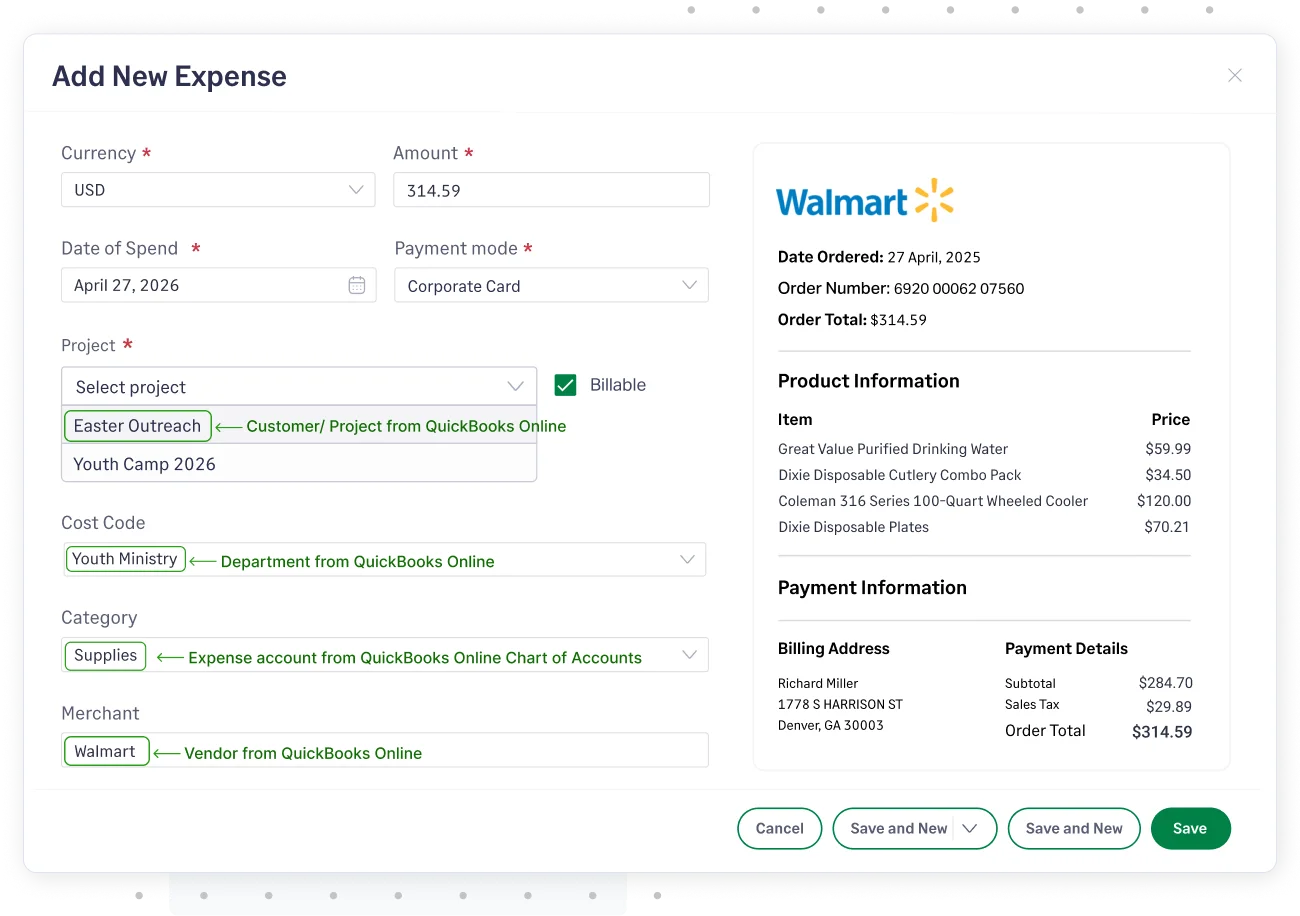
These fields are mapped to QuickBooks dimensions (like Classes, Locations, or Customers), so you never have to recode later.
You get full control over:
- Which QuickBooks fields you want to sync with
- Whether to export expenses as bills, checks, or journal entries
- How categories, tax codes, and payment methods are mapped
2. Real-Time Card Feeds With Auto-Matching
Sage connects directly with your church’s Visa, Mastercard, or American Express cards.
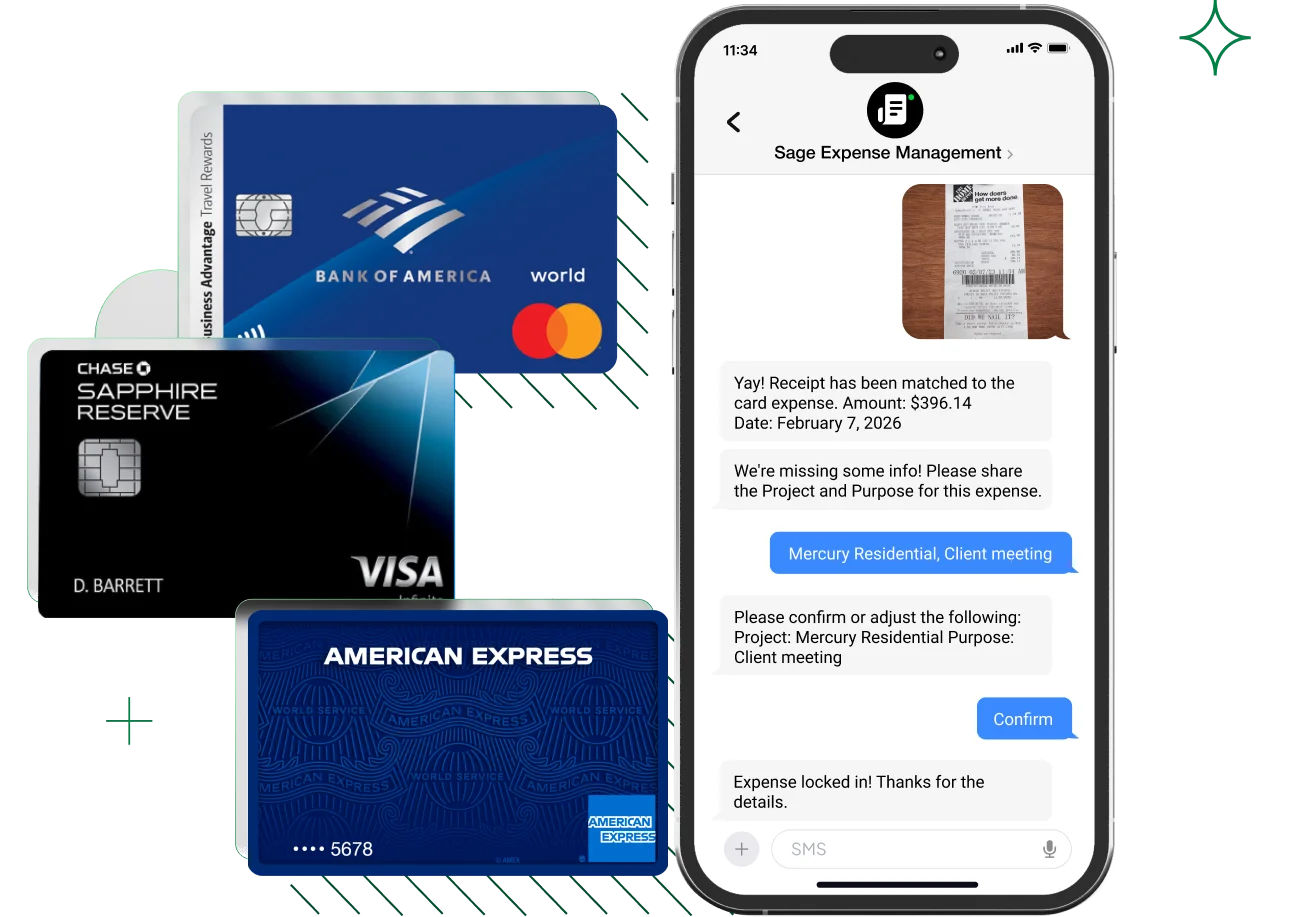
Every time a staff member or pastor uses a card, the transaction shows up instantly. Sage sends them a text asking for a receipt, which gets matched automatically.
That means:
- Receipts are submitted on time
- Expenses are matched to the correct card transaction
- You don’t need to reconcile manually before exporting
3. Approvals and Policy Checks Before Export
Before an expense reaches QuickBooks, it goes through your church’s approval chain.
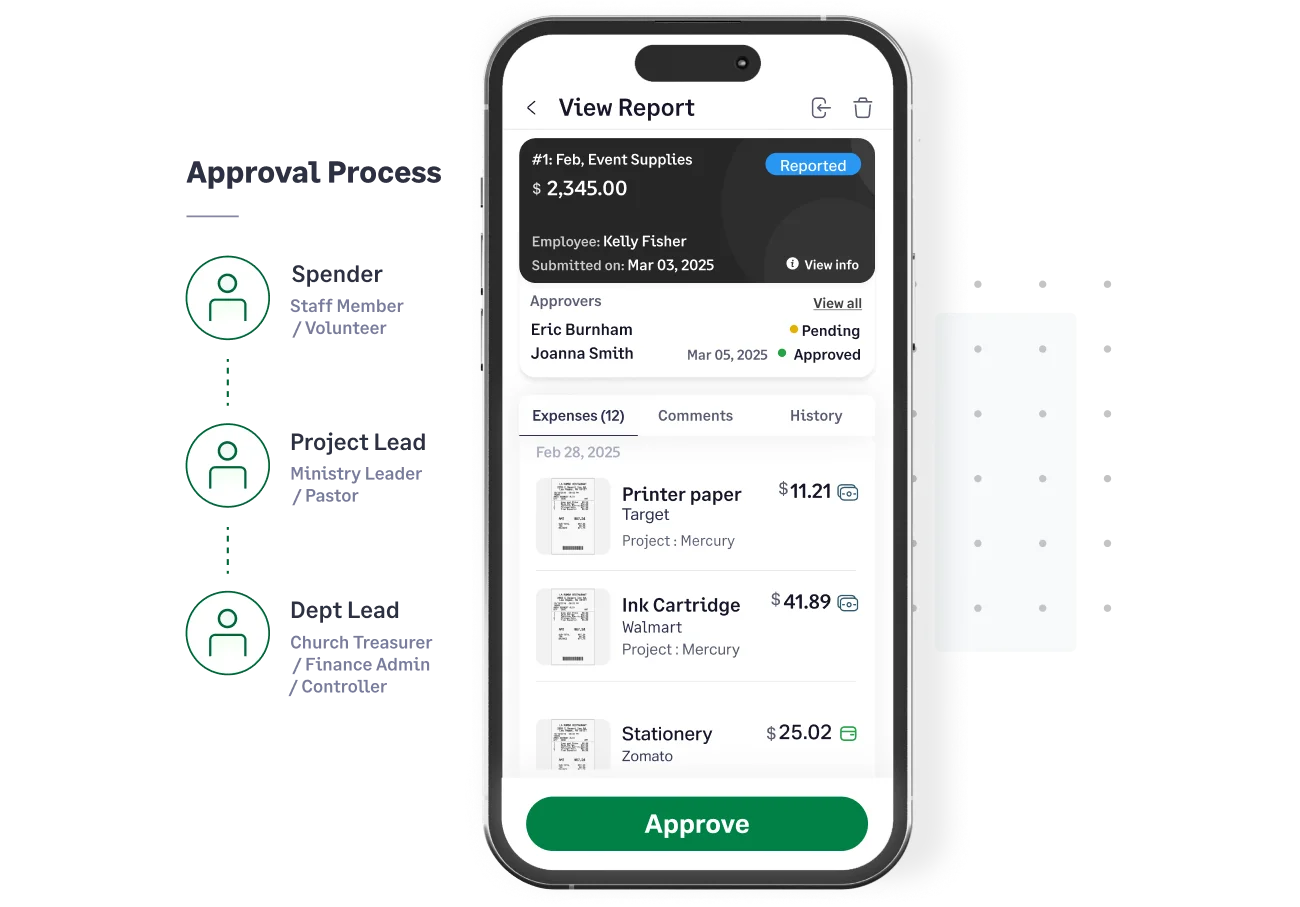
Sage supports multi-level approvals and real-time policy enforcement — so only clean, approved expenses are exported.
That means:
- No duplicate or incorrect data in your books
- No exports with missing receipts or coding
- Less back-and-forth between finance and staff
4. Export Expenses in Clicks
Once everything looks good, your finance team can export expenses in one click.
Choose the date range. Filter by ministry or fund. Export all expenses, or just the approved ones.
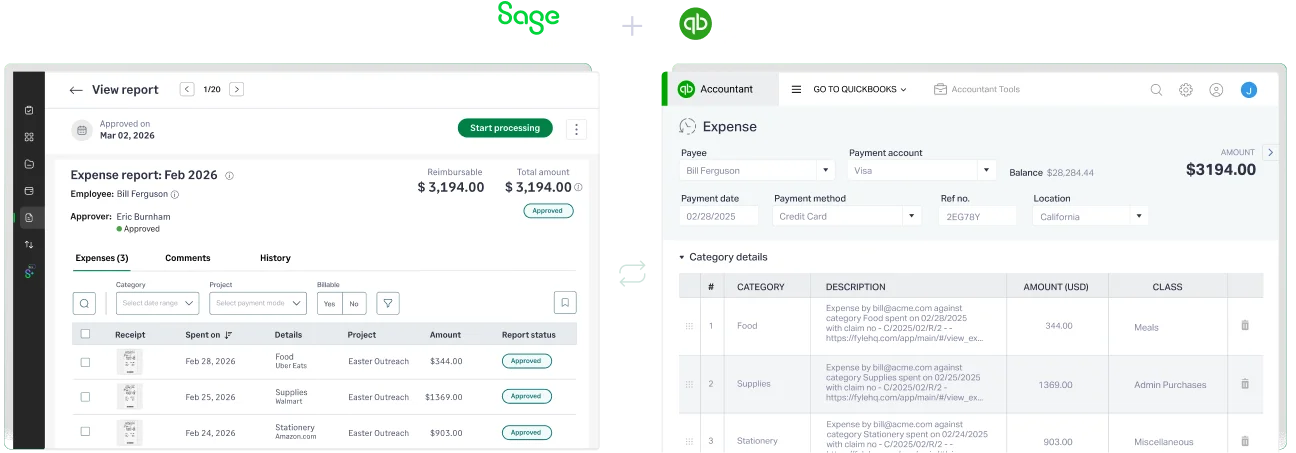
Sage sends the data to QuickBooks Online or Desktop, including:
- Vendor
- Payment method
- Category
- Fund or Class
- Receipt and memo
Everything lands exactly where it needs to, no rework required.
5. Avoid Duplicate Entries and Keep Books Clean
Worried about exporting something twice? Sage takes care of that too.
It flags already-exported expenses, lets you skip specific ones, and keeps an audit trail of what was synced and when.
You stay audit-ready without manual tracking.
Benefits for Church Finance Teams
- Keep QuickBooks clean with pre-coded, approved expenses
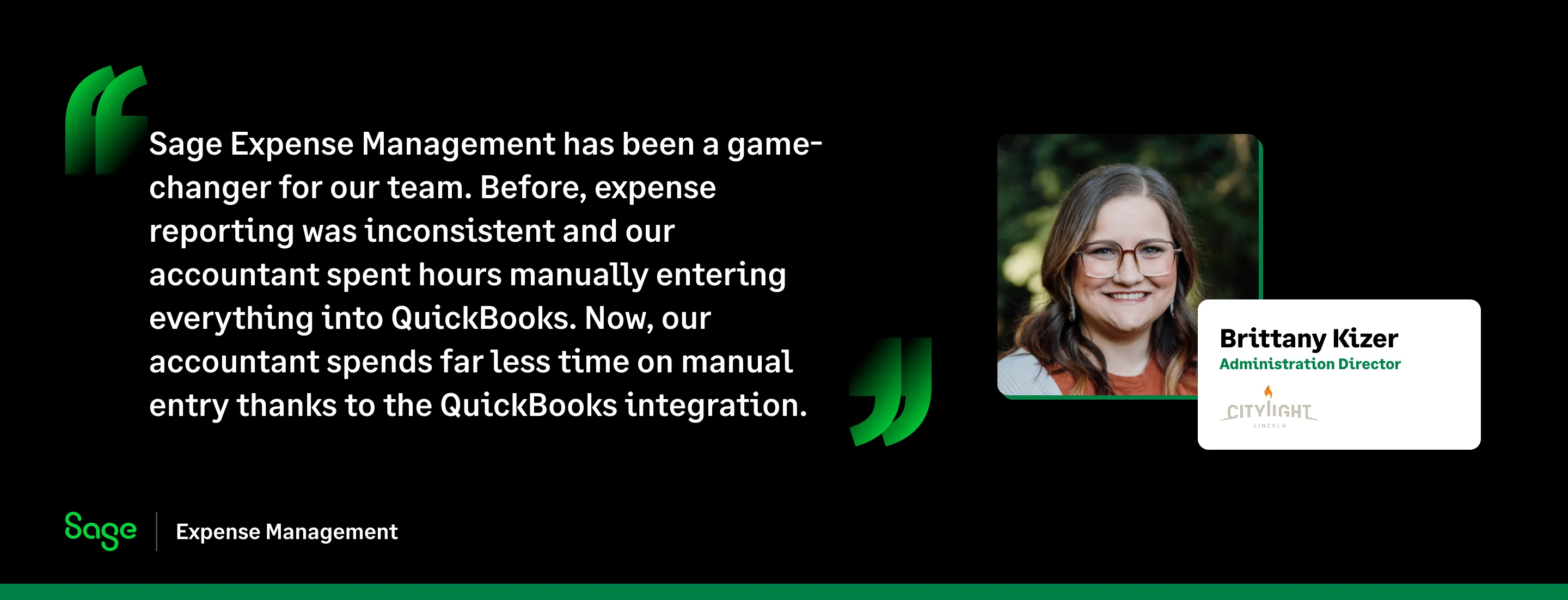
- Save hours every month by eliminating manual entry
- Get accurate fund reporting with mapped ministries, events, and grants
- Sync in bulk or one-by-one — whatever works for your review flow
- Compatible with both QuickBooks Online and Desktop
Clean Exports Without the Cleanup
Church finance teams shouldn’t have to spend hours fixing expenses after they’re exported.
With Sage Expense Management, expenses are captured correctly, approved properly, and exported cleanly into QuickBooks Online or Desktop.
No spreadsheets.
No rework.
No last-minute surprises.
{{church-quickbooks-integration="/cta-banners"}}








