


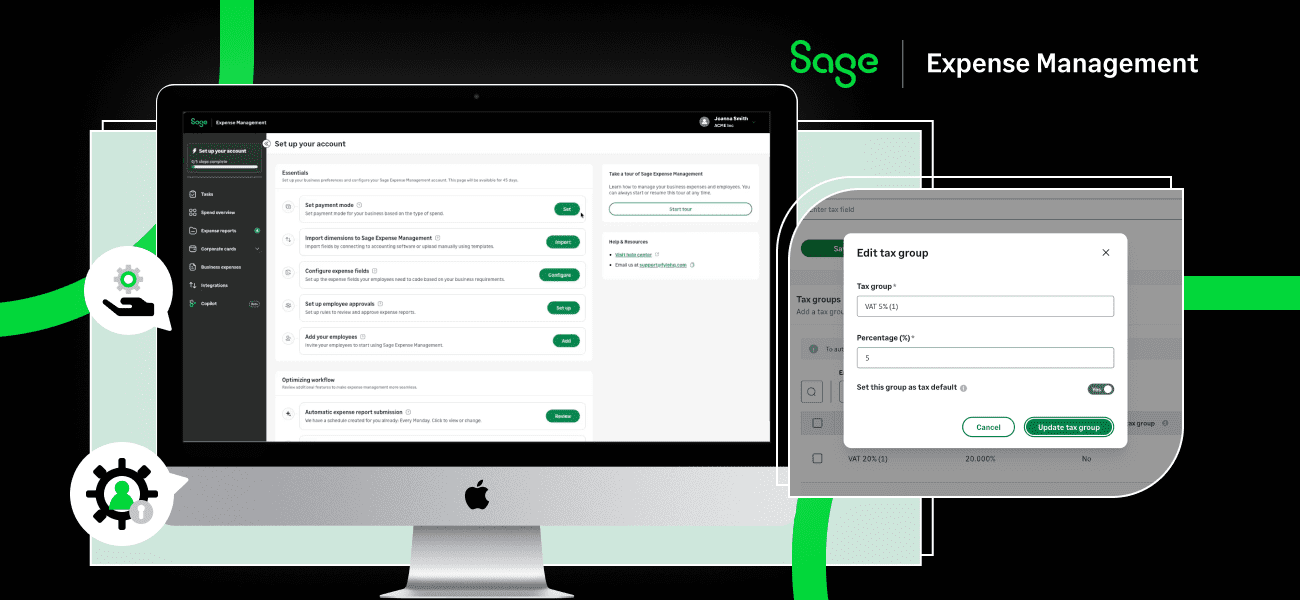
Q4 has been all about making everyday expense workflows easier for admins and spenders. From guided account setup and more flexible policies to simpler card management and new UK mileage and VAT capabilities, we’ve rolled out updates that reduce manual work and give teams more control.
Get started faster with guided account setup
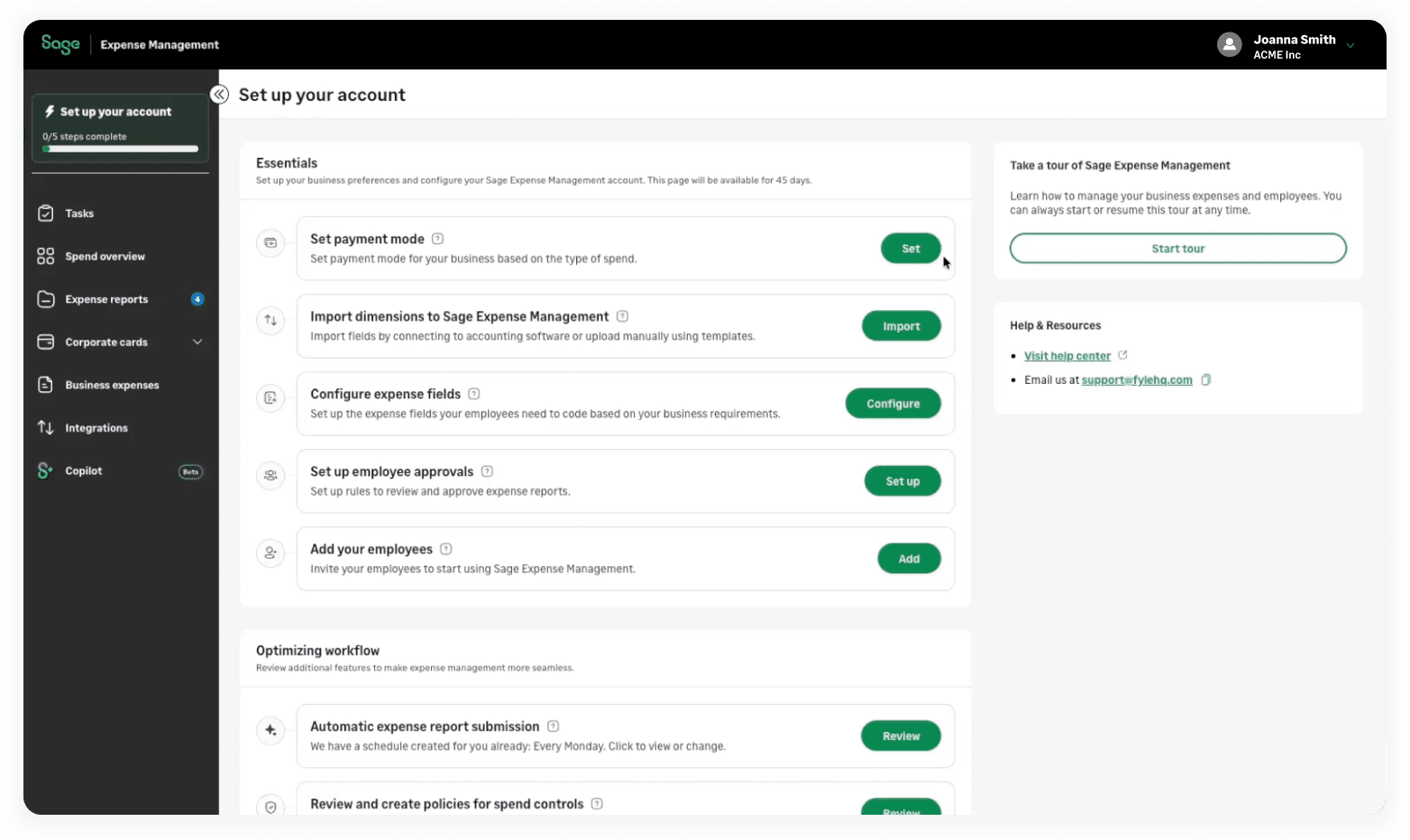
Getting started with Sage Expense Management now comes with a clearer path. New admins land on a single setup page that brings essential configuration tasks together, with guidance to help them complete their account setup.
Admins can set up payment modes, import accounting dimensions through an integration or manual upload, configure expense fields, set up approvals where available, and invite employees. They can also review default policies and automatic report submission settings, with a product tour and resources to help along the way.
Keep your card list organized with archiving and duplicate detection
Managing inactive and duplicate cards is now easier, while keeping transaction history available.
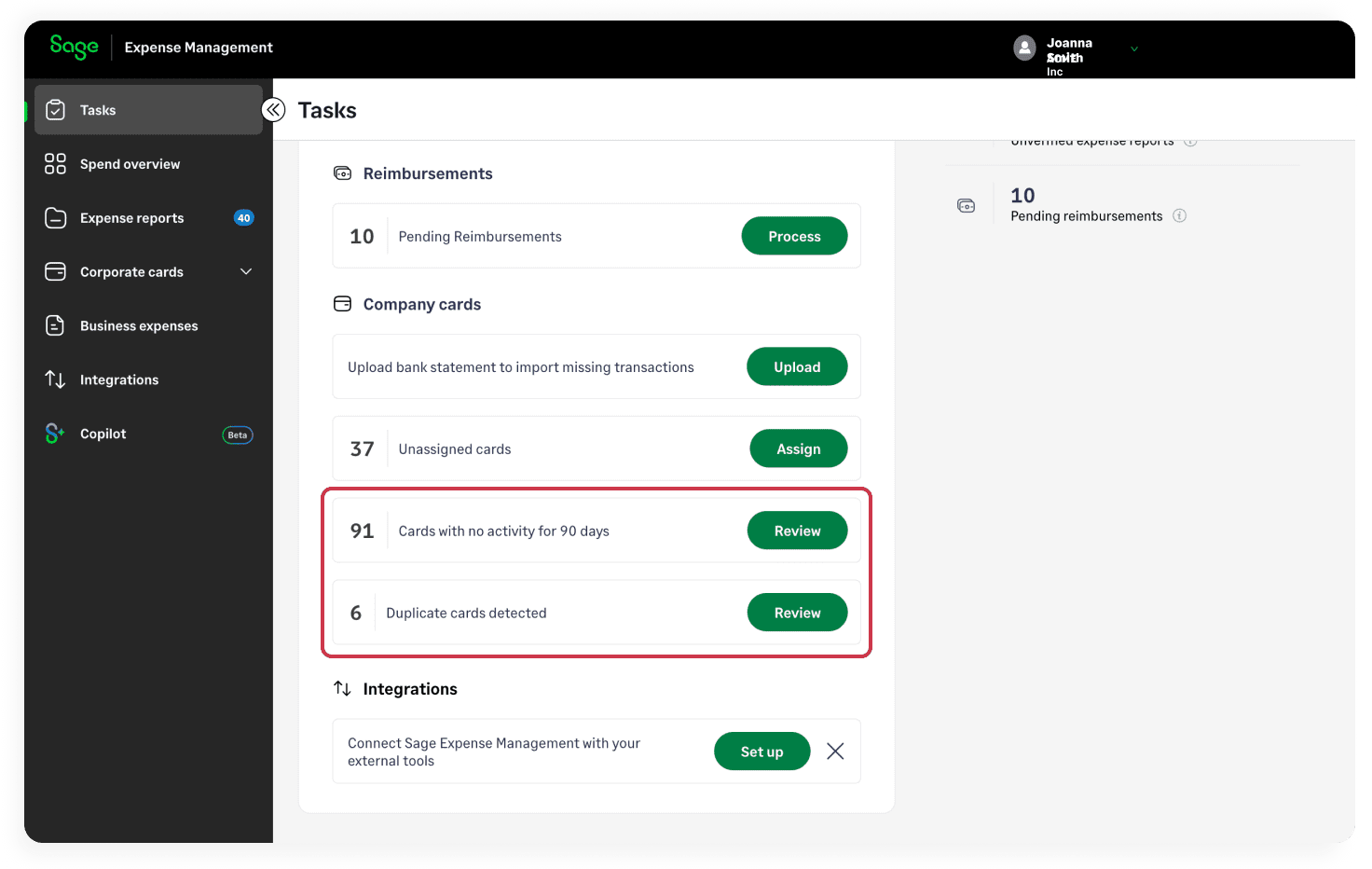
Admins can archive assigned or unassigned cards that are no longer in use and restore them whenever needed. Archived cards move out of active workflows into a dedicated Archived section, while historical transactions and expenses are preserved. The Admin Tasks page suggests cards with no transactions in the last 90 days or cards assigned to disabled users for archival. Cards are also archived automatically when an employee is off-boarded.
The system also flags potential duplicate cards with the same cardholder and last four digits. Admins can review these suggestions and merge system-identified pairs, bringing their transaction histories together under a single card.
Set more flexible receipt policies for specific merchants
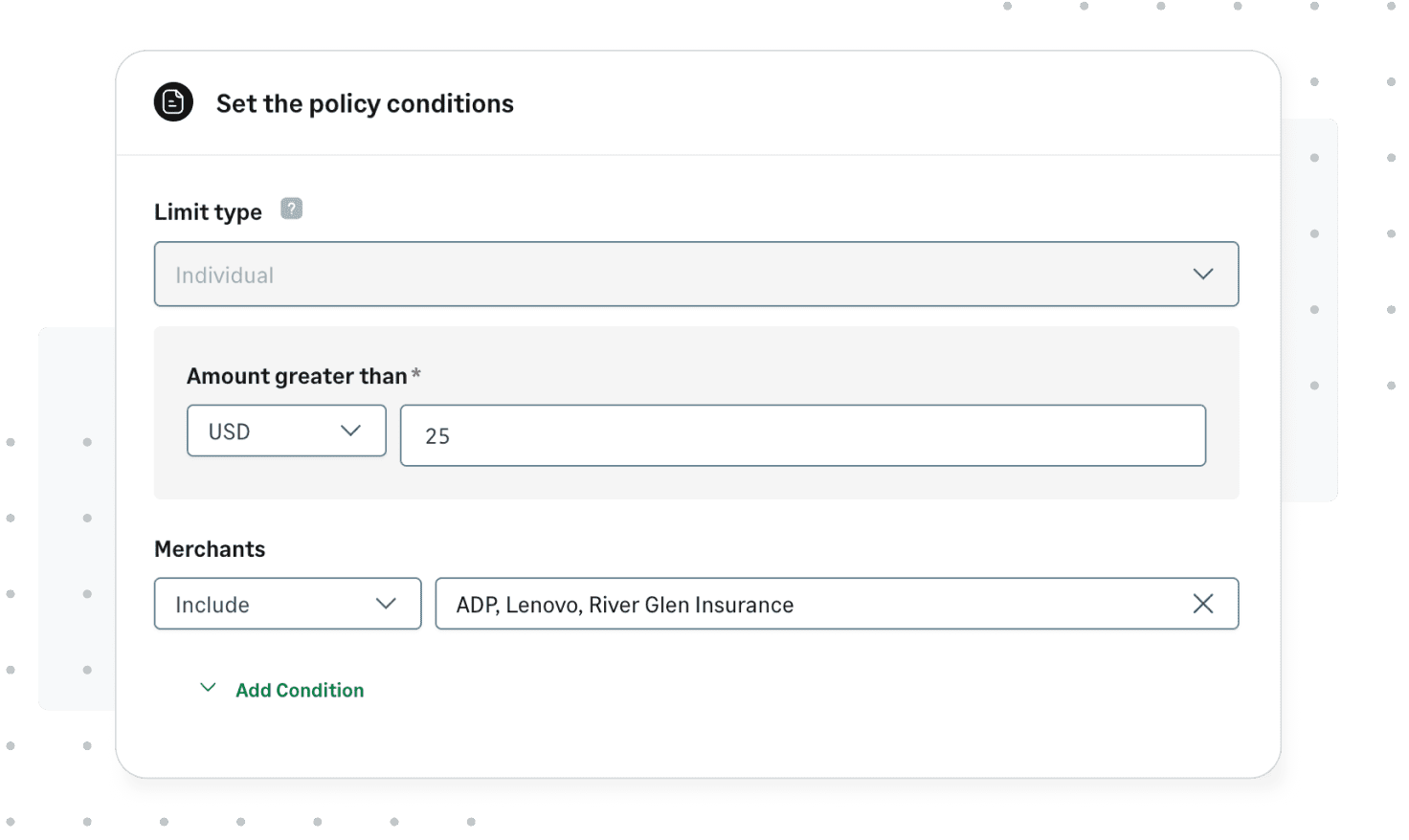
We’ve made receipt requirements more flexible with merchant-based policy conditions. Admins can now include or exclude specific merchants—for example, recurring subscriptions such as Azure where a receipt isn’t required for every charge. These conditions can also be combined with other policy conditions.
Manage more admin settings in bulk
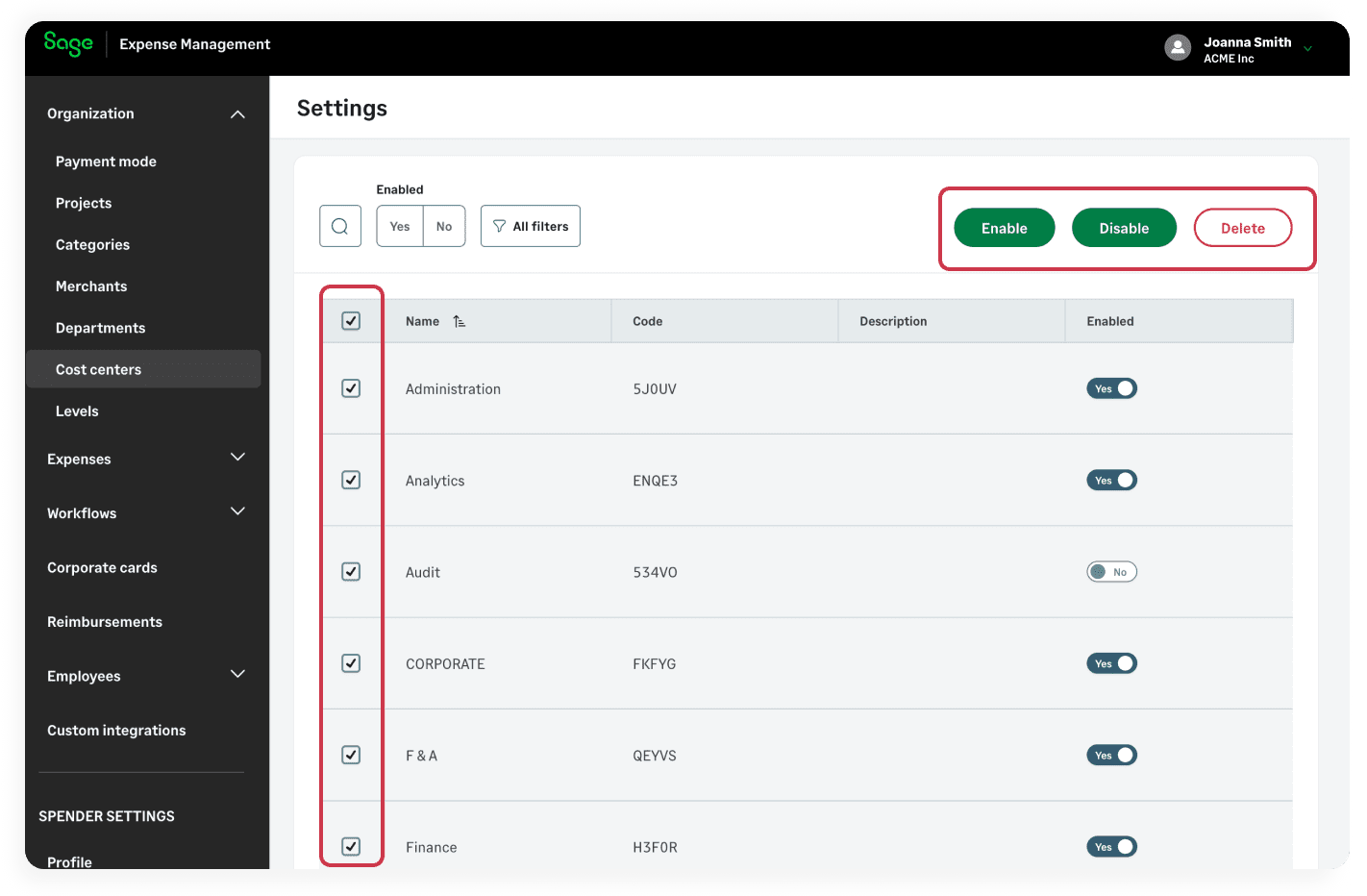
Updating configuration values one at a time can be repetitive. We’ve extended bulk selection and actions to more Admin Settings pages so admins can manage multiple values together.
- Cost centers, mileage rates, and per diem rates: Enable, disable, or delete multiple values.
- Departments and levels: Delete multiple values.
- Tax groups: Disable multiple values.
We’ve also introduced additional filters on the cost centers, mileage rates, and per diem pages for easy access.
Arrange custom fields to match your workflow
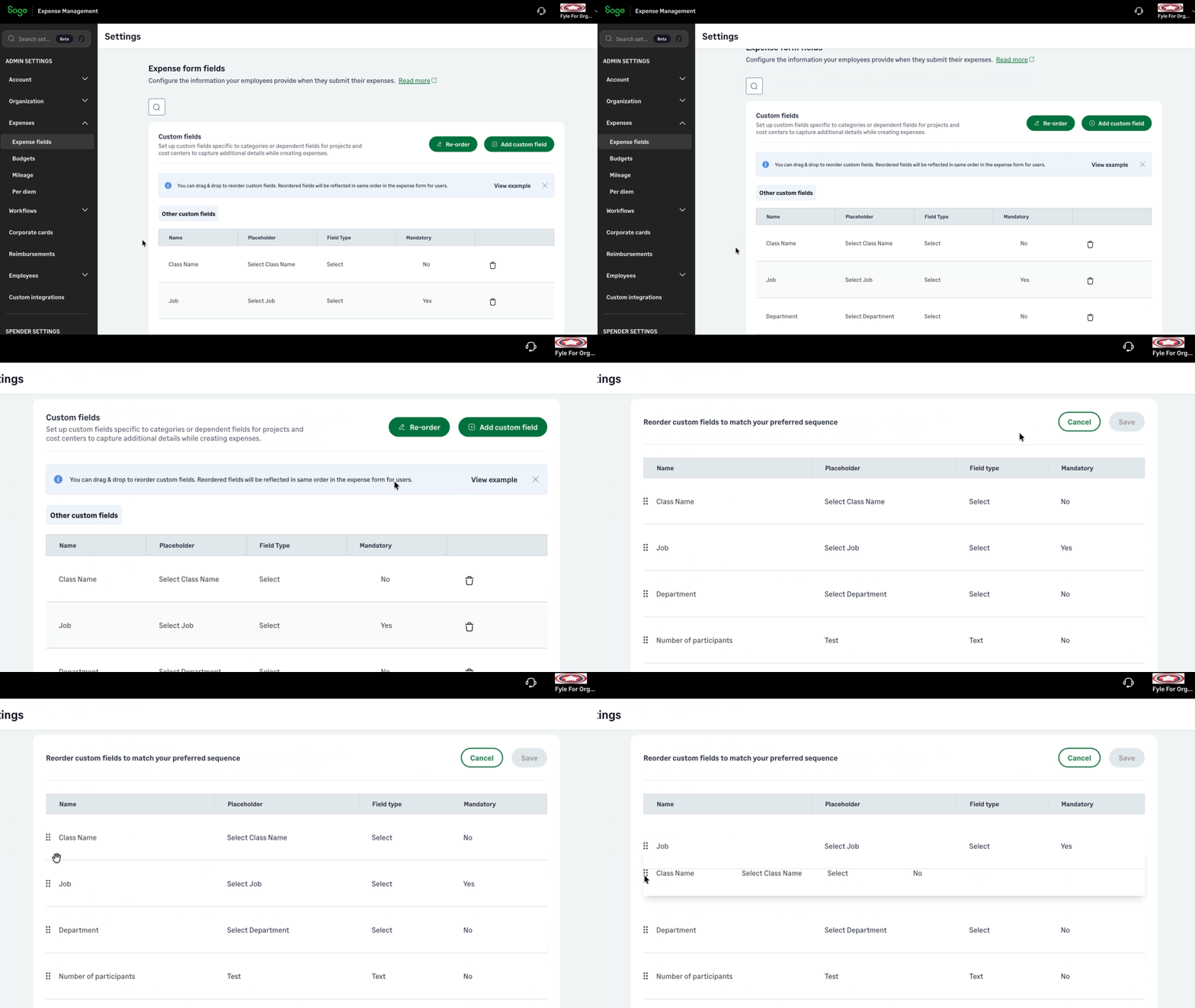
Admins can now control the order of custom expense fields, helping employees code expenses more easily. Group related fields together, put frequently used fields first, or arrange them to match your organization’s workflow.
We’ve also standardized the default order alphabetically by field name. Both the default and customized order are consistent across regular expense, mileage, and per diem forms on the web and mobile apps, Chrome and Outlook extensions, and text messaging.
Introducing UK-specific mileage
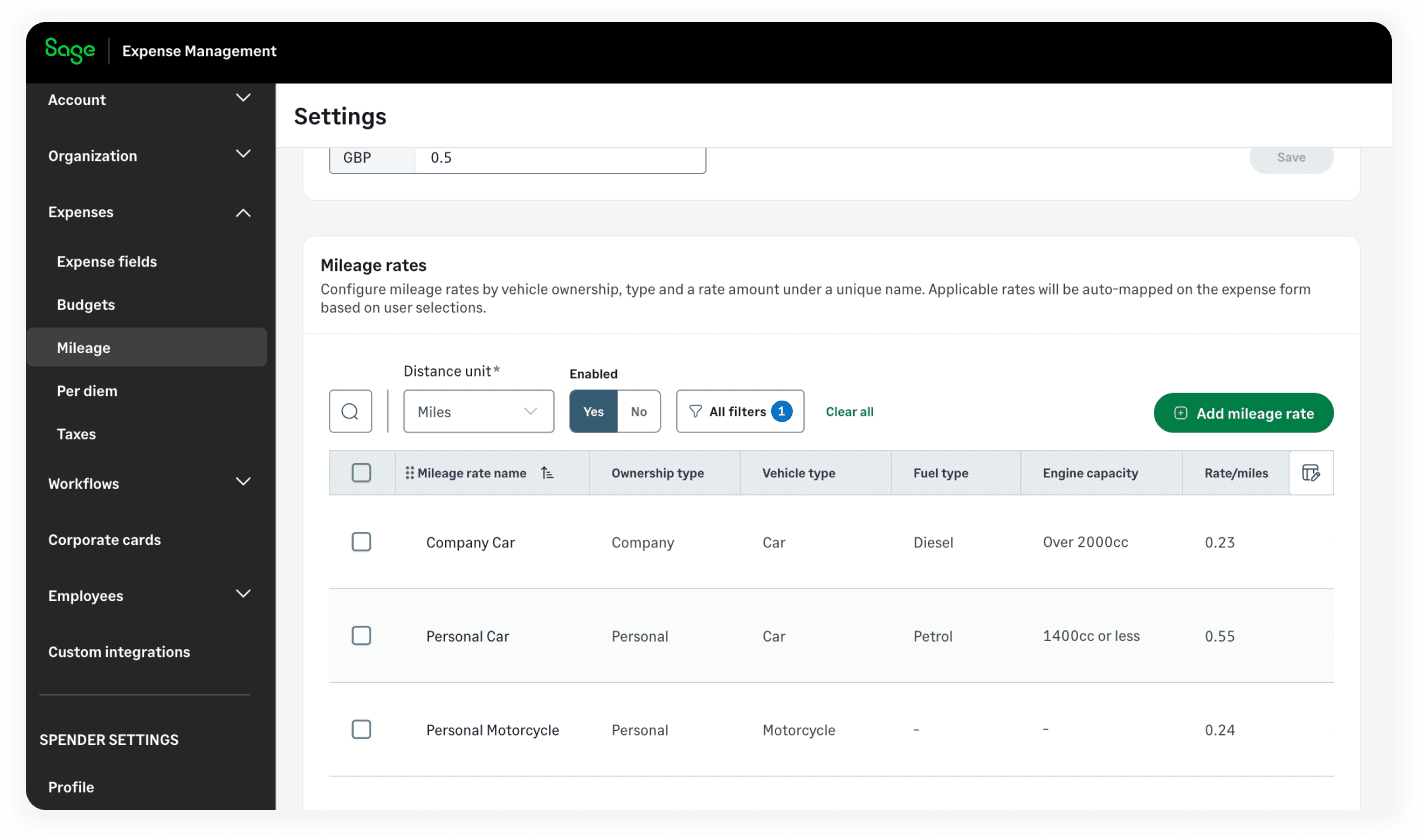
Our new UK mileage module supports vehicle-based rates and passenger mileage, helping admins configure rates that fit their organization’s reimbursement rules.
Rates can be configured by vehicle ownership, vehicle type, fuel type, engine capacity, and charging location (for electric vehicles). This supports structures such as HMRC’s Approved Mileage Allowance Payments and Advisory Fuel Rates, while rate values will continue to be maintained by admins.
When creating an expense, employees select their vehicle ownership, vehicle, and mileage rate from the options enabled by their admin. This helps them choose the appropriate rate without browsing unrelated options.
Admins can also enable passenger mileage for cars. Employees can add up to six passengers, and the passenger amount is calculated using distance, passenger count, and the configured rate—all within the same expense.
Automatically capture expense and VAT details from GBP receipts
Employees dealing with GBP receipts can now create expenses with less manual intervention. When a GBP receipt is uploaded, Sage Expense Management can extract the merchant, amount, currency, date of spend, VAT rate, and VAT amount, then fill these details into the expense for review and editing.
Default tax groups for easier UK VAT capture
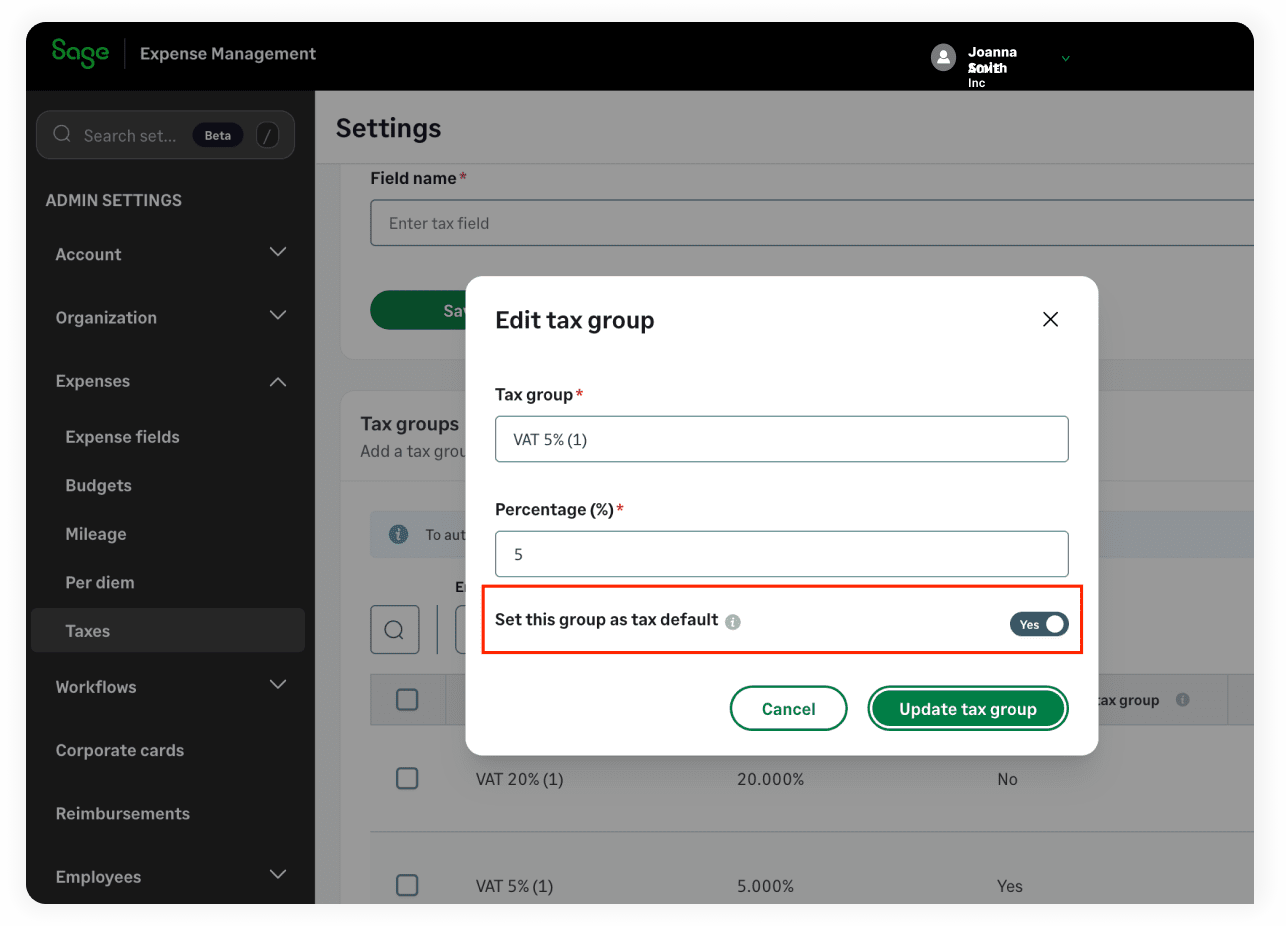
Admins in organizations with GBP as their home currency can now set one default tax group for each supported UK VAT rate: 0%, 5%, and 20%.
When VAT information is extracted from a receipt, Sage Expense Management uses the default tax group for that rate to fill the tax field. Admins can set or change these defaults from the Tax module by opening the relevant tax group.
That’s a wrap for the quarter!
From simplifying account setup and administrative tasks to improving card management, expense policies, and UK mileage and VAT workflows, this quarter's updates are designed to help your team spend less time managing expenses and more time focusing on what matters.
We're continuously improving Sage Expense Management based on your feedback. Have a suggestion or something you'd like to see next? We'd love to hear from you at [email protected].