



.webp)

If you ask ten employees what "expense management" is, they’ll probably say, "It’s how I get my money back."
But if you ask an accountant or controller, the answer is very different.
It’s not just about reimbursement—it’s about risk mitigation, cash flow visibility, and audit defense.
In 2026, expense management has evolved. It is no longer just a pile of receipts on a desk; it is a strategic function that sits at the intersection of HR, Tax Compliance, and Accounting.
Whether you are a scaling startup or an established mid-market enterprise using Sage Intacct or QuickBooks, this guide covers everything you need to know to turn your expense process from a "hot mess" into a strategic asset.
What is Expense Management?
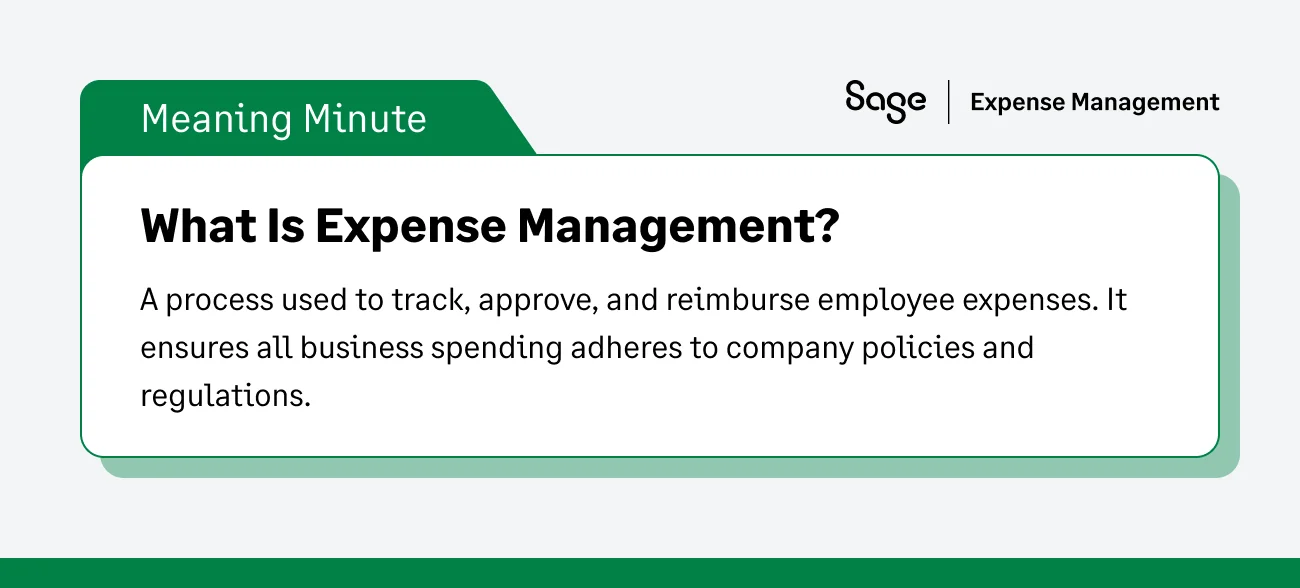
At its core, expense management is the system a business uses to pay, process, audit, and report on employee-initiated spend. This includes everything from travel and client entertainment to office supplies and software subscriptions.
Why is a Formal Expense Management System Essential?
Without a formal system, your business is leaking money. But the impact goes deeper than lost change. A modern expense management strategy rests on Four Pillars:
- Compliance: Ensuring every dollar spent adheres to IRS regulations (specifically the Accountable Plan rules) to avoid tax penalties.
- Control: Preventing fraud and out-of-policy spend before the money leaves the building.
- Costing: accurately assigning costs to the right Client, Project, or Department to understand true profitability.
- Cash Flow: Giving finance real-time visibility into spend liability, rather than waiting for the credit card statement at month-end.
The Expense Management Process: Traditional vs. Modern
To understand where we are going, let's take to look at where most businesses are stuck.
The Traditional (Manual) Expense Management Process Breakdown
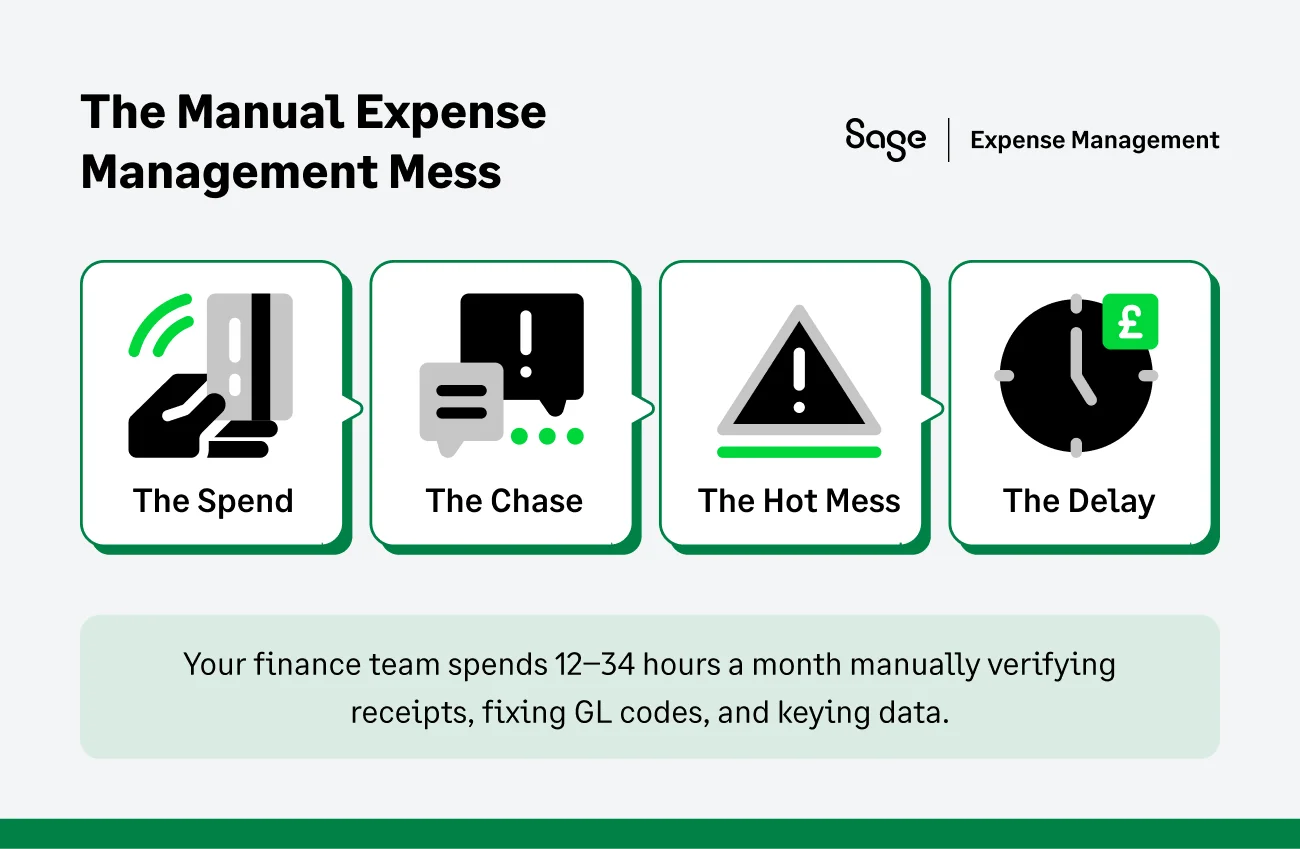
For decades, the expense loop has looked the same. It is a slow, reactive cycle that frustrates everyone involved:
- The spend: An employee buys a client lunch or books a flight.
- The chase: The employee stuffs the receipt in a wallet (or loses it).
- The "hot mess": At the end of the month, the employee frantically builds a spreadsheet, taping receipts to paper or scanning them into a PDF.
- The delay: Managers rubber-stamp approvals without checking details.
- The bottleneck: The finance team spends 12–34 hours a month manually verifying receipts, correcting GL codes, and keying data into the ERP.
The result: Your finance team becomes data entry clerks, and your books are never closed on time.
The Modern (Automated) Expense Management Process
Modern platforms like Sage Expense Management flip this model by focusing real-time spend visibility through instant credit card purchase alerts:
- The trigger: The moment a card is swiped, the transaction logs automatically in the system.
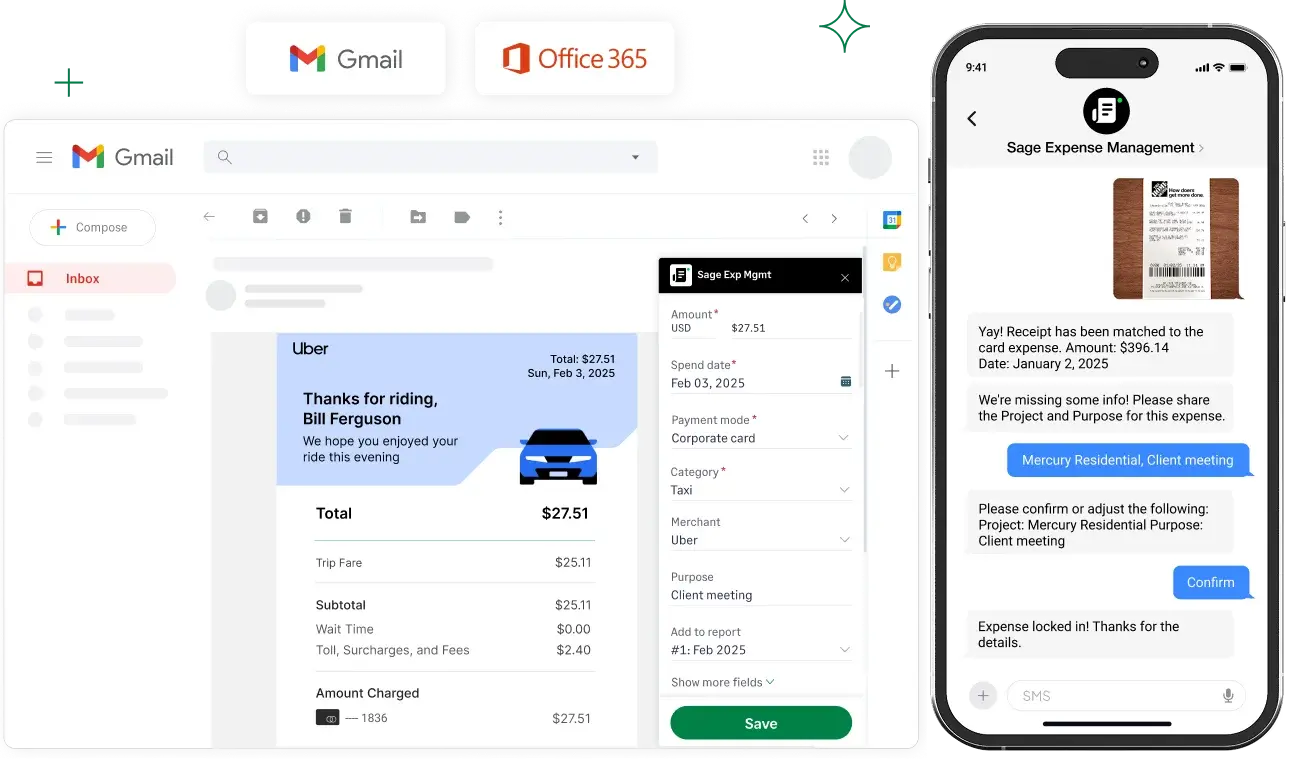
- The capture: The employee gets a text message notifying them of the transaction. They reply with a photo of the receipt. Done.
- The automation: AI instantly codes the expense, checks it against policy (e.g., "Is this meal under $75?"), and flags violations.
- The sync: Approved, clean data flows directly into Sage Intacct or QuickBooks.
The Cost of Manual Expense Management
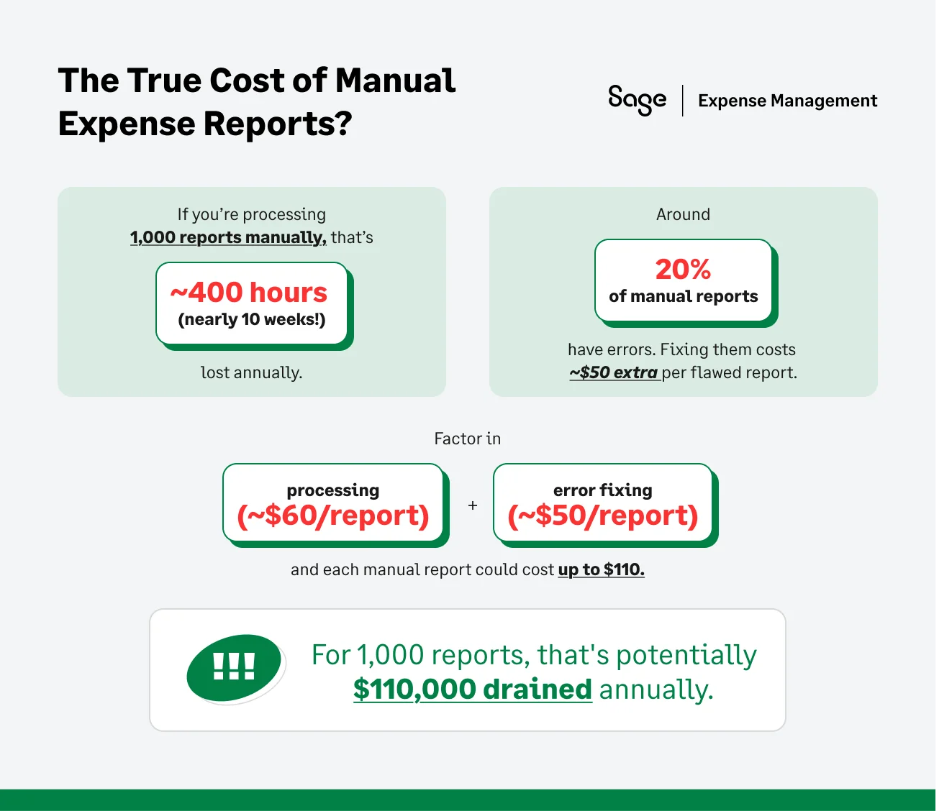
Sticking to spreadsheets isn't "saving money." It’s costing you in hidden labor and strategic blind spots.
The Time-Sink
Our customers revealed that they spent an average of 12 to 34 hours per month just cleaning up expense data. That is nearly a full work week of high-value salary wasted on low-value data repair.
The Error Factory
Manual entry leads to data-entry errors. A $100.00 expense entered as $1,000.00 skews your books and requires hours of forensic accounting to find.
The Staggering Cost of Fraud
The median loss for a business due to expense fraud is $140,000. Without real-time automated checks, you are relying on "reactive detection"—finding the fraud months after the cash is gone.
How Bad Data Makes Budgets Useless
- Flawed forecasting: If your historical data is full of "Miscellaneous" expenses because employees couldn't find the right code, your Budget vs. Actual (BvA) reports are fiction. You cannot forecast next year's spend if you don't accurately know where last year's money went.
- Invisible profitability: For service-based businesses, accurate Job Costing is critical. If project materials are miscoded as general "Office Supplies," you underestimate the cost of the project and artificially inflate your margins.
Expense Management and the IRS
This is often what keeps accountant and controllers up at night. The IRS has strict rules, and manual processes usually break them. Let’s start from the basics:
What is an Accountable Plan?
To ensure reimbursements are tax-free for employees and deductible for the business, you must maintain an Accountable Plan.
- The 60-day rule: The most common failure point. The IRS requires expenses to be substantiated within a "reasonable period of time," typically 60 days.
- The risk: If an employee submits a receipt 90 days late, that reimbursement legally becomes taxable wages, subject to payroll tax and withholding.
The Burden of Proof: Your Non-Negotiable Audit Checklist
In an audit, the burden of proof is entirely on you. Your system must capture these 6 Mandatory Elements for every transaction:
- Amount: Verified by receipt (mandatory for expenses over $75).
- Time: The date incurred (proven by the real-time feed).
- Place: Merchant name and location.
- Business purpose: Why did you buy this? (A written statement is required).
- Categorization: The correct GL code.
- Substantiation: The digital image of the receipt.
Record retention: generally, you must keep these digital records for 3 years. However, for claims involving bad debt or loss, the requirement extends to 7 years.

The IRS Trap: Expense vs. Capital vs. COGS
A manual process often fails to distinguish between different types of money out:
- Expense vs. Capital: You cannot just "expense" a $10,000 server. It likely needs to be capitalized and depreciated. Automated systems can enforce the De Minimis Safe Harbor threshold (usually $2,500) to flag these items automatically.
- Expense vs. COGS: Buying wood for a construction project is Cost of Goods Sold (COGS), not a general supply expense. misclassifying this distorts your Gross Margin.
Why Choose Sage Expense Management?
In 2026, the market has shifted. You don't need another tool to just "scan receipts"—you need a strategic partner that guarantees compliance and integration.
Here is how Sage Expense Management solves the specific risks we’ve discussed, turning your "hot mess" into a strategic asset.
Eliminate "The Receipt Chase" with Real-Time Purchase Alerts
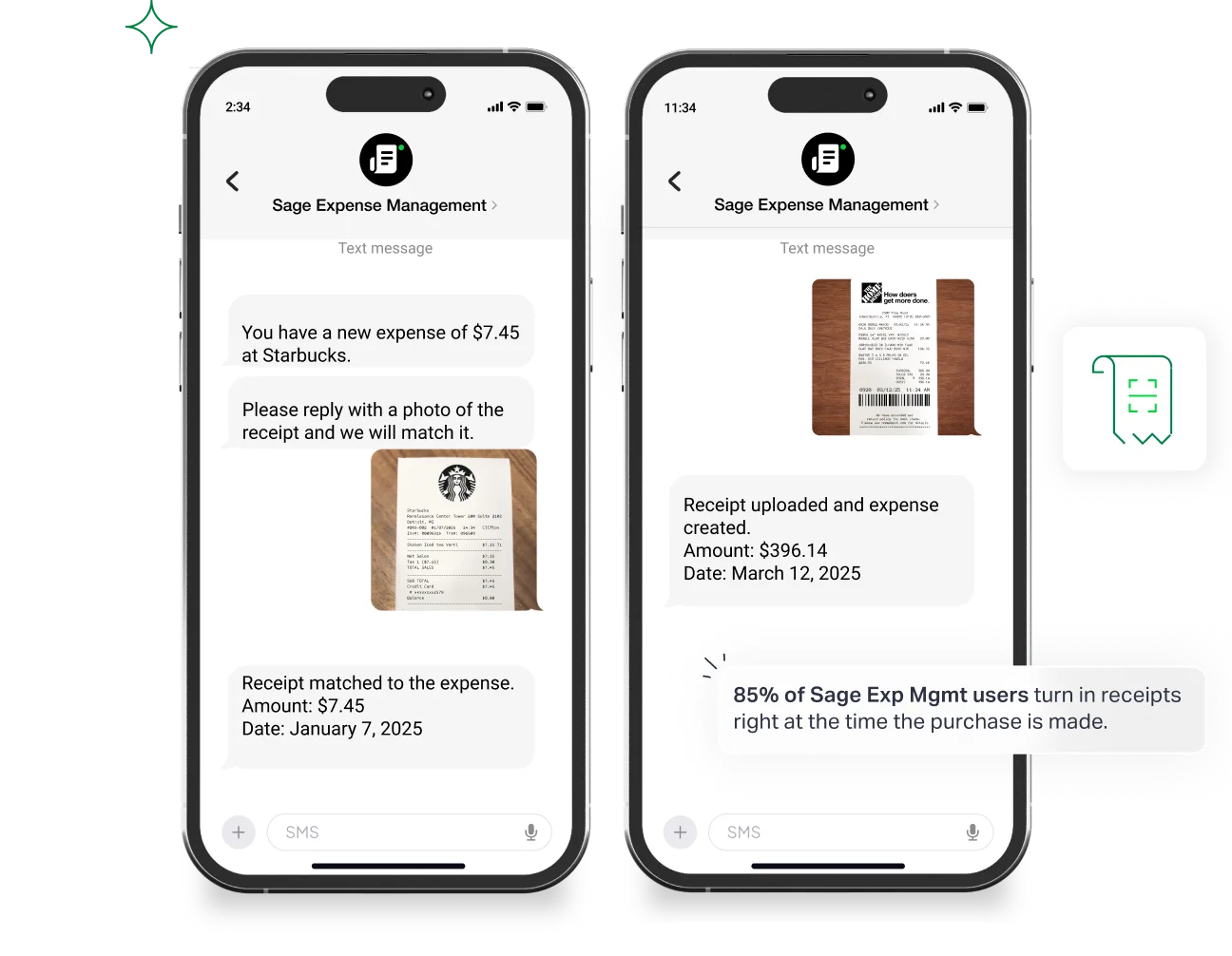
Remember the 60-Day Rule and the risk of taxable wages? The only way to guarantee compliance is to capture the receipt the moment the money is spent.
- Bring Your Own Card (BYOC): We don’t force you to switch banks or reissue plastic just to get real-time software. Sage connects directly to all major business credit card networks. You keep your bank rewards and workflows; we just add the instant, real-time intelligence.
- Zero-Friction Submission: We eliminate the "I lost the receipt" excuse. Employees receive an instant text message. They simply reply with a photo of the receipt. No logging in, no app fatigue—just instant IRS-compliant substantiation.
Eliminate "Garbage Data" with AI & Dependable Fields
Earlier, we talked about "Invisible Profitability" and the danger of misclassified project costs. Sage ensures the data entering your ERP is perfect before you ever see it.
- AI-powered verification: Our OCR doesn't just read the receipt; it extracts the Amount, Date, and Merchant to satisfy the IRS Mandatory Elements automatically.
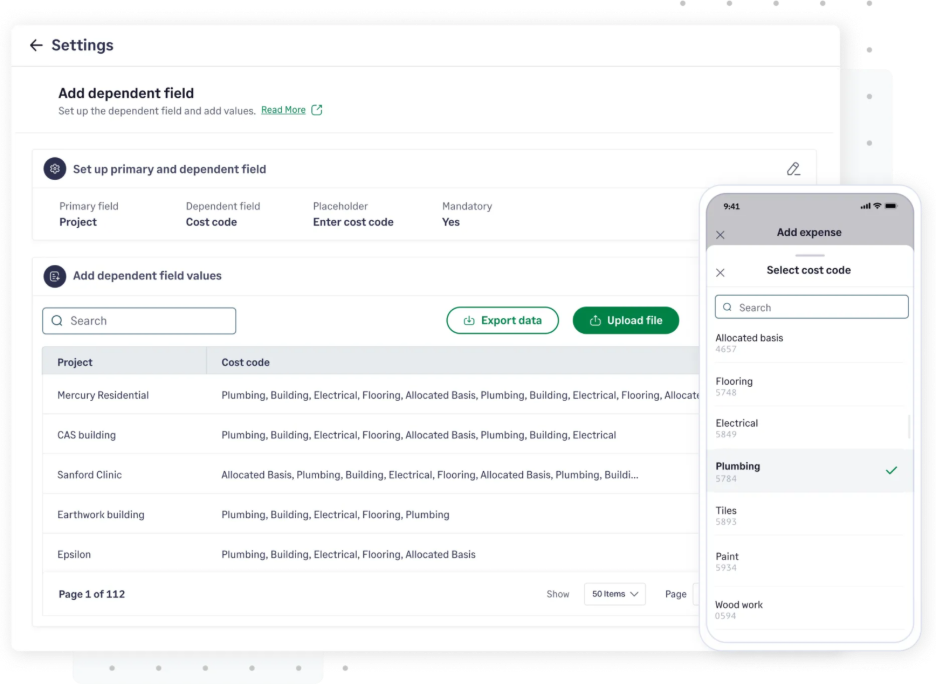
- Dependable fields: This is the cure for the "Miscellaneous" category. If an employee in the "Construction" department submits an expense, Sage only shows them the relevant Project Codes for their active jobs. This ensures accurate Job Costing and prevents COGS from being hidden in "General Expenses."
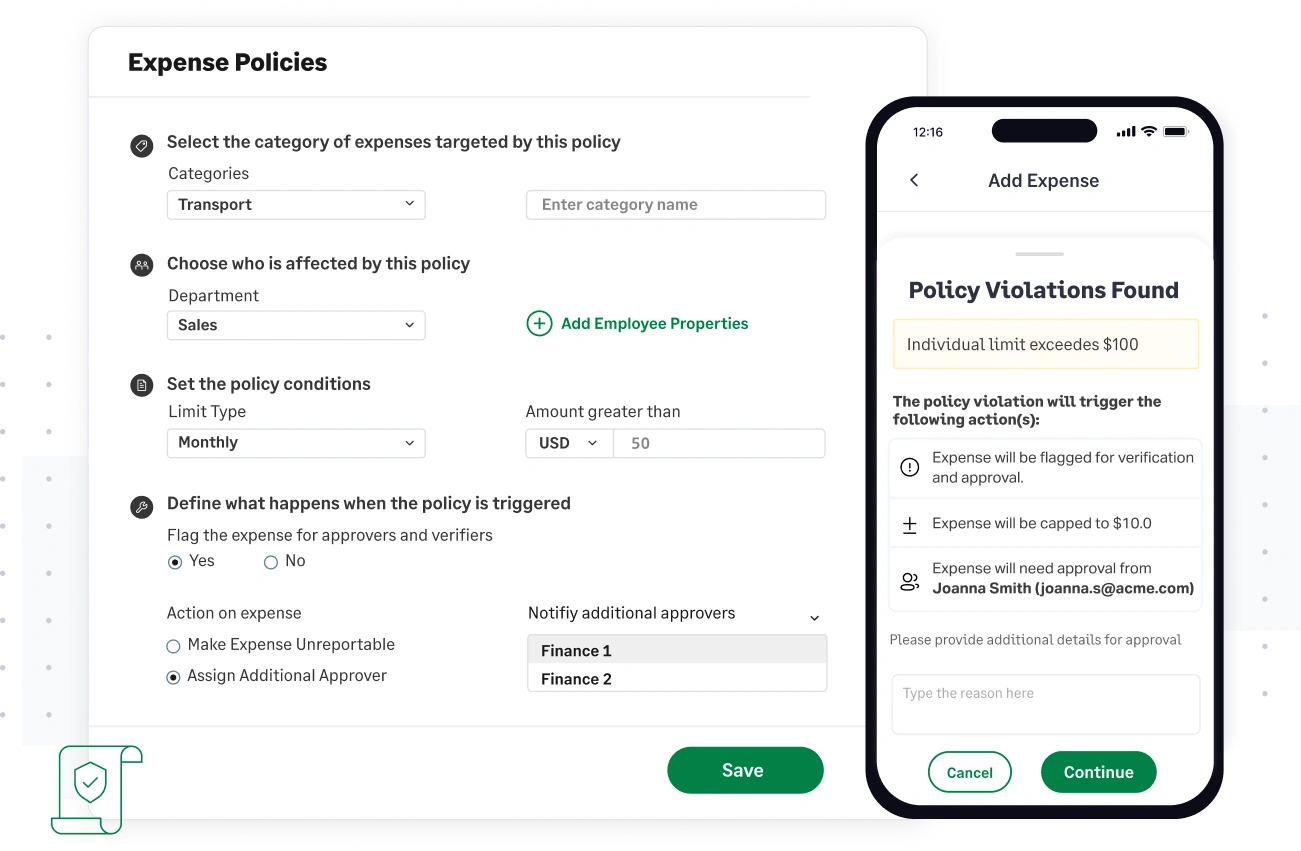
- Proactive policy checks: Stop being the "bad guy" weeks later. Sage Expense Management flags policy violations (e.g., "Meal exceeds $75 limit") in real-time, preventing the violation before submission.
We Give You Back Your Month-End (Native ERP Integration)
Those 12–34 hours your team spends on manual reconciliation? We give them back.
- Accounting Integrations: We have deep bi-directional integrations with Sage Intacct, QuickBooks Online, and Xero. We don't just dump data; we sync your Chart of Accounts, Tax Codes, and Custom Fields daily.
- Speed-to-value: Forget the horror stories of 6-month implementations. Because our integration is purpose-built for the mid-market, most customers go live in days, proving ROI almost immediately.
From Manual Liability to Strategic Asset
Expense management is a choice between two realities. You can choose the Manual Reality: Chasing receipts, fearing audits, and spending 30+ hours a month cleaning up data.
Or, you can choose the Automated Reality: Real-time visibility, guaranteed compliance, and a finance team focused on strategy.
Ready to transform your process with the power of Sage Expense Management?
{{chasing-receipts="/cta-banners"}}








