In many industries, billing clients for project-related expenses is a common practice. However, ensuring that these expenses are accurately tracked and managed is crucial for maintaining profitability and transparency.
In this blog, we will explore what billable expense income is, how it differs from other types of income, tax deductions you can claim across some billable expenses, and how you can automate billable expense tracking.
What Is Billable Expense Income?
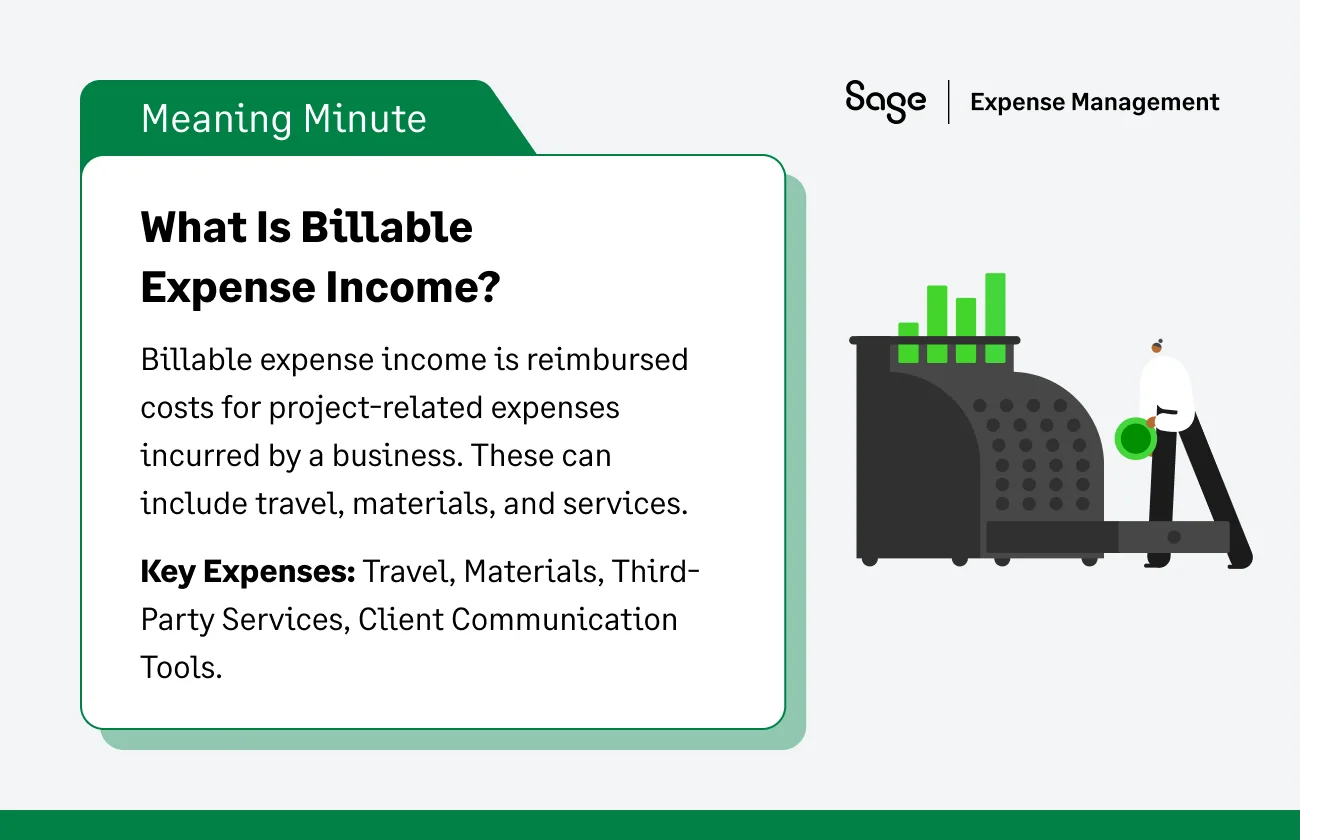
Billable expense income refers to any expenses incurred by a business on behalf of a client, which are then reimbursed by the client. These expenses could include travel, materials, or any other costs directly related to delivering a service or product to the client.
When a business incurs these expenses and invoices them to the client, the income from these reimbursements is categorized as billable expense income.
For example, a consultant traveling to a client site may charge the client for airfare, hotel stays, and meals during the trip. These costs are tracked as billable expenses and are added to the final invoice, where they are categorized as billable expense income once paid.
How Billable Expense Income Works
The process of generating billable expense income typically follows a three-step cycle:
- Incurrence: The business pays for a project-specific cost (e.g., $500 for specialized software).
- Recording: The cost is recorded in the accounting system and tagged to a specific project or client.
- Invoicing & reimbursement: The business adds the $500 as a line item on the client's invoice. Once the client pays, that $500 becomes "Billable Expense Income," which essentially washes out the initial expense on the company’s books.
Examples of Billable Expense Income
Billable expenses can vary based on the industry and the type of project. Here are common examples:
- Research expenses: Expenses related to product research or development on behalf of the client.
- Digital payment processing: Fees incurred when processing payments on behalf of a client. These can be passed on as billable expenses.
- Client engagement tools: Subscriptions of software used to facilitate client communication or project management.
- Client materials: Physical goods purchased for a project, such as printing materials, equipment, or specialized supplies.
- Shipping costs: Costs for delivering products, materials, or samples to the client.
- Subscription fees: If a project requires the use of paid tools or services, these fees can be billed back to the client.
- Travel expenses: Travel-related expenses such as airfare, hotel stays, and transportation costs incurred for client-related work.
Billable vs. Non-Billable Expenses
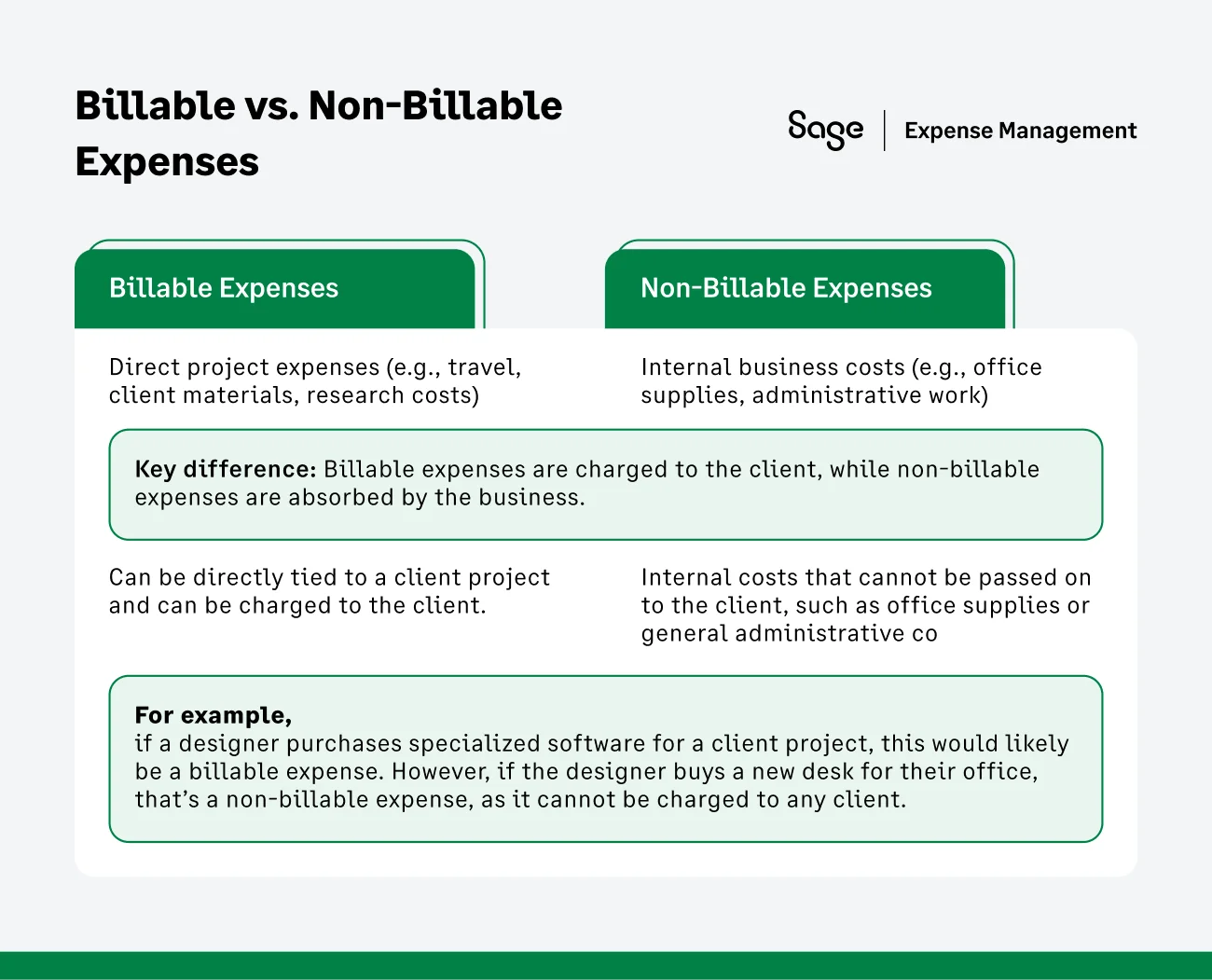
Billable expenses are those that can be directly tied to a client project and can be charged to the client.
Non-billable expenses, on the other hand, are internal costs that cannot be passed on to the client, such as office supplies or general administrative costs.
For example, if a designer purchases specialized software for a client project, this would likely be a billable expense. However, if the designer buys a new desk for their office, that’s a non-billable expense, as it cannot be charged to any client.
Billable Vs. Reimbursable Expenses
While the terms are often used interchangeably, they represent different sides of the transaction.
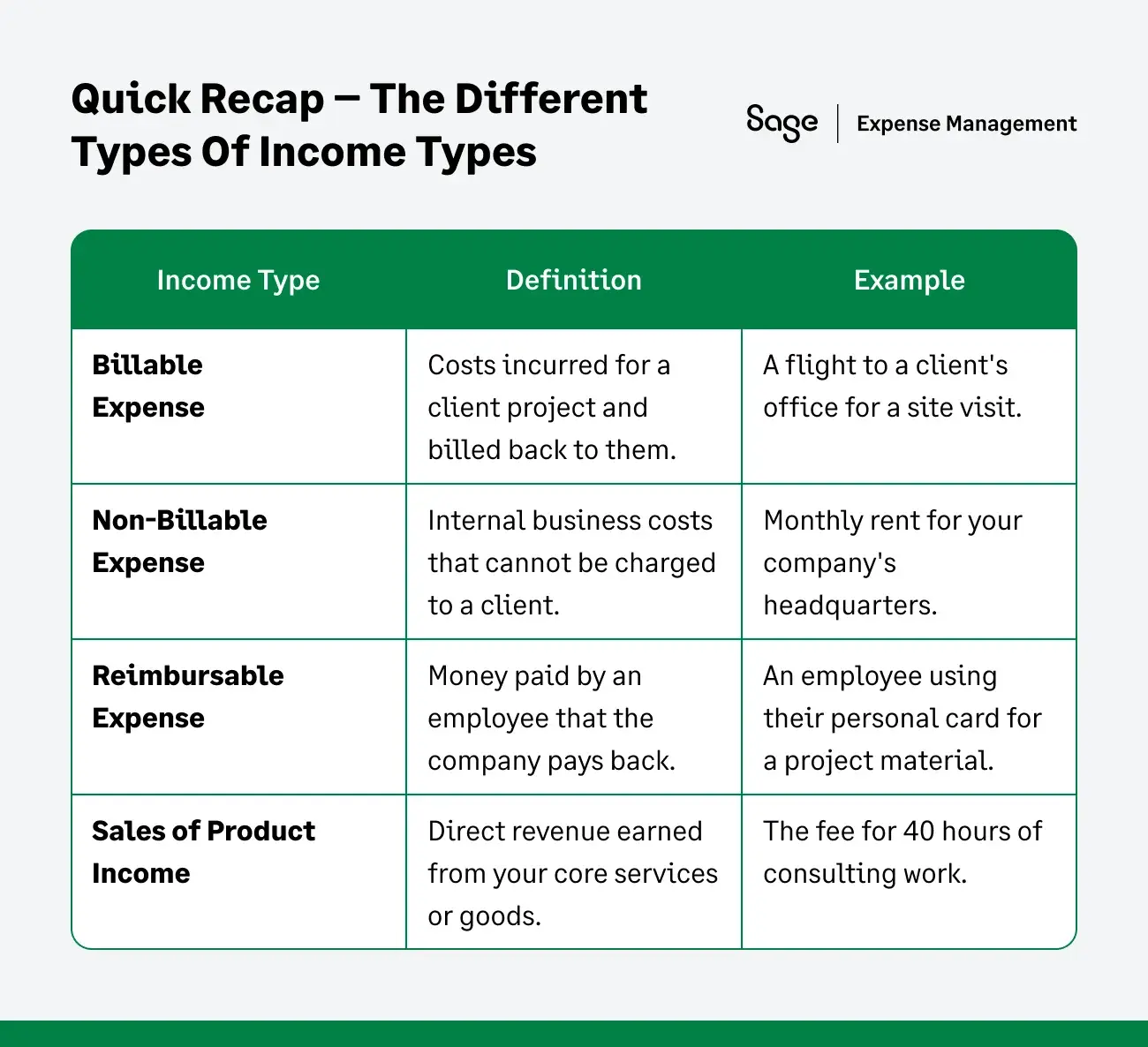
Reimbursable expenses usually refer to the relationship between an employee and the company (e.g., an employee spends their own money and the company pays them back).
Billable expenses refer to the relationship between the company and the client.
For a service-based business, a single cost (like a business lunch) can be both: reimbursable to the employee and billable to the client.
{{manage-billable-and-reimbursable-expenses="/cta-banners"}}
Billable Expenses vs Sales of Product Income
Billable expenses are costs incurred during the project and reimbursed by the client, while sales of product income refers to revenue generated from selling a product or service.
While both represent income, they are accounted for differently in the financial statement. Billable expenses do not directly impact your revenue but offset your project costs.
Billable Expense Income on Financial Statements
Correctly recording these items ensures your financial health isn't misrepresented.
Impact On Your Income Statement
On your Income Statement (P&L), billable expense income increases your total revenue. However, because there is an equal and opposite expense recorded earlier, the net effect on your profit is zero (unless you apply a markup).
Example Journal Entry
When you incur a $100 expense for a client:
- Debit: Billable Expense (Asset/Expense) $100
- Credit: Cash/Bank $100
When you invoice and receive payment from the client:
- Debit: Cash/Bank $100
- Credit: Billable Expense Income $100
When Should You Bill Clients for Expenses?
Clients should be billed for expenses when those costs are directly incurred as a result of work done on their behalf. Typical scenarios include:
- Project-based travel: If you need to travel for client meetings or project work.
- Materials or supplies: Purchased specifically for the client’s project.
- Third-party services: Like hiring a contractor or specialized equipment for the client’s benefit.
In many industries, contracts and agreements specify which types of expenses can be billed to the client. This helps avoid disputes and ensures transparency in client billing.
Is Billable Expense Income Tax Deductible?
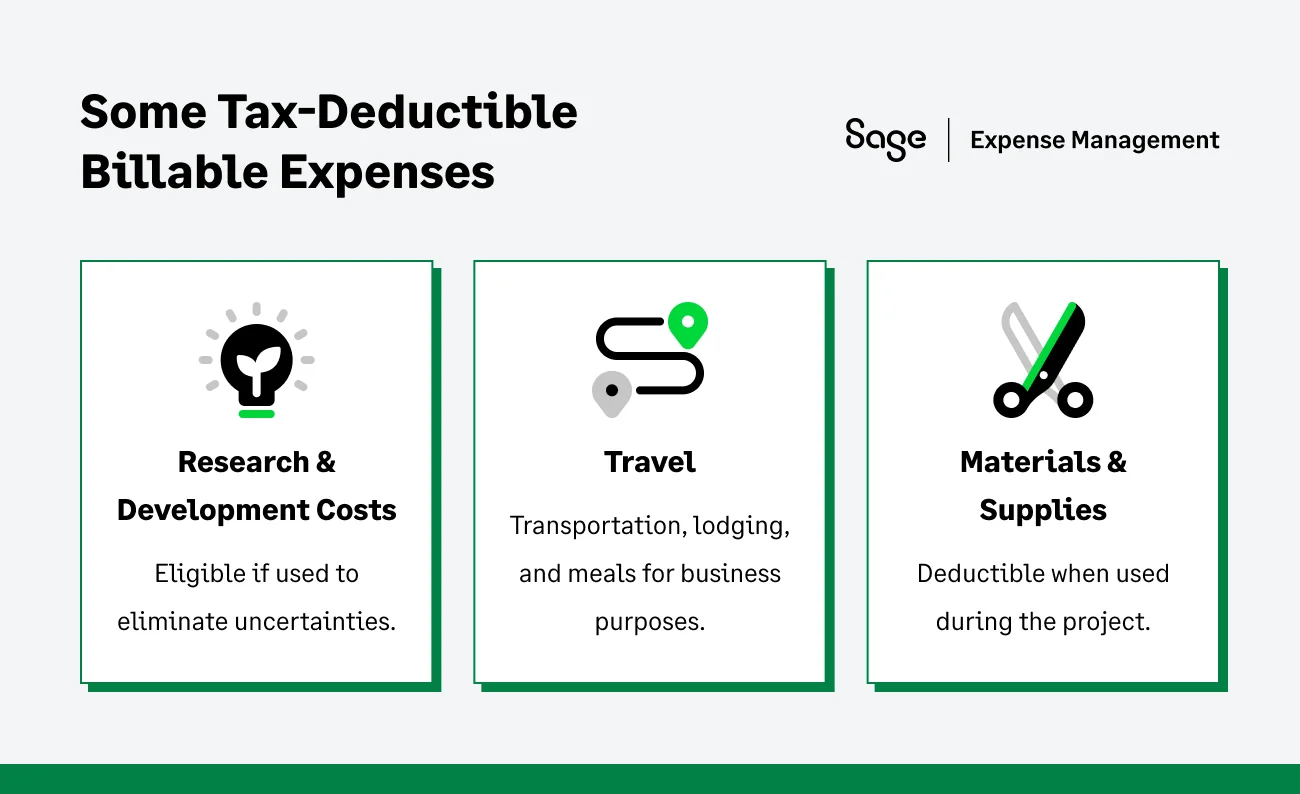
Billable expenses may qualify for tax deductions, but the eligibility depends on the nature of the expense.
Tax Implications of Billable Expense Income
The IRS generally views reimbursements as taxable income. However, the business can typically deduct the original expense incurred, which offsets the income.
It is vital to keep detailed records to prove that the income received was a direct reimbursement for a business-related cost.
Research expenses
According to IRS Publication 535, under Section 174, research and experimental expenditures can be deductible if they are incurred to eliminate uncertainties in product development. This includes costs associated with activities that aim to improve or develop new products.
For example, if you’re developing a new product for a client and conducting lab testing to resolve uncertainties in its design or functionality, the associated costs (such as lab fees, materials, or personnel) could qualify as deductible research expenses.
Additionally, costs to obtain a patent can be considered deductible. However, acquiring someone else's patent is not deductible under this category.
Supplies and Materials
Supplies and materials consumed during the tax year for a client project may be deductible if they meet IRS requirements. You can deduct these expenses in the year they were used as long as they were not deducted in any earlier year.
Travel expenses
If you or your employees travel for business purposes, these costs may qualify for tax deductions. Deductible travel expenses typically include transportation (such as airfare, train tickets, or car rentals), lodging, and meals that are necessary for conducting client-related work.
Also Read:
Key Reminder: Tracking these deductible expenses meticulously and maintaining all receipts and records will help ensure you can take advantage of the appropriate deductions. For more information, refer to IRS Publication 535, Business Expenses, and consider working with a tax professional to ensure compliance.
Billable Expense Income in QuickBooks
For businesses using QuickBooks, the platform offers dedicated functionalities to manage and automate the flow of billable costs.
Configuring your Billable Expense Workflow
To activate these tools, head to account and settings and select the expenses category. For clean reporting, it is best practice to link these transactions to a unique "Billable Expense Income" account in your Chart of Accounts.
When you or your team logs a new transaction, simply toggle the ‘Billable’ status and select the corresponding customer. This creates a direct link, ensuring these costs are ready to be imported into the client's next invoice with a single click.
Documenting the Accounting Cycle
To maintain a clear audit trail, your ledger should reflect the pass-through nature of these funds using a two-step entry process:
- At the point of purchase: Debit your billable expenses (Asset) account and credit your cash or accounts payable.
- Upon receiving client payment: Debit cash and credit the billable expense income account.
{{quickbooks-reconciliation="/cta-banners"}}
How to Track Billable Expense Income
Tracking billable income effectively requires a system that captures data at the point of purchase.
- Capture receipts instantly: Use a receipt tracker app to snap photos of receipts the moment they are generated.
- Tag by project: Ensure every expense is assigned a "Client" or "Project" tag immediately so it can be pulled into the next billing cycle.
- Review monthly: Audit your "unbilled expenses" list before sending out monthly invoices to ensure no revenue is left on the table.
Common Mistakes to Avoid
- Missing receipts: If you lose a physical receipt, you often can't bill the client or claim the tax deduction.
- Delayed entry: Waiting until the end of the month to log expenses leads to forgotten costs and lower profit margins.
- Poor categorization: Mixing billable and non-billable expenses makes your financial reporting messy and confusing for clients.
How Sage Expense Management Can Help You Track Billable Expenses
Sage Expense Management (formerly Fyle) makes tracking and managing billable expenses easier for businesses.
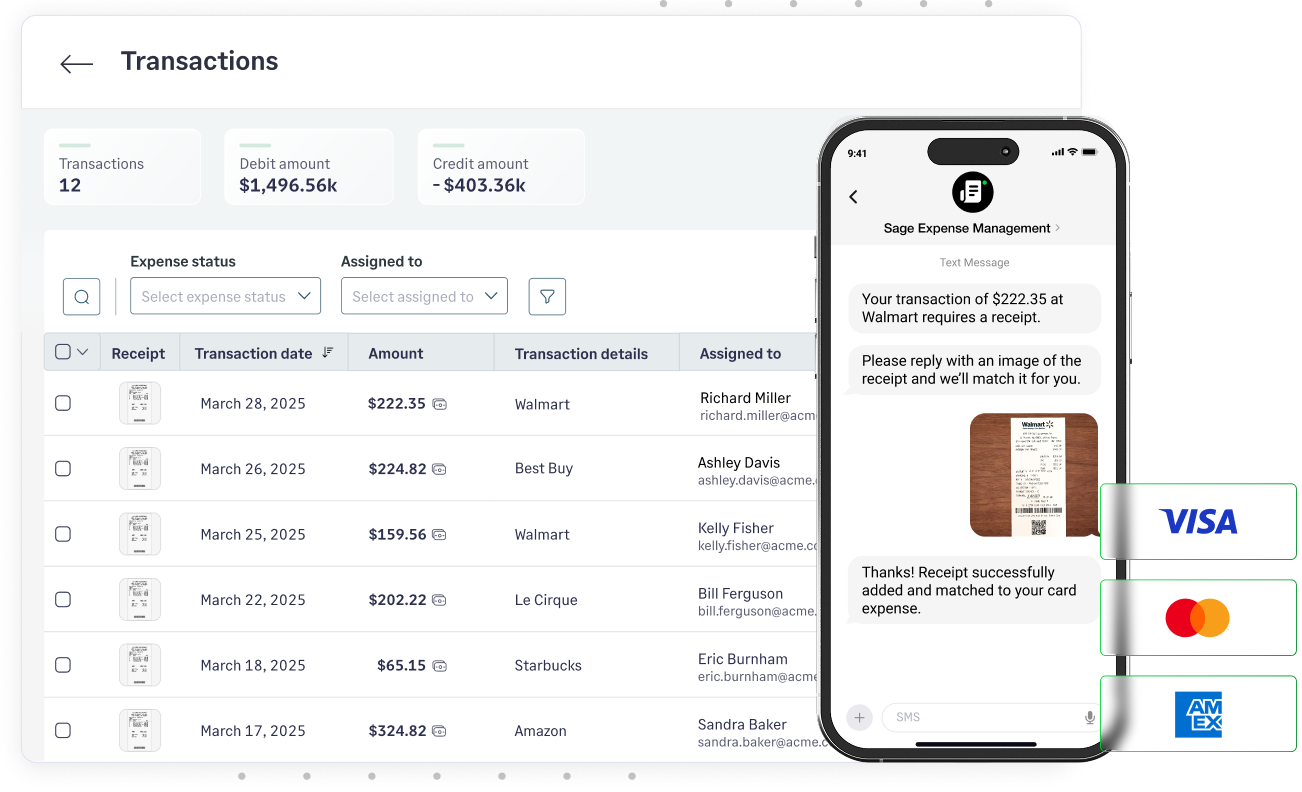
Text Message Receipt Collection
Users can simply text receipts to Sage Expense Management, whether it’s for a credit card expense or a reimbursement. It automatically checks for matching credit card expenses and pairs the receipt with the corresponding transaction.
Instant Notifications on Business Credit Card Spend
For users of Visa and Mastercard business credit cards, Sage Expense Management sends instant text notifications whenever the card is swiped, enabling real-time tracking of expenses.
Seamless Integrations with Accounting Tools
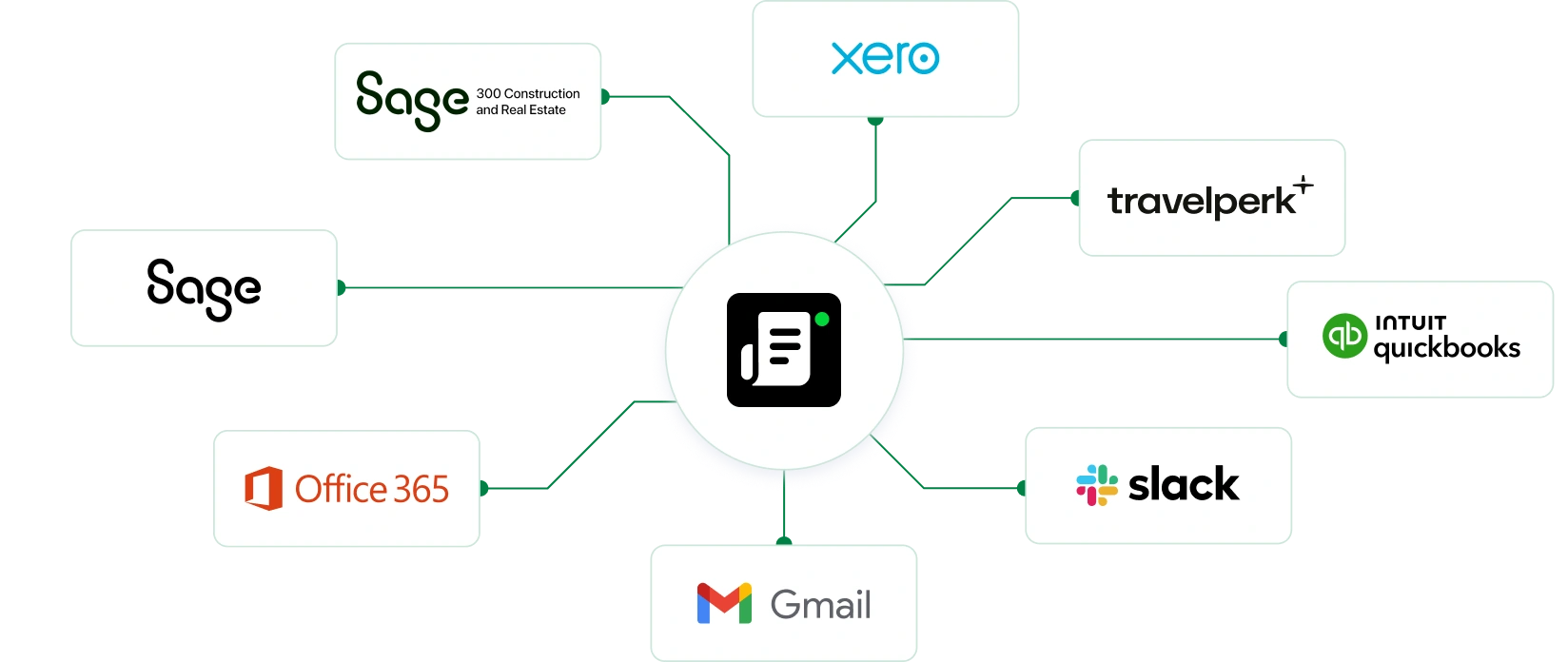
Sage Expense Management integrates with accounting platforms like Sage Intacct (including Intacct for construction and Sage 300 CRE), QuickBooks Online, QuickBooks Desktop, and Xero.
- Import data such as employees, projects, categories, and job codes directly into Sage Expense Management.
- Automatically export expenses as bills, journal entries, or credit card charges in real-time, saving time and reducing manual entry errors.
Conclusion
Effectively managing billable expense income is more than just an accounting requirement - it’s a strategy for protecting your firm’s margins and maintaining client trust.
By moving away from manual tracking and leveraging automated tools like Sage Expense Management, you can ensure that every project-related cost is captured, billed, and reconciled with precision.
This allows your team to spend less time on paperwork and more time delivering value to your clients.
{{stop-losing-revenue-to-manual-tracking="/cta-banners"}}