




For decades, the expense report spreadsheet has been the default path of least resistance. In the early stages, when you know every employee by name and transaction volume is low, the "spreadsheet and email" method feels efficient.
But as your business grows, this transforms into a liability.
What feels like a simple email workflow is an unsecured network of sensitive financial data, and, by relying on inboxes to store financial records, you are trading data governance for short-term simplicity.
The good news? You no longer have to choose between convenience and security.
By shifting from static spreadsheets to an automated platform, you replace vulnerability with verification. You aren't just patching a leak; you are building a firewall around your financial data, ensuring that every transaction is tracked, compliant, and audit-ready the moment it occurs.
The Widespread Use of Spreadsheets in Businesses
Why the Spreadsheet Model Breaks as a Company Grows
The collapse of the email workflow is rarely sudden. It is a slow suffocation caused by the compounding weight of three factors:
1. Exponential complexity:
Growth doesn't just mean more rows in Excel. It means more friction exponentially. With a sudden jump from 50 to 500 monthly transactions, you aren't just doing 10x the data entry; you are managing 10x the exceptions.
Also, matching a credit card statement line item to an emailed receipt in a spreadsheet workflow becomes a game of memory, not accounting.
2. Higher volume, Higher errors:
Every time a file is saved, emailed, or downloaded, a new surface for data theft is created. In an email workflow, sensitive financial data doesn't live in a secure vault; it lives in the "Downloads" folder of every manager's laptop.
As new staff come in, the probability of sending the payroll file to the wrong person or a successful phishing attack increases significantly.
3. Increased regulatory expectations:
Small businesses might fly under the radar, but growing mid-market companies attract scrutiny. The honor system that worked in the early days won't satisfy an external auditor.
As revenue grows, so does the likelihood of an IRS audit. If you are raising capital or preparing for an exit, a messy, emailed audit trail signals poor internal controls to investors.
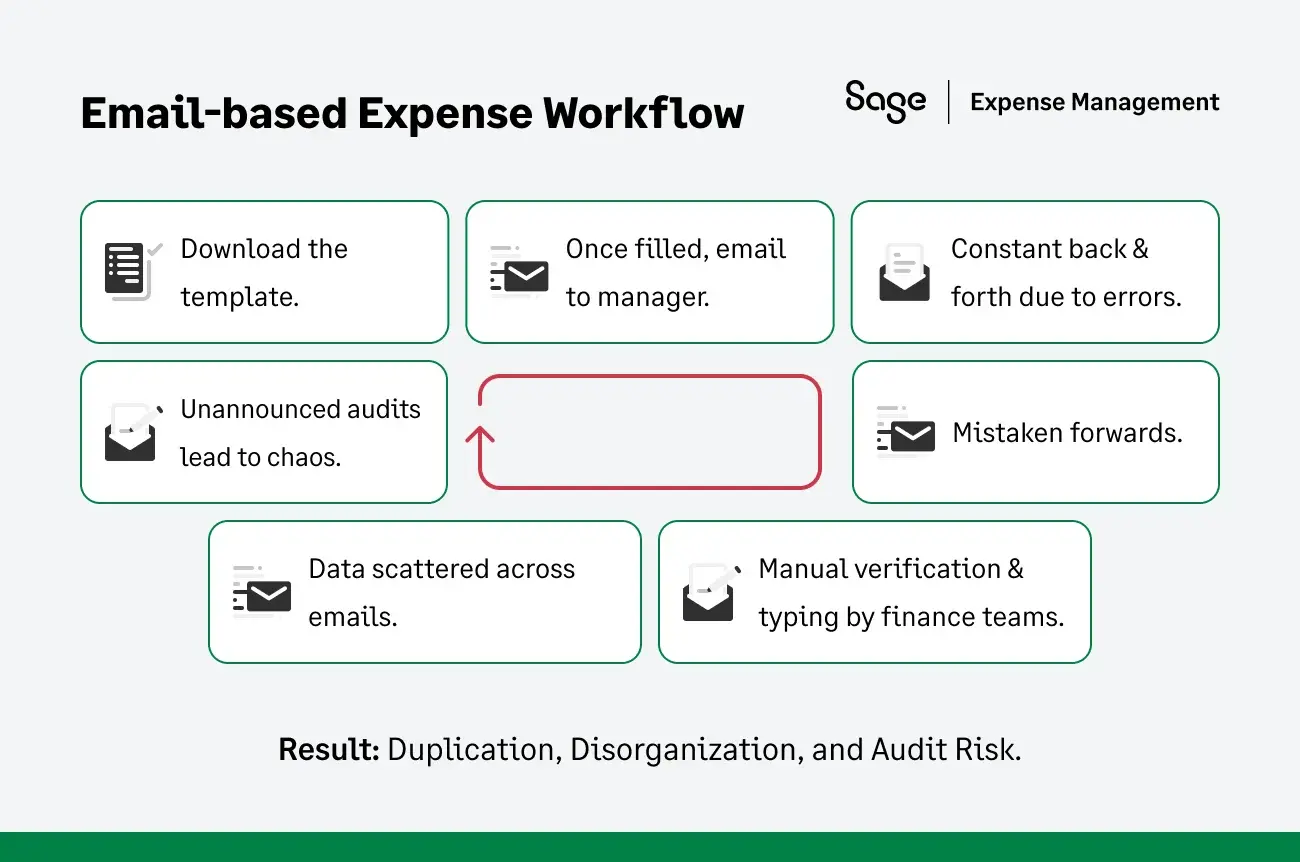
To understand exactly where these risks hide, we have to look at the journey of a single file. What looks like a simple email chain is actually a cycle of vulnerability.
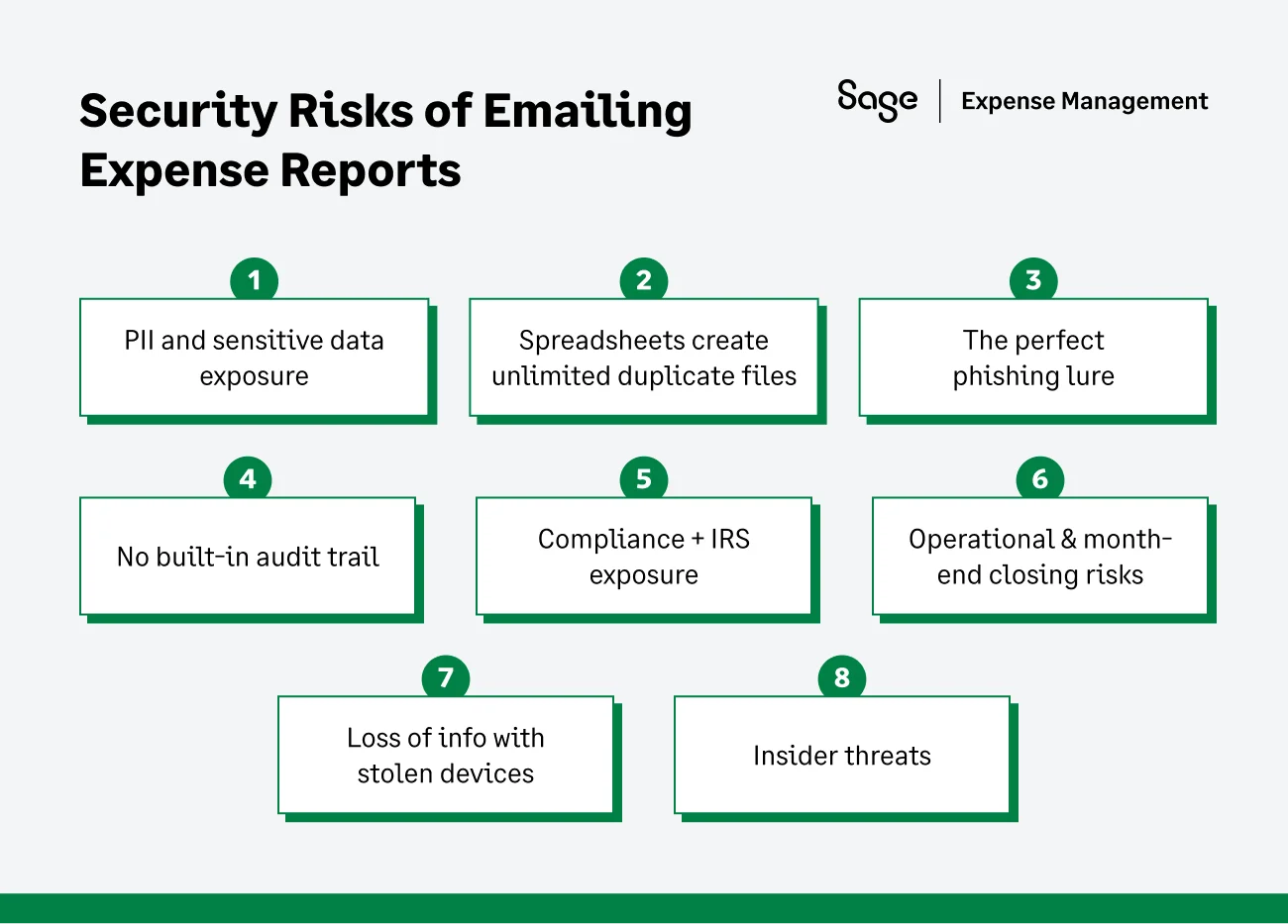
The Top Security Risks of an Emailed Expense Report
PII and sensitive data exposure
Modern software uses role-based masking to hide sensitive data. A spreadsheet, however, is binary: if you can open the file, you can see everything in it.
- The risk: Expense reports often contain full credit card numbers (typed in for reimbursement), home addresses (for mileage calculations), and even medical details (for wellness claims).
- The reality: A single error or an accidental forward exposes the private data of your C-suite or employees to the entire office. Unlike a secure platform, you cannot un-share an attachment.
Spreadsheets create unlimited duplicate files
In a secure platform, there is one single source of truth. In an email workflow, there are an infinite number of shadow copies.
- The risk: By the time a report is approved, copies exist in the Sent folder of the employee, the Inbox of the manager, the Downloads folder of the accountant, and the Backups of the mail server.
- The reality: You cannot enforce data retention policies. Even if you delete the file from the server, five other copies exist on local drives, making it impossible to comply with GDPR/CCPA "right to be forgotten" requests.
Loss of info with stolen devices
In a hybrid world, expense reporting happens on personal devices. Employees download templates to their personal laptops or snap photos of receipts on their personal phones.
- The risk: If a manager's personal laptop is stolen, your corporate financial data is gone with it.
- The reality: Because the file sits on a hard drive outside your network, your IT team cannot remotely wipe out the data. You have lost custody of your own financial records.
The perfect phishing lure
Hackers frequently use "Business Email Compromise" (BEC) to target finance teams.
- The risk: Because your accountants are expecting Excel attachments from employees, they are desensitized to the danger. A spoofed email with a malicious payload (ransomware) is opened without hesitation.
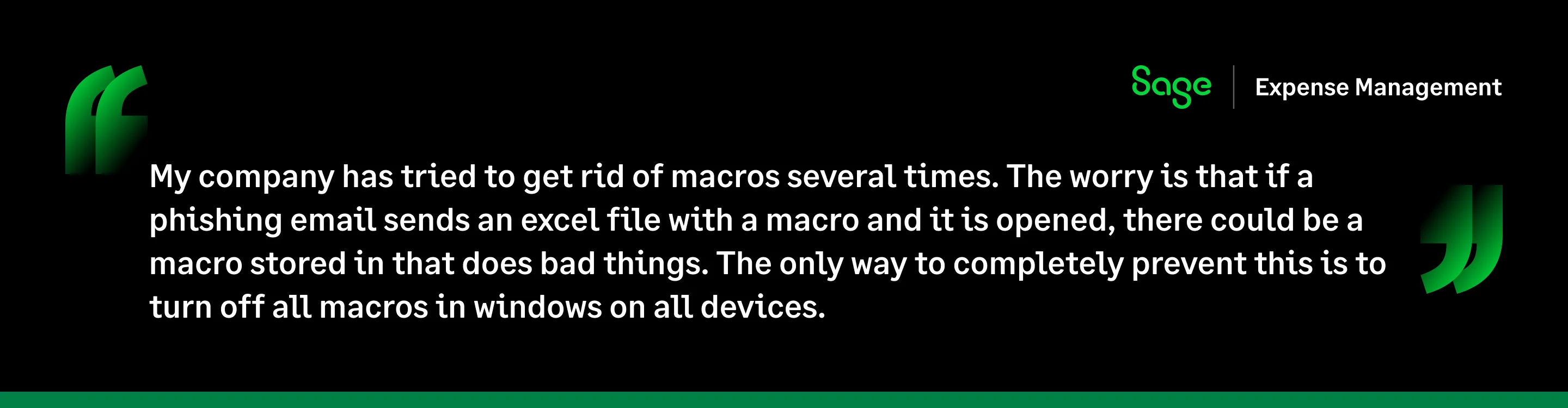
- The reality: By normalizing the transfer of macro-enabled Excel files, you are actively exposing your team to falling for phishing scams.
Insider threats
Data theft doesn't always come from the outside. A departing employee can easily copy years of expense reports onto a USB drive before walking out the door.
- The risk: Expense reports are a goldmine of competitive intelligence. The "Business Purpose" column lists every client you wined and dined, every vendor contract you signed, and every prospect you visited.
- The reality: In a spreadsheet environment, there is no access log. You will never know the data was taken until your competitor calls your clients.
No built-in audit trail
Spreadsheets are designed to be edited, not audited. This is the single most enormous red flag for external auditors.
- The risk: If a cell changes from $50 to $500, there is no digital footprint. You cannot prove who changed it, when it was changed, or why.
- The reality: You are handing the IRS a static, easily manipulated document. Without a dynamic change log, you cannot prove the integrity of your expenses.
Compliance & IRS exposure
The IRS requires adequate records to substantiate business expenses—specifically the amount, time, place, and business purpose, backed by documentary evidence (receipts).
- The risk: In email workflows, receipts are often detached from the report. If a receipt is missing or if a "Business Purpose" is vague, the deduction can be disallowed.
- The reality: Manual enforcement of the $75 receipt rule is prone to human error. A software solution enforces this automatically; a fatigued manager approving a spreadsheet does not.
Operational & month-end closing risks
Security isn't just about safety; it's about visibility. Manual workflows create a black box of spending that blinds the CFO.
- The risk: Expenses sit in inboxes for weeks. The finance team has no visibility into accruals until the reports are manually keyed into the ERP.
- The reality: This leads to a frantic month-end close, error-prone manual data entry, and a lack of real-time cash flow visibility. You are making decisions based on data that is 30 days old.
Why Isn't This Just an IT Problem?
It is easy to dismiss file security as a concern for the IT helpdesk. But when that file contains the financial DNA of your company, the risk permeates the entire C-Suite.
The vulnerabilities listed above are not just technical nuisances. They are structural failures that create specific, high-stakes liabilities for your leadership team.
Here is how the spreadsheet status quo impacts the three most critical roles in your finance and operations structure.
For the finance controller: The compliance risk
The primary mandate of a finance team is to ensure that every dollar leaving the company is legitimate, substantiated, and code-compliant.
- An email chain and a folder of PDFs do not constitute a compliant audit trail. This workflow fails the IRS adequate records test, and if you cannot prove who approved a specific expense or when a receipt was attached, you are putting your deductions at risk.
- An editable spreadsheet is, effectively, a license for internal fraud. Without an audit log, an employee can easily change a $50 meal to $150, submit the same PDF receipt on two different reports, or claim a personal Amazon purchase as "Office Supplies."
A manual review process is statistically guaranteed to miss these manipulations. You are operating a trust-based system in an era that demands verification-based controls.
For the IT director: The data governance nightmare
For the IT director, having a secure perimeter is key. But email-based expense reporting punches a hole right through it.
- Data governance failures create dozens of uncontrolled copies of sensitive financial data (data sprawl) on unsecured endpoints such as personal laptops, mobile phones, and home desktops. Basic principles like ISO 27001 or SOC 2 are violated by allowing PII to live where you cannot see it.
- Once a file is emailed, Role-Based Access Control (RBAC) is no longer allowed. You have no way to revoke access. If a manager leaves the company on bad terms, they still have every expense report they ever received sitting in their personal email archive.
For the CFO: The financial liability
For the CFO, the risk isn't just about losing data; it's about losing money and strategic agility.
- The cost of a single PII or financial data breach can be catastrophic. It far exceeds the annual cost of a secure software solution. You are risking a million-dollar problem to save a few hundred dollars on software licensing.
- It's impossible to make strategic spending decisions when your financial data is locked in 100 different inboxes and spreadsheet cells. You have no real-time view of any spending, no ability to track accruals mid-month, and no way to forecast cash flow accurately until the books are closed weeks later.
Is There a Better Way?
The risks mentioned above share a single root cause: the file itself.
Better spreadsheets or stricter email policies cannot solve these problems. They require a fundamental shift from a file-based workflow to a platform-based one.
Modern finance leaders are moving to expense management software not just to save time, but to secure their financial future. By centralizing expenses in a secure cloud environment, you eliminate the need for an inbox.
Custom CTA
How Sage Expense Management Closes the Security Gap
Sage Expense Management (formerly Fyle) replaces the fragile file-based workflow with a secure, real-time data ecosystem. We don't just digitize your receipts; we build a digital perimeter around your spending.
Here is how the platform systematically eliminates the vulnerabilities:
Eliminate email attachments
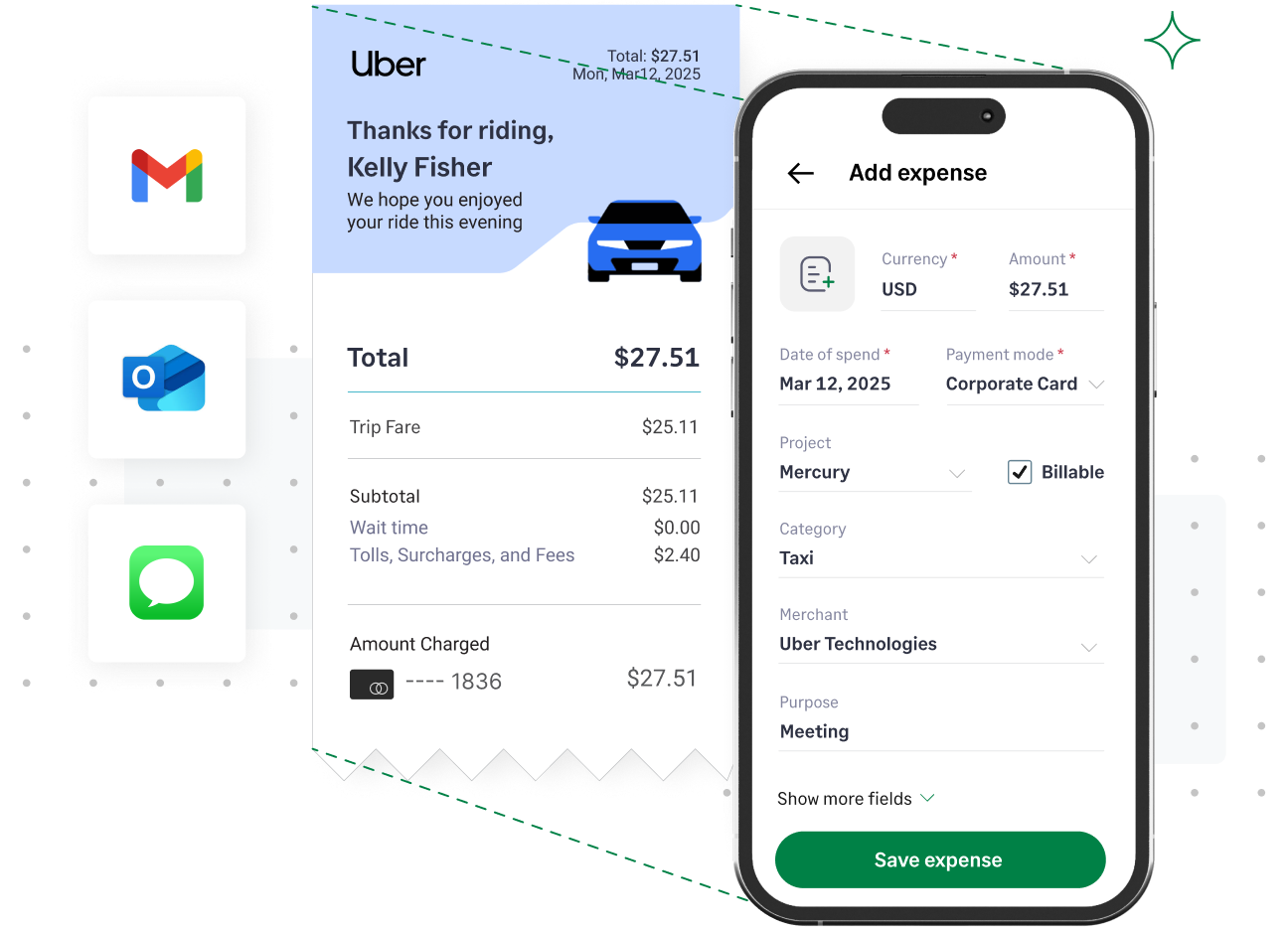
Employees submit expenses via text message, Slack or Gmail, or the mobile app. The moment a receipt is captured, it is encrypted and stored in a central cloud environment.
Because finance teams no longer expect attachments from employees, you can block or flag internal emails. Financial data exists in one place only, protected by enterprise-grade encryption.
Immutable audit trails
Sage Expense Management creates an immutable digital ledger for every transaction. Every single interaction with an expense report is logged.
This provides adequate records of integrity required by IRS rules. In an audit, you don't just show the final number; you show the entire chain of custody.
Role-based access control
Granular permissions ensure employees only see their own expenses; managers only see their direct reports, and auditors only see what you explicitly share. Sensitive data (like medical reimbursements or personal card numbers) is masked from users who don't need to see it.
Automated policy enforcement
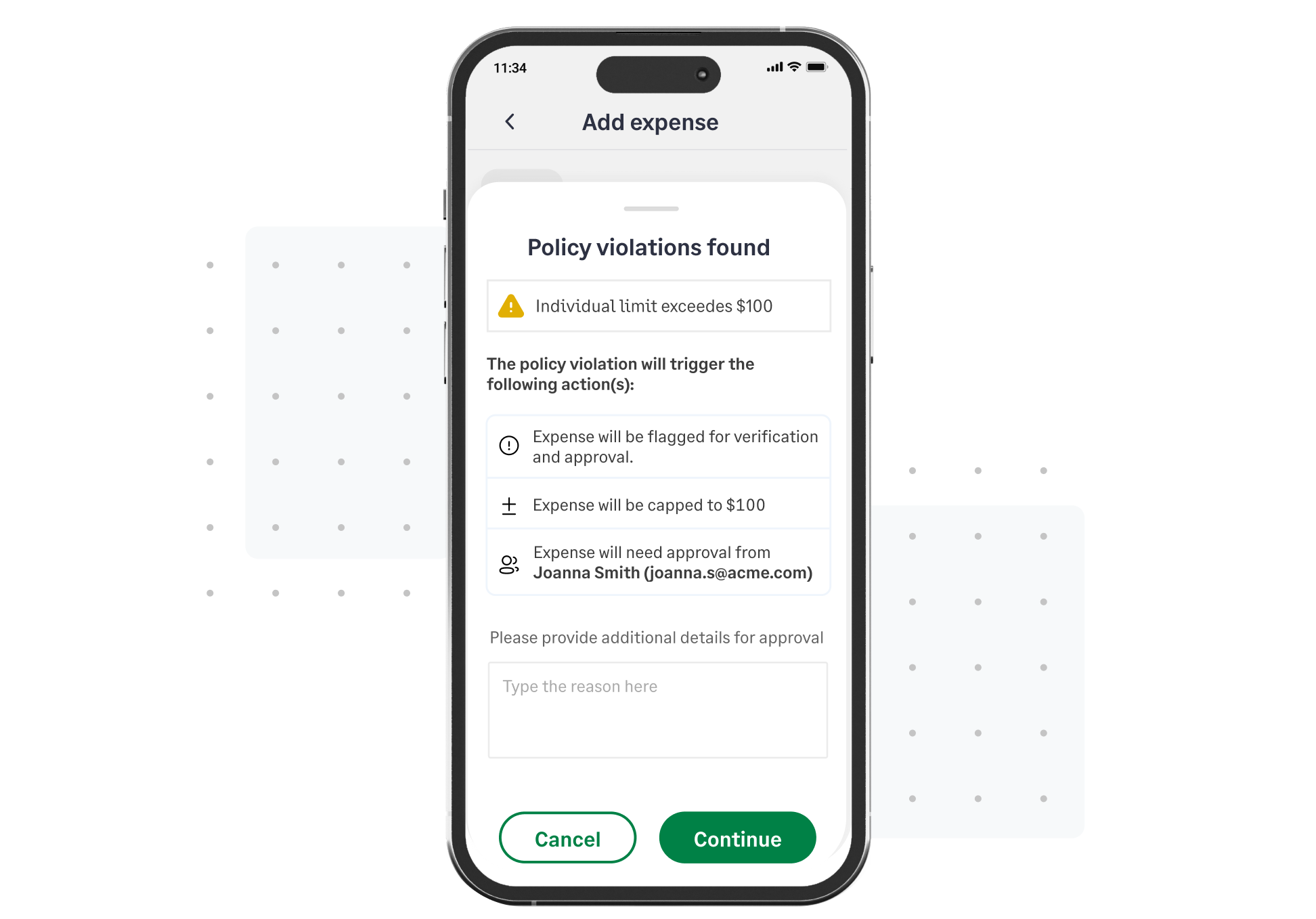
Sage Expense Management makes compliance proactive. The policy engine runs in real-time. If an employee submits a $76 expense without a receipt, the system blocks the submission instantly.
Auto-coding rules prevent personal spending (e.g., "Steam Games") from being categorized as "Software Subscription." It removes the human friction of policing receipts and ensures that 100% of expenses entering your ERP meet your internal controls and IRS requirements.
Sticking with expenses via email and Excel might seem like a safe choice because it requires no software budget. But this is a false economy. The hidden costs of a single compliance failure, a lost audit trail, or a data breach far outweigh the cost of modernizing your stack.
Everyone across industries is switching to automation through Sage Expense Management, not just for efficiency, but for security. It’s time to move your financial data out of the inbox and into a secure, auditable environment.
{{time-matters="/cta-banners"}}
.jpg)








