




For many finance teams, the monthly expense report template feels like a safety blanket. It’s familiar, it’s free, and it feels organized. You feel covered.
But this creates a dangerous illusion of control.
The reality of a manual process is a data-silo nightmare: receipts in emails, PDFs in various folders, and totals in an Excel file that has no connection to the other two. Since this disconnected process cannot enforce the strict IRS documentation standards that make your deductions valid, your simple expense report template is a compliance time bomb. This time bomb is actively failing to police the most critical IRS rules, leaving your deductions exposed.
Understanding Business Expenses
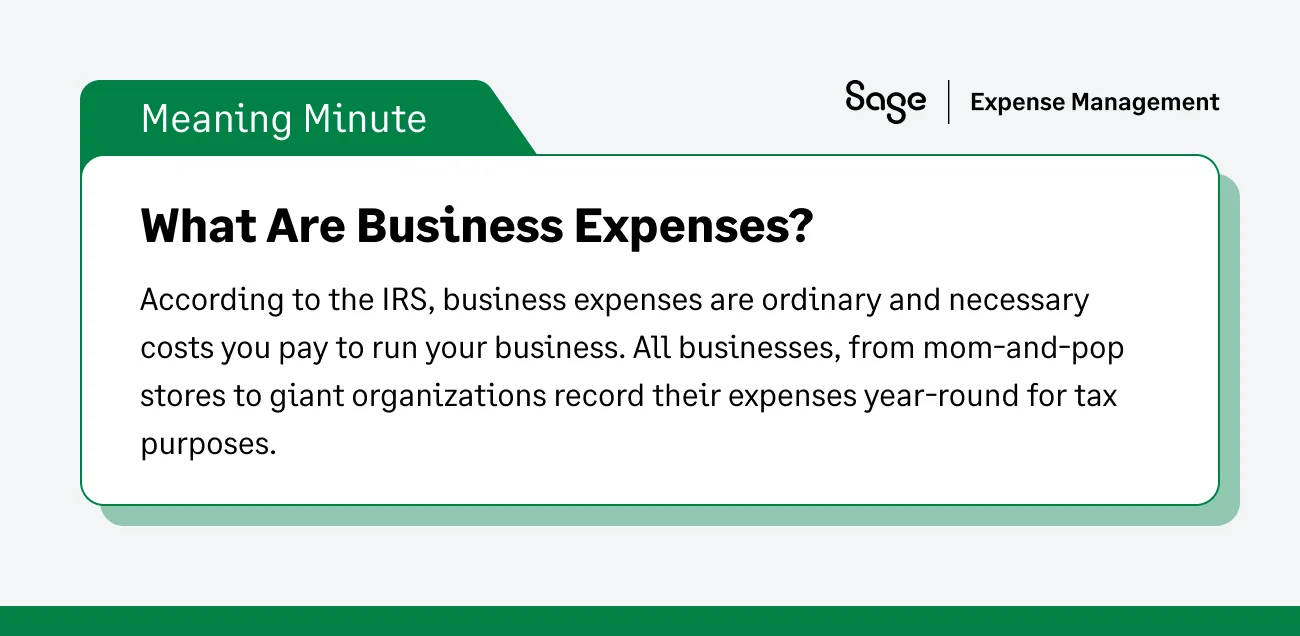
Before we dive into where templates fail, let's establish the baseline. According to IRS Publication 535, a deductible business expense must be both ordinary (common in your industry) and necessary (helpful and appropriate for your business).
But the IRS requires more than just a valid expense; they require proof.
An auditor doesn't just check if an expense occurred. They check if it’s substantiated. According to IRS Publication 463, you must substantiate four specific elements for every single deduction:
- Amount: The exact cost.
- Time: The date the expense occurred.
- Place: The location and vendor name.
- Business Purpose: The specific business reason for the expense.
This is where your spreadsheet begins to fall short. It's a passive tool that will accept any text an employee types into it. It cannot verify if that text constitutes valid proof or if it’s even accurate.

5 IRS Rules Your Expense Report Template Can’t Enforce
You know the rules. The problem is that your spreadsheet doesn't. Here are the five critical IRS mandates that expense report templates physically cannot enforce, shifting the entire burden of compliance onto your shoulders.
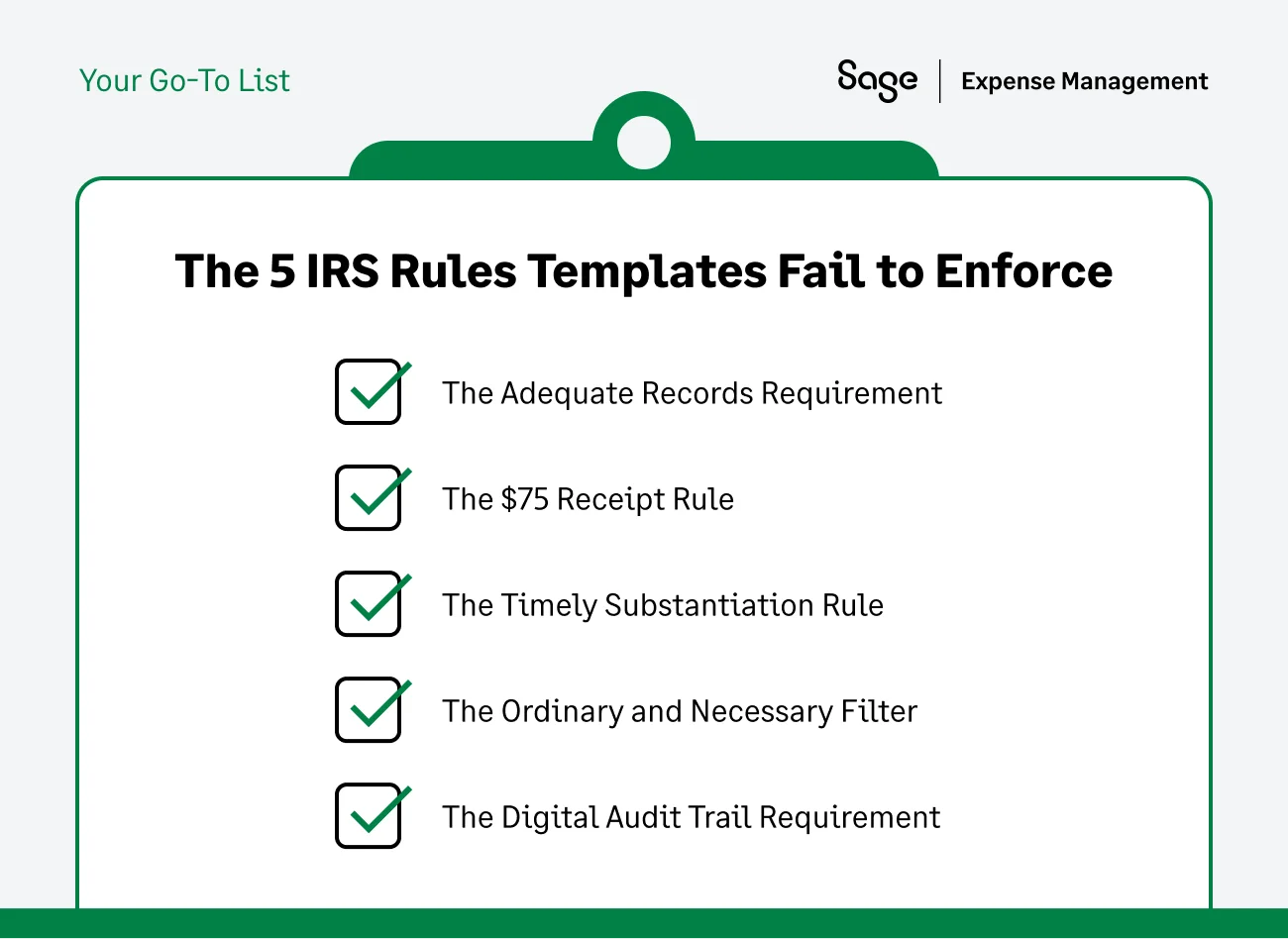
Rule #1: The Adequate Records Requirement
- The rule: The IRS explicitly requires adequate records to prove your expenses. This includes documentary evidence like receipts, paid bills, or invoices. Estimates are not enough.
- The template failure: A spreadsheet is a trust-based system. An employee types client lunch - $50 and you must trust it's accurate. The template has no mechanism to force the employee to attach the matching receipt or validate that the information is correct.
- The risk: In an audit, any expense without adequate documentary evidence to back it up can be disallowed. If your entire system is built on trust-based entries, you are facing significant financial exposure.
Rule #2: The $75 Receipt Rule (and Its Critical Exceptions)
- The rule: Generally, you need a receipt for any expense of $75 or more. However, there is a critical exception: Lodging expenses always require a receipt, regardless of the amount.
- The template failure: A spreadsheet has no conditional logic. It cannot distinguish between a $70 taxi ride (no receipt needed) and a $70 hotel charge (receipt mandatory). It also cannot automatically flag a $76 meal that is missing an attachment.
- The risk: This forces your finance team to become manual compliance police, checking every single line item against its category and threshold. If you miss one un-receipted hotel charge, that deduction is invalid.
Rule #3: The Timely Substantiation Rule (Accountable Plans)
- The rule: To maintain an accountable plan (which allows for tax-free reimbursements), employees must substantiate expenses within a reasonable period. The IRS provides a safe harbor of 60 days after the expense is paid or incurred.
- The template failure: Spreadsheets don't have calendars or clocks. An employee can fill out a report in December for a lunch that happened in March. There is no automated lockout or flagging system for old expenses.
- The risk: If an employee submits an expense outside the reasonable period, it falls out of your accountable plan. That reimbursement technically becomes taxable wages to the employee, creating a major payroll tax liability for the company.
Rule #4: The Ordinary and Necessary Filter (Fraud & Duplicates)
- The rule: You cannot deduct personal expenses.
- The template failure: A spreadsheet cannot see that the same $45 lunch receipt was submitted in March and again in April. It cannot flag a client meal that took place at 10 PM on a Saturday. It relies on a tired human reviewer to manually catch every instance of a duplicate or suspicious personal expense.
- The risk: Internal fraud. This is one of the most common ways companies leak cash, and spreadsheets are powerless to stop it.
Rule #5: The Digital Audit Trail Requirement
- The rule: You generally must keep all records that support your deductions for at least 3 years from the date you file your tax return. If you use electronic records, they must be legible, retrievable, and secure.
- The template failure: Storing Excel files and loose PDFs in a shared drive folder is not a secure or retrievable audit trail. Files get accidentally deleted, overwritten, or misnamed. There is no immutable change log to prove who approved an expense or when it was edited.
- The risk: An auditor asks for a specific receipt from two years ago. You can't find it in your disorganized folder system. The deduction is lost.
The Human Bottleneck: Why Manual Policing Fails
You might be thinking, "I know these rules, and I check every report myself."
But that is exactly the problem.
When you rely on a template, the software does zero work. You do 100% of the work. You are forced to be the bad cop, engaging in endless email battles with employees over missing dates, blurry receipts, and late submissions.
This manual policing is:
- Expensive: It costs an average of $110 to manually process one expense report due to the labour costs of data entry, error correction, and policy verification.
- Unscalable: As your team grows, you simply cannot manually verify the "Time, Place, Amount, and Purpose" for thousands of line items.
- Ineffective: Human reviewers get tired. A spreadsheet relies on your memory to catch a duplicate receipt. An automated system never fatigues and never forgets.
Why This Matters Beyond Audits
Poor substantiation doesn't just create audit risk. It destroys your financial visibility. When you have no trust in your expense data, you can't accurately forecast, you can't manage budgets in real-time, and you can't make strategic decisions with confidence.
{{time-matters="/cta-banners"}}
How Sage Expense Management Enforces IRS Compliance
Sage Expense Management moves your process from detective work to automated enforcement. It acts as a 24/7 compliance guardrail that ensures every single transaction is audit-ready before it ever reaches your desk.
Here is how it solves the 5 failures of your spreadsheet:
Automated Adequate Records
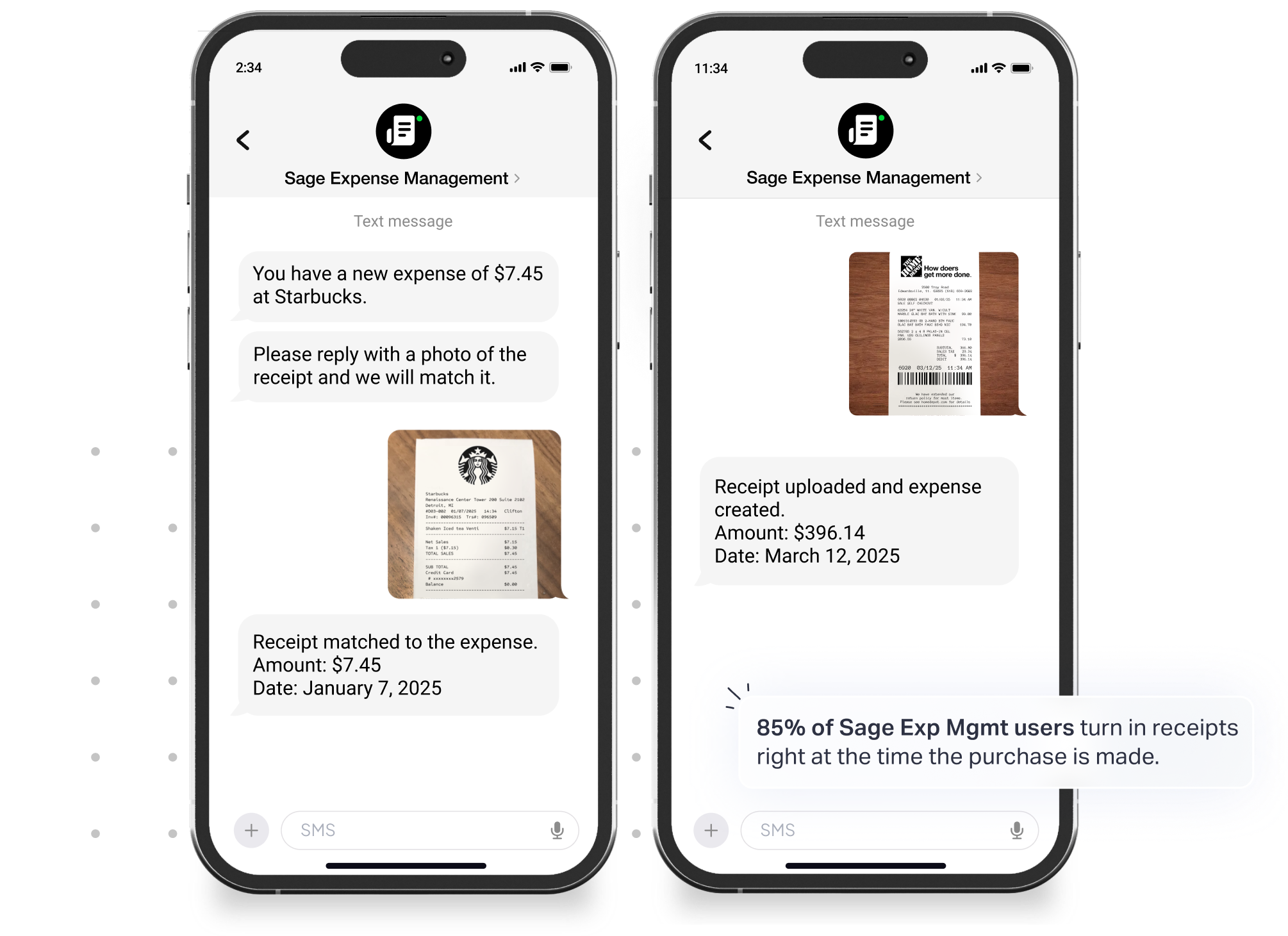
Sage Expense Management directly integrates with major credit card networks to provide real-time transaction feeds. When a card is swiped, the system instantly captures the Date, Amount, and Vendor directly creating an unalterable, third-party record that satisfies IRS proof requirements.
Instant Policy Enforcement
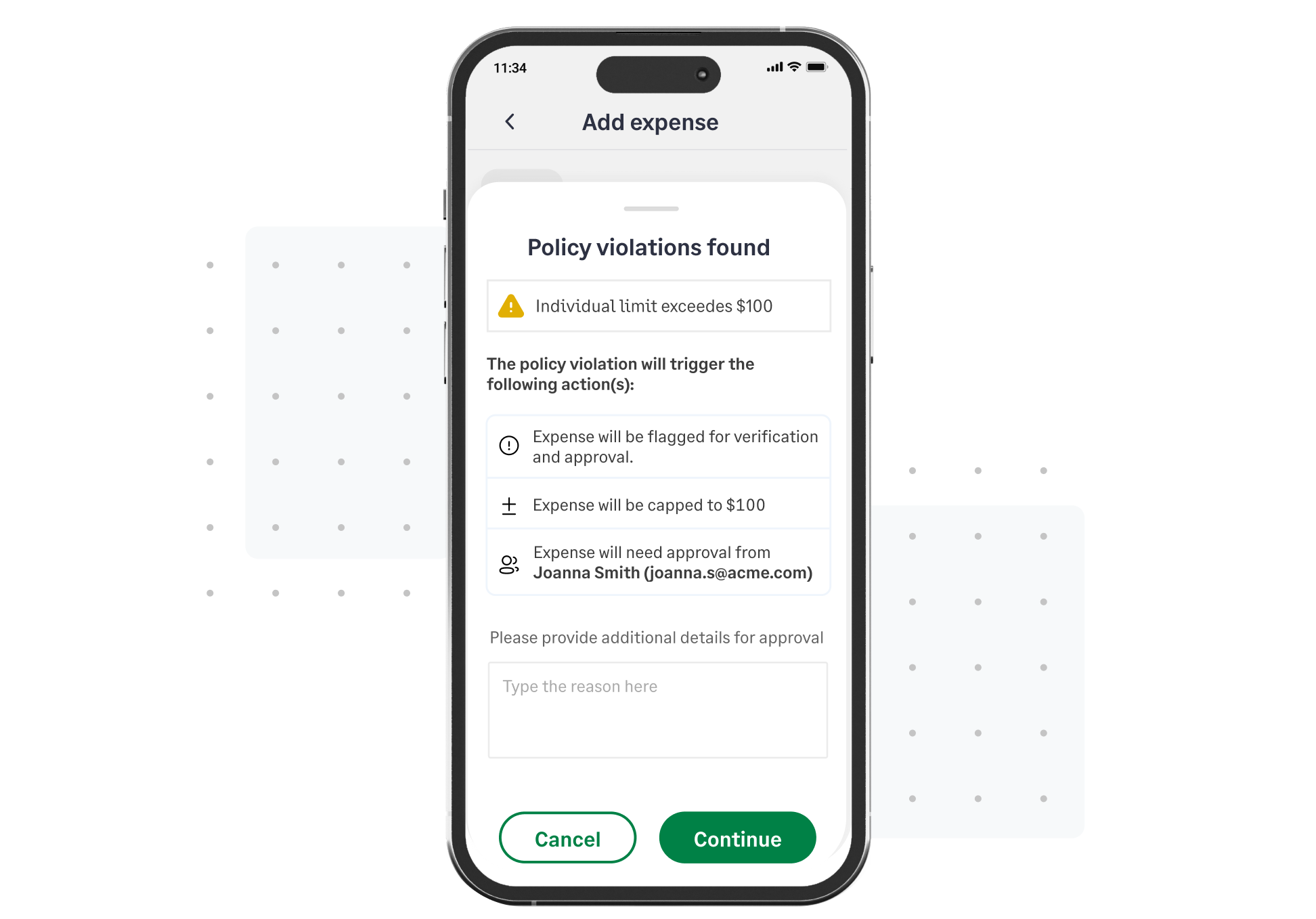
Sage Expense Management prompts employees for receipts immediately for any expense over your $75 threshold and always flags lodging submissions without an itemized attachment.
Receipt Collection Via Other Everyday Apps
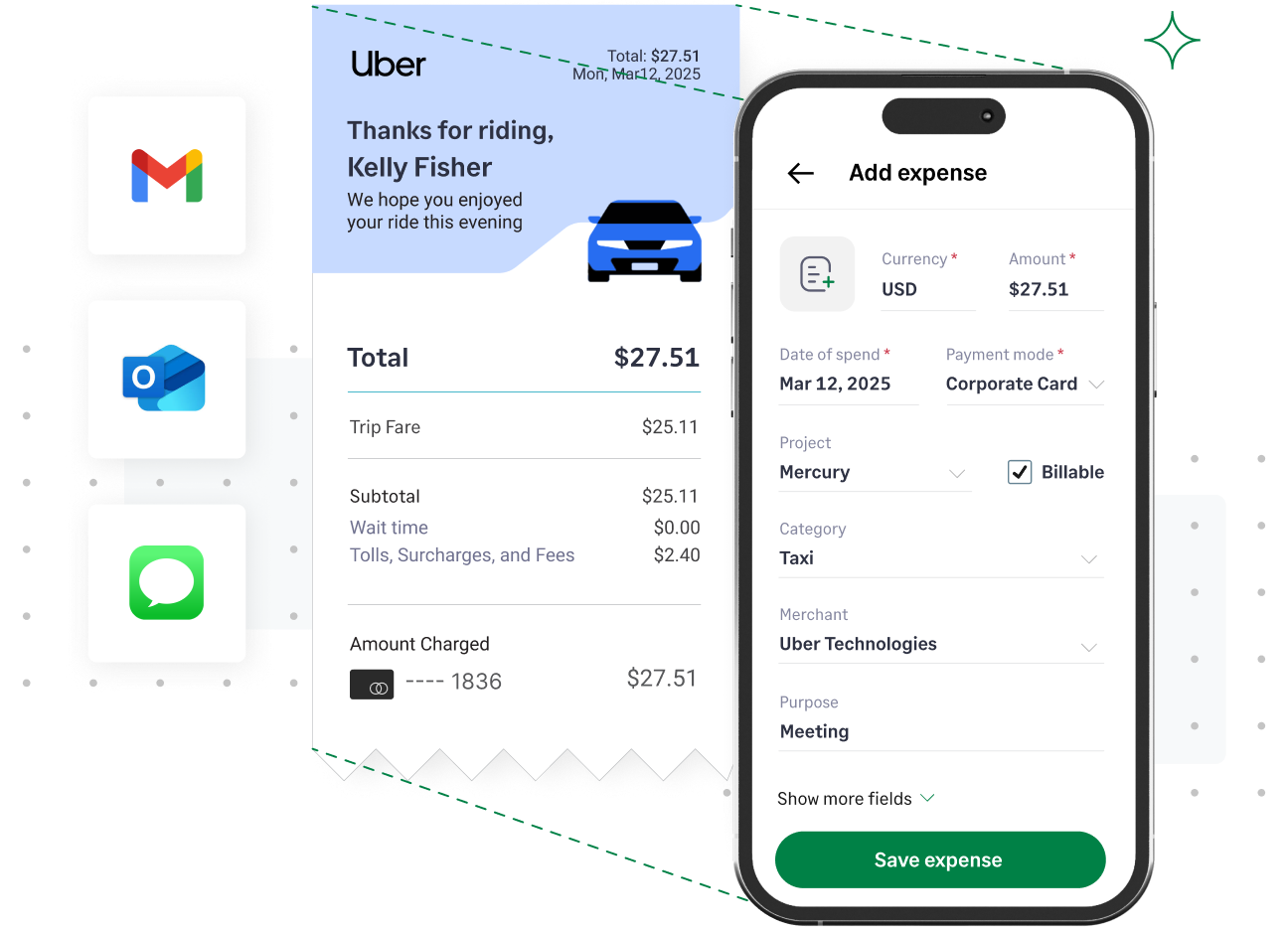
Sage Expense Management lets you submit receipts straight from your favorite apps – Slack, Gmail, Outlook, or even our mobile app. What’s more, it automatically extracts key information and automatically assigns expenses to their relevant categories.
The Audit Trail
Every action, submission, edit, approval, and exports is logged in a centralized, secure, immutable digital vault. You can pull a complete, substantiated record for any expense from 3 years ago in seconds, satisfying IRS retention rules.
The Impact?
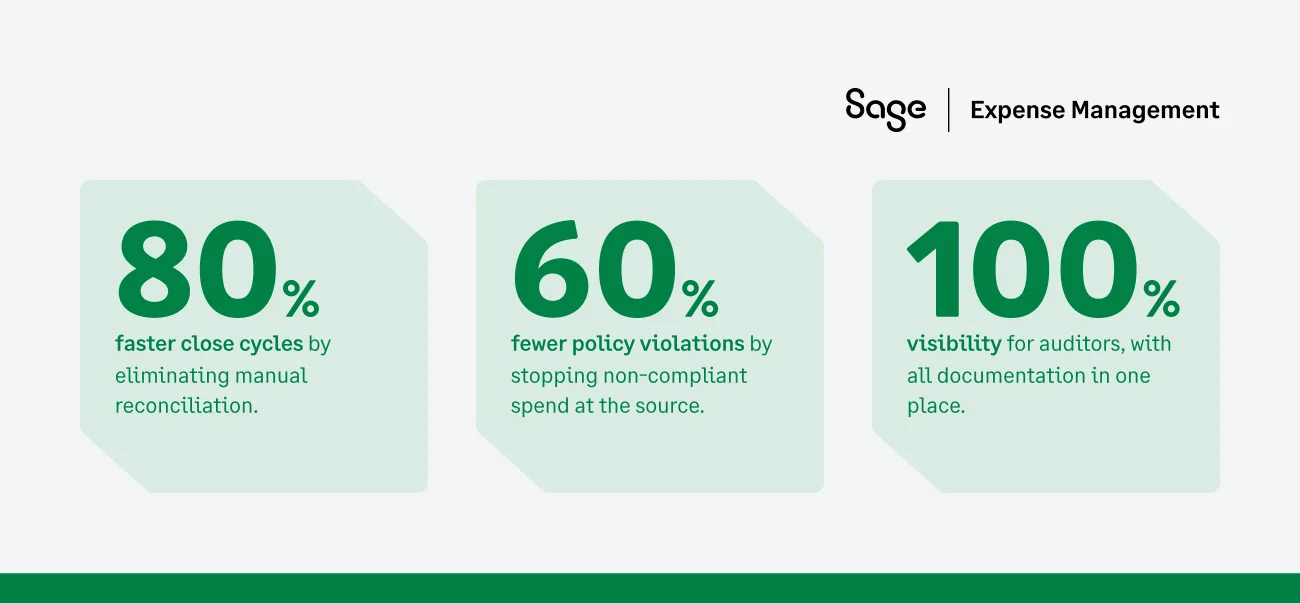
Your Template Can’t Protect You — Automation Can
A spreadsheet is a calculator, not a compliance officer. It creates a false sense of security while leaving your business exposed to disallowed deductions, taxable wage issues, and audit penalties.
The IRS doesn’t forgive missing evidence just because your process was manual.
Modern expense management with Sage ensures that your deductions are protected, your records are immutable, and your finance team can stop chasing paper and start focusing on strategy.
{{good-enough="/cta-banners"}}
.jpg)








