Have you ever returned from a business trip with a mountain of receipts and a sinking feeling of dread about the travel expense reports you’d have to submit?
Well, you’re not alone. For many businesses, travel and entertainment (T&E) represents the second-largest controllable expense after payroll. Yet, companies continue to manage these massive cash outflows using outdated spreadsheets and manual data entry.
Sadly, a travel expense report (T&E report) is the key to ensuring your reimbursements arrive on time.
In this guide, we are breaking down everything you need to know about travel expense reports in 2026. From navigating strict IRS Publication 463 rules to understanding the hidden labor costs of travel expense report templates, here is how you can transform your travel expense reporting into an automated advantage.
What is a Travel Expense Report?
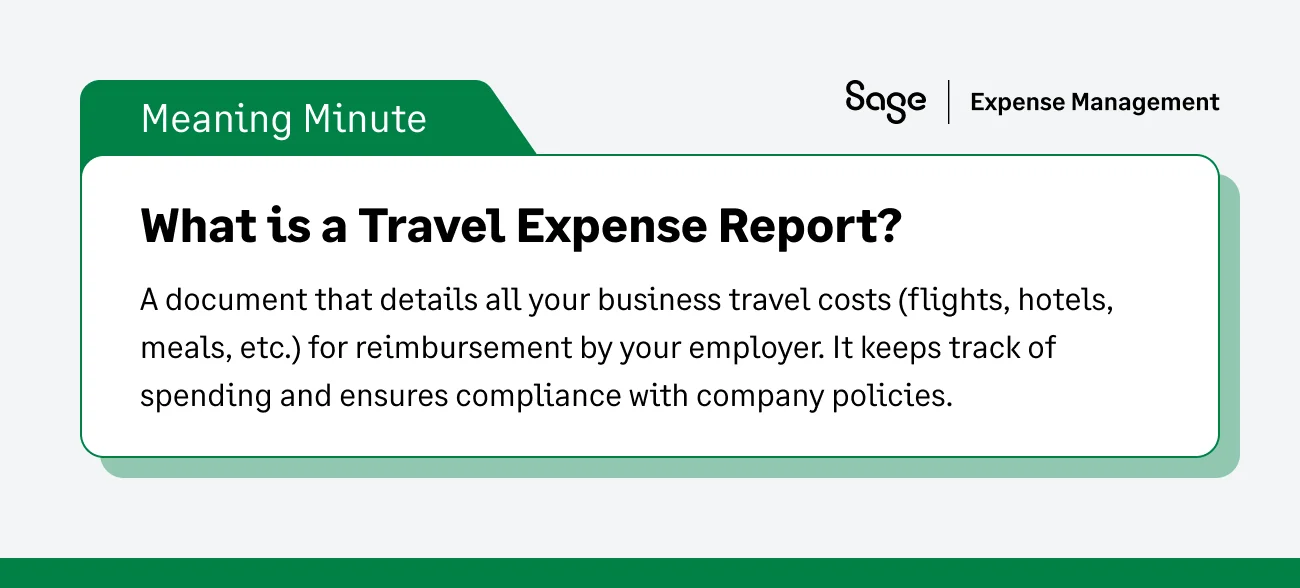
At its core, a travel expense report is a detailed, itemized log of all costs an employee incurs during a business trip.
This document is the bridge between the employee's wallet and the company's general ledger. It serves three critical operational purposes:
- Reimbursement: It acts as a formal, documented request to pay an employee back for out-of-pocket costs.
- Financial visibility: It provides finance teams with granular data to track departmental spending against annual budgets.
- Tax compliance: It functions as a mandatory compliance document to prove to the government that corporate funds were used for legitimate, tax-deductible business purposes.
Why are T&E Reports Important?
A well-structured travel expense report is the backbone of corporate financial discipline. Without a tight process, your company is flying blind. Here is why your business cannot survive without them:
- Budgeting and cash flow control: You cannot optimize what you cannot see. Detailed expense reports give finance leaders real-time visibility into travel spend. This allows them to forecast future cash flow needs, negotiate better corporate rates with preferred airlines or hotels, and stop cash leaks before they ruin a quarter.
- Employee morale & Timely payouts: Employees should not be expected to act as zero-interest lenders for your business. Detailed, standardized reports streamline the approval process, ensuring employees are reimbursed accurately and within days, not months.
- IRS and Tax compliance: Itemized reports act as your primary audit trail. If the IRS ever questions your business deductions- your expense reports, and the receipts attached to them prove that the funds were spent strictly on legitimate business activities.
IRS Rules: Accountable Plans & Documentary Evidence
To legally claim travel deductions and reimburse employees tax-free, your business must comply with strict IRS regulations.
The accountable plan rule
To avoid having employee reimbursements taxed as ordinary income (like a salary bonus), your business must use an IRS-approved "Accountable Plan." This requires three specific criteria:
- Business connection: The expense must be directly tied to your trade or business. (e.g., flying to a client site, not a family reunion).
- Proper substantiation: The employee must provide exact details of the expense (date, time, place, amount, and business purpose) within a "reasonable period of time."
- Return of excess amounts: If you issue an employee a $500 travel advance and they only spend $400, they must return the remaining $100 within a reasonable timeframe.
Note on "Reasonable Time": The IRS provides a safe harbor guideline, generally defining "reasonable" as proving expenses within 60 days after they were incurred, and returning excess advances within 120 days.
What counts as documentary evidence?
Many founders assume a credit card statement is enough to survive an audit. It is not. A bank statement line item that says "Marriott - $450" proves a transaction occurred, but it does not prove what was bought (was it the room rate, or a 0% deductible spa treatment?).
The IRS requires true documentary evidence like an itemized receipt or a detailed hotel folio.
- The $75 exception: The IRS generally does not require documentary evidence for expenses under $75, except for lodging. Every lodging expense, regardless of the amount, requires a receipt. However, to prevent internal fraud, best-in-class companies require receipts for all transactions.
Want to know more about T&E IRS rules? Catch our comprehensive guide on T&E expenses here.
Reimbursable vs. Non-Reimbursable Travel Expenses
To keep travel expense reports clean, your company needs a crystal-clear policy on what is actually allowed. Leaving this open to interpretation leads to rejected reports and frustrated employees.
Transportation
- Allowed: Coach or business-class flights (depending on policy), standard rental cars, train tickets, tolls, and standard mileage rates for personal vehicles.
- Not Allowed: First-class luxury upgrades, unauthorized premium car rentals, traffic violations, or parking tickets.
Lodging
- Allowed: Standard hotel room rates, mandatory resort fees, and reasonable taxes.
- Not Allowed: In-room movies, mini-bar alcohol, spa treatments, or extending the hotel stay for a personal vacation.
Meals & Entertainment
- Allowed: Business meals with clients (strictly subject to a 50% IRS deduction limit) and standard employee meals while traveling. Many companies use standard Per Diem rates set by the General Services Administration (GSA) to cap daily meal spending.
- Not Allowed: Entertainment is 0% deductible. Concert tickets, golf green fees, or sporting event tickets cannot be written off as business expenses, even if you are hosting a client.
Bleisure Travel (Mixed-Purpose Trips)
What happens if an employee flies to Miami for a Thursday meeting, but stays through the weekend for a personal vacation? The IRS dictates that the primary purpose of the trip must be business. The company can reimburse the airfare and the Thursday night hotel, but the weekend lodging and meals are strictly personal and non-reimbursable.
Per Diem vs. Actual Expenses: Which is Better?
When building the travel policy, the company must make a major operational choice:
How will we handle the cost of employee meals?
For this, the IRS gives businesses choices between 2 methods- Per Diem or Actual Expenses. Here is a breakdown of how they work and which one is right for your business:
The Per Diem Method
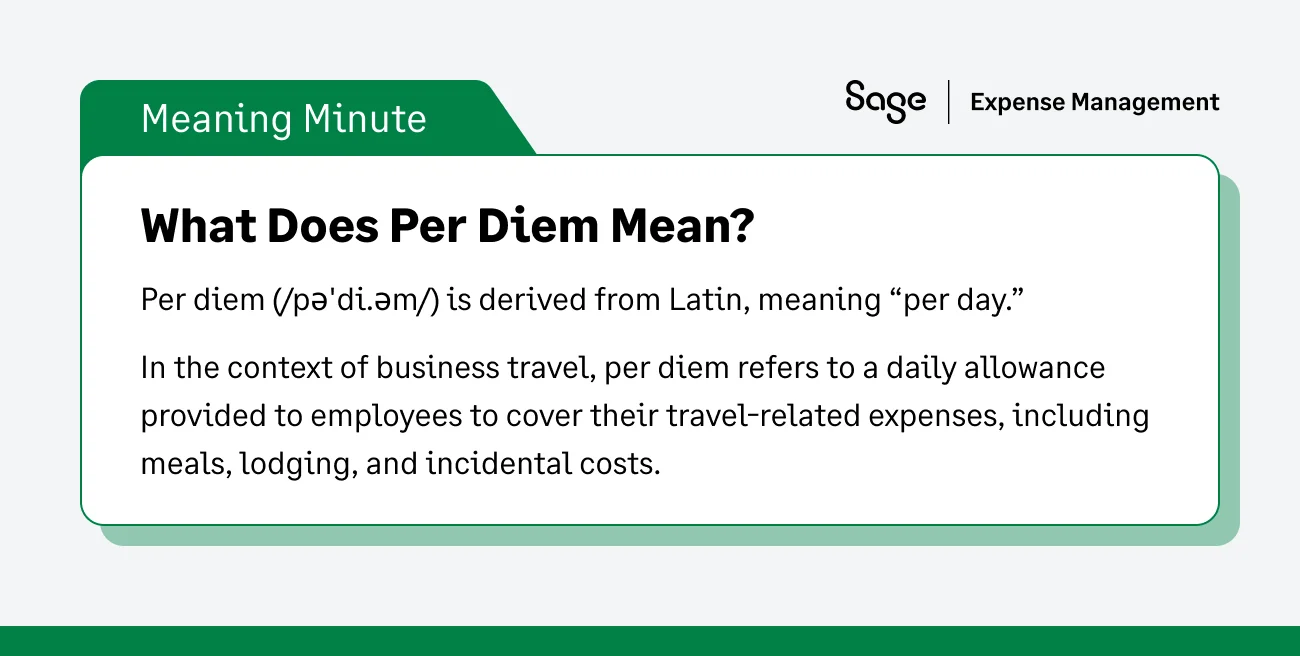
A per diem is a fixed daily allowance. Most companies simply use the geographic rates set annually by the General Services Administration (GSA).
- The Pros: It drastically reduces administrative work. Under an IRS Accountable Plan, if you pay the standard GSA rate, your employees do not need to save their meal receipts. It also makes your travel budget 100% predictable.
- The Cons: You might overpay. If the daily allowance is $75, but your employee only spends $30 on fast food, they get to keep the $45 difference tax-free.
The Actual Expenses Method
As the name suggests, this method involves reimbursing employees for the exact dollar amount they spent on the road.
- The Pros: Your company only pays for what was actually consumed. If your employee eats a $15 sandwich, you only reimburse $15. It also provides necessary flexibility for sales reps who need to host expensive client dinners that exceed standard per diem rates.
- The Cons: It requires intense paperwork. Your finance team must collect, verify, and categorize every single meal receipt to stay IRS compliant.
So which method would suit your company best? Both.
The Hybrid Approach
There is no one-size-fits-all answer, but best-in-class finance teams often use a hybrid approach based on the purpose of the trip.
- Use Per Diem for routine travel: If you are sending an engineer out of state for a week of training, issuing a per diem eliminates the massive headache of tracking dozens of coffee and fast-food receipts.
- Use Actual Expenses for client-facing travel: If an account executive is traveling to close a massive deal, a strict GSA per diem will not cover a proper client dinner. Reimbursing actual expenses ensures they have the budget to entertain properly.
The Travel Expense Reporting Workflow
A great travel policy is useless without a great workflow. Here is how modern finance teams build a process, contrasting the painful manual way with the seamless digital way.
Before the Trip
- Manual: Employees read a dense, 20-page PDF travel policy, try to guess their daily budget, and use their personal credit cards to front the expenses.
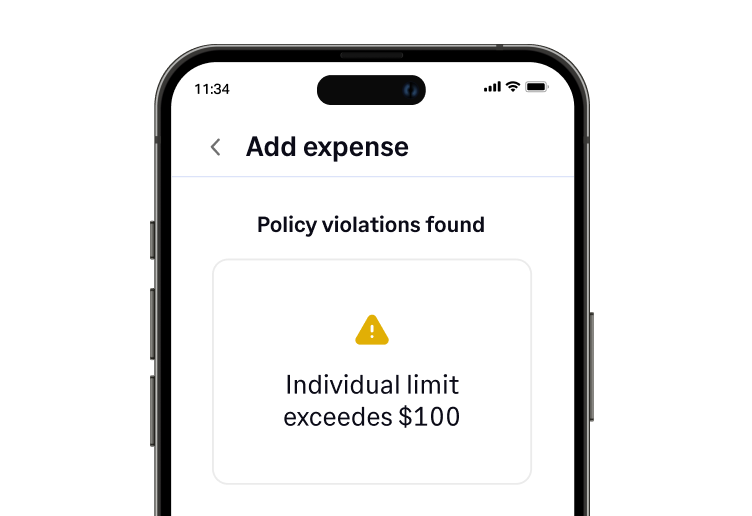
- Automated: Instead of switching to a new fintech card provider, you can connect your existing Visa or Mastercard to Sage Expense Management via direct network feeds. It gives you 100% visibility into spend the moment it happens, with built-in policy checks that flag out-of-policy transactions at the source. You gain total control over your cash flow without the administrative burden of moving your bank accounts or credit lines.
During the Trip
- Manual: Employees stuff fragile, fading paper receipts into their wallets or take messy screenshots on their phones, praying they don't lose them before their return flight.
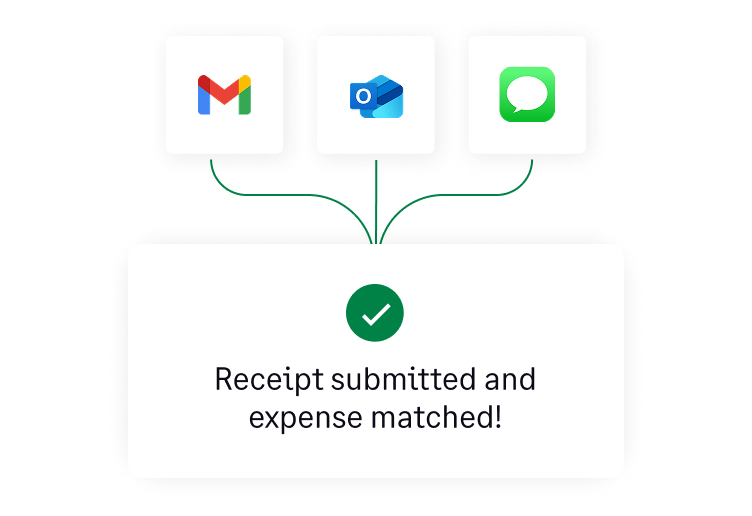
- Automated: The moment an employee swipes their card, our conversational AI sends a real-time text prompt. They simply reply with a photo of the receipt, and the system uses OCR to instantly extract the vendor and amount, matching it to the transaction in seconds.
After the Trip
- Manual: The employee spends a frustrated hour taping receipts to printer paper, building an Excel spreadsheet, and emailing it to a manager. The manager doesn’t open it for three weeks, and the finance team eventually spends hours manually typing the data into the general ledger.
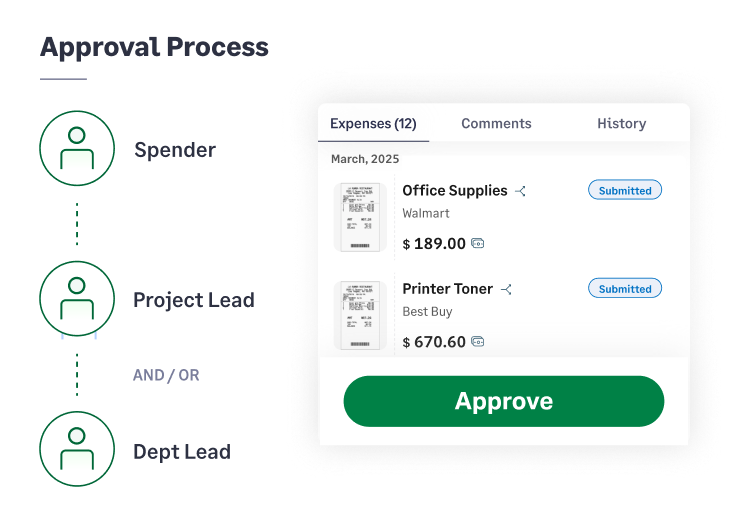
- Automated: Since expenses were logged and categorized in real-time, the report practically builds itself. Automated routing sends it to the manager for a one-click approval, and the data syncs directly into the accounting software, ensuring fast reimbursement.
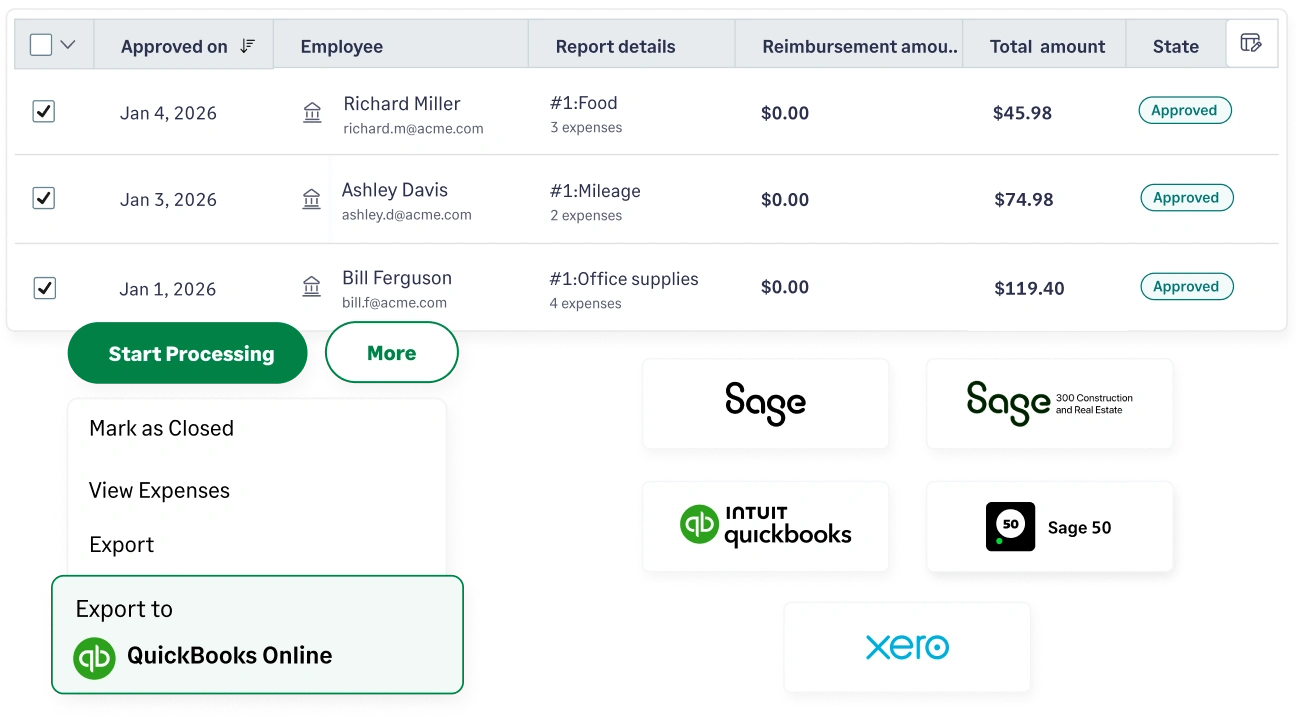
The root cause of this manual bottleneck is simple: travel expense report templates. If your team is stuck in that frustrating "after the trip" phase, you have likely outgrown your templates. Let's see exactly how the traditional spreadsheet stacks up against purpose-built automation software.
Travel Expense Report Template vs. Travel Expense Report Software
When a business is just starting out, a free Excel or PDF travel expense report template seems like the logical choice. They are accessible and get the job done for a team of two or three founders.
But as your headcount grows, that "free" template becomes a massive hidden tax on your team's productivity. Manual templates lack policy guardrails, cannot verify exchange rates, and require double-data entry.
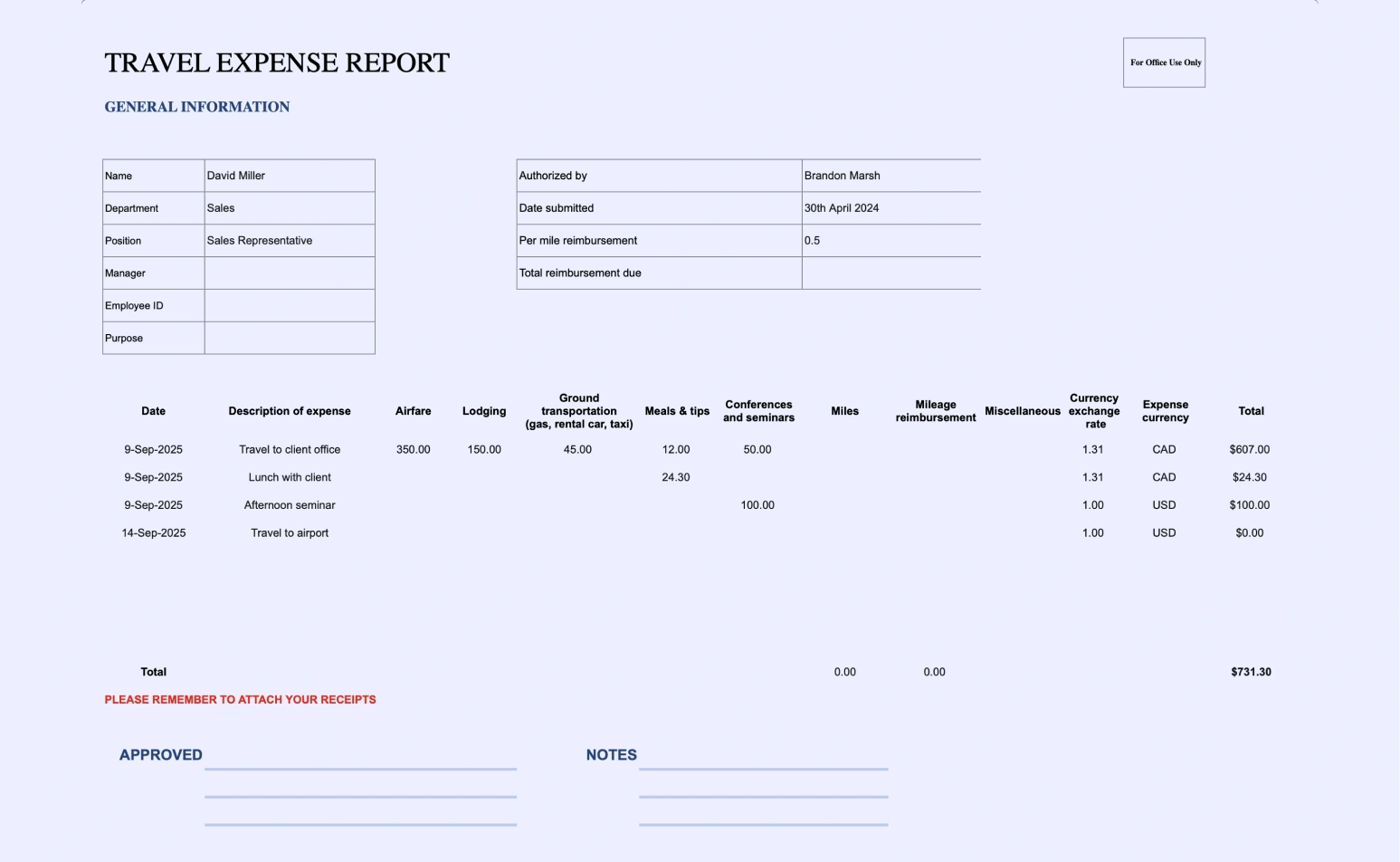
Contents of a Travel Expense Report Template
If you are still at the stage where you must use a manual template, ensure it has these exact columns to remain compliant with the IRS accountable plan rules and maintain clean books:
- Date: The exact date the transaction occurred.
- Vendor: The name of the merchant (e.g., Delta Airlines, Hilton).
- Amount & Currency: The total cost. (If international, include the foreign exchange rate used).
- Expense Category: Transportation, Lodging, Meals, or Incidentals (Crucial for tax mapping).
- Project Code / Cost Center: To allocate the cost to the correct department or client billable project.
- Business Purpose: A brief but specific reason (e.g., "Lunch meeting with John Doe to discuss Q3 SaaS contract").
- Receipt Attachment: A dedicated space or secondary file linking to the itemized proof of purchase.
The True Cost of Manual Expense Reporting
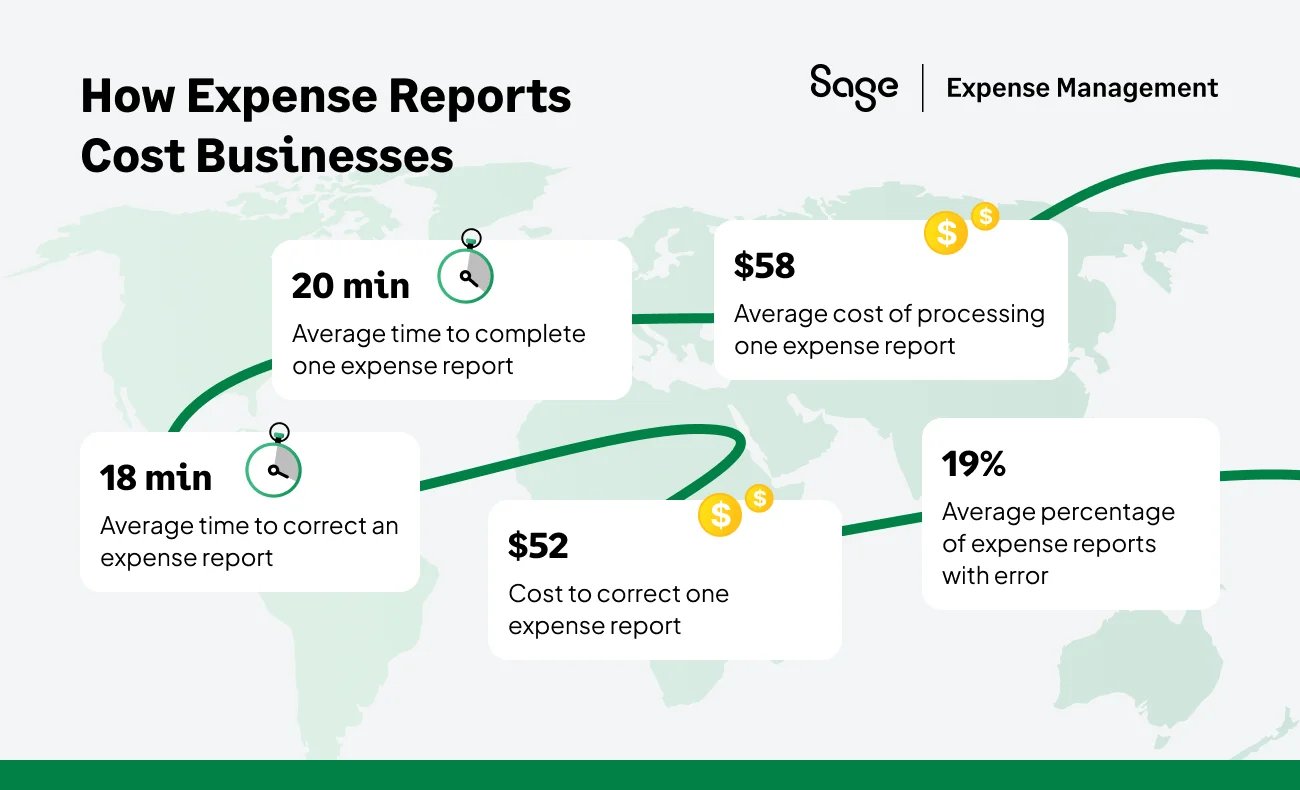
A "free" template isn't free; it’s a massive hidden tax on your team's productivity. While a single report takes an average of 20 minutes to process, that is only the beginning of the drain.
Where the time goes:
- Employees: 5 minutes fiddling with data entry and receipts.
- Managers: 5 minutes chasing clarifications and missing documentation.
- Finance team: 10 minutes reconciling data and correcting manual errors
The GBTA reality check:
- The price tag: It costs an average of $58 in internal labor to process just one report.
- The error trap: 19% of all manual reports contain mistakes.
- The correction tax: Fixing a single error takes an additional 18 minutes.
The bottom line for a 30-person company:
If your team submits just one report a month, you are losing over $20,800 annually to routine paperwork. When you factor in the labor spent correcting the nearly 20% of error-riddled reports, that cost jumps to over $24,400 per year in lost productivity.
And it's important to remember this is just an example for a medium-sized company. For larger organizations with higher volumes of reports, the potential cost drain can be even more significant.
While templates seem like a free option, they’re costing you in hidden ways. Consider this: wouldn’t your time and money be spent focusing on core business functions?
Solving T&E with Sage Expense Management
You do not need to hire more accountants to fix a broken expense process; you just need the right automation. Sage Expense Management is designed to completely eliminate manual reporting, automating your travel workflow from the moment a card is swiped to the moment the books are closed.
No Corporate Card Switch Needed
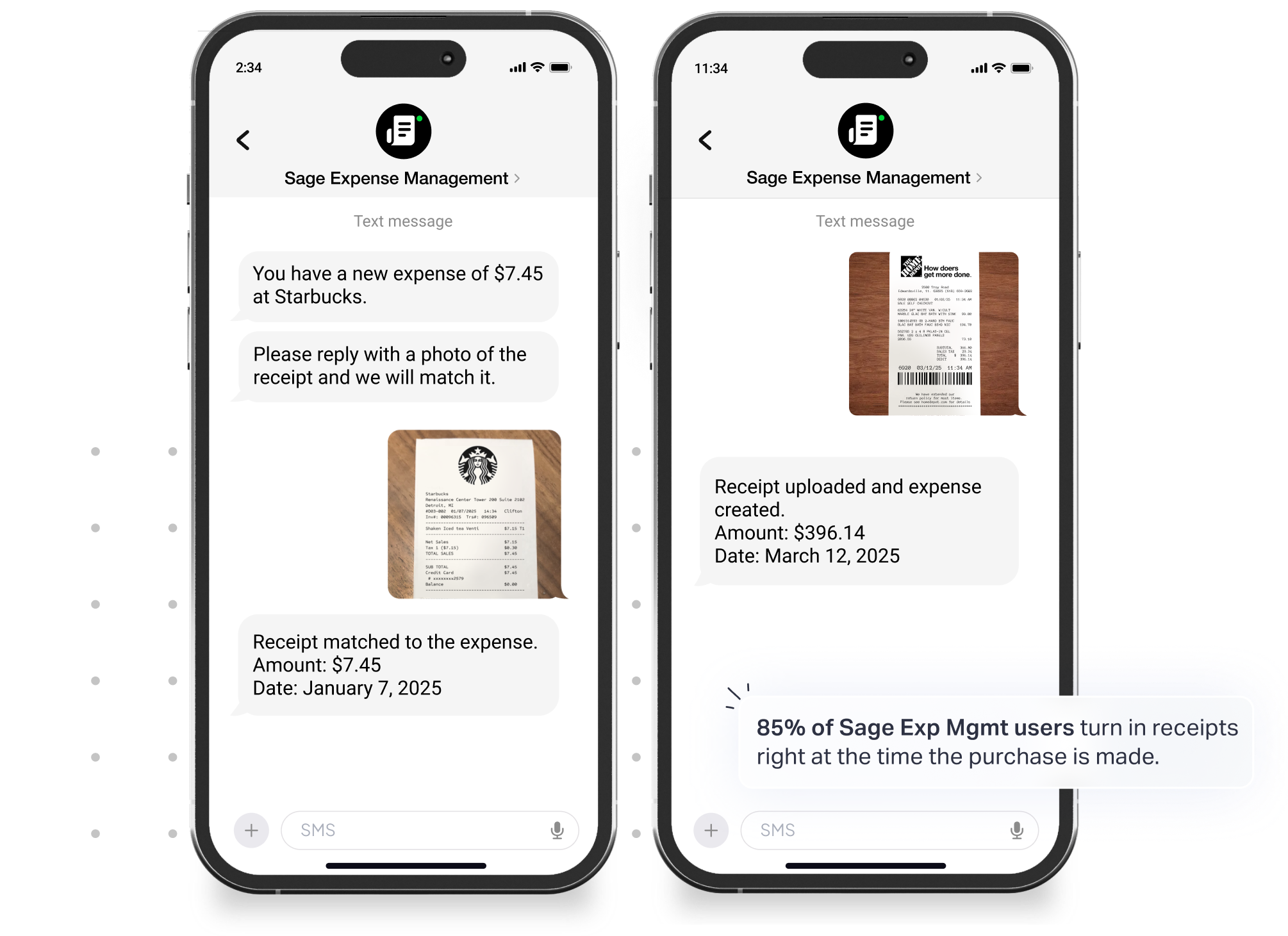
Unlike restrictive platforms that force you to adopt their specific cards, Sage Expense Management is completely card-agnostic. It integrates directly with your existing major credit card networks like Visa & Mastercard via real-time feeds (RTF).
Instead of manually matching receipts to a credit card statement, Sage Expense Management automates this process. When a user submits a receipt, it’s instantly matched to the corresponding transaction, which can take minutes, not hours.
Automated Receipt Capture
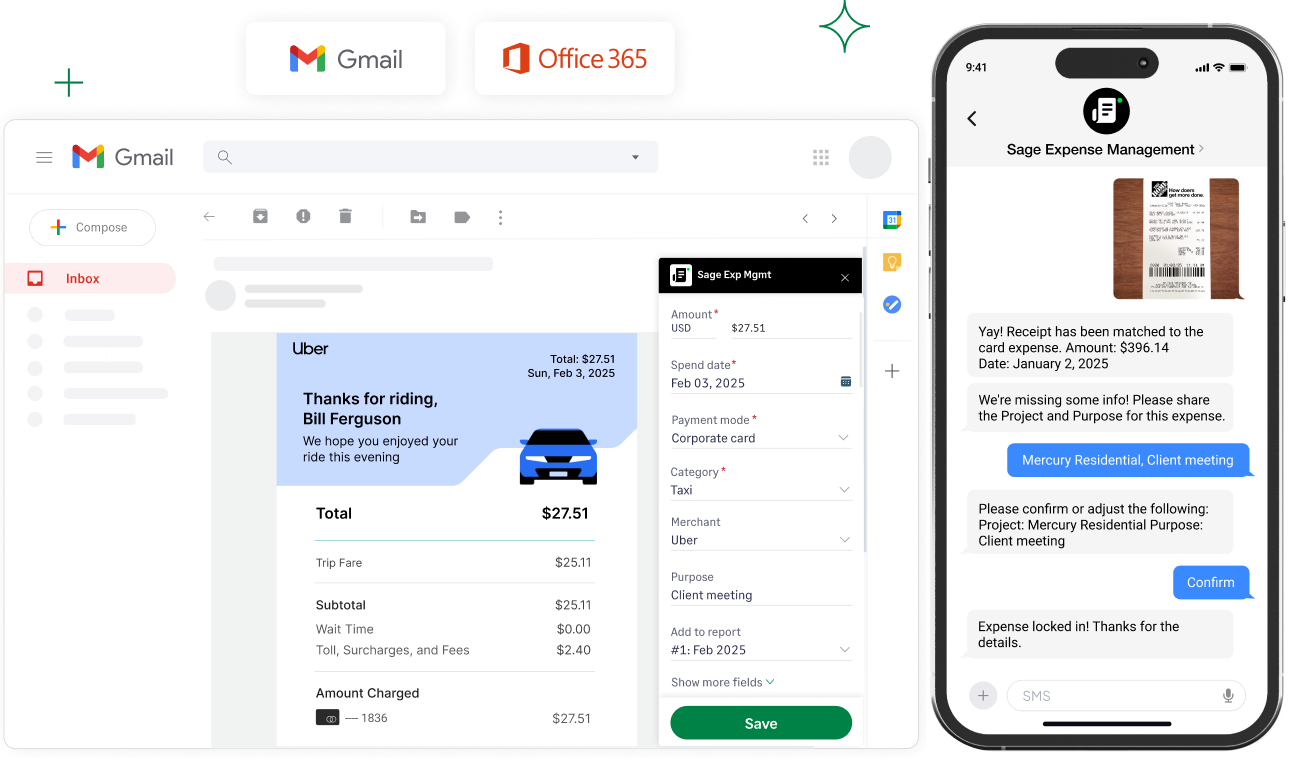
Say goodbye to the receipt mountain. Sage Expense Management utilizes instant SMS receipt capture on the go. Employees can submit receipts via text message, email, or a mobile app, instantly linking them to a transaction. This effortless capture is especially useful for a dispersed or mobile workforce.
Automated Compliance
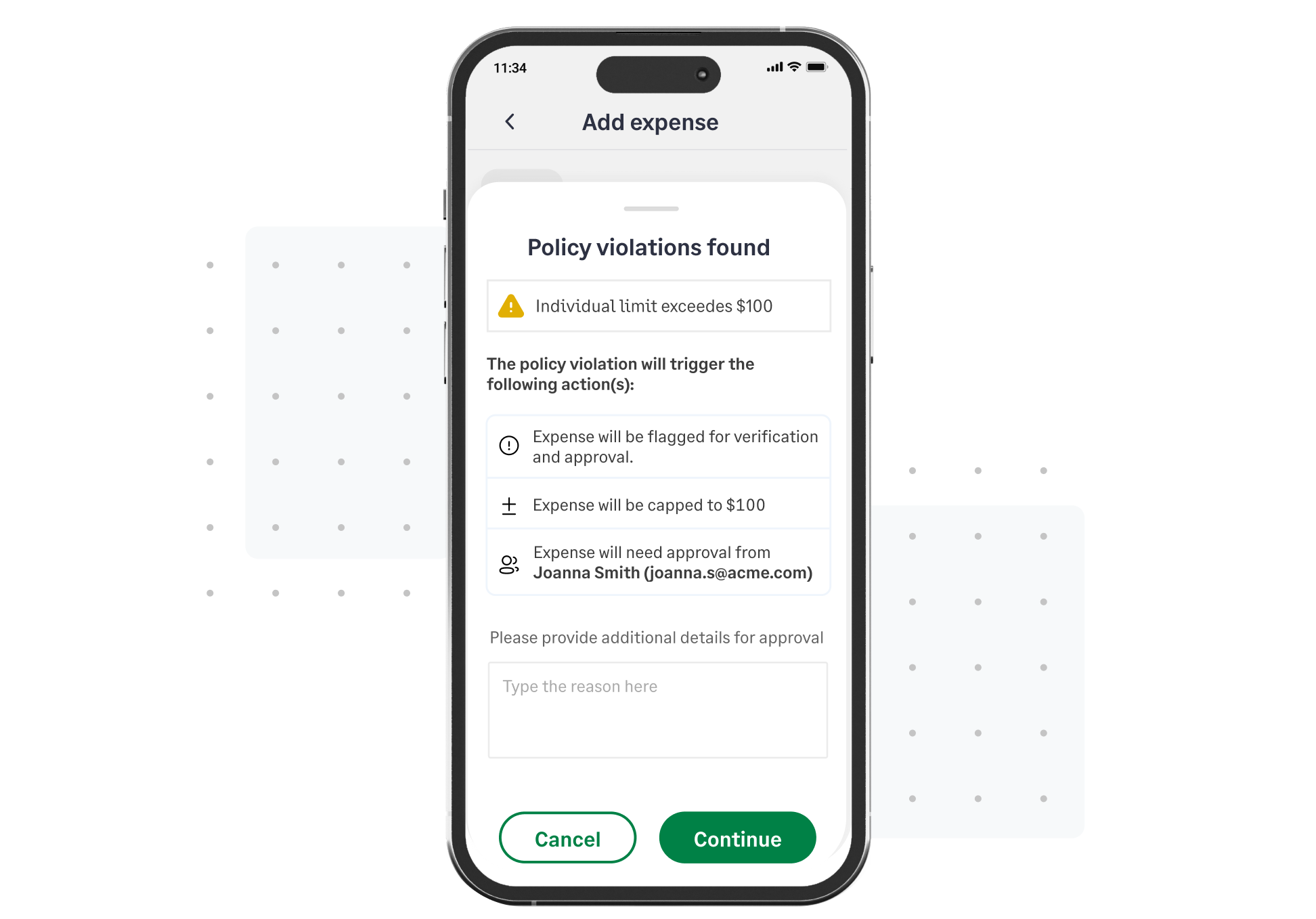
The software performs proactive policy checks before submission. Sage Expense Management’s compliance engine automatically flags policy violations, duplicate claims, and other errors before a report is submitted. If an employee tries to expense a $200 luxury upgrade, the system flags the policy violation before it ever hits the manager's desk.
Seamless Accounting Sync
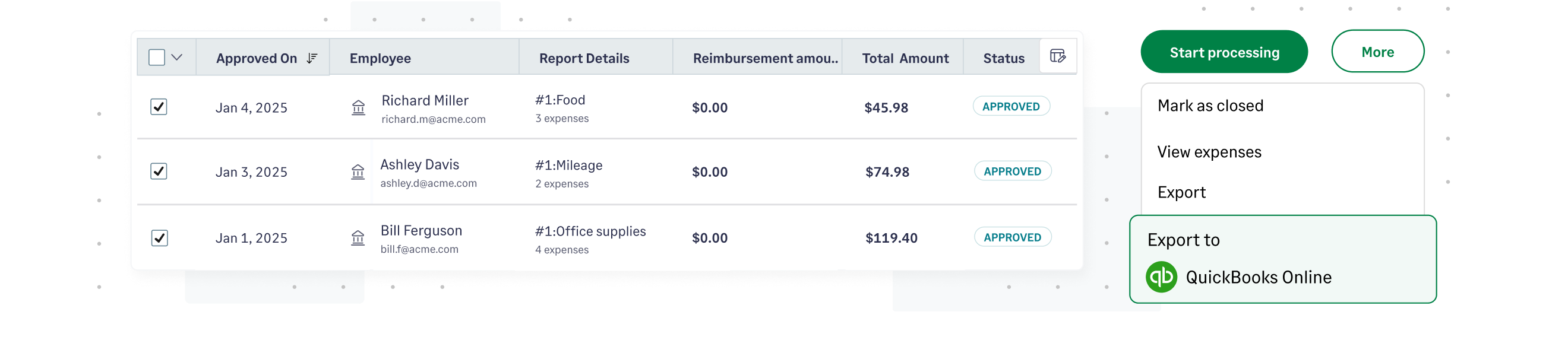
No more manual data entry. Sage Expense Management pushes clean, categorized, and receipt-backed data effortlessly into your General Ledger by integrating flawlessly with various accounting software such as QuickBooks Online/Desktop, Sage Intacct, and Xero, saving your finance team days during month-end close.
Conclusion
Travel expense reports certainly shouldn't cost your business tens of thousands of dollars in wasted administrative labor. By understanding IRS compliance rules, setting clear travel policies, and moving away from outdated manual travel expense report templates, you can protect your bottom line and give your employees their time back.
{{travel-expense-report="/cta-banners"}}
.jpg)